
1. Увод
Thank you for choosing the AULA F3018 Mechanical Keyboard. This keyboard is designed for high-level mechanical performance and robust construction, offering precision for gaming and comfort for typing. It features Blue switches for a tactile and audible click, an ABNT2 layout with 'Ç' for Brazilian Portuguese compatibility, and full RGB lighting with multiple customizable effects. The reinforced braided cable enhances durability and ensures a stable connection. This manual provides essential information for setup, operation, and maintenance of your keyboard.
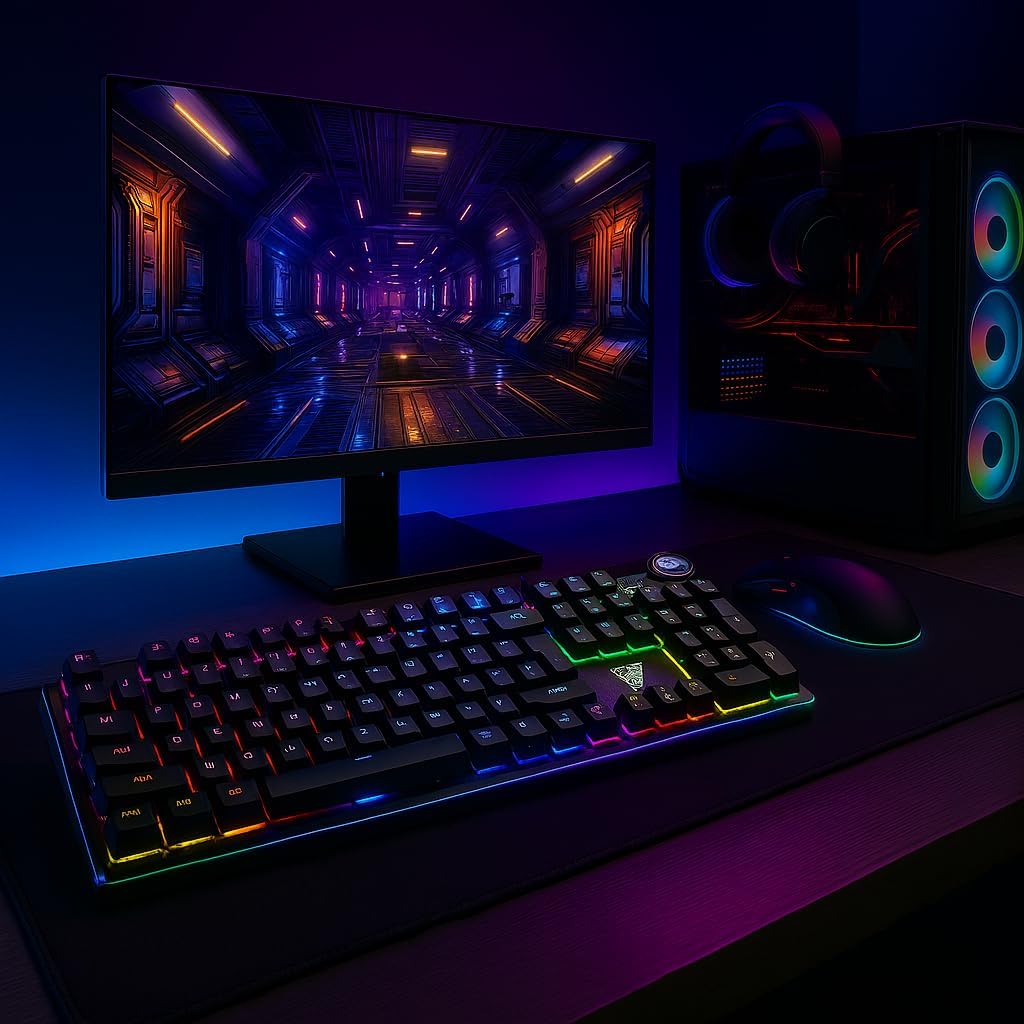
Image 1.1: AULA F3018 Mechanical Keyboard in a typical desktop setup, showcasing its RGB lighting and full-size design.
2. Садржај пакета
Уверите се да су све ставке присутне у пакету:
- АУЛА Ф3018 Механичка тастатура
- USB кабл (приложен)
- Кориснички приручник (овај документ)
3. Подешавање
Follow these steps to connect your AULA F3018 Mechanical Keyboard:
- Распакујте тастатуру: Пажљиво извадите тастатуру из паковања.
- Повежите се са рачунаром: Insert the USB connector of the keyboard's reinforced cable into an available USB port on your computer (PC, Notebook, or MacBook). The keyboard supports USB 2.0 and USB 3.0 ports.
- Инсталација драјвера: The keyboard is plug-and-play. Your operating system will automatically detect and install the necessary drivers. No additional software installation is required for basic functionality.
- Потврдите везу: Once connected, the keyboard's RGB lighting should illuminate, indicating a successful connection. You can now begin using your keyboard.

Слика 3.1: Под углом view of the AULA F3018 keyboard, highlighting the durable, reinforced USB cable for connection.
4. Упутство за употребу
4.1. Основне функције
The AULA F3018 is a full-size ABNT2 layout keyboard with 108 keys, providing all standard typing and navigation functions.
4.2. RGB контрола осветљења
The keyboard features full RGB backlighting with multiple effects. Use the following key combinations to control the lighting:
- Fn + [тастер]: Specific keys may have secondary functions for lighting control. Refer to the keycaps for symbols indicating lighting adjustments.
- Режими осветљења: Cycle through various lighting effects and patterns.
- Подешавање осветљености: Increase or decrease the brightness of the backlighting.
- Подешавање брзине: Change the speed of dynamic lighting effects.

Image 4.1: The AULA F3018 keyboard illuminated with vibrant RGB lighting, demonstrating customizable visual effects.
4.3. Multimedia Controls
The keyboard includes dedicated multimedia keys and a volume control knob for convenient media management:
- Дугме за јачину звука: Rotate the knob clockwise to increase volume, counter-clockwise to decrease volume. Press the knob to mute/unmute audio.
- Наменски мултимедијални тастери: Located above the numeric keypad, these keys provide quick access to functions like Play/Pause, Stop, Previous Track, and Next Track.

Слика 4.2: Детаљно view of the volume control knob and adjacent multimedia keys on the AULA F3018 keyboard.
5. Одржавање
Правилно одржавање осигурава дуготрајност и оптималне перформансе ваше тастатуре:
- Чишћење: Користите меку, суву крпу да обришете површину тастатуре. За прашину и прљавштину између тастера користите компримовани ваздух. Избегавајте употребу јаких хемикалија или абразивних материјала.
- Превенција изливања: While the keyboard is moisture-resistant, avoid direct liquid spills. In case of a spill, immediately disconnect the keyboard and allow it to dry completely before reconnecting.
- Нега каблова: Do not bend or twist the reinforced cable excessively. Store it neatly to prevent damage.
- Складиштење: Када се тастатура не користи дуже време, чувајте је на чистом и сувом месту, даље од директне сунчеве светлости и екстремних температура.
КСНУМКС. Решавање проблема
If you encounter issues with your AULA F3018 keyboard, refer to the following common problems and solutions:
- Тастатура не реагује:
- Уверите се да је USB кабл безбедно повезан и са тастатуром и са рачунаром.
- Покушајте да повежете тастатуру са другим УСБ портом на рачунару.
- Поново покрените рачунар.
- Тестирајте тастатуру на другом рачунару да бисте искључили проблем специфичан за рачунар.
- РГБ осветљење не ради:
- Check if the lighting is turned off or set to minimum brightness using the keyboard's lighting control functions (e.g., Fn + [Key]).
- Уверите се да је тастатура правилно повезана и да прима напајање.
- Тастери се не региструју или се куцају двапут:
- Clean the affected key(s) with compressed air to remove any debris.
- If the issue persists, it might indicate a hardware fault. Contact customer support.
- Мултимедијални тастери не раде:
- Ensure your operating system's media player is active and in focus.
- Проверите да ли постоје конфликтни софтвери или драјвери.
7. Спецификације
| Феатуре | Опис |
|---|---|
| Назив модела | АУЛА Ф3018 Механичка тастатура |
| Број модела | Ф3018 |
| Бранд | AULA (Generic) |
| Тип прекидача | Tactile Blue Switch |
| Распоред тастатуре | ABNT2 (Portuguese) |
| Број кључева | 108 |
| Повезивање | Wired (USB, USB 2.0, USB 3.0) |
| Позадинско осветљење | Full RGB, Adjustable |
| Компатибилни уређаји | MacBook, Notebook, PC |
| Материјал | акрилонитрил бутадиен стирен (АБС) |
| Боја | Црно |
| Димензије (Д к Ш к В) | 44 цм к 14 цм к 3 цм |
| Ниво отпорности на воду | Отпоран на влагу |
| Препоручена употреба | Gaming, Personal, Programming |
| Укључене компоненте | УСБ кабл |
| Земља порекла | Кина |

Image 7.1: Dimensions of the AULA F3018 Mechanical Keyboard, showing its length, width, and height.

Image 7.2: Key features of the AULA F3018 keyboard, including switch type, layout, and connectivity.
8. Гаранција и подршка
The AULA F3018 Mechanical Keyboard comes with a 30-day seller warranty од датума куповине. Ова гаранција покрива производне недостатке при нормалној употреби.
For technical support, warranty claims, or any questions regarding your product, please contact your retailer or the seller directly. Please retain your proof of purchase for warranty validation.