
Увод
This manual provides detailed instructions for the Izzo Swami 7000i Golf GPS Rangefinder. It covers device setup, operational procedures, maintenance guidelines, and troubleshooting tips to ensure optimal performance and a comprehensive understanding of its features. The Swami 7000i is designed to assist golfers with precise distance measurements and course management.
Сетуп
1. Пуњење уређаја
Before first use, fully charge the Swami 7000i. Connect the provided USB-C cable to the device's charging port and plug the other end into a compatible USB power adapter. A full charge provides up to 16 hours of operation in GPS mode.
2. Укључивање/искључивање
Да бисте укључили уређај, притисните и држите дугме за напајање које се налази са стране. Да бисте искључили уређај, поново притисните и држите дугме за напајање док се не појави упит за искључивање, а затим потврдите.
3. Course Loading and Updates
The Swami 7000i comes preloaded with over 38,000 golf courses worldwide. No downloads, updates, or subscription fees are required for course access. The device automatically recognizes the course you are playing when GPS signal is acquired.
4. Почетна подешавања
Upon first power-on or after a factory reset, you may need to configure basic settings such as language, measurement units (yards/meters), and display preferences. Navigate through the settings menu using the touchscreen interface.

Image: The Izzo Swami 7000i features an ultra-responsive touchscreen for easy navigation and setting adjustments.

Image: The device offers high visibility color display options including yellow, blue, and white themes for various lighting conditions.
Operating the Swami 7000i
1. Basic Navigation and Display
The Swami 7000i utilizes a 2.5-inch color touchscreen display. Swipe and touch gestures allow for intuitive navigation through menus and features. The main screen typically displays distances to the front, center, and back of the green.
2. Distance Measurements
The device provides accurate distances to the front, center, and back of the green. These are continuously updated as you move around the course.

слика: View precise front, center, and back distances to the green, along with i-Caddie club recommendations.
3. Hazard and Dogleg Distances
Access detailed layup and carry distances to various hazards and doglegs on the course. This feature assists in strategic shot planning.
4. I-Caddie Technology
The I-Caddie technology suggests appropriate clubs based on your distance to the flag. This feature utilizes pre-programmed data to provide recommendations.

Image: iCaddie Technology provides club recommendations to optimize your shot selection.
5. Мерење удаљености шута
Measure the distance of your shots. Activate this feature at your starting point and walk to where your ball landed. The device will display the distance covered.
6. Digital Scorecard
Utilize the built-in digital scorecard to keep track of your score during a round. Input scores for each hole directly on the device.
7. Auto-Hole Advance
The device features auto-hole advance, automatically progressing to the next hole as you move around the course, ensuring continuous and accurate data display.
8. Cart Mounting
The Swami 7000i includes strong internal magnets for secure attachment to a golf cart frame. Ensure the device is firmly attached before moving the cart.
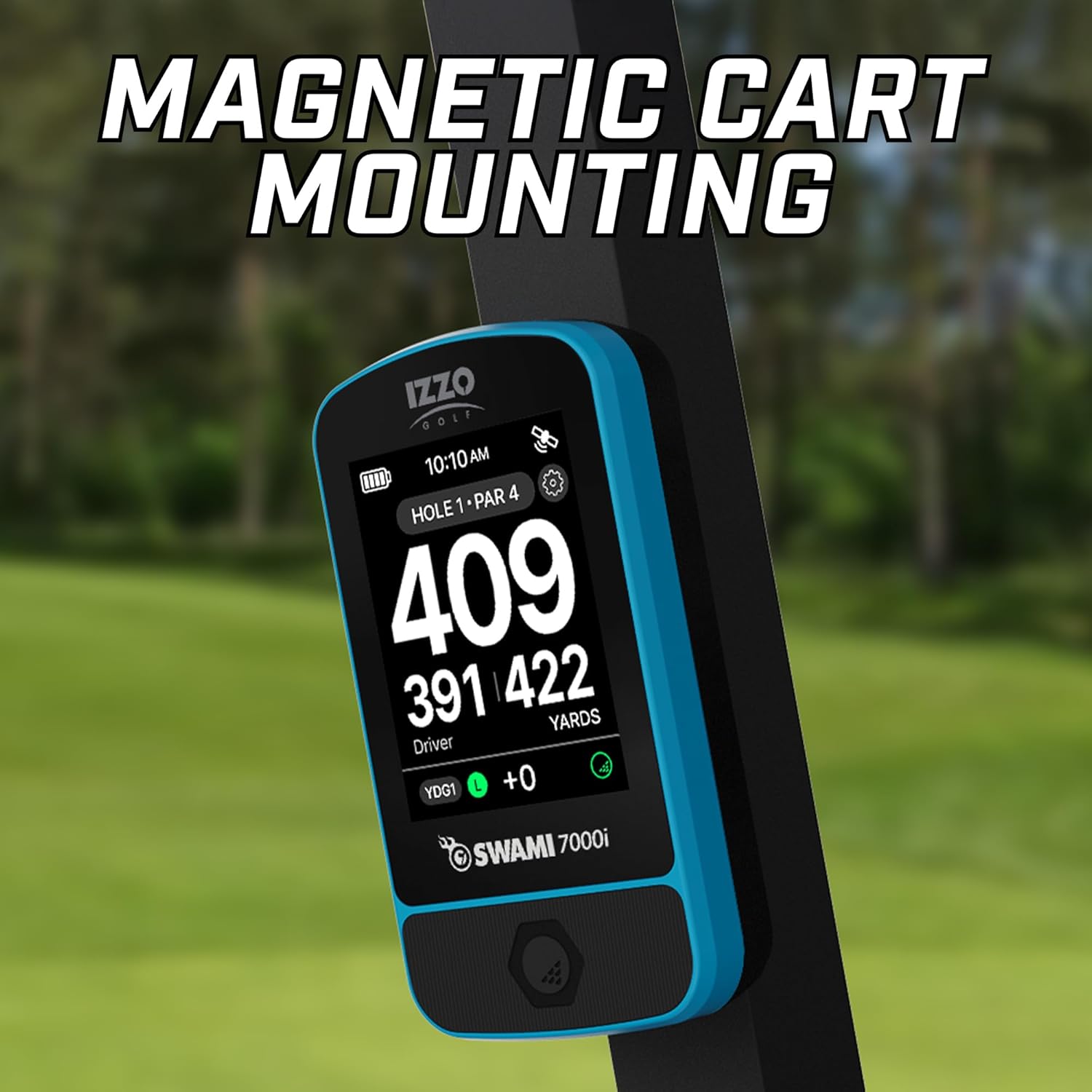
Image: The device can be securely mounted to a golf cart using its integrated magnets.
Производ је завршенview Видео
Видео: Овај видео пружа визуелни приказview of the Izzo Swami 7000i Golf GPS Rangefinder's features and functionality.
Одржавање
1. Чишћење
Обришите уређај меком, дamp cloth to remove dirt or debris. Avoid using harsh chemicals or abrasive materials that could damage the screen or casing.
2. Складиштење
Store the Swami 7000i in a cool, dry place when not in use. Avoid extreme temperatures and direct sunlight. For long-term storage, ensure the battery is partially charged (around 50%) to maintain battery health.
3. Брига о батерији
To prolong battery life, avoid fully discharging the device frequently. Recharge the battery as needed. The lithium-ion battery is designed for long-lasting performance.
4. Отпорност на воду
The device is water-resistant, meaning it can withstand light rain or splashes. It is not designed for submersion in water. Avoid exposing it to heavy rain or prolonged wet conditions.
Решавање проблема
1. Нема GPS сигнала
- Уверите се да сте на отвореном простору са чистим view неба.
- Wait a few minutes for the device to acquire satellites.
- Поново покрените уређај.
2. Inaccurate Distances
- Verify that the device has a strong GPS signal.
- Ensure the correct course and hole are selected.
- Check for any obstructions that might interfere with the GPS signal.
3. Уређај не реагује
- Извршите меко ресетовање тако што ћете држати дугме за напајање док се уређај поново не покрене.
- If unresponsive, ensure the battery is charged.
4. Батерија се брзо празни
- Смањите осветљеност екрана.
- Уверите се да је уређај потпуно напуњен пре употребе.
- Avoid leaving the device in extreme temperatures.
Спецификације
| Феатуре | Детаљ |
|---|---|
| Назив модела | 7000и |
| Величина екрана | 2.5 inches (Color Touchscreen) |
| Димензије (ДкШкВ) | 4.5 к 3 к 2 инча |
| Тежина | Приближно 0.18 килограма |
| Трајање батерије | Up to 16 hours (GPS mode) |
| Порт за пуњење | УСБ-Ц |
| Courses Preloaded | 38,000+ worldwide (no subscription) |
| Посебне карактеристике | Touchscreen, I-Caddie Technology, Digital Scorecard, Auto-Hole Advance, Magnetic Cart Mount |
| Отпорност на воду | Да |
| Материјал | Пластика |
Информације о гаранцији
The Izzo Swami 7000i Golf GPS Rangefinder comes with a 1-годишња ограничена гаранција from the date of purchase. This warranty covers manufacturing defects under normal use. For warranty claims or detailed terms and conditions, please refer to the official Izzo Golf webсајту или контактирајте корисничку подршку.
Корисничка подршка
For further assistance, technical support, or inquiries regarding your Izzo Swami 7000i, please visit the official Izzo Golf webсајту или контактирајте њихову службу за кориснике. Контакт информације се обично могу наћи на произвођачевој webсајту или у материјалима за паковање.
Online resources may include FAQs, additional guides, and software updates.