
Увод
This manual provides detailed instructions for the installation, operation, and maintenance of your GNCC GT1ProB-2P Outdoor Security Camera. Designed for reliable home surveillance, this 2K camera features motion detection, color night vision, two-way audio, and 24/7 recording capabilities. Please read this manual thoroughly before use to ensure proper setup and optimal performance.
Садржај пакета
- GNCC GT1ProB-2P Outdoor Security Camera (2 units)
- Повер Адаптер
- Монтажно постоље
- Монтажни завртњи
- Упутство за употребу
Сетуп
1. Физичка инсталација
The GNCC GT1ProB-2P camera is designed for outdoor use and is IP65 waterproof. Select a suitable location that provides the desired viewing angle and is within range of a power outlet and your 2.4 GHz Wi-Fi network.
- Mark Drilling Positions: Place the mounting stand against the wall or surface where you intend to install the camera. Use a pencil to mark the positions for the mounting screws.
- Избушене рупе: Drill pilot holes at the marked positions. Insert wall anchors if necessary for your mounting surface.
- Осигурајте постоље: Attach the mounting stand to the wall using the provided mounting screws.
- Прикључи камеру: Securely attach the camera to the mounting stand. Adjust the camera angle as needed.
- Прикључите напајање: Connect the power adapter to the camera and plug it into a power outlet. The camera will power on.

Image: The GNCC GT1ProB-2P camera, demonstrating its IP65 waterproof design, suitable for outdoor installation.
2. Инсталација и упаривање апликације
The GNCC GT1ProB-2P camera uses the Osaio app for control and monitoring.
- Преузми апликацију: Тражи "Osaio" in your smartphone's app store (App Store for iOS or Google Play Store for Android) and download the application.
- Креирајте налог: Open the Osaio app and follow the on-screen instructions to create a new user account or log in if you already have one.
- Додај уређај: Tap the "+" icon or "Add Device" option within the app. Select your camera model (GT1ProB-2P) from the list.
- Повежите се на Ви-Фи: Follow the app's prompts to connect the camera to your 2.4 GHz Wi-Fi network. Ensure your phone is also connected to the same 2.4 GHz Wi-Fi network during the pairing process.
- Скенирање КР код: The app may display a QR code. Hold your camera up to your phone screen to scan the QR code. A voice prompt from the camera will confirm successful connection.
- Комплетно подешавање: Once connected, name your camera and complete the setup process within the app.
Упутство за употребу
Уживо View и Снимање
Access the Osaio app to view ливе фооtage from your camera. The camera supports 24/7 continuous recording.
- Локално складиште: Insert a MicroSD card (up to 128GB, not included) into the camera's MicroSD card slot for local storage of recordings.
- Цлоуд Стораге: An optional cloud storage service is available, offering a 14-day free trial. This provides remote backup of your recordings.

Image: A smartphone interface showing 24/7 recording playback from the GNCC camera, with a timeline of events.
Детекција покрета и обавештења
The camera features advanced motion detection. When motion is detected, the camera can send instant notifications to your smartphone via the Osaio app.
- Омогући/онемогући: You can enable or disable motion detection and adjust sensitivity settings within the Osaio app.
- Обавештења: Receive push notifications on your phone when motion or sound is detected.
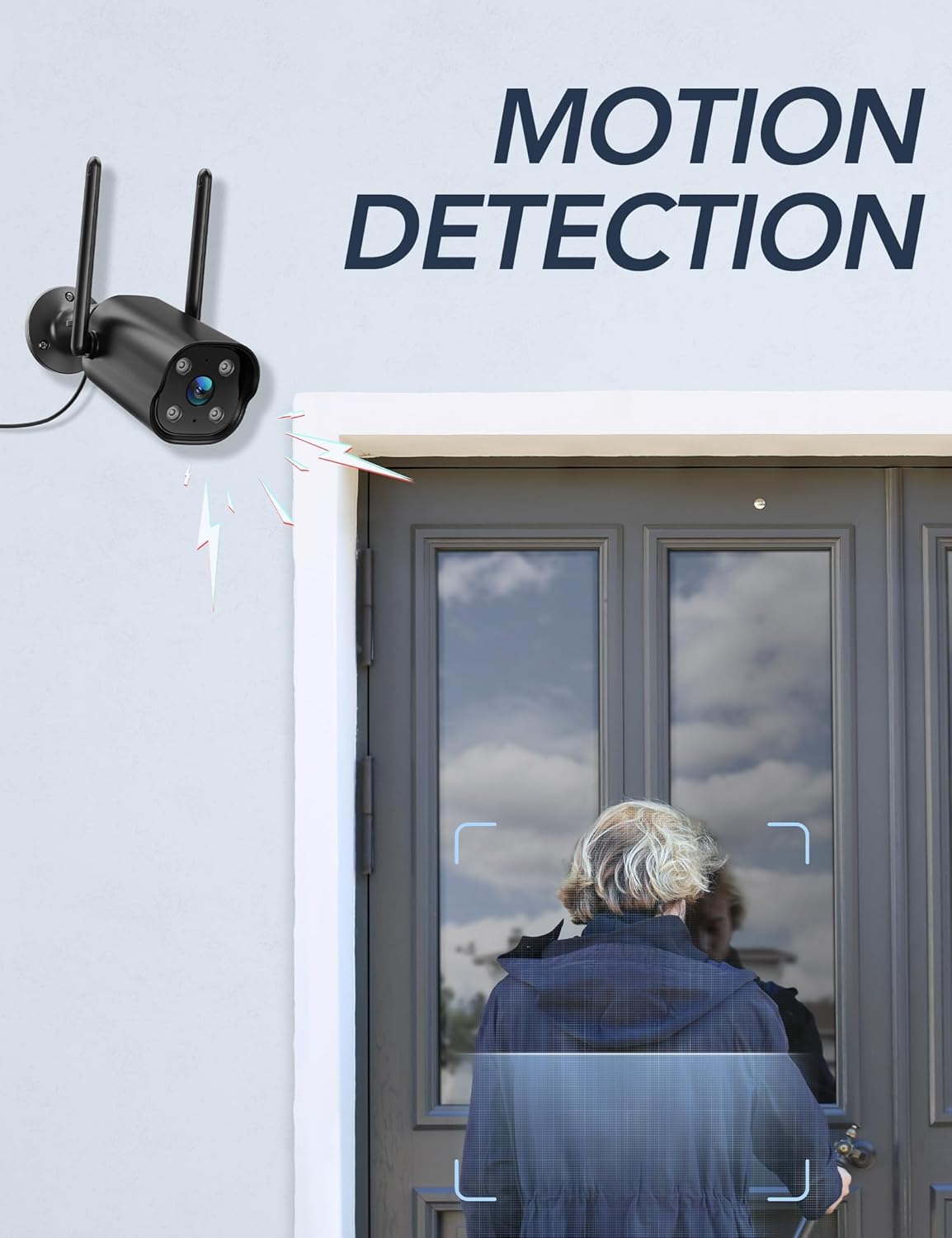
Image: The GNCC camera illustrating its motion detection capability, highlighting a person entering the detection zone.

Image: A smartphone displaying push notifications from the Osaio app, indicating detected motion and sound events.
Двосмерни аудио
The integrated microphone and speaker allow for two-way communication through the camera. This feature enables you to speak to visitors or deter intruders remotely.
- Активирај: У живо view interface of the Osaio app, locate and tap the microphone icon to speak through the camera.
- слушај: The camera's microphone will pick up audio from its surroundings, which you can hear through your phone.

Image: The GNCC camera demonstrating its two-way audio function, allowing communication between the user and the monitored area.
Нигхт Висион
The camera is equipped with enhanced night vision, providing clear visibility up to 50 feet (15 meters) in low-light conditions. It also supports color night vision for improved detail.
Интеграција паметног дома
The GNCC GT1ProB-2P camera is compatible with Amazon Alexa and Google Home. Refer to the Osaio app settings or your smart home assistant's documentation for instructions on linking your camera.
Одржавање
Чишћење
To ensure optimal image quality, periodically clean the camera lens. Use a soft, damp cloth to gently wipe away dust and dirt. Avoid using harsh chemicals or abrasive materials that could scratch the lens.
Ажурирања фирмвера
GNCC regularly releases firmware updates to improve camera performance and add new features. Check for available updates through the Osaio app settings. It is recommended to keep your camera's firmware up to date.
Решавање проблема
Уобичајени проблеми и решења
- Камера ван мреже:
- Уверите се да је камера укључена и да је адаптер за напајање безбедно прикључен.
- Проверите свој Wi-Fi рутер и интернет везу.
- Verify the camera is within range of your 2.4 GHz Wi-Fi network.
- Поново покрените камеру тако што ћете искључити и поново укључити адаптер за напајање.
- Нема снимања:
- If using local storage, ensure a MicroSD card is properly inserted and formatted within the Osaio app.
- Check recording settings in the Osaio app to ensure 24/7 recording or motion-triggered recording is enabled.
- If using cloud storage, verify your subscription status.
- Лош квалитет слике:
- Очистите сочиво камере меком крпом.
- Ensure the camera is receiving sufficient power.
- Проверите јачину Wi-Fi сигнала; слаб сигнал може утицати на квалитет стриминга видеа.
- Детекција покрета не ради:
- Verify motion detection is enabled in the Osaio app settings.
- Adjust motion sensitivity settings.
- Уверите се да нема препрека које блокирају камеру view.
Спецификације
| Назив модела | GT1ProB-2P |
| Бранд | ГНЦЦ |
| Технологија повезивања | Wired (Power), Wi-Fi (2.4 GHz), Bluetooth |
| Резолуција снимања видео записа | 2K |
| Резолуција фото сензора | 3 МП |
| Ноћни вид | До 50 стопе (15 метара) |
| Посебне карактеристике | 2-Way Audio, HD Resolution, Motion Sensor, Night Vision, Weatherproof (IP65) |
| Унутрашња/спољна употреба | Оутдоор |
| Компатибилни уређаји | Smartphone (via Osaio App), Amazon Alexa, Google Home |
| Извор напајања | Цордед Елецтриц |
| Локално складиште | MicroSD картица до 128GB (није укључена) |
| Цлоуд Стораге | Optional, 14-day free trial available |
| Димензије артикла (Д к Ш к В) | 11 x 7.6 x 5 центиметара |
| Боја | Црно |
| Произвођач | Каладо |

Image: The GNCC camera highlighting its dual storage options: optional cloud storage and local MicroSD card storage (up to 128GB).
Информације о гаранцији
GNCC products are covered by a limited warranty from the date of purchase. This warranty typically covers defects in materials and workmanship under normal use. Please refer to the warranty card included in your product packaging or visit the official GNCC webсајт за конкретне услове и одредбе гаранције, укључујући детаље о трајању и покрићу.
The warranty does not cover damage caused by improper installation, accident, misuse, abuse, natural disaster, or unauthorized modification or repair.
Корисничка подршка
If you encounter any issues or have questions regarding your GNCC GT1ProB-2P Outdoor Security Camera, please contact our customer support team. Before contacting support, please ensure you have reviewed the troubleshooting section of this manual.
- Подршка на мрежи: Visit the official GNCC webсајт за често постављана питања, чланке подршке и контакт форме.
- Подршка путем е-поште: Refer to your product packaging or the GNCC webсајт за наменску адресу е-поште за корисничку подршку.
- Osaio App: The Osaio app may also offer in-app support options or a help section.
When contacting support, please have your product model (GT1ProB-2P) and purchase information readily available.