
Увод
This manual provides instructions for the GROOVYPETS Automatic Pet Feeder PTM20A3. This 4-liter digital smart food dispenser is designed to provide scheduled meals for cats and small to medium dogs. It features an LCD display, programmable timer, and a durable stainless steel food bowl. The anti-tip 4-leg design with non-slip pads ensures stability and safety. The feeder supports up to 6 meals per day with 12 customizable portion sizes per feeding, and its large capacity tank can hold dry kibble up to 0.6 inches (15mm).
The feeder's intuitive touch screen allows for easy setup of meal plans and clock settings. All settings are retained even if power is lost or batteries run out, thanks to its memory function. A child lock switch is included for added safety. The main body is constructed from scratch-resistant ABS material, and the food-grade stainless steel bowl is rust-free and hygienic. The entire system is designed for easy disassembly for cleaning.
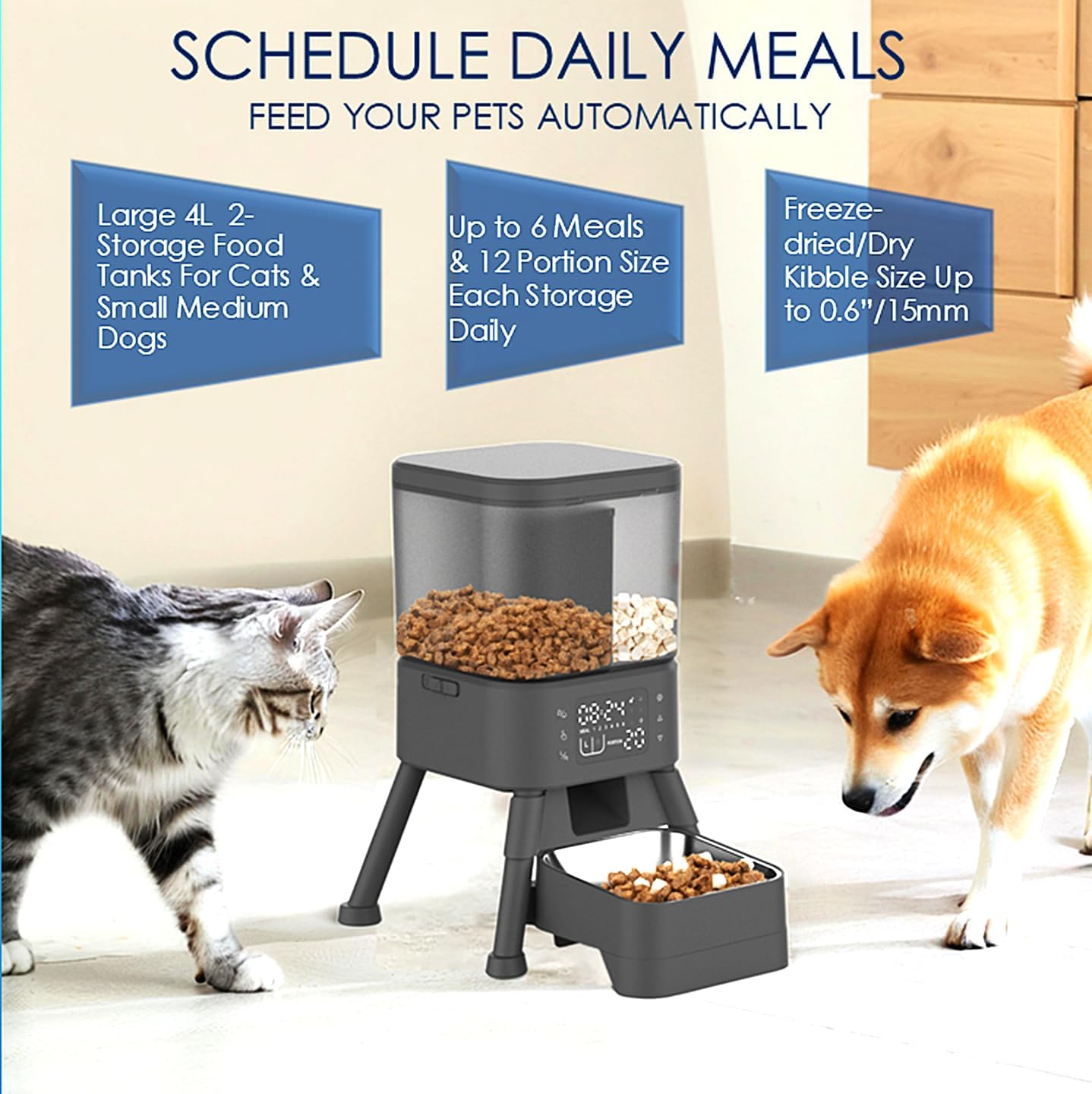
Image: The GROOVYPETS Automatic Pet Feeder in use, showing its dual food tanks and feeding two pets. It highlights its 4L capacity, up to 6 meals daily, and compatibility with kibble up to 0.6 inches/15mm.
Сетуп
- Распакујте хранилицу: Carefully remove all components from the packaging. Ensure all parts, including the main unit, food tanks, stainless steel bowl, and power adapter, are present.
- Саставите јединицу: Place the main feeder unit on a stable, flat surface. Attach the 4-leg stand if it is not pre-assembled, ensuring the non-slip pads are securely in place.
- Install Food Tanks: The feeder features two separate storage tanks. Open the lids and place them securely on the main unit.
- Напуните храном: Fill the food tanks with dry kibble. The feeder is compatible with kibble up to 0.6 inches (15mm). You can use different types of dry food in each compartment.
- Place the Bowl: Insert the stainless steel food bowl into its designated slot at the base of the feeder.
- Прикључите напајање: The feeder supports dual power options. Connect the Type-C power cable to an AC outlet for continuous power. For backup power, insert 4 AA batteries into the battery compartment located at the bottom of the unit. This ensures uninterrupted operation during power outagес.
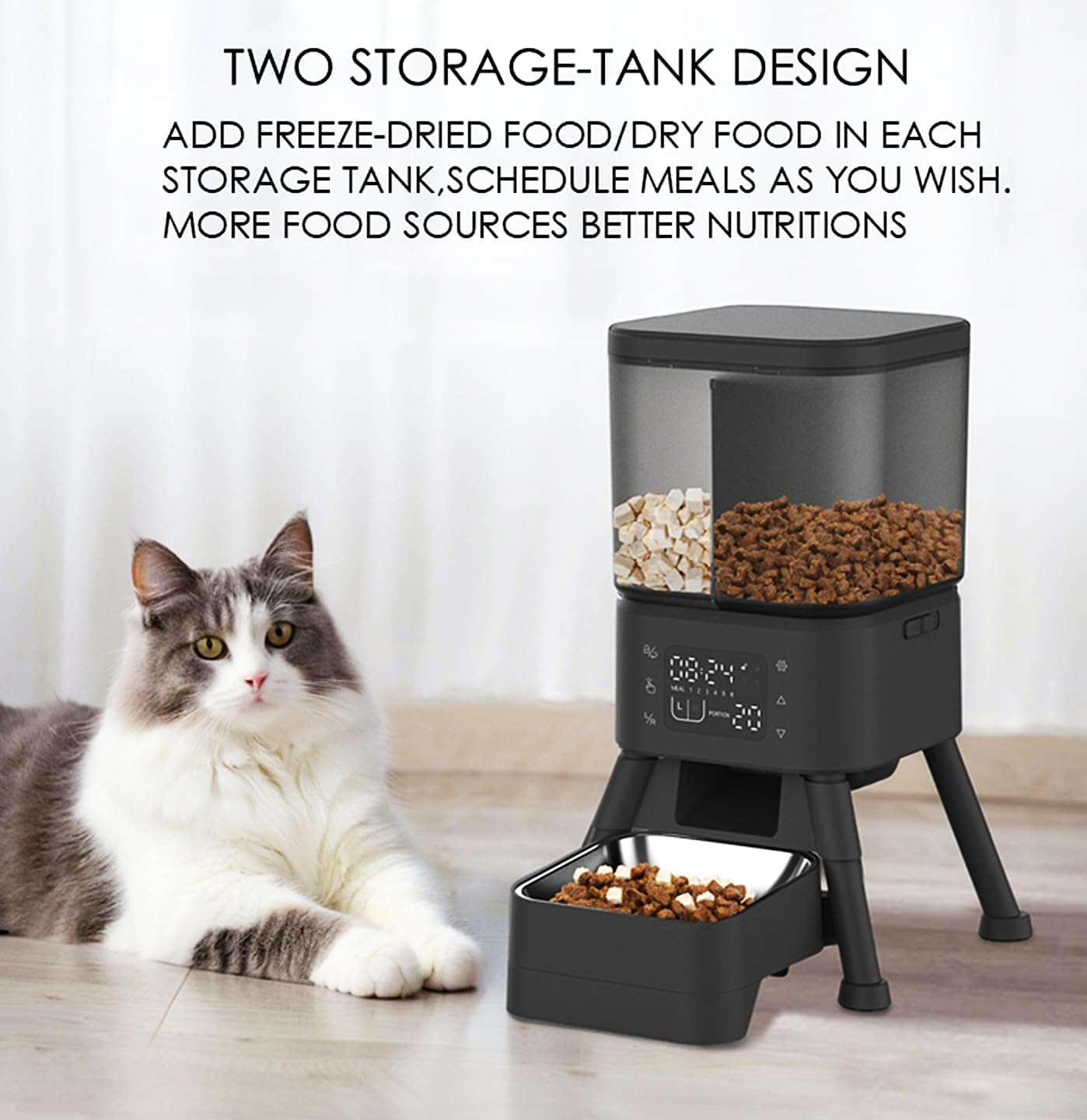
Image: The pet feeder showcasing its two separate storage tanks, allowing for different types of food.
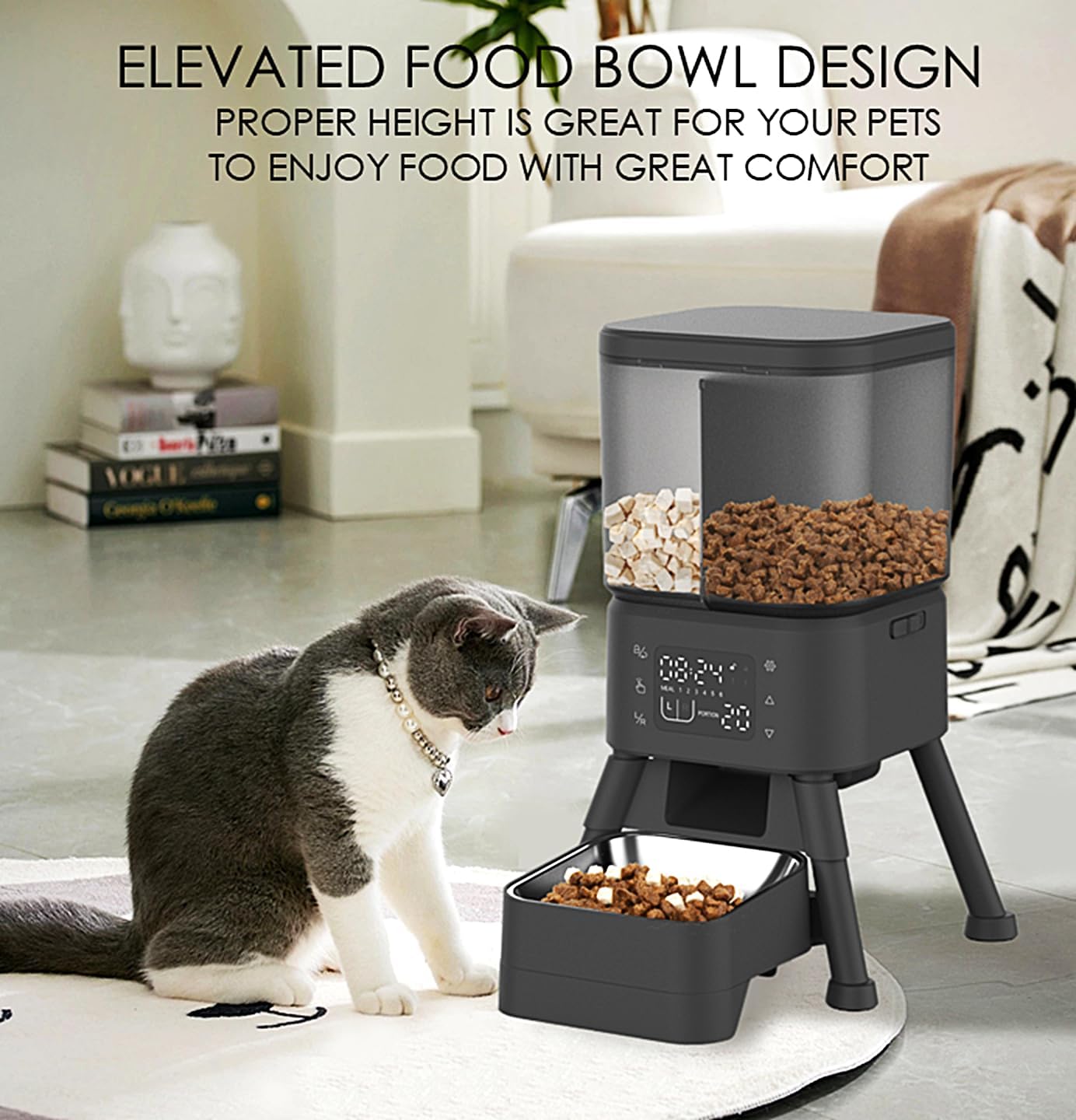
Image: A cat eating from the elevated food bowl, demonstrating the comfortable feeding height.

Image: A close-up of the feeder's base, highlighting the dual power options: battery compartment for 4 AA batteries and the Type-C power input.
Упутство за употребу
The GROOVYPETS Automatic Pet Feeder features an intuitive touch-button control panel for easy programming.

Слика: Детаљна view of the feeder's LCD display and control buttons, indicating functions like child lock, manual feeding, L/R switch, settings, upward/downward adjustments, and reset.
- Подесите тренутно време:
- Притисните тастер Подешавања button (gear icon).
- Користите Горе и Доле buttons (triangle icons) to adjust the hour and minute.
- Притисните Подешавања поново да потврдим.
- Program Meal Times:
- Након подешавања времена, притисните Подешавања to enter meal programming mode. The 'MEAL' indicator will show '1'.
- Користите Горе и Доле buttons to set the desired feeding time for Meal 1.
- Притисните Подешавања to move to portion size adjustment for Meal 1.
- Користите Горе и Доле buttons to select the portion size (1-12).
- Притисните Подешавања to save Meal 1 and proceed to Meal 2. Repeat for up to 6 meals.
- To switch between left (L) and right (R) food bins for a meal, use the L/R switch button.
- Ручно храњење:
- Притисните тастер Manual Feeding button (hand icon) to dispense a single portion immediately.
- Брава за децу:
- To activate or deactivate the child lock, press and hold the Child Lock/Return button (lock icon) for a few seconds. A lock indicator will appear on the display when active.
- Ресетуј подешавања:
- To reset all settings, press and hold the Дугме за ресетовање (Upward + Settings icons) simultaneously for a few seconds.
Одржавање
Regular cleaning ensures the longevity and hygienic operation of your pet feeder.
- Посуда од нерђајућег челика: The stainless steel bowl is removable and can be hand-washed with mild soap and water. Rinse thoroughly and dry completely before placing it back into the feeder.
- Главна јединица: Обришите спољашњост хранилице огласомamp cloth. Do not submerge the main unit in water or use abrasive cleaners.
- Food Tanks: The food tanks can be removed and wiped clean with a damp cloth. Ensure they are completely dry before refilling with kibble to prevent mold or spoilage.
- Електроника: Always keep the electronic components, including the control panel and power connections, dry. Avoid direct contact with water.
- Растављање ради чишћења: The entire system is designed for easy disassembly, making thorough cleaning of all food-contacting parts straightforward. Refer to the assembly steps in reverse for disassembly.
Решавање проблема
- Хранилица не издаје храну:
- Check if the food tanks are empty.
- Ensure the feeder is powered on and connected to an AC outlet, or that the backup batteries are charged and correctly installed.
- Verify that the meal schedule is correctly programmed and the current time is set accurately.
- Check for food jamming. The feeder has a jam-proof dispenser system, but large or irregularly shaped kibble might occasionally cause issues. Clear any obstructions.
- Food Jamming Alert Indicator: If the food jamming alert indicator appears on the LCD, inspect the dispenser mechanism for any blockages and clear them.
- Подешавања се не чувају: Ensure the power source is stable. If using batteries, check their charge level. The feeder is designed to remember settings even after power loss.
- Дисплеј не ради: Check the power connection and battery status. If the issue persists, contact customer support.
- Feeder Tipping Over: The feeder is designed with an anti-tip 4-leg stand and non-slip pads. Ensure it is placed on a flat, stable surface and that the legs are fully extended and secure.

Слика: Интерна view of the feeder's jam-proof dispenser system, designed to handle various kibble sizes smoothly.
Спецификације
| Бранд | ГРООВИПЕТС |
| Број модела | PTM20A3 |
| Капацитет | 4 литара |
| Материјал | Пластика, нерђајући челик |
| Таргет Специес | Cats and Dogs (Small to Medium) |
| Извор напајања | AC Power Adapter, 4x AA Batteries (backup) |
| Посебне карактеристике | Stainless Steel Bowl, Programmable Timer, LCD Display, Non-slip Pads, Anti-tip Design |
| Димензије артикла (Д к Ш к В) | 23.2 цм к 23.2 цм к 36.5 цм |
| Тежина артикла | 4 фунти (приближно 1.8 кг) |
| Компатибилност величине кибла | Up to 0.6 inches (15mm) |
| Укључене компоненте | Pet Feeder, Stainless Steel Bowl, Food Storage Container |
| УПЦ | 646648805784 |
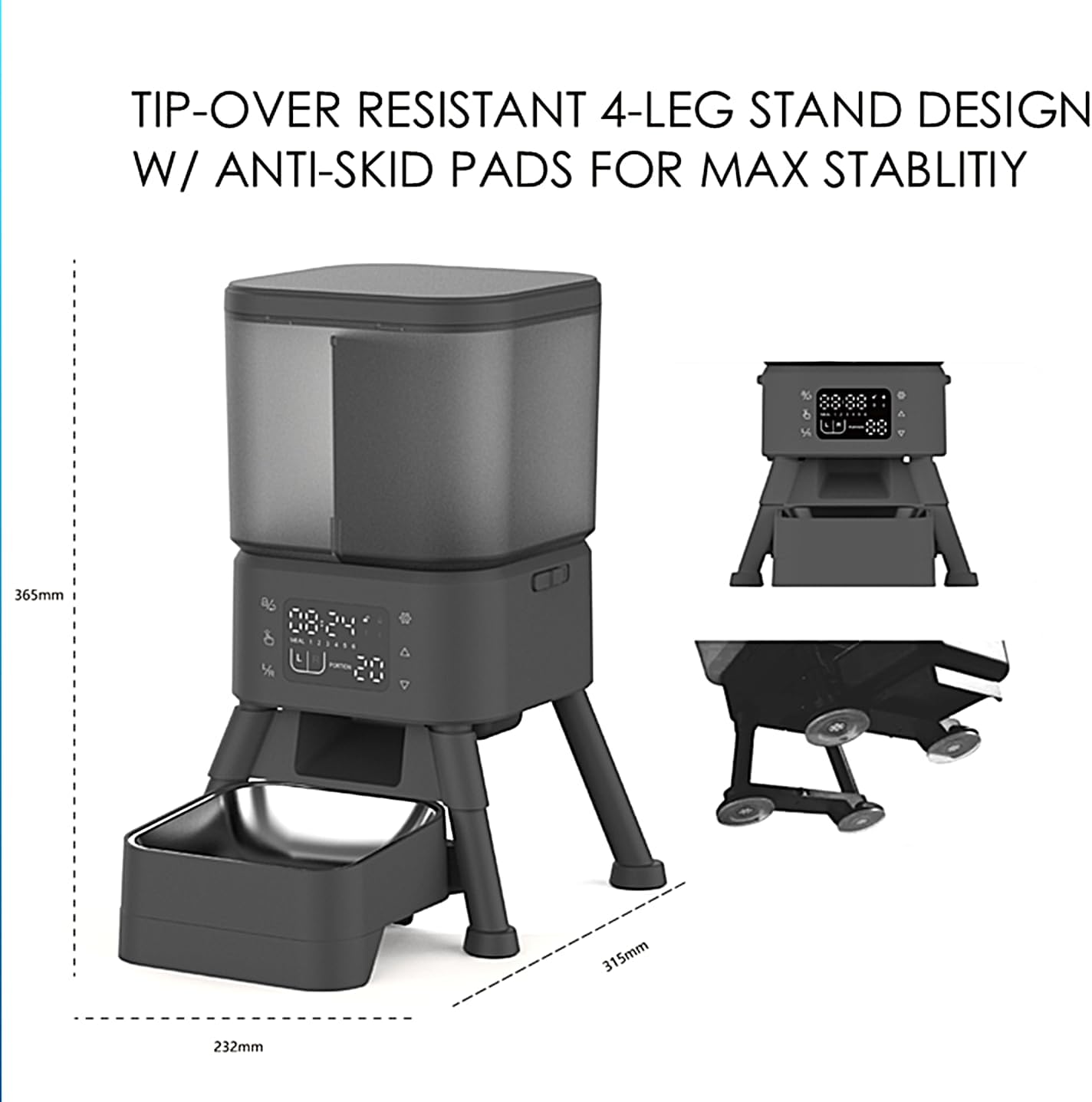
Image: Technical drawing illustrating the dimensions of the pet feeder: 232mm (width), 315mm (depth), and 365mm (height).
Гаранција и подршка
For warranty information or technical support, please refer to the documentation included with your purchase or contact the manufacturer directly. Keep your purchase receipt as proof of purchase for any warranty claims.
Manufacturer: SHENZHEN IPETMON CREATIVE TECHNOLOGY CO,LTD