
Увод
Thank you for choosing the Acedeck L01 Super Loud Alarm Clock. This device is designed to provide a reliable and powerful wake-up experience, especially for heavy sleepers, with its 115dB dual alarms and adjustable features. This manual will guide you through the setup, operation, and maintenance of your new alarm clock.
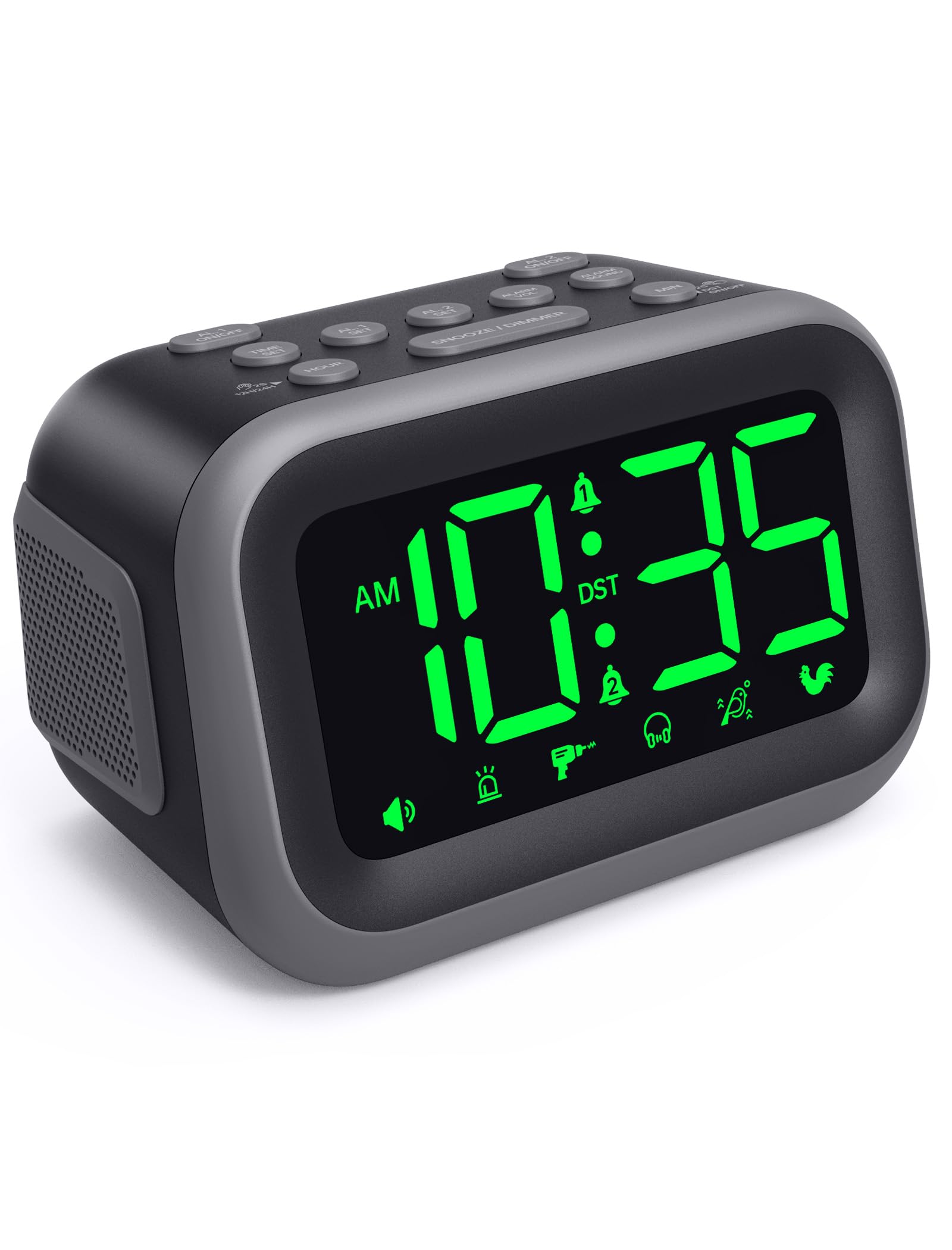
Figure 1: Acedeck L01 Super Loud Alarm Clock with green digits.
Сетуп
1. Прикључак за напајање
Connect the provided AC adapter to the DC 5V port on the back of the alarm clock and plug it into a standard wall outlet. The display will light up, indicating the clock is powered on.
2. Резервна батерија (опционо)
For continuous operation during power outages, insert 3 AAA batteries (not included) into the battery compartment on the bottom of the clock. The battery backup system retains time and alarm settings and will activate the alarm function during a power loss, though the display will turn off to conserve power.

Figure 2: Power connection and battery backup functionality.
3. Подешавање времена
- Притисните тастер ВРЕМЕНСКИ СКЛОП дугме. Цифре сата ће трептати.
- Користите ХОУР button to adjust the hour. Press and hold for faster adjustment.
- Притисните тастер МИН button to adjust the minutes. Press and hold for faster adjustment.
- Притисните ВРЕМЕНСКИ СКЛОП поново да бисте потврдили и изашли из режима подешавања времена.
Да бисте прелазили између 12-часовног и 24-часовног формата, притисните 12Х/24Х button during time setting.

Figure 3: Switching between 12-hour and 24-hour display.
4. Летње рачунање времена (ДСТ)
Притисните тастер ДСТ ОН / ОФФ button to activate or deactivate Daylight Saving Time. The clock will adjust automatically.
5. Button Overview

Figure 4: Labeled buttons for clear function and fast setup.
Video: Setting the Time
This video demonstrates how to set the current time on your Acedeck L01 alarm clock, including toggling between 12-hour and 24-hour formats.
Упутство за употребу
1. Setting Alarms (Dual Alarms)
The Acedeck L01 features two independent alarms (AL1 and AL2). This allows you to set different wake-up times for different schedules.
- Притисните тастер AL1 СЕТ or AL2 СЕТ button. The hour digits for the selected alarm will flash.
- Користите ХОУР dugme za podešavanje sata alarma.
- Користите МИН дугме за подешавање минута аларма.
- Притисните одговарајуће АЛ СЕТ поново притисните дугме да бисте потврдили време аларма.
- Да бисте активирали или деактивирали аларм, притисните дугме AL1 ON/OFF or AL2 ON/OFF button. An alarm icon will appear on the display when an alarm is active.
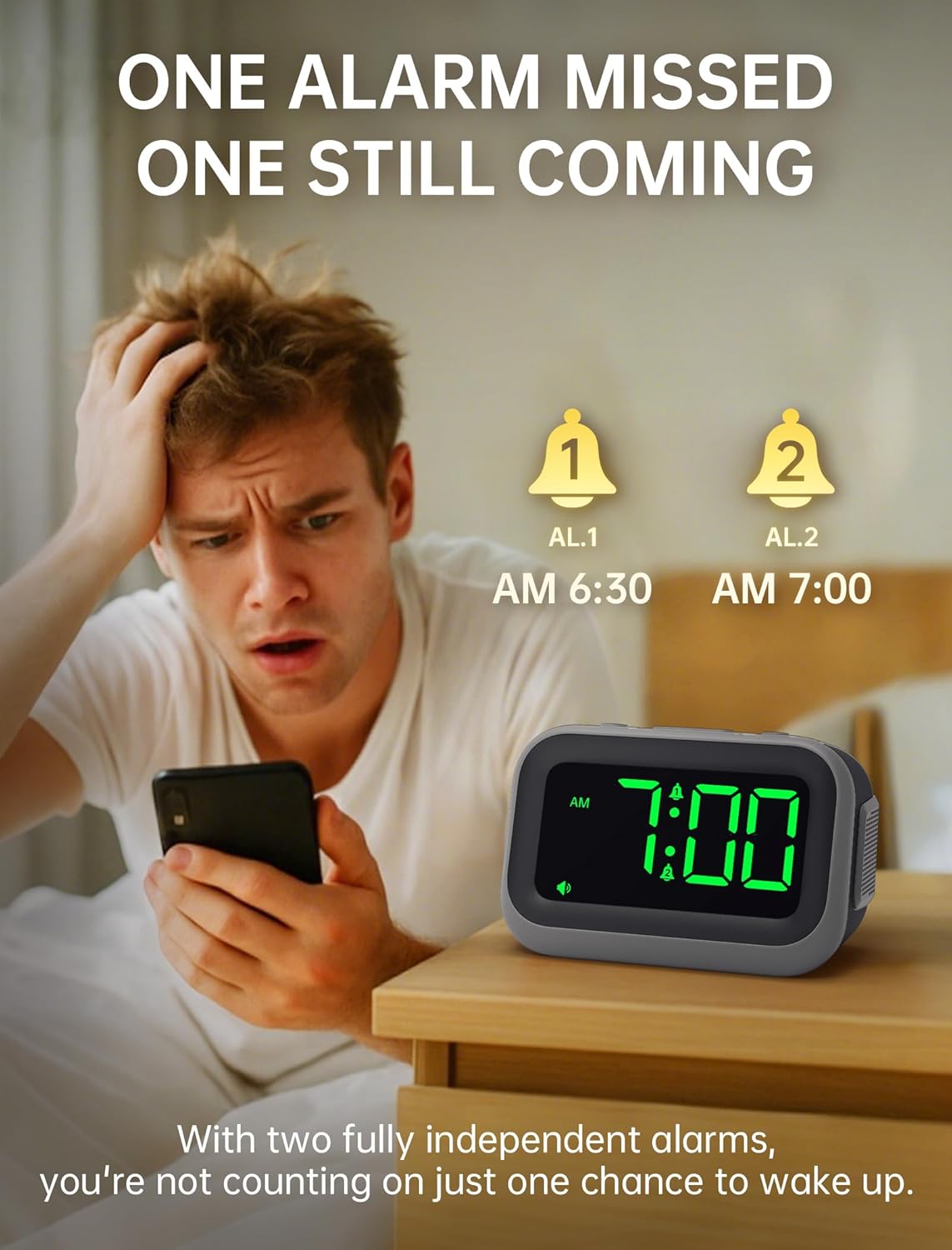
Figure 5: Dual alarm functionality for flexible scheduling.
2. Звукови аларма
Choose from 6 distinct alarm sounds to suit your preference. While setting the alarm, press the ЗВУК АЛАРМА button to cycle through the available sounds: Beep, Siren, Jackhammer, Music, Bird Song, and Rooster.
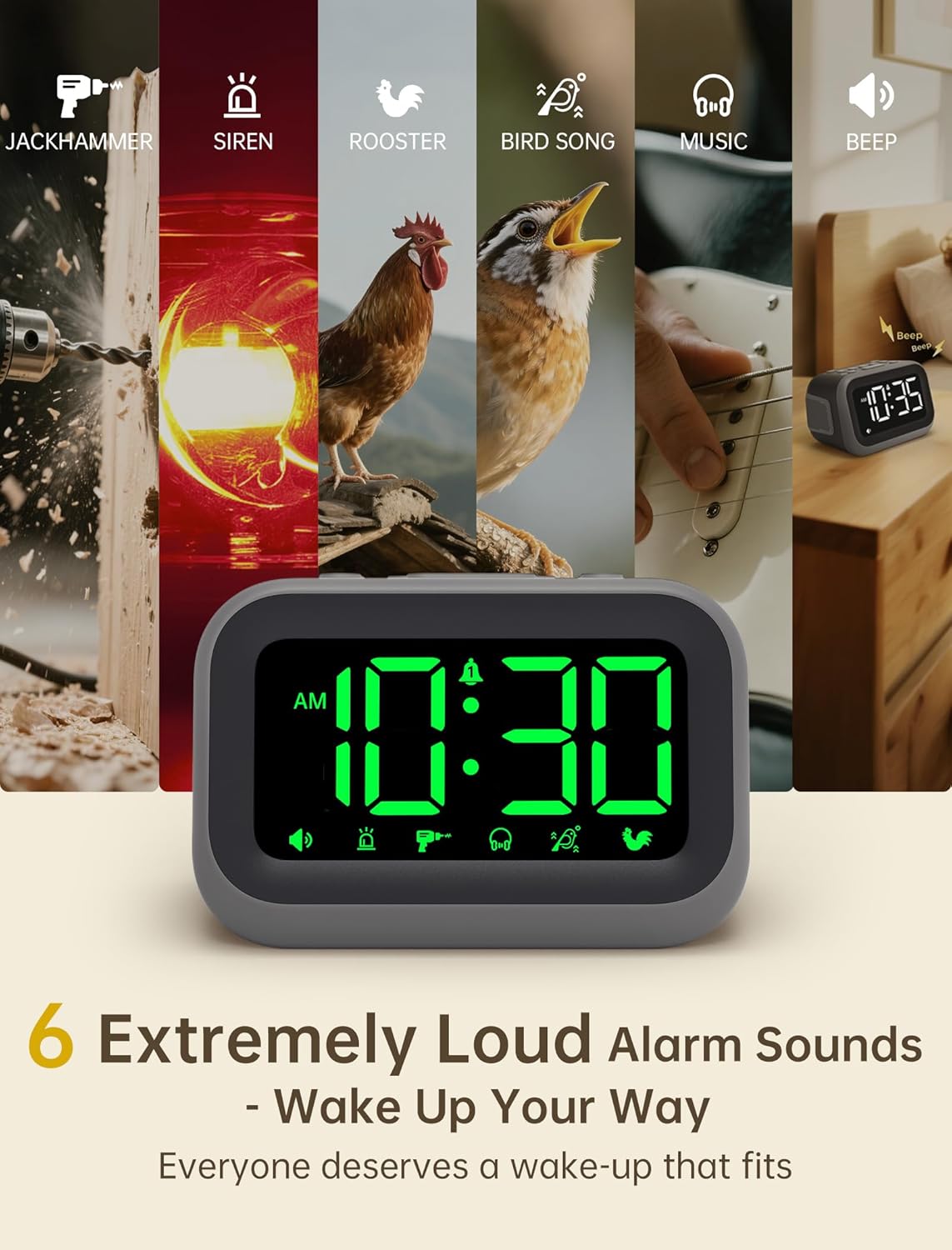
Figure 6: Selection of 6 unique alarm sounds.
3. Јачина звука аларма
The Acedeck L01 features an extra-loud 115dB alarm, ideal for heavy sleepers. You can adjust the alarm volume through 6 levels. Press the ALARM VOL button to cycle through the volume settings. The default volume is set to maximum, so adjust to a comfortable level before first use.

Figure 7: Adjustable volume levels for the alarm.
4. Функција одлагања
Када се огласи аларм, притисните велико СНООЗЕ / ДИММЕР button to temporarily silence the alarm for a few minutes. The alarm will sound again after the snooze period ends.

Figure 8: Using the snooze function.
5. Adjustable Brightness
The 4.2-inch LED display offers 5 levels of adjustable brightness. Press the СНООЗЕ / ДИММЕР button (when the alarm is not sounding) to cycle through the brightness levels, from brightest to completely off. This allows for comfortable viewing day or night without disturbing sleep.

Figure 9: Adjusting the display brightness.
6. УСБ порт за пуњење
A built-in USB port on the back of the clock allows you to charge your smartphone or other USB-powered devices overnight. This feature is active when the clock is connected to AC power.

Figure 10: USB charging port in use.
Video: Setting the Alarm
This video demonstrates how to set and activate the dual alarms on your Acedeck L01 alarm clock.
Video: Product Features Overview
This video provides a detailed demonstration of the Acedeck L01 alarm clock's features, including alarm sounds, volume, and brightness settings.
Одржавање
To ensure the longevity and optimal performance of your Acedeck L01 alarm clock, follow these simple maintenance guidelines:
- Чишћење: Обришите сат меком, сувом крпом. Не користите абразивна средства за чишћење или раствараче, јер могу оштетити завршну обраду.
- Замена батерије: If using battery backup, replace the AAA batteries annually or when the battery indicator suggests low power to ensure continuous functionality during power outagес.
- Пласман: Поставите сат на стабилну, равну површину, даље од директне сунчеве светлости, прекомерне топлоте или влаге.
Решавање проблема
| Проблем | Решење |
|---|---|
| Приказ сата је искључен. | Ensure the AC adapter is securely plugged into both the clock and a working power outlet. If using battery backup, the display turns off to save power, but the alarm function remains active. |
| Аларм се не оглашава. | Check if the alarm (AL1 or AL2) is activated (icon visible on display). Verify the alarm time is set correctly. Ensure the alarm volume is not set to zero. If running on battery backup, ensure batteries are fresh. |
| Време је погрешно. | Re-set the time following the 'Setting the Time' instructions. Check for power interruptions; if frequent, ensure battery backup is installed and functional. |
| Пуњење преко USB-а не ради. | Ensure the alarm clock is connected to AC power. The USB charging port does not function when the clock is running on battery power. Check the USB cable and the device being charged. |
Спецификације
- Бренд: Асдек
- Модел: Л01
- Тип приказа: Дигитал ЛЕД
- Боја екрана: Зелене цифре
- Јачина звука аларма: До 115дБ
- Звукови аларма: 6 unique sounds
- Нивои осветљености: 5 подесива нивоа
- Извор напајања: Електрични са каблом (AC 100-240V)
- Резервна батерија: 3 к ААА батерије (нису укључене)
- УСБ пуњач: Yes (for external devices)
- Димензије производа: 4.8" Ш x 3.15" В
- Тежина артикла: 11 унци
- Материјал: Пластика

Слика 11: Димензије производа.
Гаранција и подршка
Your Acedeck L01 Super Loud Alarm Clock comes with an 18-month warranty from the date of purchase. This warranty covers manufacturing defects and malfunctions under normal use.
For technical support, troubleshooting assistance, or warranty claims, please contact Acedeck customer service through the retailer where you purchased the product or visit the official Acedeck webсајт за контакт информације.