
Увод
Thank you for choosing the Trueque Wireless Mouse. This manual provides detailed instructions to help you set up, operate, and maintain your new ergonomic wireless mouse. Designed for comfort and efficiency, this mouse features a stable 2.4GHz wireless connection, adjustable DPI levels, and six responsive buttons for enhanced productivity.
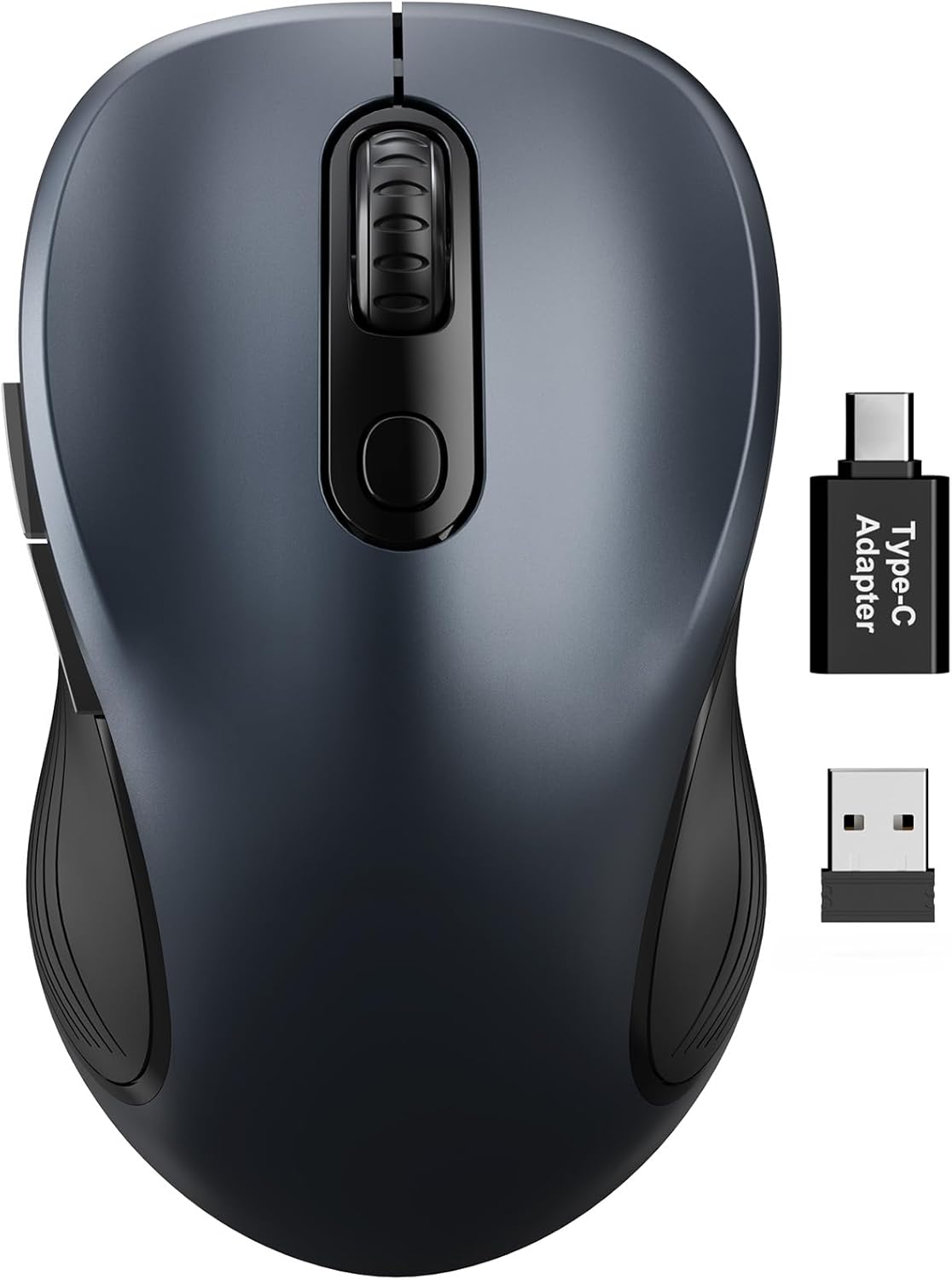
Figure 1: Trueque Wireless Mouse. Генерал view of the Trueque Wireless Mouse in Space Gray.
Производ је завршенview
Familiarize yourself with the components and design features of your Trueque Wireless Mouse.
Компоненте миша
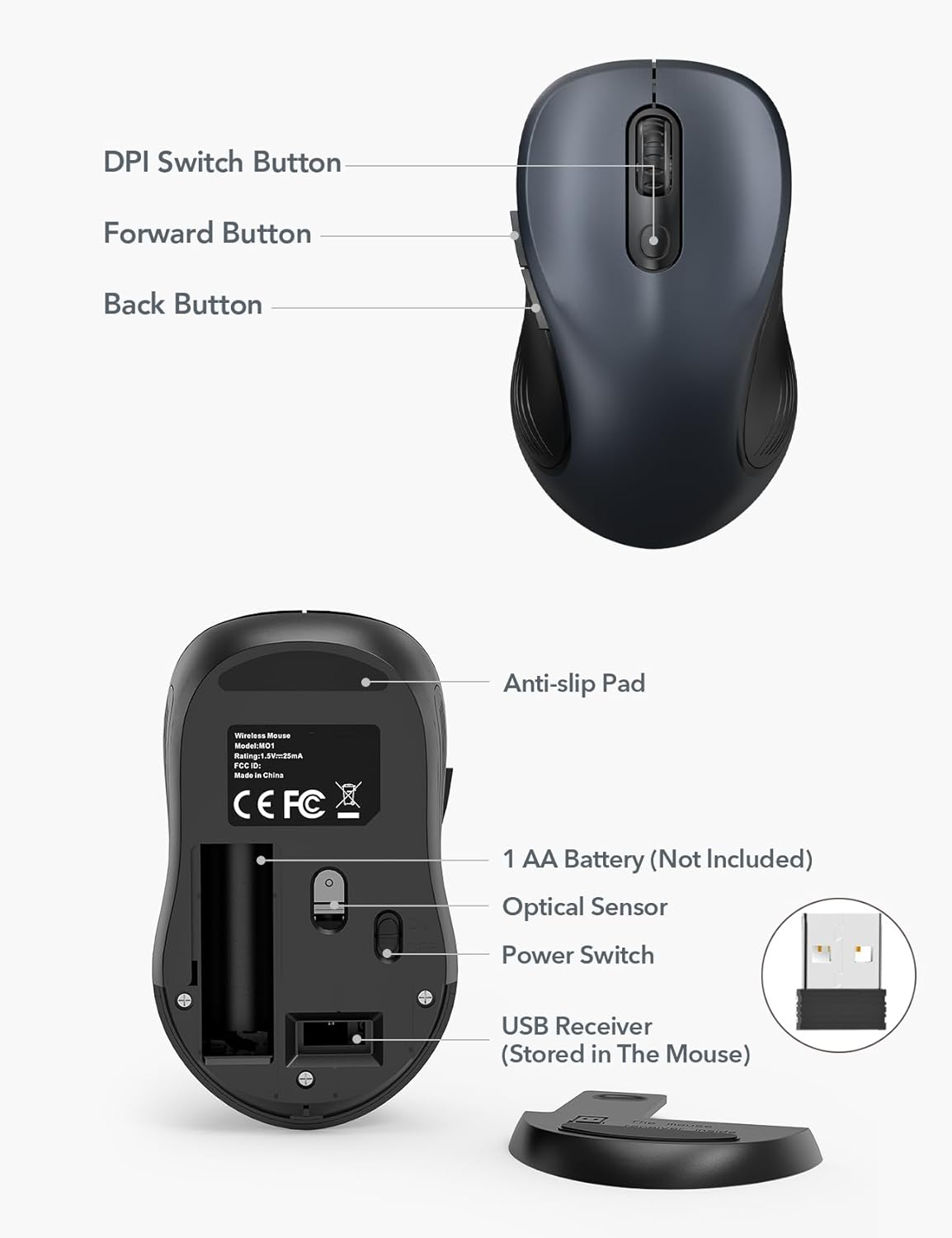
Figure 2: Mouse Components. This image shows the top and bottom views of the Trueque Wireless Mouse, highlighting key components such as the DPI Switch Button, Forward Button, Back Button, Anti-slip Pad, AA Battery compartment, Optical Sensor, Power Switch, and the USB Receiver storage slot.
- Дугме за прекидач DPI-ја: Подешава осетљивост курсора.
- Дугме за напред: Навигација напред у web претраживачи или file истраживачи.
- Дугме за назад: Навигација уназад web претраживачи или file истраживачи.
- Anti-slip Pad: Обезбеђује стабилност током употребе.
- 1 AA Battery (Not Included): Power source for the mouse.
- Оптички сензор: Прати кретање миша.
- Прекидач: Укључује или искључује миш.
- USB Receiver (Stored In The Mouse): Connects the mouse wirelessly to your computer.
Ергономски дизајн
The mouse features a natural curved shape and a skin-friendly silicone grip to minimize thumb and wrist strain, ensuring comfort during extended use.

Figure 3: Ergonomic Comfort. This image shows a hand comfortably resting on the Trueque Wireless Mouse, highlighting its ergonomic design for all-day use.
The mouse is designed to fit small to medium hands. Refer to the hand size guide below to determine if this mouse is suitable for your palm length and width.

Figure 4: Hand Size Guide. This image provides a guide for palm length and width to determine the ideal fit for the mouse, suggesting it's suitable for palms under 7.5 inches.
Лигхтвеигхт Десигн
Weighing less than 60 grams, the mouse is lightweight and portable, ideal for everyday carry and travel.

Figure 5: Lightweight and Portable. This image shows the mouse being easily stored in a bag, emphasizing its lightweight design for portability.
Упутства за подешавање
Follow these steps to set up your Trueque Wireless Mouse for first-time use.
1. Инсталирајте батерију
The mouse requires one AA battery (not included).
- Отворите поклопац одељка за батерију који се налази на доњој страни миша.
- Уметните једну АА батерију, водећи рачуна о исправном поларитету (+/-).
- Затворите поклопац одељка за батерије.
Figure 6: Battery and USB Receiver Location. This image illustrates the battery compartment and the storage slot for the USB receiver on the underside of the mouse.
2. Повежите УСБ пријемник
The USB receiver is stored within the mouse for convenience.
- Gently remove the USB receiver from its storage slot on the bottom of the mouse.
- Прикључите УСБ пријемник у слободан УСБ-А порт на рачунару.
- If your device only has USB-C ports, use the included USB-A to USB-C adapter. Connect the USB receiver to the adapter, then plug the adapter into your device's USB-C port.
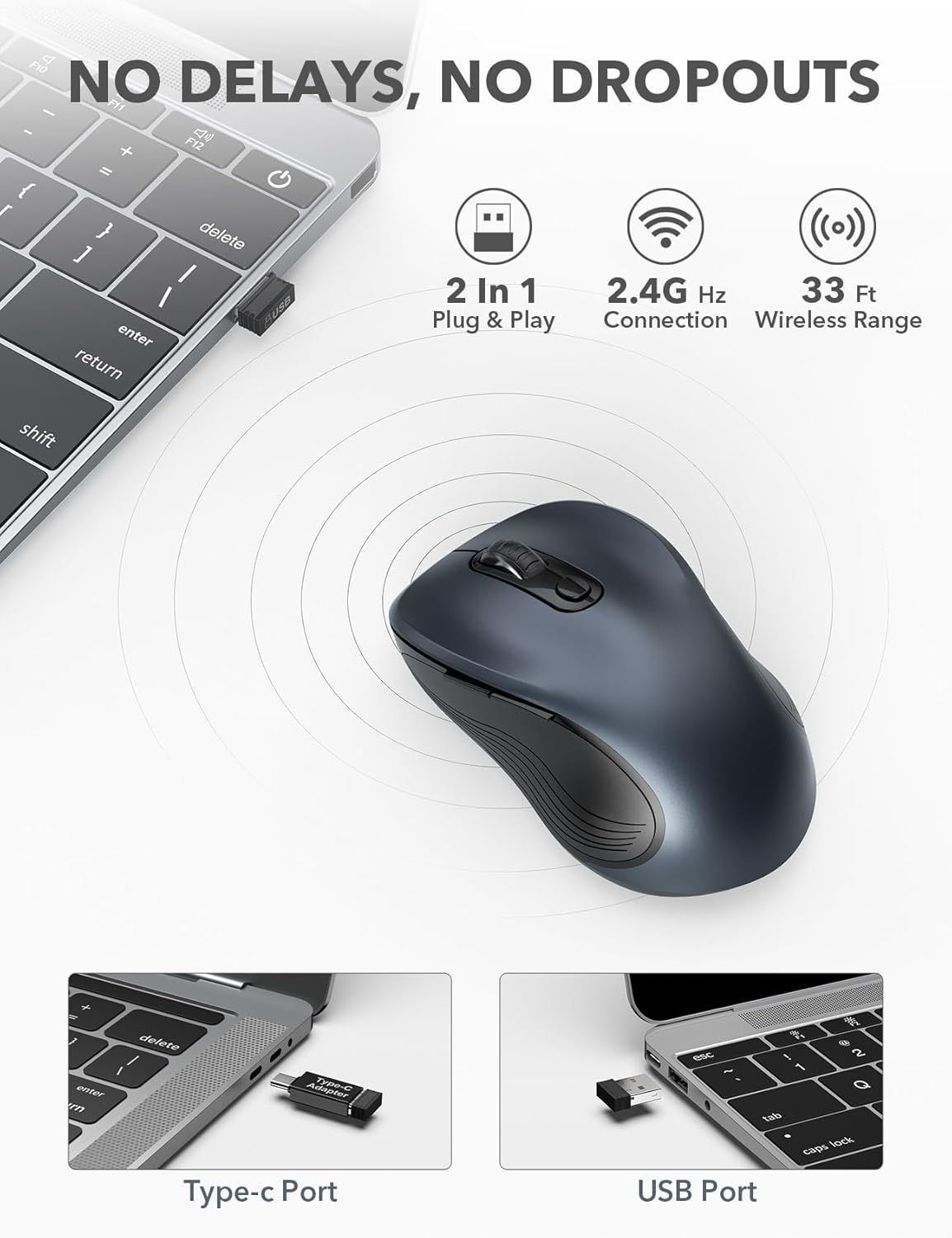
Figure 7: USB Receiver Connection. This image demonstrates how to connect the 2.4GHz USB receiver to both a standard USB-A port and a USB-C port using the provided adapter.
3. Укључите напајање
Slide the power switch on the underside of the mouse to the "ON" position. The mouse will automatically connect to the receiver.
4. Компатибилност
The Trueque Wireless Mouse is compatible with various operating systems, including Windows, Mac OS, Linux, and Chrome OS.

Figure 8: Operating System Compatibility. This image shows the Trueque Wireless Mouse is compatible with Windows, Chrome OS, Mac OS, and Linux.
Упутство за употребу
Укључивање/искључивање
Use the power switch on the bottom of the mouse to turn it on or off. Turning the mouse off when not in use helps conserve battery life.
ДПИ Адјустмент
The mouse features 3 adjustable DPI (Dots Per Inch) levels to control cursor sensitivity.
- Press the DPI Switch Button (located behind the scroll wheel) to cycle through the available DPI settings: 800, 1200, and 1600 DPI.
- Select the DPI level that best suits your preference for speed and precision.
Figure 9: DPI Levels. This image illustrates the three adjustable DPI settings (800, 1200, 1600) available on the mouse.
Дугмад за назад и напред
The side buttons provide quick navigation:
- Тхе Дугме за напред (top side button) allows you to navigate forward in web претраживачи или file истраживачи.
- Тхе Дугме за повратак (bottom side button) allows you to navigate backward in web претраживачи или file истраживачи.
Режим аутоматског спавања
To conserve battery, the mouse enters an auto-sleep mode after 1 minute of inactivity.
- To wake the mouse, double-click any button.
- A single AA battery can last up to 16 months thanks to this smart feature.

Figure 10: Battery Life and Auto-Sleep. This image highlights the mouse's long battery life (up to 16 months) and its power-saving auto-sleep mode.
Silent Click Feature
The mouse is designed with silent click buttons to minimize noise, making it suitable for quiet environments.

Figure 11: Silent Click Comparison. This image visually compares the low sound level of the Trueque mouse (20dB) to other common sounds like breathing (10dB), office noise (50dB), and an alarm (70dB).
Одржавање
Замена батерије
When the mouse performance degrades or it stops responding, it's time to replace the AA battery.
- Искључите миш помоћу прекидача за напајање.
- Отворите поклопац одељка за батерије.
- Уклоните стару АА батерију.
- Insert a new AA battery, observing correct polarity.
- Close the battery compartment cover and turn the mouse on.
Чишћење
Да бисте одржали оптималне перформансе и хигијену:
- Искључите миш из рачунара и искључите га.
- Лагано користите меку крпу која не оставља длачице дampводом или благим раствором за чишћење обришите спољашњост миша.
- Избегавајте улазак влаге у било какве отворе.
- Не користите јаке хемикалије или абразивна средства за чишћење.
Решавање проблема
| Проблем | Решење |
|---|---|
| Миш не реагује |
|
| Покрет курсора је неправилан или скачкав |
|
| Back/Forward buttons not working |
|
Спецификације
| Феатуре | Детаљ |
|---|---|
| Бранд | Бартер |
| Модел | М01_19 |
| Технологија повезивања | 2.4 GHz бежични (USB пријемник) |
| Откривање покрета | Оптицал |
| ДПИ Левелс | 800 / 1200 / 1600 |
| Број дугмади | 6 (лево, десно, точкић за скроловање, DPI, напред, назад) |
| Оријентација руке | Амбидектроус |
| Извор напајања | 1 к АА батерије (није укључено) |
| Трајање батерије | Up to 16 months (with auto-sleep) |
| Домет | До 33 стопе (10 метара) |
| Димензије производа | 10.41 к 6.1 к 0.25 цм |
| Тежина артикла | 68.04 г |
| Посебне карактеристике | Ergonomic Design, Silent Click, Auto-Sleep Mode, USB-A to USB-C Adapter Included |
Гаранција и подршка
The Trueque Wireless Mouse is backed by a 12-month warranty from the date of purchase. This warranty covers manufacturing defects under normal use.
For technical support, warranty claims, or any questions regarding your product, please contact Trueque customer service. Please have your purchase information ready when contacting support.
Напомена: Гаранција не покрива штету насталу услед злоупотребе, несреће, неовлашћене модификације или неправилне инсталације.