
1. Увод
The EPOMAKER TH87 is a versatile 87-key Tenkeyless (TKL) mechanical keyboard designed for various computing environments. It features tri-mode connectivity (Wired USB-C, 2.4GHz Wireless, and Bluetooth), hot-swappable switches, PBT keycaps, and customizable RGB backlighting. This manual provides detailed instructions for setting up, operating, maintaining, and troubleshooting your keyboard.
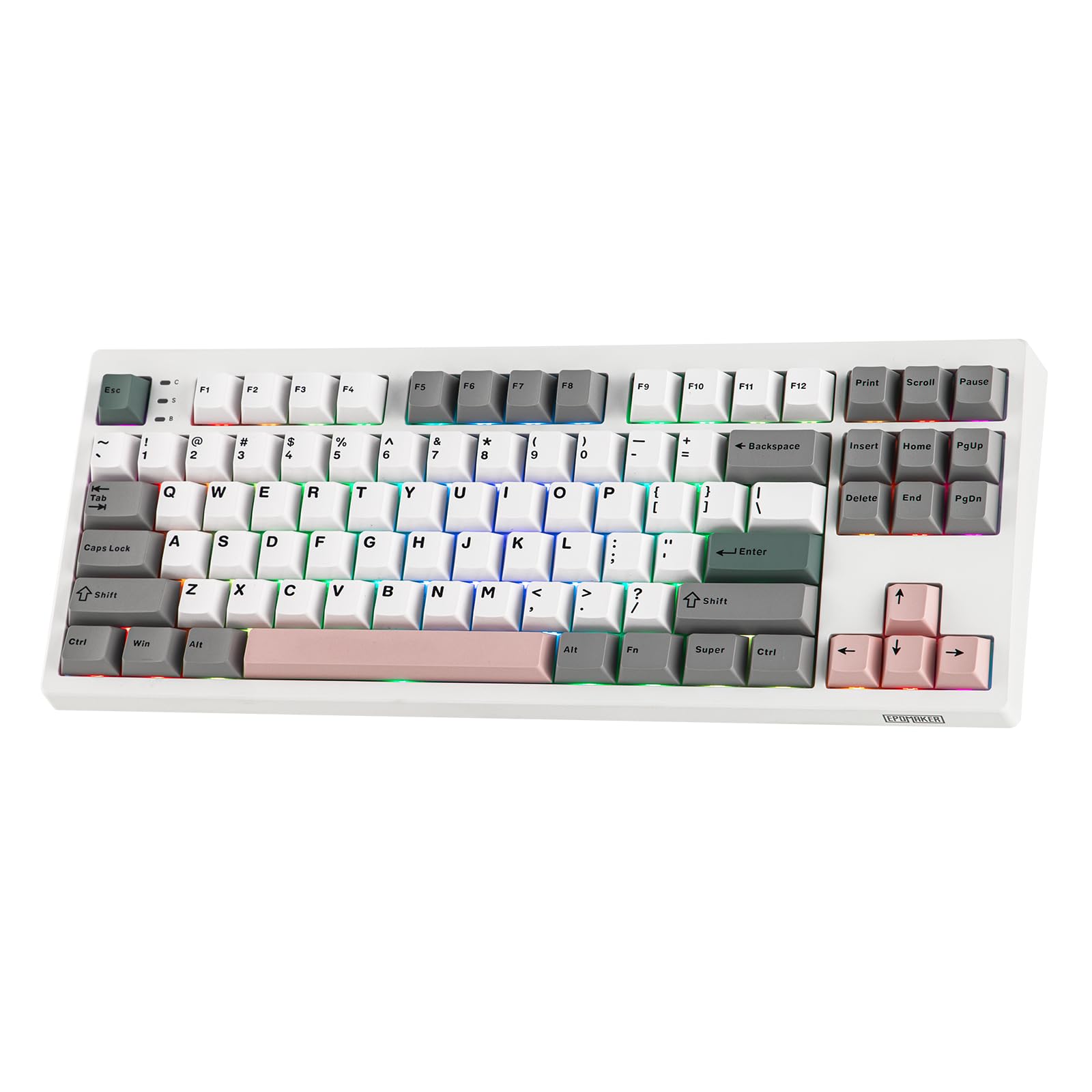
Figure 1: EPOMAKER TH87 Wireless Mechanical Keyboard
2. Садржај пакета
Уверите се да су све ставке присутне у вашем пакету:
- TH87 Wireless Gaming Keyboard
- USB A-to-C Cable
- Extra Switches (for customization)
- Wireless 2.4Ghz Receiver (stored under the side kick-stand)
- 2-in-1 Switch-and-Keycap Puller
- Кориснички приручник (овај документ)
Video 1: EPOMAKER TH87 Unboxing & Overview & Typing Video. This video demonstrates the unboxing process and provides a general overview of the keyboard's features and typing experience.
3. Подешавање
Follow these steps to set up your EPOMAKER TH87 keyboard:
3.1. Жична веза
- Пронађите USB-C порт на тастатури.
- Connect the provided USB A-to-C cable to the keyboard and your computer.
- Ensure the mode switch on the keyboard is set to 'USB'.
3.2. Бежична веза од 2.4 GHz
- Locate the 2.4GHz wireless receiver, typically stored in a compartment under the side kick-stand of the keyboard.
- Укључите рисивер у слободан УСБ порт на рачунару.
- Set the mode switch on the keyboard to '2.4G'. The keyboard should automatically connect.
3.3. Блуетоотх веза
- Set the mode switch on the keyboard to 'BT'.
- On your device (PC, Mac, Tablet, Phone), open Bluetooth settings.
- Тражи new devices and select 'EPOMAKER TH87' to pair.
- The keyboard supports multiple Bluetooth profiles; refer to the full user manual for specific pairing instructions for each profile.
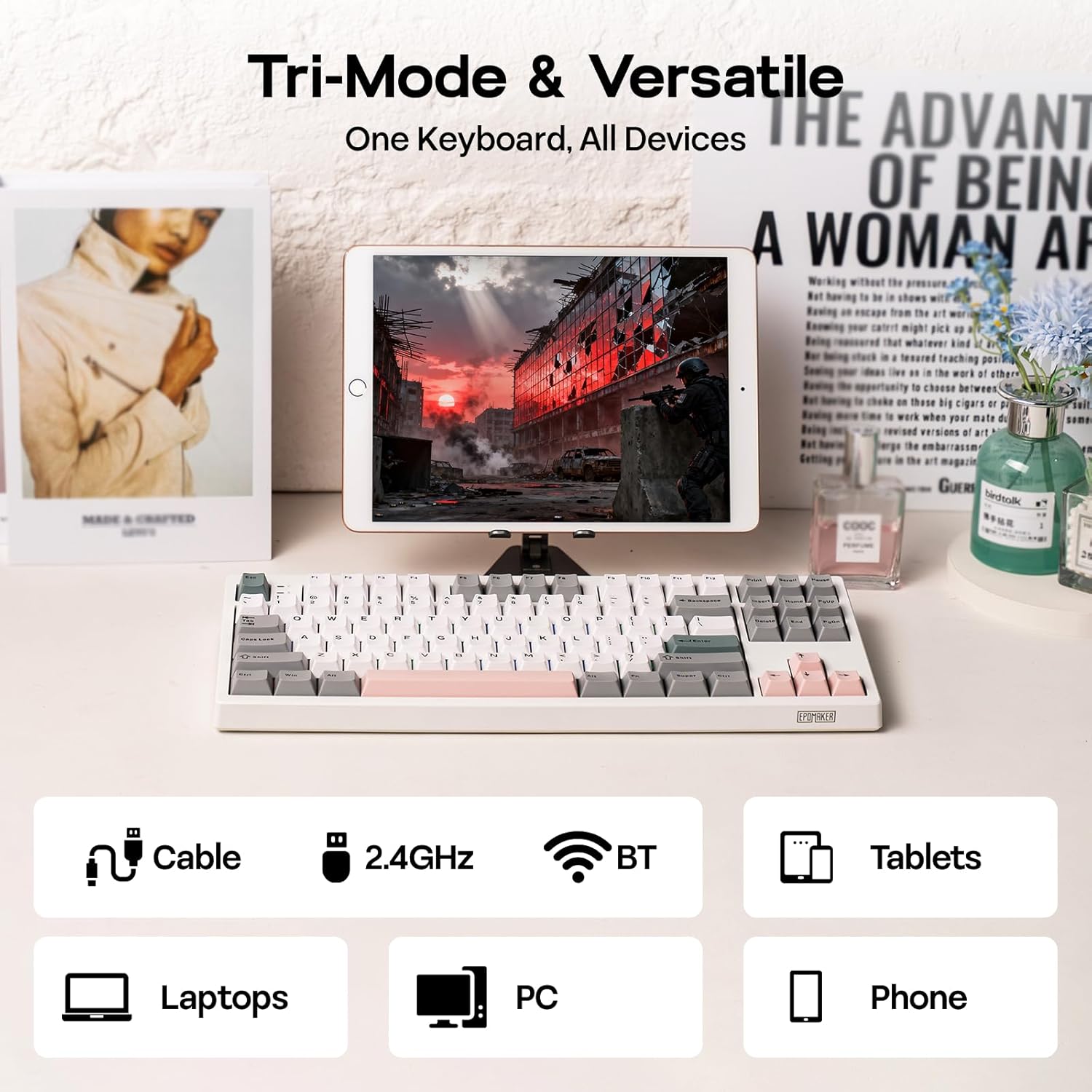
Слика 2: Опције повезивања у три режима
4. Упутство за употребу
4.1. Основне функције
The TH87 features a standard 87-key TKL layout. All keys function as labeled in their default state.
4.2. Функцијски тастери (Fn комбинације)
The keyboard includes an 'Fn' key to access secondary functions printed on certain keycaps. Common combinations include:
- Fn + F1-F12: Multimedia controls, volume adjustment, etc.
- Fn + тастери са стрелицама: Adjust RGB lighting effects (brightness, speed, direction).
- Фн + Вин: Закључај/откључај Windows тастер.
- Фн + Ентер: Проверите статус батерије.
4.3. OS Mode Switching
Use the dedicated switch on the keyboard to toggle between Mac and Windows compatibility modes.
5. Прилагођавање
The EPOMAKER TH87 offers extensive customization through its web-based driver software.
5.1. Web-Based Driver
The custom driver allows you to:
- Remap individual keys.
- Record and assign macros for complex key sequences.
- Adjust RGB lighting effects, colors, brightness, and speed.
- Configure advanced key functions like SOCD (Simultaneous Opposite Cardinal Directions) and Mod Tap.
Access the driver online via the official EPOMAKER website or the QR code provided in the brand card.
Video 2: How to Use TH87 Online Web Driver. This video guides you through connecting your keyboard to the web driver and customizing key functions, macros, and lighting settings.
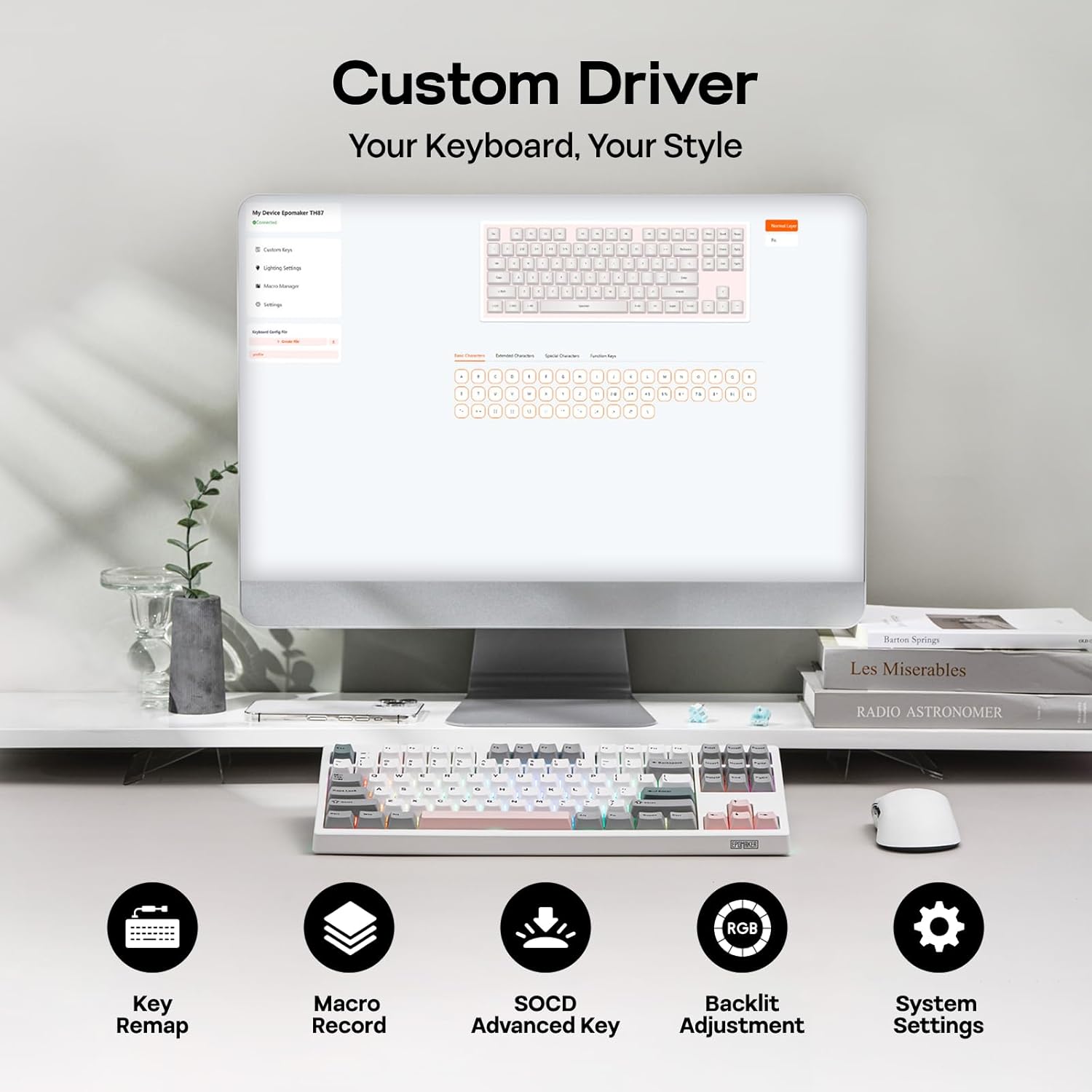
Figure 3: Custom Driver Interface
5.2. Прекидачи са могућношћу брзе замене
The TH87 features a hot-swappable PCB, allowing you to change mechanical switches without soldering. It is compatible with 3-pin and 5-pin switches.
Да бисте заменили прекидач:
- Користите приложени алат за извлачење капица тастера да бисте уклонили капицу тастера.
- Use the provided switch puller to gently remove the switch from the PCB.
- Поравнајте пинове новог прекидача са отворима на штампаној плочи и чврсто притисните док не кликне на своје место.
- Замените поклопац тастера.
The keyboard comes with pre-lubed EPOMAKER Sea Salt Silent V2 switches (Linear, 45±5gf Trigger Force, 51±5gf Bottom-Out Force, 1.8±0.4mm Pre-Travel, 3.5±0.4mm Total Travel).

Figure 4: Hot-Swappable Switches and Sea Salt Silent V2 Specifications
Video 3: EPOMAKER TH87 Typing with Creamy Jade/Sea Salt Silent Switch. This video demonstrates the sound profile of the included switches.
5.3. РГБ позадинско осветљење
The TH87 features per-key RGB backlighting with various effects. You can adjust the saturation, brightness, and speed of the lighting through the Fn key combinations or the custom driver software.
6. Информације о батерији
The keyboard is equipped with a 10000mAh battery, providing extended usage times:
- Up to 45 hours of continuous use with RGB backlight at brightest setting.
- Up to 200 hours of continuous use with RGB backlight off.
To charge the keyboard, connect it via the USB-C cable to a computer or a compatible USB power adapter. The keyboard charges when plugged in. Always use a computer USB port for charging. Using a power adapter directly may cause battery damage.
7. Одржавање
Правилно одржавање осигурава дуготрајност и перформансе ваше тастатуре:
- Чишћење: Regularly clean keycaps and the keyboard surface with a soft, dry cloth. For deeper cleaning, remove keycaps using the provided puller and use compressed air to clear debris.
- Складиштење: Чувајте тастатуру на хладном и сувом месту, даље од директне сунчеве светлости и екстремних температура.
- Руковање: Avoid dropping the keyboard or exposing it to liquids.
КСНУМКС. Решавање проблема
Ако имате проблема са тастатуром, погледајте следећа уобичајена решења:
- Тастатура не реагује: Ensure the keyboard is charged and the correct connectivity mode (Wired, 2.4G, BT) is selected. Try reconnecting the cable or re-pairing the wireless connection.
- Кључеви се не региструју: Check if the switches are properly seated. If a specific key is not working, try replacing its switch with one of the extra switches provided.
- RGB осветљење не ради/неисправно је: Verify lighting settings in the custom driver or cycle through effects using Fn key combinations. Ensure the keyboard is sufficiently charged.
- Проблеми са повезивањем: For 2.4GHz, ensure the dongle is securely plugged in and close to the keyboard. For Bluetooth, ensure your device's Bluetooth is enabled and the keyboard is paired correctly. Avoid interference from other wireless devices.
- Проблеми са софтвером: If the custom driver is not detecting the keyboard, ensure it is connected via USB-C and the mode switch is set to 'USB'.
9. Спецификације
| Феатуре | Детаљ |
|---|---|
| Бранд | ЕПОМАКЕР |
| Број модела | ТХ87 |
| Опис тастатуре | TKL Layout Mechanical Keyboard |
| Број кључева | 87 |
| Технологија повезивања | 2.4Ghz Wireless, BT, USB A-to-C Wired |
| Извор напајања | Напајање батеријом (10000mAh) |
| Позадинско осветљење тастатуре | РГБ |
| Тип прекидача | Linear (EPOMAKER Sea Salt Silent Switch) |
| Посебне карактеристике | Backlit, Ergonomic, Hot-Swappable, Programmable Keys, Rechargeable |
| Димензије производа | 14.43 cm D x 5.59 cm Š x 1.63 cm V |
| Материјал | Пластика |
| Компатибилни уређаји | Gaming Console, Laptop, PC, Projector, Tablet |

Figure 5: Technical Specifications and Layout
10. Гаранција и подршка
The EPOMAKER TH87 Wireless Mechanical Keyboard comes with a 1 година гаранције од дана куповине.
For technical support, warranty claims, or any inquiries, please contact EPOMAKER customer service:
- Емаил: суппорт@епомакер.цом
- Службено Webсајт: ввв.епомакер.цом
Please have your purchase receipt and product model number (TH87) ready when contacting support.