
1. Увод
This manual provides detailed instructions for the setup, operation, maintenance, and troubleshooting of your GravaStar V75 Pro Gaming Keyboard and Mercury X Pro Gaming Mouse. Please read this manual carefully to ensure optimal performance and longevity of your devices.
2. GravaStar V75 Pro Gaming Keyboard
2.1. Кључне карактеристике
- Hall-Effect Magnetic Switches: Features Gateron × GravaStar Magnetic Hall-Effect switches with 0.005mm actuation accuracy, per-key customizable actuation, and a 100 million keystroke lifespan.
- Ултра-ниско кашњење: Boasts 8000Hz USB polling (0.125ms response time) and a 256kHz key scan rate for high-stakes gaming.
- Прилагодљиво РГБ осветљење: Fully programmable RGB lighting via customizable software.
2.2. Визуелни прелазview
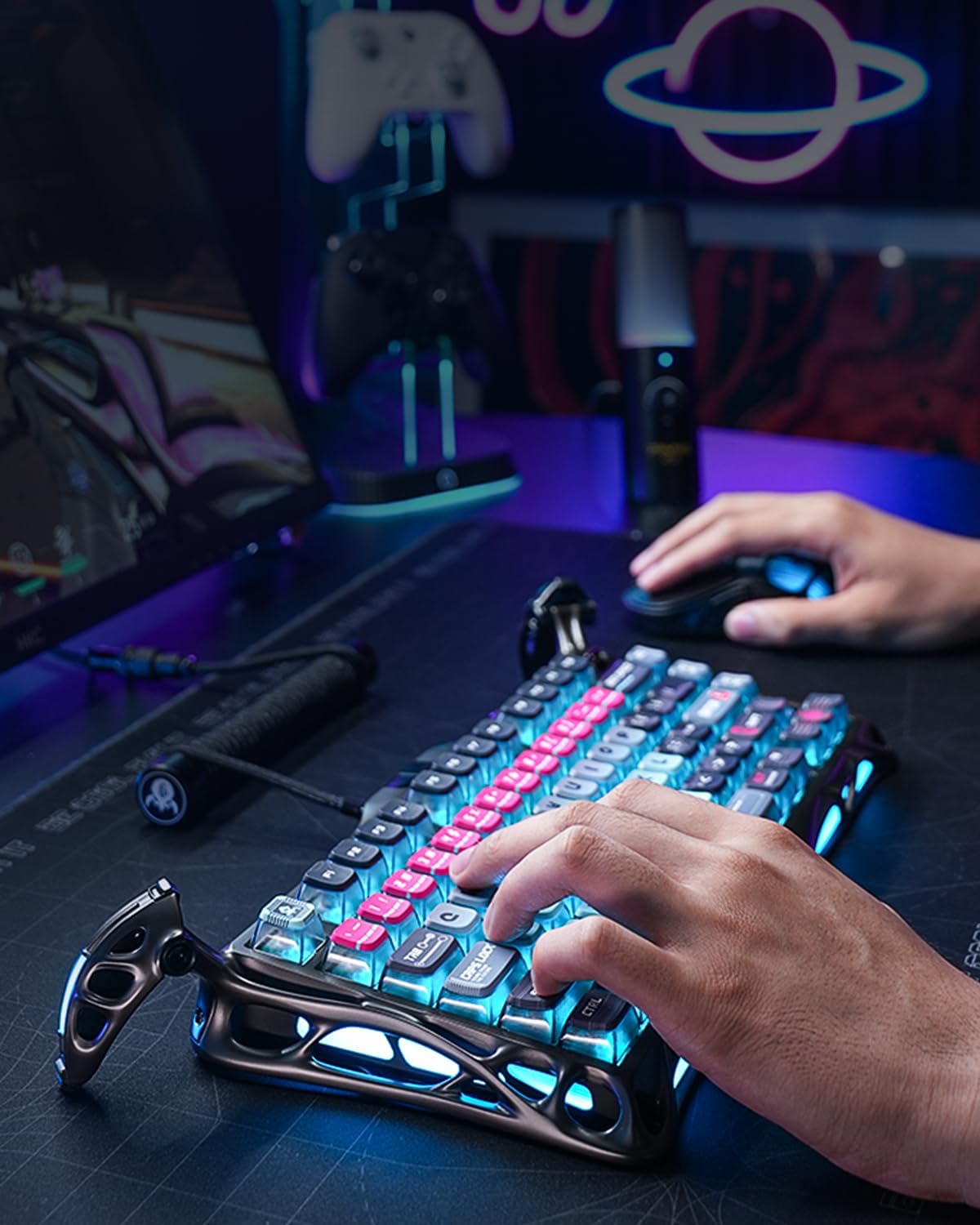
The GravaStar V75 Pro keyboard features a distinctive design with vibrant RGB lighting, enhancing the gaming experience. Its ergonomic layout is designed for comfortable and efficient gameplay.
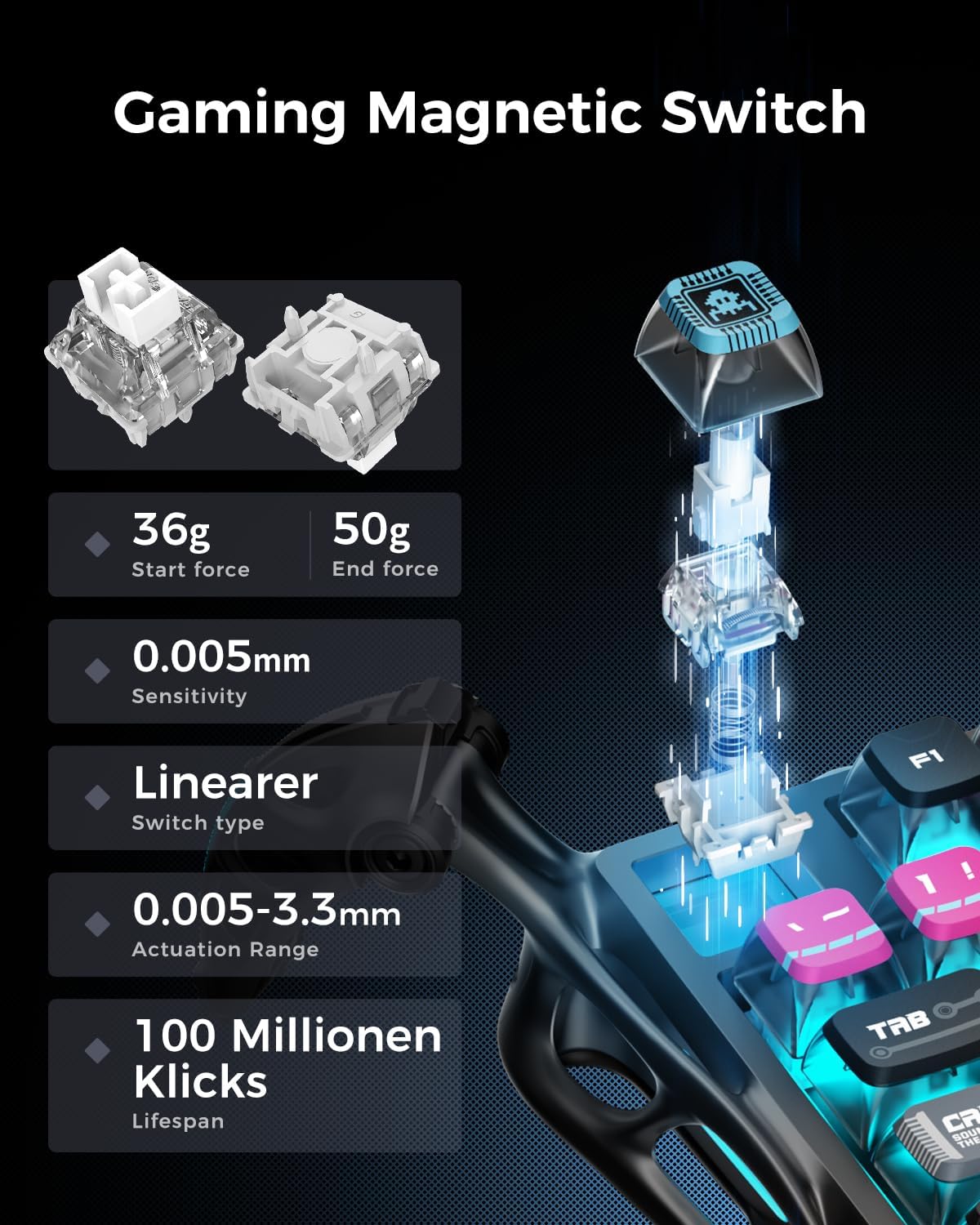
The magnetic switches offer precise control with a low start force of 36g and an end force of 50g, ensuring rapid and accurate key presses. The sensitivity is rated at 0.005mm, with an actuation range of 0.005-3.3mm, and a lifespan of 100 million clicks.

The keyboard's 256KHz scan rate provides superior responsiveness compared to traditional mechanical switches, crucial for competitive gaming across various genres like RTS, FPS, and MOBA.

The dedicated GravaStar software allows users to customize key functions, actuation points, and RGB lighting effects, enabling a personalized gaming experience.

With a true 8KHz polling rate, the keyboard achieves an ultra-low latency of 0.125ms, ensuring that every command is registered almost instantaneously.
2.3. Званични видео производа
3. GravaStar Mercury X Pro Gaming Mouse
3.1. Кључне карактеристике
- Innovative Hollow Skeleton Design: Maximized airflow with a durable, lightweight magnesium alloy frame to keep your hand cool and dry during intense gaming sessions.
- Прецизни сензор: PAW 3950 sensor offers ultra-accurate tracking with up to 32,000 DPI, ideal for both fast-paced FPS and precision-demanding MOBA games.
- Прилагодљива дугмад и RGB: Fully programmable buttons and RGB lighting via customizable software.
3.2. Визуелни прелазview

The Mercury X Pro mouse offers an impressive 113 hours of battery life in Bluetooth mode, providing extended usage for up to 14 days on a single charge.
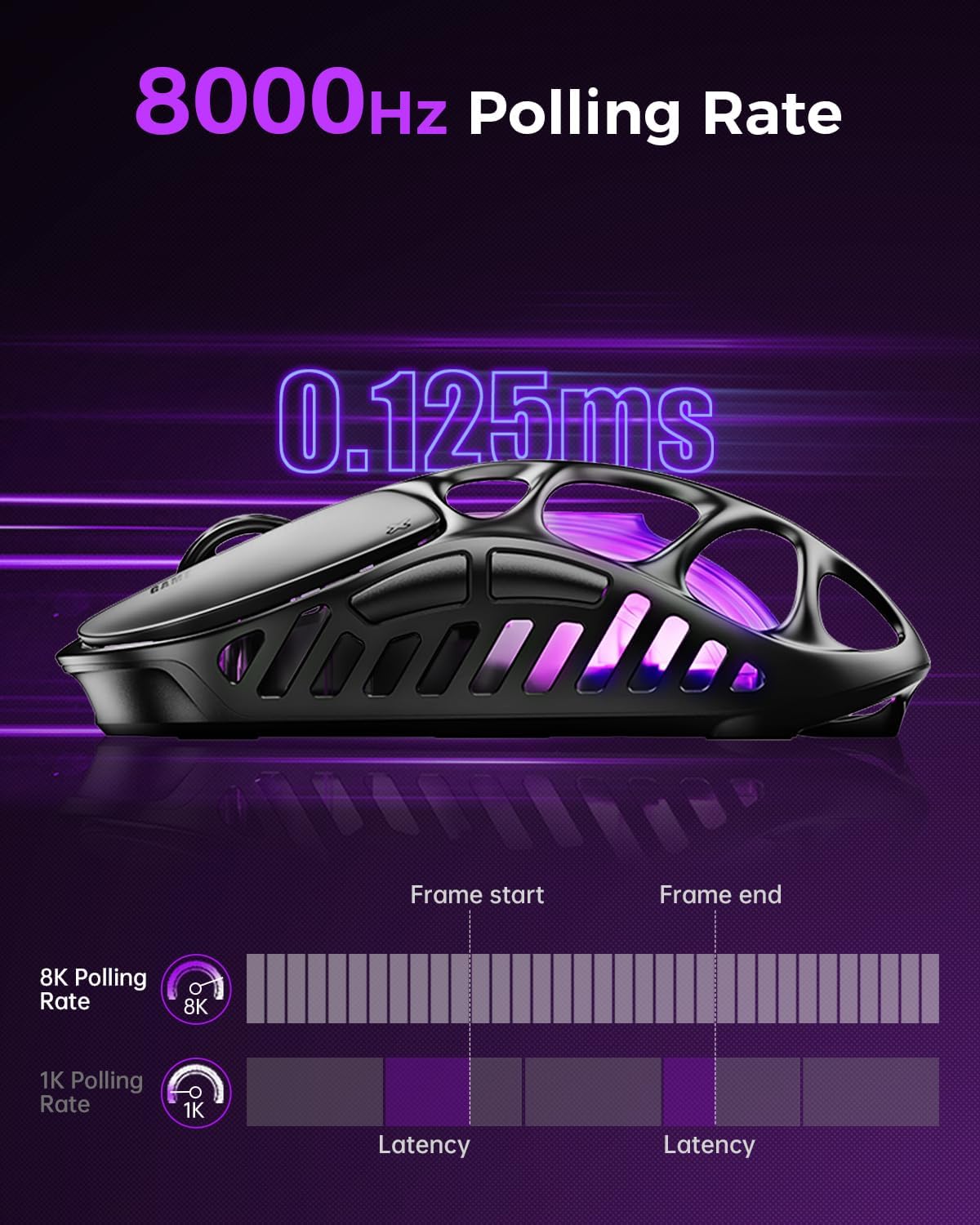
The mouse's 8000Hz polling rate ensures a rapid 0.125ms response time, minimizing input lag for critical in-game actions.

The mouse's hollow skeleton design, constructed from 0.8mm magnesium alloy, provides a lightweight yet durable structure, promoting airflow to keep hands cool during extended use.
4. Подешавање
4.1. Почетна веза
- Распакивање: Пажљиво извадите тастатуру и миш из њиховог паковања.
- Пуњење: For optimal performance, fully charge both devices before first use. Connect the provided USB-C cable to the devices and a power source.
- Бежична веза (2.4 GHz): Insert the 2.4GHz USB dongle into an available USB port on your computer. Ensure the devices are switched to 2.4GHz mode. They should connect automatically.
- Блуетоотх веза: Switch the devices to Bluetooth mode. On your computer or device, search for new Bluetooth devices and select 'GravaStar V75 Pro' or 'GravaStar Mercury X Pro' to pair.
- Жична веза: Connect the USB-C cable directly from the device to your computer. The devices will function in wired mode and charge simultaneously.
4.2. Инсталација софтвера
Download the official GravaStar customization software from the manufacturer's website. This software allows for advanced customization of RGB lighting, key remapping, macro creation, and DPI settings.
5. Упутство за употребу
5.1. Keyboard Operation
- Подешавање тачке активирања: Use the GravaStar software to fine-tune the actuation point of each Hall-Effect switch from 0.005mm to 3.3mm for personalized responsiveness.
- РГБ режими осветљења: Cycle through various preset RGB lighting effects using dedicated function keys or customize them extensively via the software.
- Стопа гласања: The keyboard operates at an 8000Hz polling rate in wired mode for minimal latency.
5.2. Управљање мишем
- ДПИ подешавање: Use the dedicated DPI button on the underside of the mouse or the software to cycle through preset DPI levels, up to 32,000 DPI.
- Програмабилна дугмад: Customize the functions of the mouse buttons using the GravaStar software to assign macros or specific commands.
- Стопа гласања: The mouse supports an 8000Hz polling rate for ultra-responsive tracking.
6. Одржавање
6.1. Чишћење
- тастатура: Use a soft, dry cloth to wipe down the keyboard surface. For deeper cleaning, use a keycap puller to remove keycaps and compressed air to clear debris from between switches.
- миш: Обришите површину миша меком, благо длакомamp cloth. Use a cotton swab for hard-to-reach areas, especially within the hollow skeleton design.
6.2. Брига о батерији
- Избегавајте често потпуно пражњење батерије.
- Store devices in a cool, dry place when not in use for extended periods.
- Користите само приложени кабл за пуњење или сертификовани еквивалент.
КСНУМКС. Решавање проблема
7.1. Проблеми са повезивањем
- Уређај се не повезује: Ensure the device is charged and switched to the correct mode (2.4GHz or Bluetooth). Re-pair Bluetooth devices or re-insert the 2.4GHz dongle.
- Повремена веза: Move the device closer to the receiver/computer. Avoid sources of interference (e.g., other wireless devices, large metal objects).
7.2. Unresponsive Keys/Mouse
- тастатура: Check for debris under the keycaps. Ensure the keyboard firmware is up to date via the software.
- миш: Clean the sensor area. Adjust DPI settings to a suitable level. Ensure the mouse is on a clean, uniform surface.
7.3. Software Not Recognizing Device
- Ensure the device is connected (wired or wireless) and powered on.
- Поново покрените софтвер и/или рачунар.
- Reinstall the GravaStar software.
8. Спецификације
| Феатуре | GravaStar V75 Pro Keyboard | GravaStar Mercury X Pro Mouse |
|---|---|---|
| Прекидачи | Gateron × GravaStar Magnetic Hall-Effect | Н/А |
| Actuation Accuracy | 0.005мм | Н/А |
| Животни век тастера | 100 милиона | Н/А |
| Поллинг Рате | 8000Hz (USB) | 8000Хз |
| Key Scan Rate | 256 кХз | Н/А |
| Сензор | Н/А | ПАВ 3950 |
| DPI опсег | Н/А | До 32,000 ДПИ |
| Дизајн | Cyberpunk Aesthetic | Hollow Skeleton, Magnesium Alloy Frame |
| Трајање батерије | Н/А | 113 сати (Блуетоотх режим) |
9. Гаранција и подршка
GravaStar products come with a limited manufacturer's warranty. For detailed warranty information, product registration, and technical support, please visit the official GravaStar webсајт или контактирајте њихову корисничку службу. Сачувајте доказ о куповини за потребе гаранције.
GravaStar Official Store: Visit GravaStar Store on Amazon