
1. Увод
Thank you for choosing the Auxmir M4-WiFi Smart Bedside Lamp. This intelligent night light offers a wide range of customizable colors and brightness levels, controllable via touch, a dedicated mobile application, or voice commands through Alexa and Google Home. Please read this manual carefully to ensure proper setup, operation, and maintenance of your device.
2. Безбедносна упутства
- Извор напајања: Ово лamp does not have a built-in battery. It must remain connected to a power source via the provided USB-C cable for continuous operation. An AC adapter is not included.
- Само за унутрашњу употребу: Овај производ је намењен за употребу у затвореном простору. Не излажите га води или високој влажности.
- Чишћење: Disconnect the power before cleaning. Use a soft, dry cloth. Do not use liquid cleaners or aerosol sprays.
- деца: Keep out of reach of small children unless under adult supervision. The lamp is designed to be child-friendly but is not a toy.
- Растављање: Не покушавајте да раставите или поправите лamp yourself. This will void the warranty and may cause damage or injury.
- Радна температура: Avoid extreme temperatures. Operate the lamp within a normal room temperature range.
3. Садржај пакета
Молимо вас да проверите пакет за следеће ставке:
- Auxmir M4-WiFi Smart Bedside Lamp (1 јединица)
- USB-C Power Cable (1 unit)
- Упутство за употребу (1 јединица)
4. Производ је готовview
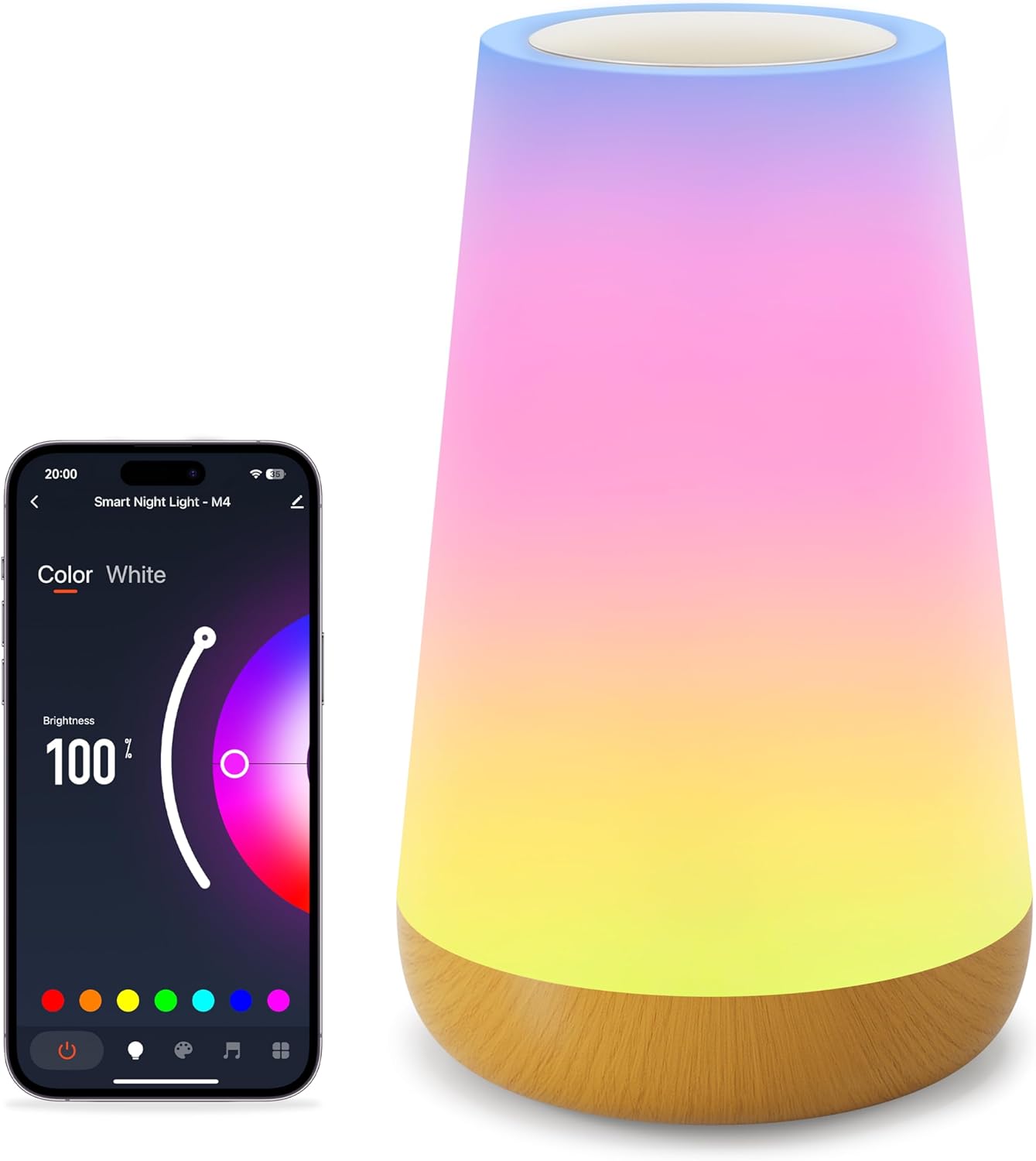
The Auxmir M4-WiFi Smart Bedside Lamp features a sleek, conical design with a touch-sensitive top panel and a wooden-look base. It provides 256 adjustable RGB colors and warm white light, suitable for various environments.
5. Подешавање
5.1 Прикључак за напајање
- Connect the provided USB-C cable to the lamp's power port.
- Plug the other end of the USB-C cable into a compatible USB power adapter (not included) or a USB port on another device.
- Ensure the power source is stable. The lamp will illuminate briefly to indicate it has power.
5.2 App Installation and Wi-Fi Pairing
To unlock all smart features, download the dedicated mobile application and connect the lamp на вашу Ви-Фи мрежу.

- Преузмите апликацију: Тражи the recommended app (e.g., 'Smart Life' or 'Tuya Smart') in your smartphone's app store (iOS or Android) and install it.
- Региструј се/Пријави се: Отворите апликацију и направите налог или се пријавите ако га већ имате.
- Додај уређај: In the app, tap '+' or 'Add Device'. Select 'Lighting' or 'Smart Lamp'.
- Уђите у режим упаривања: Са лamp powered on, long-press the touch panel for 5 seconds until the light starts blinking rapidly. This indicates it is in network configuration mode.
- Повежите се на Ви-Фи: Follow the on-screen instructions in the app. Ensure your phone is connected to a 2.4GHz Wi-Fi network (5GHz networks are not supported). Enter your Wi-Fi password when prompted.
- Завршетак: Када се повеже, лamp will stop blinking and the app will confirm successful pairing. You can now rename your lamp for easier control.
6. Упутство за употребу
6.1 Контрола на додир
Тхе лamp features a touch-sensitive panel on its top for basic control.
- Укључи: Short press the touch panel.
- Искључи: Long press the touch panel for 2 seconds.
- Switch Color and Mode: Short touch the panel after turning on the light to cycle through colors and modes.
- Подесите осветљеност: Slide your finger across the touch panel to adjust brightness.
6.2 Контрола апликација
The mobile application provides comprehensive control over the lamp'с феатурес.

- Подешавање боје и осветљености: Use the app's interface to select from 256 RGB colors and adjust brightness from 1% to 100%.
- Режими сцене: Choose from over 32 built-in lighting modes, including holiday, nature, and festive scenes.
- DIY Lighting: Креирајте и сачувајте сопствене прилагођене светлосне ефекте и секвенце боја.
6.3 Гласовна контрола (Alexa и Google Home)
Integrate your lamp with Amazon Alexa or Google Home Assistant for hands-free control.

- Повежи налог: In the Alexa or Google Home app, enable the skill for your smart lamp's app (e.g., 'Smart Life' or 'Tuya Smart') and link your accounts.
- Откријте уређаје: Замолите свог гласовног асистента да открије нове уређаје.
- Гласовне команде: Користите команде као што су:
- "Alexa/Hey Google, turn on [Lamp Име].
- "Alexa/Hey Google, set [Lamp Име] у плаво."
- "Alexa/Hey Google, dim [Lamp Име] на 50%.
6.4 Timer & Scheduling
Поставите распореде за лamp to automatically turn on or off.

- Open the app and navigate to the lampподешавања корисника.
- Select 'Timer' or 'Schedule' option.
- Set desired on/off times and repeat days.
6.5 Музички режим
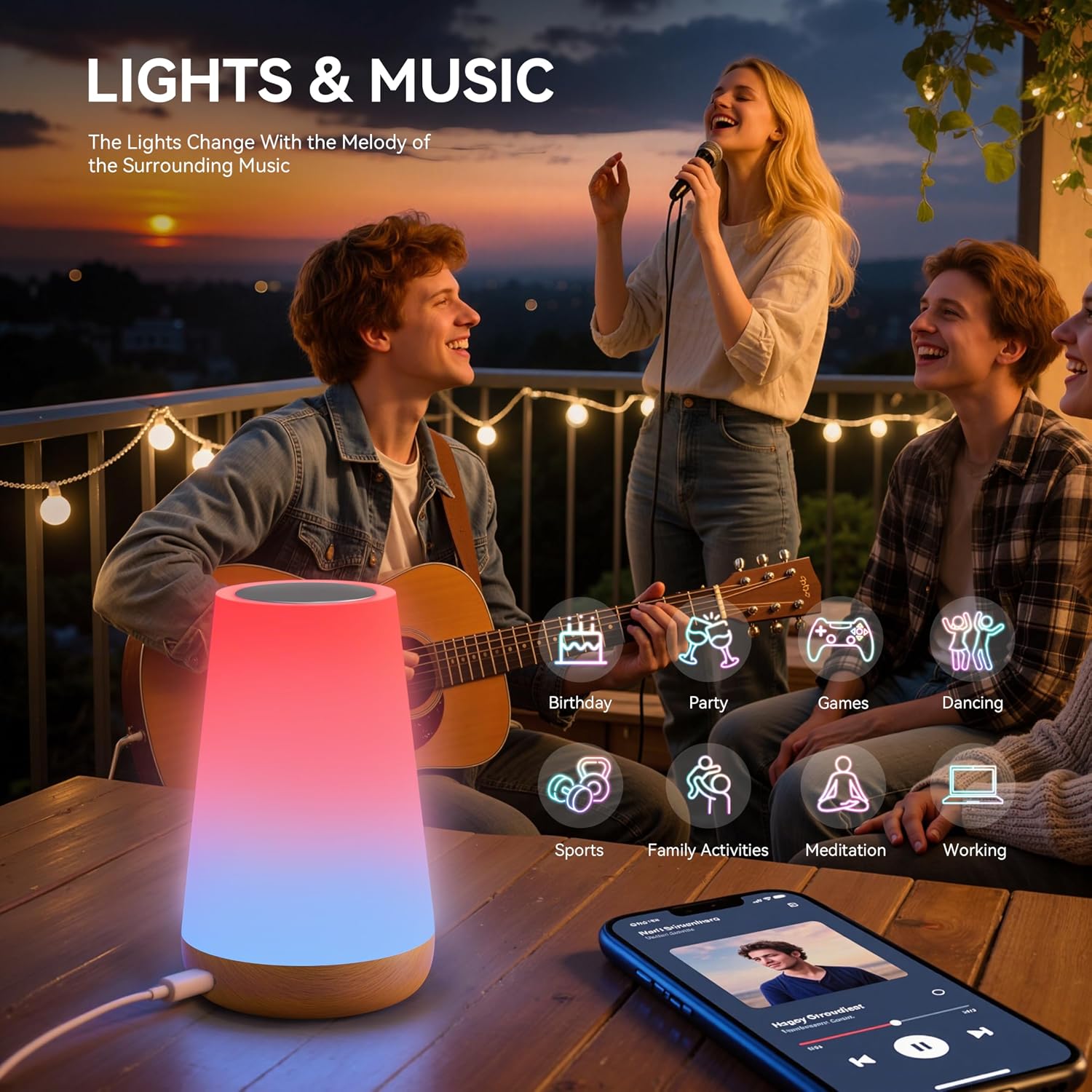
Тхе лamp can synchronize its lighting effects with music, creating an immersive atmosphere.

- Activate 'Music Mode' within the mobile application.
- Тхе лamp will use its built-in microphone to detect ambient music and adjust its lighting patterns accordingly.
7. Одржавање
- Чишћење: Уверите се да је лamp is unplugged before cleaning. Wipe the exterior with a soft, dry, lint-free cloth. Do not use abrasive cleaners or solvents.
- Складиштење: Када се не користи дуже време, чувајте гаamp in a cool, dry place, away from direct sunlight and extreme temperatures.
- Руковање: Руковати лamp with care to avoid dropping or physical damage.
КСНУМКС. Решавање проблема
| Проблем | Могући узрок | Решење |
|---|---|---|
| Lamp се не укључује. | Нема прикључка за напајање. | Ensure the USB-C cable is securely connected to both the lamp and a working power source. |
| Повезивање на Ви-Фи није могуће. | Нетачан Wi-Fi опсег (5 GHz). Погрешна лозинка. Lamp није у режиму упаривања. | Ensure your router is broadcasting a 2.4GHz Wi-Fi signal. Verify the Wi-Fi password. Long-press the touch panel for 5 seconds to enter pairing mode (rapid blinking). |
| Гласовна контрола не ради. | Налог није повезан. Нетачан назив уређаја. Internet connectivity issues. | Ensure your smart lamp app account is linked to Alexa/Google Home. Check the device name in the app and use it in commands. Verify internet connection. |
| Lamp randomly changes color/mode. | Accidental touch. Интерференција. | Ensure nothing is touching the touch panel. If issues persist, try resetting the lamp and re-pairing. |
| Music mode not responsive. | Low music volume. Microphone obstruction. | Increase music volume. Ensure the lamp's microphone (if applicable) is not covered. |
9. Спецификације
| Феатуре | Детаљ |
|---|---|
| Број модела | M4-WiFi Night Light |
| Димензије (Д к Ш к В) | 6.5 к 9.3 к 15.2 цм |
| Тежина | 240 грама |
| Произвођач | Аукмир |
| Основни материјал | Пластика |
| Схаде Материал | Памук |
| Lamp Тип | Night Light / Bedside Lamp |
| Извор светлости | LED (256 RGB colors + Warm White) |
| Контролни метод | Touch, Mobile App (Wi-Fi), Voice (Alexa, Google Home) |
| Цоннецтивити Протоцол | Wi-Fi (само 2.4 GHz) |
| Повер Суппли | USB-C Cable (constant power required, no built-in battery) |
| Водоотпоран | бр |
| Усаге Енвиронмент | Индоор |
| Посебне карактеристике | Dimmable, 100+ Scene Modes, DIY Lighting, Timer Function, Music Mode |
10. Гаранција и подршка
Auxmir products come with a 3-годишња гаранција from the date of purchase, covering manufacturing defects. Additionally, we offer Доживотна корисничка подршка да вам помогнемо са свим питањима или проблемима на које можете наићи.
For warranty claims or technical assistance, please contact our customer service team via the contact information provided on our official website or through your purchase platform. Please have your order number and product model (M4-WiFi Night Light) ready when contacting support.