
Увод
This manual provides essential instructions for the installation, operation, and maintenance of your Serenophile Smart Thermostat. This device is designed to control various heating systems, including electric floor heating, gas boilers, and water heating systems, offering smart temperature management through Wi-Fi connectivity. Please read this manual thoroughly before installation and use to ensure safe and efficient operation.

Figure 1: The thermostat is compatible with water, electric, and wall-mounted boiler heating systems.
Карактеристике производа
- Компатибилност управљања гласом: Seamlessly integrates with voice platforms such as Alexa and Google Assistant for hands-free temperature adjustments.
- Даљинско управљање путем апликације: Manage your heating system from anywhere using the Tuya Smart app on your smartphone.
- Clear Display and Modern Design: Features an elegant touch interface (86 x 86 x 41 mm) with intuitive temperature readings, available in white or grey finishes.
- Integrated Safety Terminal: Equipped with a dedicated protection terminal to prevent electrical hazards and ensure safe operation.
- Уштеда енергије: Intelligent control helps reduce annual heating or cooling costs by up to 23% while maintaining desired comfort levels.
Сетуп
1. Инсталација
Installation of the thermostat should be performed by a qualified electrician to ensure safety and proper functionality. Ensure the main power supply is turned off before beginning any wiring work.
2. Ожичење
The thermostat is available in two versions: 3A for gas boiler/water heating systems and 16A for electric floor heating systems. Refer to the wiring diagram provided with your specific model for correct connections. Ensure all connections are secure and properly insulated.
3. App Connection (Tuya Smart)
- Download the "Tuya Smart" app from your mobile device's app store (iOS or Android).
- Региструјте се или се пријавите на свој Tuya Smart налог.
- Укључите термостат.
- Follow the in-app instructions to add a new device. This typically involves putting the thermostat into pairing mode (refer to the thermostat's display for pairing indicators) and connecting it to your home Wi-Fi network.
- Once connected, you can control the thermostat remotely via the app.
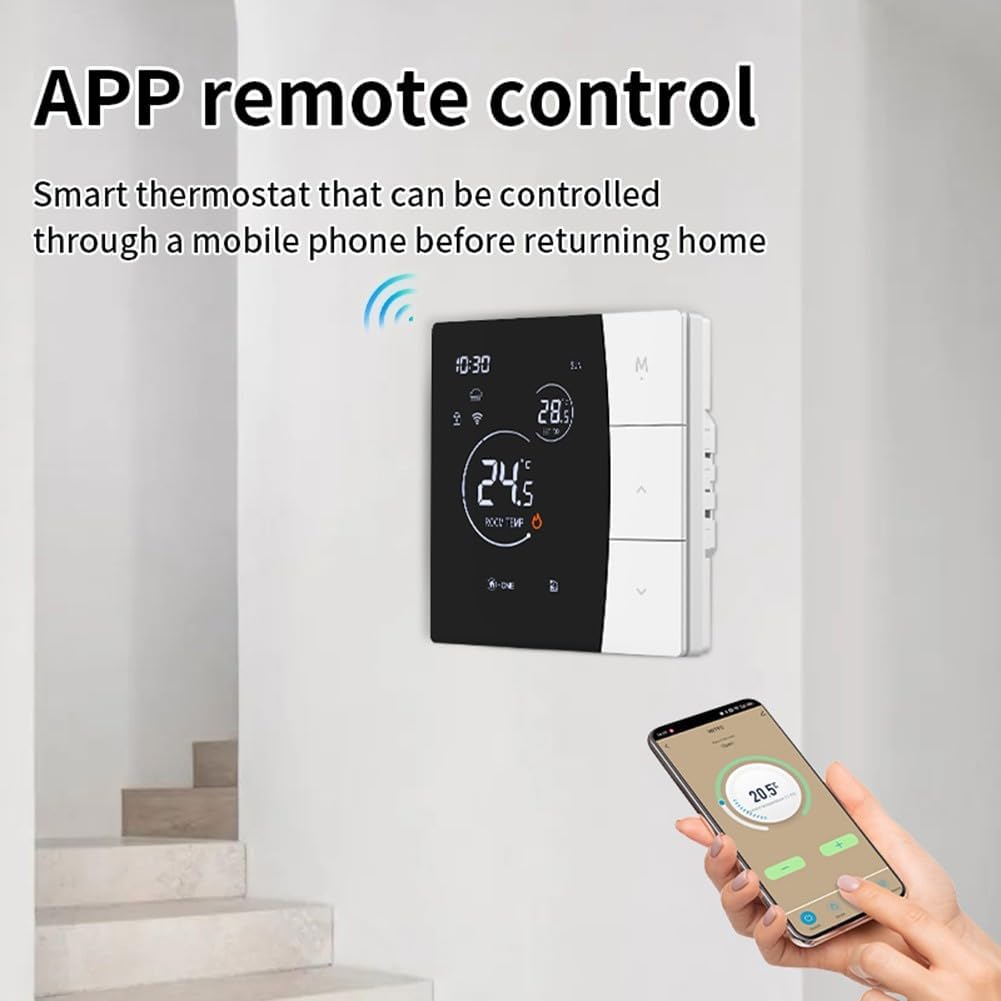
Figure 2: Remote control of the thermostat via the Tuya Smart app on a mobile phone.
Упутство за употребу
1. Основна операција
The thermostat features a touch-sensitive display. Use the up and down arrows on the right side of the unit to adjust the target temperature. The 'M' button typically cycles through different modes (e.g., manual, automatic, holiday). Refer to the on-screen icons for current status, such as Wi-Fi connectivity, lock status, and heating activity.

Слика 3: Предња страна view of the thermostat display showing current settings and status.
2. Управљање гласом
Once connected to Alexa or Google Assistant through the Tuya Smart app, you can use voice commands to control your thermostat. Exampлес укључује:
- „Алекса, подеси [Име термостата] на 22 степена.“
- "Hey Google, what is the temperature in [Thermostat Name]?"
- „Алекса, укључи [Име термостата].“
3. Даљински управљач
Апликација Туја Смарт вам омогућава да:
- Adjust the temperature from anywhere.
- Set heating schedules and timers.
- Monitor current room temperature.
- Change operating modes.
Одржавање
Да бисте осигурали оптималне перформансе и дуговечност вашег термостата:
- Чишћење: Обришите екран и цasinОбришите меком, сувом крпом. Не користите абразивна средства за чишћење или раствараче.
- Избегавајте препреке: Ensure the thermostat is not covered by furniture, curtains, or other objects that could interfere with accurate temperature sensing.
- Редовне провере: Periodically check wiring connections for any signs of wear or damage.
Решавање проблема
- Нема напајања: Check the circuit breaker and ensure all wiring connections are secure.
- Нетачно очитавање температуре: Уверите се да термостат није изложен директној сунчевој светлости, промаји или изворима топлоте који би могли утицати на његов сензор.
- Прекид Ви-Фи везе: Verify your home Wi-Fi network is active and the signal strength is adequate. Re-pair the device with the Tuya Smart app if necessary.
- Грејање се не активира: Check the thermostat's mode settings and target temperature. Ensure it is set to a temperature higher than the current room temperature in heating mode.
Спецификације
| Феатуре | Спецификација |
|---|---|
| Димензије производа (Д к Ш к В) | 12 к 12 к 8 цм |
| Материјал | Пластика |
| Број модела | S7HNBW7JAATA324445UQ527293A0P6 |
| ASIN | B0FY5PRVXS |
| Боја | White / Grey (as per variant) |
| Цуррент Ратинг | 3A (for gas boiler/water heating) or 16A (for electric floor heating) |
Безбедносне информације
- Always disconnect power before installing or servicing the thermostat.
- Не излажите термостат води или прекомерној влажности.
- Чувати ван домашаја деце.
- Ensure proper grounding and adhere to all local electrical codes.
Гаранција и подршка
For warranty information or technical support, please refer to the documentation included in your product packaging or contact Serenophile customer service directly. Keep your purchase receipt as proof of purchase.