
Увод
This manual provides instructions for the setup, operation, maintenance, and troubleshooting of your MOFII Wireless Keyboard and Mouse Combo. Please read this manual thoroughly before using the product to ensure proper function and longevity.
Безбедносне информације
- Држите уређај даље од воде и других течности.
- Избегавајте излагање уређаја екстремним температурама.
- Не покушавајте сами да растављате или поправљате уређај. Обратите се квалификованом сервисеру.
- Батерије одложите у складу са локалним прописима.
Садржај пакета
- MOFII Wireless Keyboard
- MOFII Wireless Mouse
- USB Nano пријемник (смештен у одељку за батерију миша)
- Cleaning Brush (for keycaps)
Сетуп
- Инсталирајте батерије:
Open the battery compartment on the underside of both the keyboard and the mouse. Insert one AA battery into each device, ensuring correct polarity. Batteries are not included.
- Пронађите УСБ пријемник:
The USB nano receiver is stored in the battery compartment of the mouse for convenience during transport.
- Повежите пријемник:
Plug the USB nano receiver into an available USB port on your computer (PC, Laptop, Desktop, Smart TV). The system will automatically detect and install the necessary drivers.
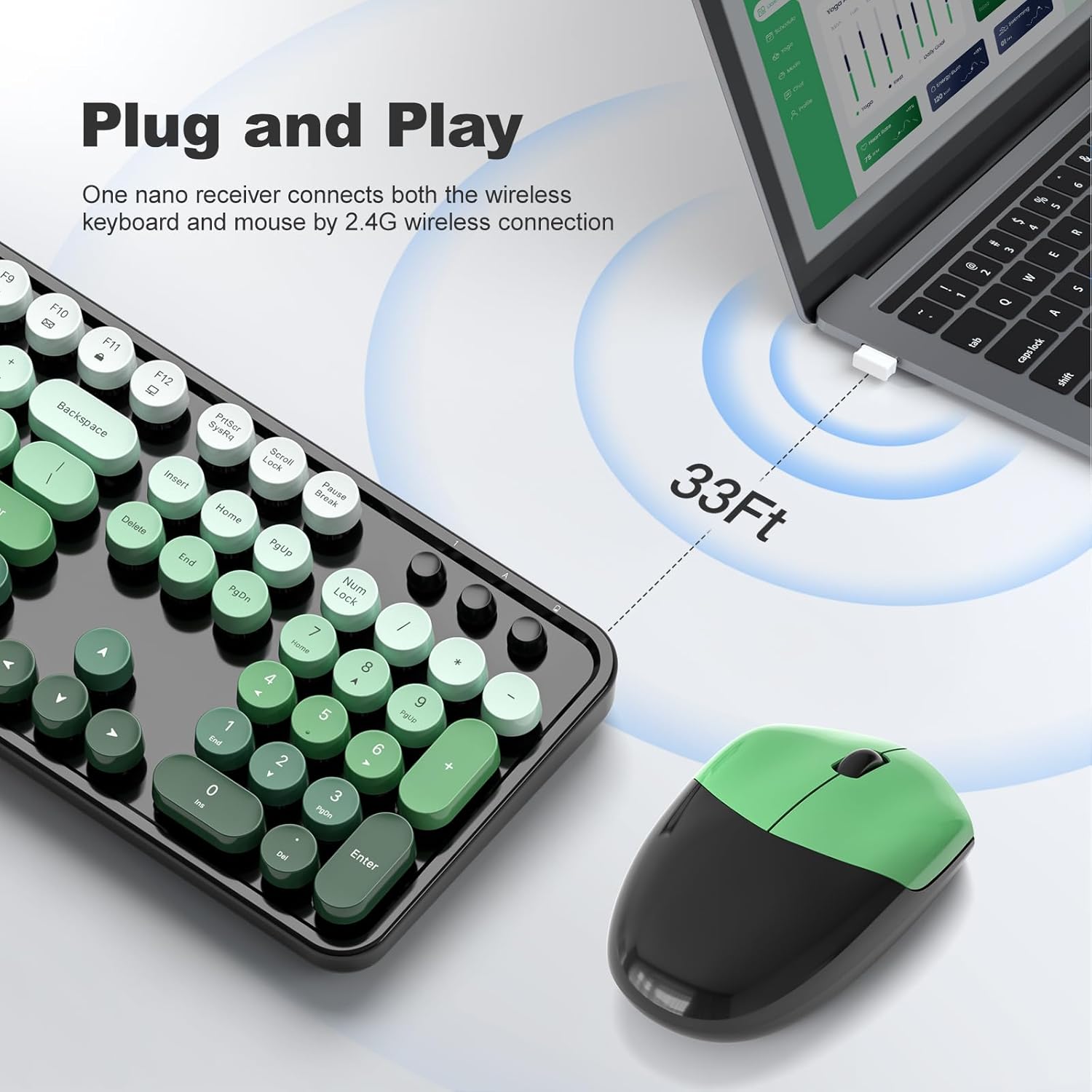
Слика 1: „Plug and Play“ веза са USB пријемником.
- Укључено:
Turn on the keyboard and mouse using their respective power switches, usually located on the underside of each device. The devices are now ready for use.
Упутство за употребу
Карактеристике тастатуре
- Изглед у пуној величини: The keyboard features a 104-key full-size layout, including a numeric keypad for efficient data entry.
- Multimedia Shortcuts: Access 13 multimedia shortcuts (Fn + F1-F12, etc.) to control audio/video playback, volume, web browsing, and email. Refer to the key legends for specific functions.
- Ергономски дизајн: The keyboard includes foldable stands and anti-slip pads to adjust the typing angle and reduce wrist pressure.
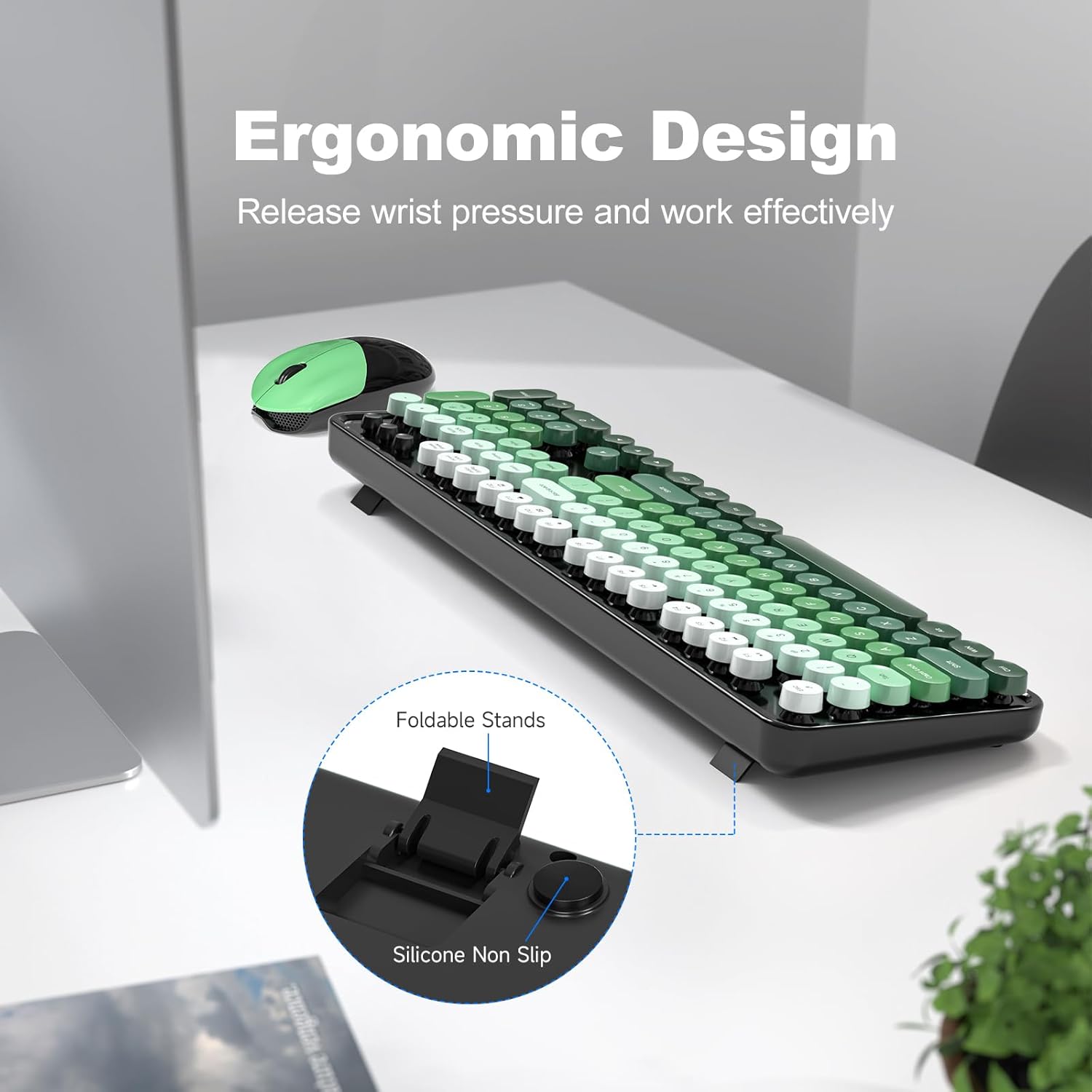
Figure 2: Ergonomic design with foldable stands.
Карактеристике миша
- Стандардна функционалност: The mouse provides standard left-click, right-click, and scroll wheel functions.
- Глатко праћење: Designed for precise and smooth cursor movement.
Ауто Слееп Моде
To conserve battery life, both the keyboard and mouse will automatically enter sleep mode after 5 minutes of inactivity. To wake them up, simply click any key on the keyboard or move/click the mouse. This feature helps extend battery life to approximately 18 months, though actual battery life may vary based on usage.

Figure 3: Intelligent Auto-Sleep feature.
Одржавање
- Чишћење тастера: The round keycaps are detachable for easy cleaning. Use the provided cleaning brush to remove dust and debris from between the keys.
- Генерално чишћење: Wipe the keyboard and mouse with a soft, damp тканина. Избегавајте употребу јаких хемикалија или абразивних материјала.
- Замена батерије: When performance degrades, replace the AA batteries in both the keyboard and mouse.

Figure 4: Detachable keycaps and cleaning brush.
Решавање проблема
- Без конекције:
- Уверите се да је УСБ пријемник безбедно прикључен у исправан УСБ порт.
- Проверите да ли су тастатура и миш укључени.
- Проверите да ли су батерије правилно постављене и да ли су довољно напуњене.
- Покушајте да прикључите пријемник на други УСБ порт.
- Поново покрените рачунар.
- Кашњење или повремена веза:
- Ensure the devices are within the 33ft operating range of the receiver.
- Minimize obstructions between the devices and the receiver.
- Avoid using the devices near strong electromagnetic interference sources.
- Замените батерије ако су празне.
- Тастери не реагују:
- Проверите нивое батерије.
- Уверите се да је тастатура укључена и повезана.
- Clean under the keycaps if debris is suspected.
- Миш се не помера:
- Проверите нивое батерије.
- Ensure the mouse is powered on and connected.
- Очистите оптички сензор на доњој страни миша.
- Уверите се да користите миш на одговарајућој површини.
Спецификације
| Бранд | МОФИИ |
| Модел | B0FZ84SQFD |
| Боја | Black Green Gradient Color |
| Технологија повезивања | 2.4 GHz бежични (USB пријемник) |
| Посебне карактеристике | Round Keycaps, Detachable Keycaps, Ergonomic Design, Auto Sleep Mode, Multimedia Keys |
| Компатибилни уређаји | Laptop, Personal Computer, Desktop, Smart TV |
| Компатибилност оперативног система | Windows 7/8/10/11/XP/Vista, Linux, Chrome |
| Тип батерије | AA (1 for keyboard, 1 for mouse - not included) |
| Домет | До 33 стопе (10 метара) |
| Димензије тастатуре | Приближно 17.4 инча (дужина) |
| Димензије миша | Приближно 4 инча (дужина) x 2.9 инча (ширина) x 1.7 инча (висина) |
| Тежина артикла | 0.2 Pounds (approximate, likely for mouse only) |

Figure 5: Keyboard and mouse dimensions.
Гаранција и подршка
The product comes with a 1-year warranty as specified by the manufacturer. For technical support, warranty claims, or further assistance, please contact MOFII customer service through their official webсајт или продавца где је производ купљен. Молимо вас да сачувате доказ о куповини за потребе гаранције.
За додатне информације, можете посетити MOFII Store on Amazon.