
Увод
Welcome to the user manual for your Rapoo EV310M Wireless Vertical Mouse. This ergonomic mouse is designed for comfort and efficiency, featuring multi-mode wireless connectivity and adjustable DPI settings. Please read this manual carefully to ensure proper setup and optimal performance.
Садржај пакета
- Rapoo EV310M Wireless Vertical Mouse
- УСБ пријемник (чува се унутар миша)
- AA Battery (pre-installed or included)
- Водич за брзи почетак (овај документ)
Производ је завршенview
Familiarize yourself with the components of your Rapoo EV310M mouse.
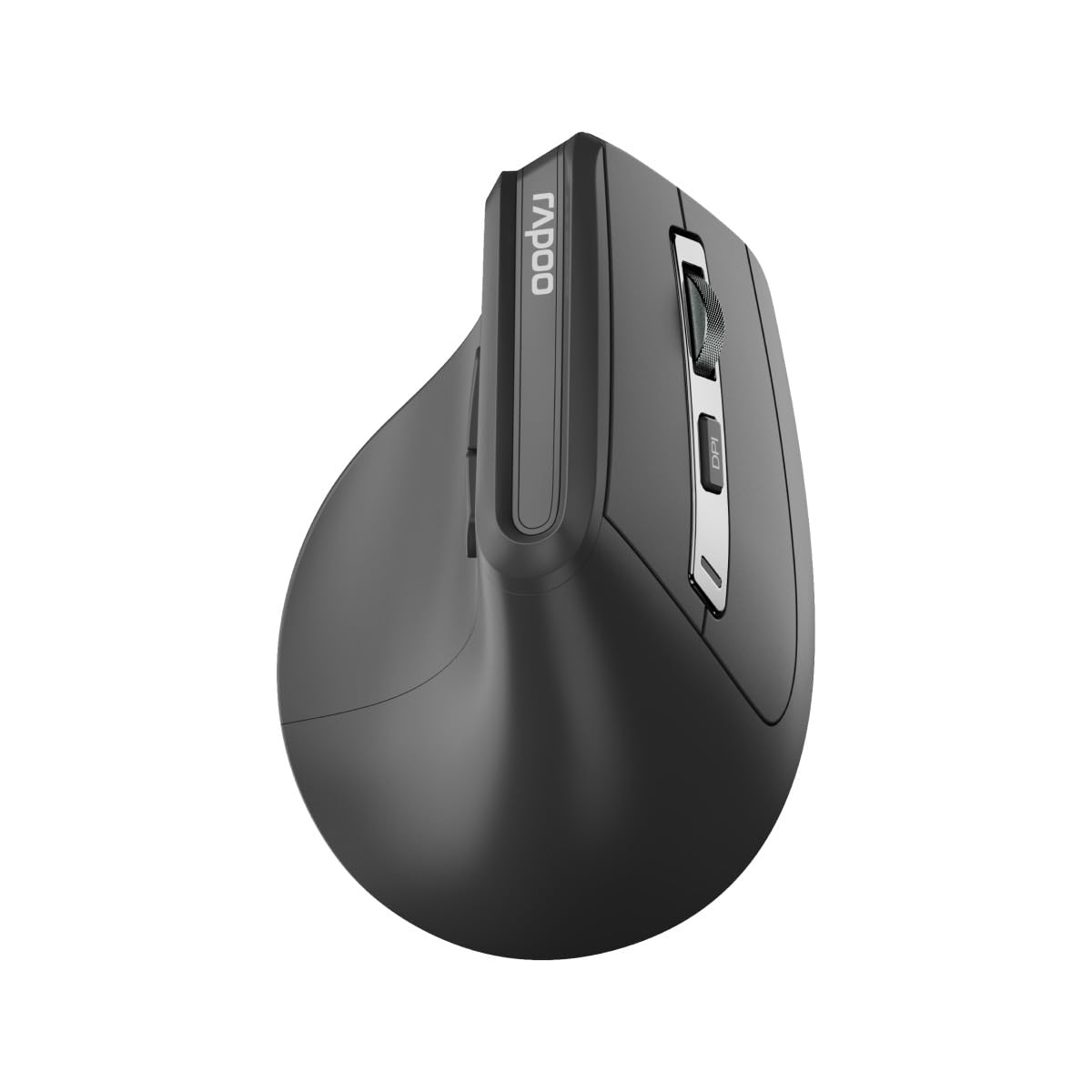
Слика: Врх view of the Rapoo EV310M Wireless Vertical Mouse, highlighting the scroll wheel and DPI button.
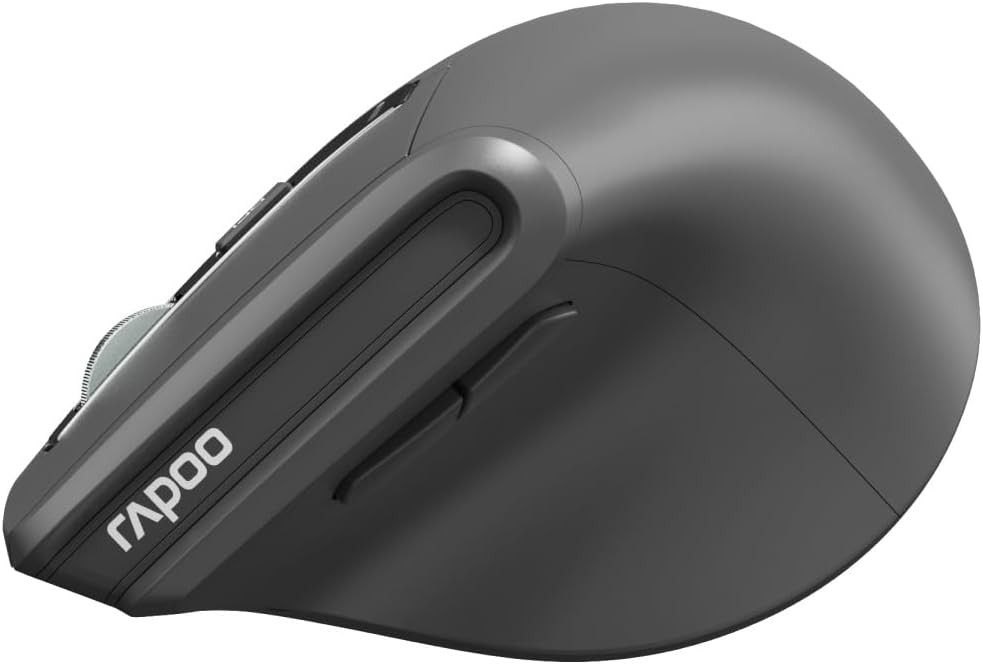
Слика: Са стране view of the Rapoo EV310M Wireless Vertical Mouse, showing the forward and backward navigation buttons.
Функције дугмета
- Леви клик: Стандардна функција левог клика.
- Десни клик: Стандардна функција десног клика.
- Точак за померање: Померање горе/доле, клик средњим тастером миша.
- Дугме ДПИ: Подешава осетљивост курсора (DPI).
- Дугме за напред: Навигација напред у web претраживачи или file истраживачи.
- Дугме за назад: Навигација уназад web претраживачи или file истраживачи.
- Mode Switch Button/Indicator: Switches between 2.4GHz and Bluetooth modes.
Сетуп
1. Инсталација батерије
- Пронађите одељак за батерију на доњој страни миша.
- Отворите поклопац одељка за батерије.
- Уметните једну АА батерију, водећи рачуна о исправном поларитету (+/-).
- Затворите поклопац одељка за батерије.
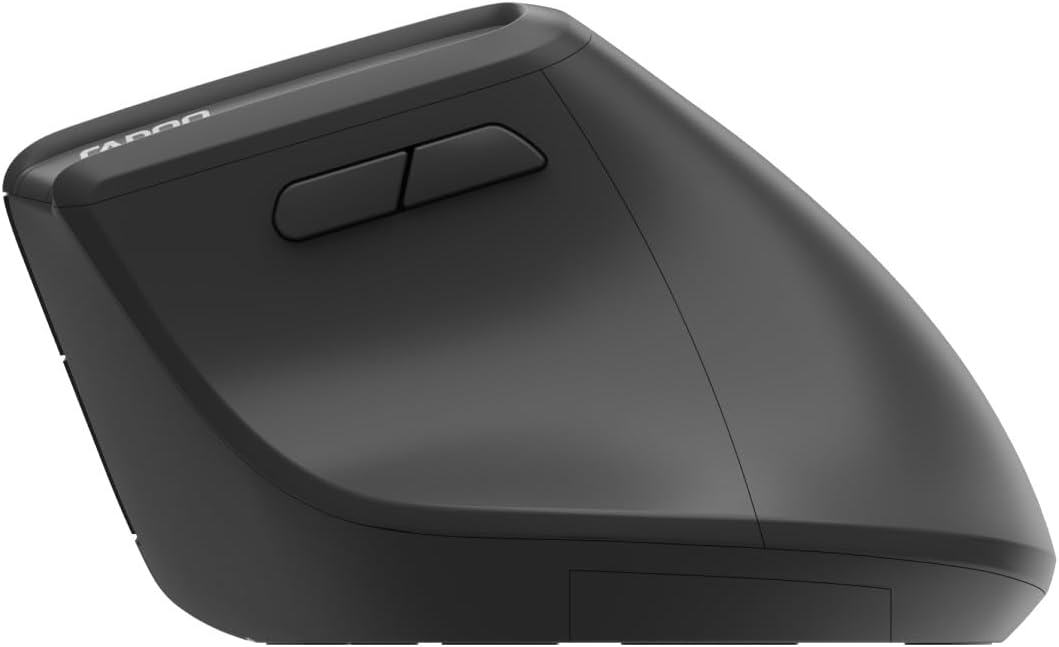
Image: Underside of the mouse, illustrating the battery compartment and the storage slot for the USB receiver.
2. Повезивање вашег миша
The Rapoo EV310M supports multi-mode wireless connection: 2.4 GHz via USB receiver and Bluetooth 3.0/5.0.
2.1. Бежична веза од 2.4 GHz
- Remove the USB receiver from its storage slot on the bottom of the mouse.
- Укључите УСБ пријемник у слободан УСБ порт на рачунару.
- Turn on the mouse using the power switch (usually on the bottom).
- The mouse should connect automatically. If not, press the mode switch button until the 2.4GHz indicator lights up.
2.2. Блуетоотх веза
- Укључите миша.
- Press the mode switch button to select a Bluetooth channel (e.g., Bluetooth 1 or Bluetooth 2). The indicator light for the selected Bluetooth channel will start blinking slowly.
- Press and hold the mode switch button for 3 seconds until the indicator light blinks rapidly. This indicates the mouse is in pairing mode.
- На рачунару или уређају отворите подешавања за Bluetooth и потражите нове уређаје.
- Select "RAPOO EV310M" from the list of available devices to pair.
- Once paired, the indicator light will stop blinking and remain solid for a few seconds before turning off.
Упутство за употребу
1. Подешавање DPI-ја
The DPI (Dots Per Inch) button allows you to adjust the cursor speed and sensitivity.
- Притисните тастер Дугме ДПИ located on the top of the mouse to cycle through available DPI settings (e.g., 800, 1200, 1600, 2400 DPI).
- Each press will change the sensitivity, allowing you to find your preferred cursor speed.
2. Пребацивање између повезаних уређаја
The EV310M mouse can be paired with up to three devices (one 2.4GHz and two Bluetooth devices).
- To switch between connected devices, simply press the дугме за пребацивање режима на мишу.
- The indicator light will briefly show which channel (2.4G, BT1, BT2) is active.
Одржавање
Чишћење
За чишћење миша користите меку, суву крпу. За тврдокорну прљавштину, благо обришитеampОбришите крпу водом или благим раствором за чишћење. Избегавајте употребу јаких хемикалија или абразивних материјала.
Замена батерије
When the mouse performance degrades or the indicator light signals low battery, replace the AA battery following the installation steps in the Setup section.
Решавање проблема
Миш не реагује
- Проверите батерију: Уверите се да је батерија правилно инсталирана и да је довољно напуњена. Замените је ако је потребно.
- Прекидач: Проверите да ли је миш укључен.
- УСБ пријемник: For 2.4GHz mode, ensure the USB receiver is securely plugged into a working USB port. Try a different port.
- Блуетоотх веза: For Bluetooth mode, ensure Bluetooth is enabled on your device and the mouse is correctly paired. Re-pair if needed.
- Удаљеност: Ensure the mouse is within the effective operating range of your computer (typically 10 meters).
Покрет курсора је неправилан
- Површина: Користите миш на чистој, нерефлектујућој површини. Препоручује се подлога за миш.
- ДПИ подешавање: Adjust the DPI setting to a lower value if the cursor is too fast or jumpy.
- Чистоћа сензора: Check the optical sensor on the bottom of the mouse for any obstructions or dirt. Clean gently with a soft cloth.
Спецификације
| Феатуре | Детаљ |
|---|---|
| Бранд | РАПОО |
| Број модела | ЕВ310М |
| Технологија повезивања | Bluetooth (3.0, 5.0), 2.4 GHz Wireless |
| ДПИ осетљивост | Adjustable 800-2400 DPI |
| Број дугмади | 6 |
| Оријентација руке | Десноруки |
| Извор напајања | Battery Powered (1x AA) |
| Трајање батерије | До 9 месеци |
| Компатибилност оперативног система | PC, Linux, Mac |
| Тежина артикла | 100 грама |
| Боја | Црно |
Гаранција и подршка
For warranty information or technical support, please refer to the official RAPOO website or contact your local dealer. Keep your purchase receipt for warranty claims.