
1. Увод
This manual provides detailed instructions for the installation, operation, and maintenance of your Aoocci C3 Plus Motorcycle CarPlay System. The C3 Plus features a 5-inch HD touchscreen, supports wireless Apple CarPlay and Android Auto, includes GPS navigation, IP67 waterproofing, and real-time Tire Pressure Monitoring System (TPMS). Please read this manual thoroughly before using the device to ensure proper function and safety.
2. Шта је у кутији
Проверите да ли су све компоненте присутне у пакету:
- Touch Screen Main Unit
- Носач
- Front & Rear Tire Pressure Sensors
- Power Cable & Installation Toolkit
- Power Cable (with USB Port)

Image: All components included with the Aoocci C3 Plus Motorcycle CarPlay System.
3. Инсталација
3.1 Монтажа уређаја
The Aoocci C3 Plus comes with a robust mounting bracket designed for motorcycle handlebars. Follow these steps for secure installation:
- Use the provided wrench to install the bracket securely on your motorcycle's handlebar.
- Install the connecting rod onto the bracket.
- Install the CarPlay unit onto the rod and adjust its position for optimal viewинг.
- Ensure all connections are tightened and the unit is stable.

Image: Visual instructions for mounting the C3 Plus unit.
3.2. Povezivanje ožičenja
Connect the power cable to your motorcycle's electrical system. The red wire (ACC) connects to the motorcycle's ACC control line (switched 12V power), and the black wire (GND) connects to the motorcycle battery's negative terminal.
Video: Detailed unboxing, installation, and usage guide for the Aoocci C3 Plus, demonstrating physical setup and initial power-on.
4. Initial Setup & Connection
4.1 Укључивање
Once correctly wired, the device will power on automatically with your motorcycle's ignition.
4.2 Бежична веза са Apple CarPlay-ом
To connect your iPhone to Apple CarPlay:
- On the C3 Plus screen, select the 'CarPlay' icon.
- На вашем iPhone-у укључите Bluetooth и Wi-Fi.
- In your iPhone's Bluetooth settings, select the device named 'Car-C3plus-xxx'.
- Confirm the connection on both devices.

Image: Apple CarPlay connection steps.
4.3 Бежична веза са Андроид Ауто-ом
To connect your Android phone to Android Auto:
- On the C3 Plus screen, select the 'Android Auto' icon.
- На свом Андроид телефону укључите Блутут и Ви-Фи.
- In your Android phone's Bluetooth settings, select the device named 'Car-C3plus-xxx'.
- Confirm the connection on both devices.

Image: Android Auto connection steps.
5. Упутство за употребу
5.1 General Interface and Navigation
The 5-inch IPS touchscreen provides a clear and responsive interface. Navigate through menus and applications by tapping and swiping. The main screen displays essential information and quick access to CarPlay/Android Auto, settings, and brightness controls.
Видео: Готовоview of the Aoocci C3 Plus interface, demonstrating navigation, settings adjustments, and core features.
5.2 CarPlay & Android Auto Features
Once connected, you can access various smartphone functions directly from the C3 Plus screen:
- Навигација: Use Google Maps, Apple Maps, Waze, and other compatible navigation apps.
- музика: Play music from your smartphone's library or streaming services.
- Размена порука: Шаљите и примајте поруке.
- Хандс-фрее позиви: Упућујте и примајте позиве директно преко уређаја.

Image: CarPlay and Android Auto interfaces on the C3 Plus screen.
5.3 Siri Voice Control (for CarPlay only)
For CarPlay users, Siri voice control allows you to manage navigation, calls, and music without removing your hands from the handlebars. Activate Siri with a tap or voice command.
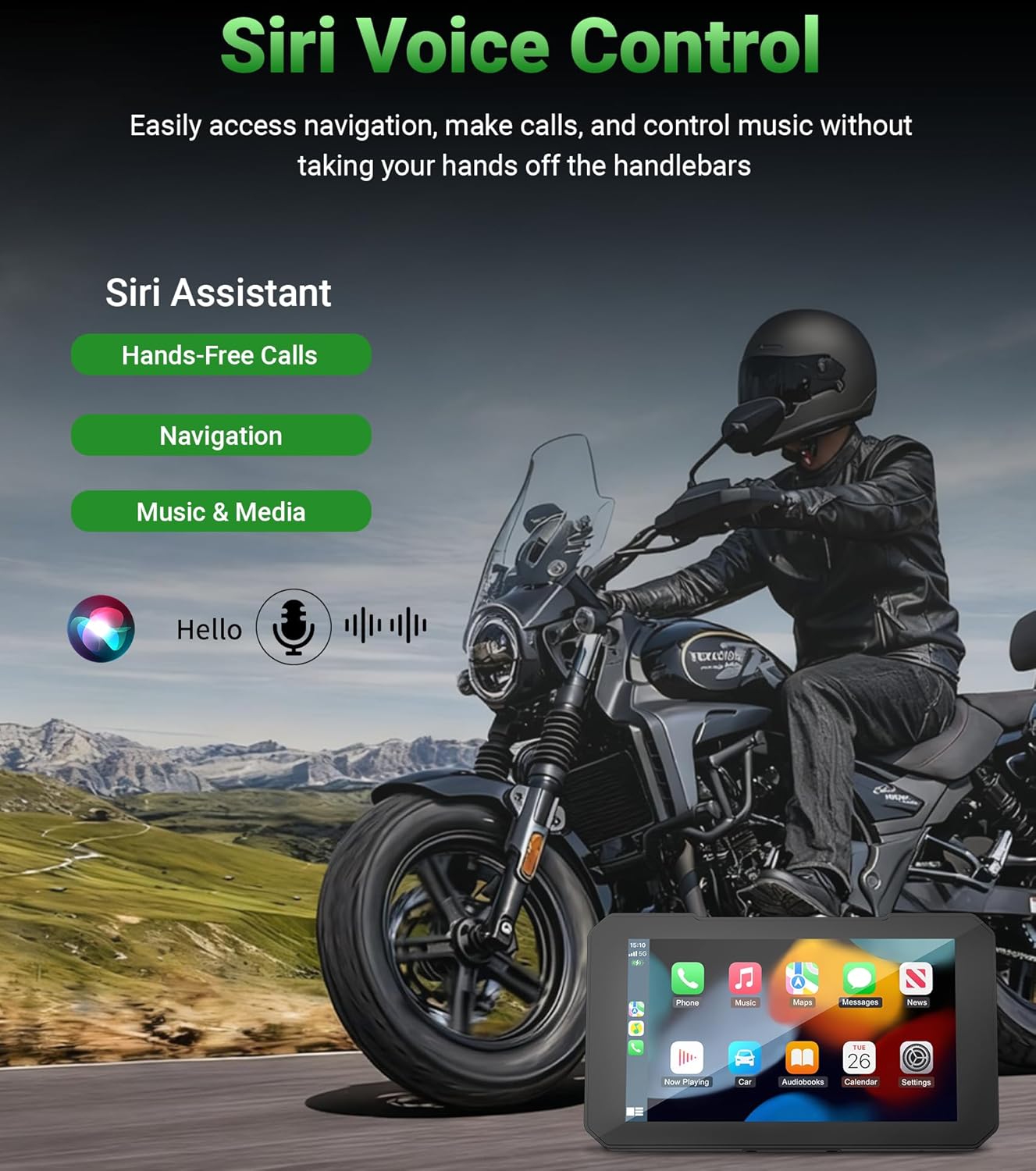
Image: Siri voice control functionality.
5.4 ГПС навигација
The integrated GPS navigation system supports various mapping applications, providing clear travel routes and reducing travel time. The bright 800nit display ensures visibility even in direct sunlight.
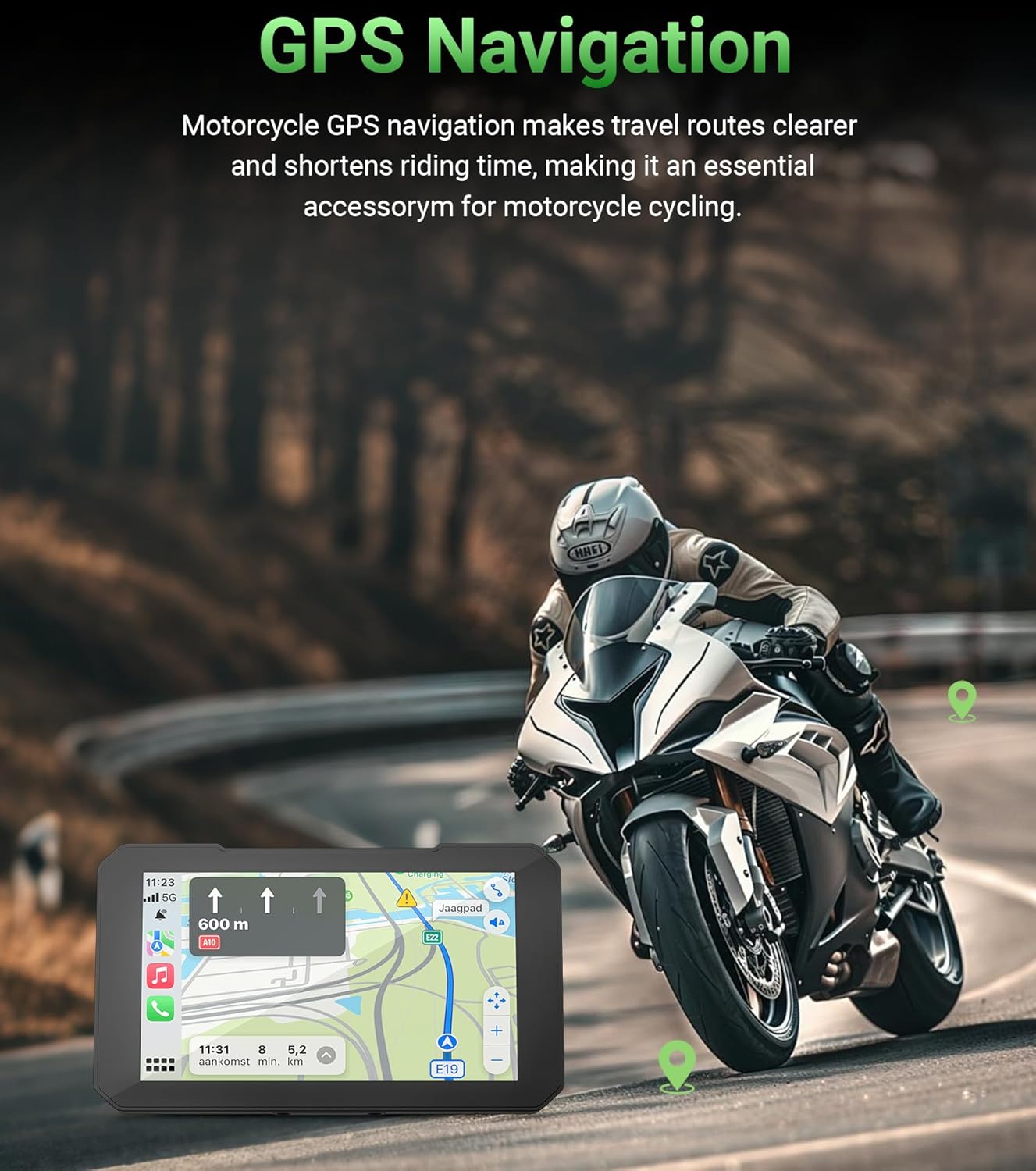
Image: GPS navigation in use on the C3 Plus.
5.5 Real-Time Tire Pressure Monitoring System (TPMS)
The C3 Plus includes real-time TPMS to monitor your motorcycle's tire pressure and temperature. Customizable alerts will warn you of unsafe pressure or temperature changes, enhancing riding safety.

Image: Real-time tire pressure and temperature monitoring.
5.6 Dual Bluetooth Connectivity
The unit features built-in dual Bluetooth, allowing simultaneous connection to your smartphone and a Bluetooth helmet or headset. This enables seamless audio streaming and hands-free communication.
6. Одржавање
The Aoocci C3 Plus is designed for durability in various conditions:
- ИП67 водоотпоран: The unit is fully sealed against rain, dust, and vibrations, making it suitable for all weather conditions.
- Отпорност на екстремне температуре: Operates reliably from -20°C to 80°C (-4°F to 176°F).
To maintain optimal performance, regularly clean the screen with a soft, damp тканина. Избегавајте употребу јаких хемикалија или абразивних материјала.

Image: IP67 Waterproof and Extreme Temperature Resistance features.
КСНУМКС. Решавање проблема
If you encounter issues with your Aoocci C3 Plus, refer to the following common solutions:
- Нема напајања: Check the power cable connections to the motorcycle battery and ACC line. Ensure the motorcycle ignition is on.
- Проблеми са повезивањем (CarPlay/Android Auto): Ensure Bluetooth and Wi-Fi are enabled on your smartphone and the C3 Plus. Try forgetting the device in your phone's Bluetooth settings and re-pairing.
- Затамњење екрана: Adjust the brightness settings in the device menu. Note that extreme direct sunlight can affect screen visibility.
- TPMS Not Displaying Readings: Ensure the tire pressure sensors are correctly installed and tightened. Check the battery level of the sensors if applicable.
- Нема звука: Verify the volume settings on both the C3 Plus and your connected helmet/headset. Ensure your helmet/headset is properly paired via Bluetooth.
За додатну помоћ, обратите се корисничкој подршци.
8. Спецификације
| Феатуре | Спецификација |
|---|---|
| Бранд | Аооцци |
| Назив модела | Ц3 Плус |
| Величина екрана | 5 инча |
| Дисплаи Типе | IPS Touch Display |
| Резолуција | 854×480 |
| Осветљеност | КСНУМКСнит |
| Водоотпорна оцена | ИП67 |
| Радна температура | -20°Ц до 80°Ц (-4°Ф до 176°Ф) |
| Технологија повезивања | Блуетоотх, Ви-Фи |
| Подржани системи | Аппле ЦарПлаи, Андроид Ауто |
| Посебне карактеристике | Bluetooth, Touchscreen, Waterproof, Real-Time TPMS, Siri Support (CarPlay only) |
| Тип монтаже | Dashboard Mount (Motorcycle Handlebar) |
| Тежина артикла | 1.7 фунти |
| Димензије артикла Д к Ш к В | 8.17 cm D x 5.6 cm Š x 2 cm V |
9. Гаранција и подршка
The Aoocci C3 Plus portable wireless CarPlay & Android Auto screen comes with a 12-month quality assurance warranty од дана куповине.
For any questions, technical support, or warranty claims, please contact our customer service team directly. We aim to respond within 24 hours.
Служба за кориснике:
- 24-hour customer service response time.
- 12-month quality guarantee.
- Доживотна техничка подршка.