
Увод
This user manual is designed to help you confidently and easily master your new Xiaomi Redmi Note 14 or 14 Pro (5G) smartphone. It provides clear, step-by-step instructions with illustrative images and straightforward explanations to guide you through setting up your device, customizing its features, and utilizing all essential daily functions.
Whether you are new to smartphones or simply seeking a modern and comprehensive guide, this book will gently lead you through all fundamental and advanced settings within HyperOS. It explains useful system functions and demonstrates how to use your device efficiently, securely, and conveniently.
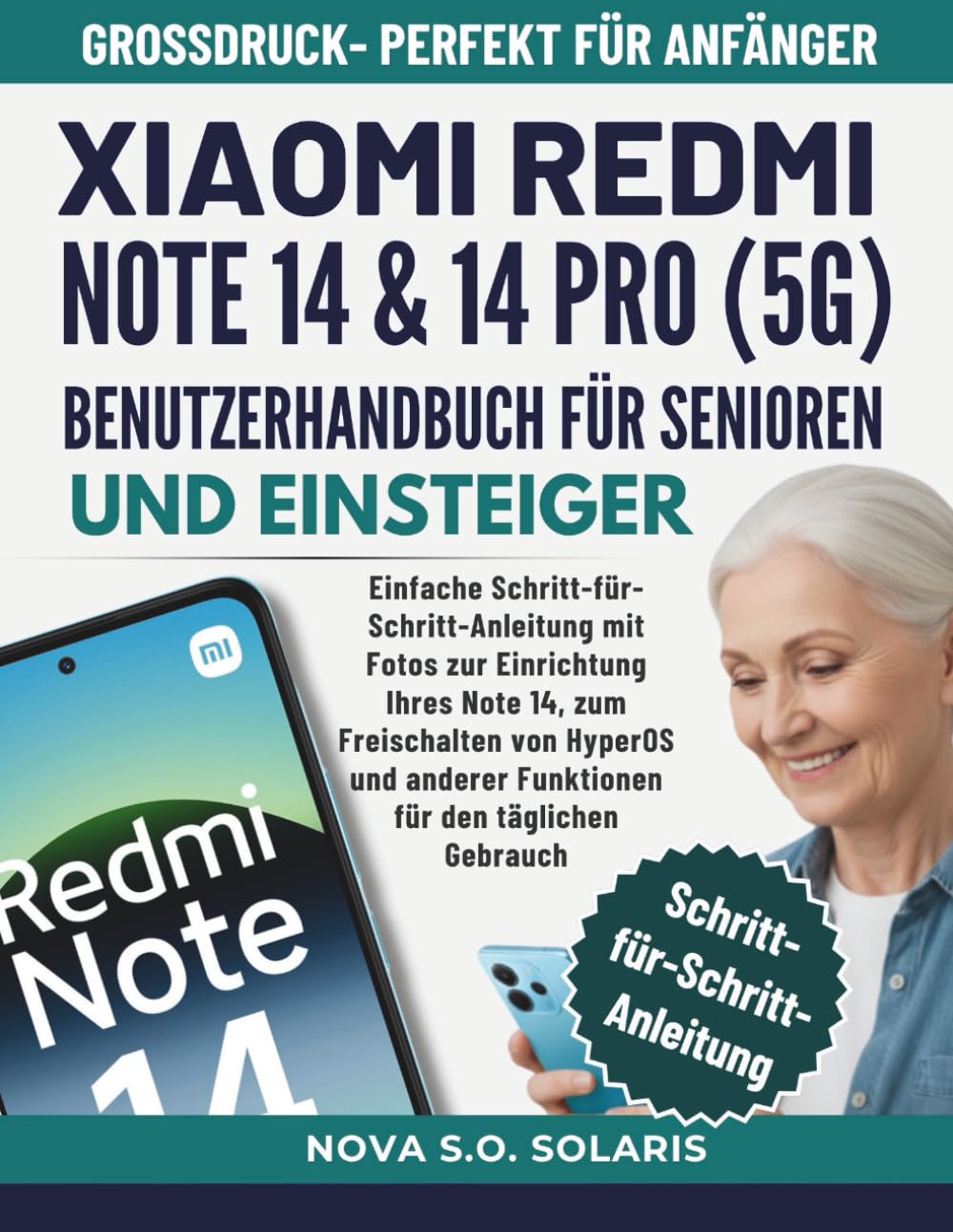
Figure 1: Front cover of the Xiaomi Redmi Note 14 & 14 Pro (5G) User Manual.
Почетно подешавање
This section details the process of setting up your Xiaomi Redmi Note 14 or 14 Pro (5G) for the first time. Follow these steps to ensure a smooth start with your new device.
- Укључено: Press and hold the power button until the Xiaomi logo appears.
- Избор језика: Изаберите жељени језик са листе.
- Избор региона: Изаберите своју земљу или регион.
- Повежите се на Ви-Фи: Select your Wi-Fi network and enter the password. This is crucial for downloading updates and setting up your Google account.
- Услови и одредбе: Read and accept the user agreement and privacy policy.
- Подешавање Гоогле налога: Sign in with your existing Google account or create a new one. This is necessary for accessing the Google Play Store and other Google services.
- Пренос података (опционо): If you are upgrading from an old device, you may have the option to transfer data. Follow the on-screen prompts.
- Сигурносна подешавања: Set up a screen lock (PIN, pattern, password, fingerprint, or face unlock) to protect your device.
- Додатна подешавања: Configure other settings like location services, diagnostics, and app permissions as prompted.
- Комплетно подешавање: Once all steps are completed, your device will be ready for use.
Управљање вашим уређајем
This section covers the fundamental operations and customization options available on your Xiaomi Redmi Note 14 / 14 Pro (5G) running HyperOS.
Основне функције
- Упућивање позива: Отворите Телефон апликацију, унесите број и додирните икону за позив.
- Слање порука: Користите Поруке апликација за писање и слање СМС/ММС порука.
- Коришћење камере: Покрените Камера app to take photos and record videos. Explore different modes like Portrait, Night, and Pro.
- Прегледање Интернета: Отвори а web browser (e.g., Chrome) to access webсајтовима.
- Управљање апликацијом: Download new applications from the Google Play Store. To uninstall, press and hold an app icon and select "Uninstall."
HyperOS Customization and Security
HyperOS offers extensive options to personalize your device and enhance its security. Navigate to the Подешавања app to access these features.
- Подешавања екрана: Adjust brightness, dark mode, refresh rate, and font size for optimal viewинг.
- Звук и вибрација: Customize ringtones, notification sounds, and haptic feedback.
- Wallpaper & Personalization: Change your home screen and lock screen wallpapers, themes, and icon styles.
- Безбедност и приватност: Manage screen lock methods, app permissions, privacy dashboard, and find my device settings.
- Оптимизација батерије: Monitor battery usage and enable power-saving modes to extend battery life.
Одржавање
Regular maintenance helps ensure the longevity and optimal performance of your Xiaomi Redmi Note 14 / 14 Pro (5G).
- Ажурирања софтвера: Редовно проверавајте и инсталирајте системска ажурирања путем Подешавања > О телефону > Верзија MIUI-ја (or HyperOS version). Updates often include performance improvements and security patches.
- Управљање складиштем: Периодично чистите непотребне files, cache data, and uninstall unused apps to free up storage space. Go to Подешавања > Складиштење.
- Здравље батерије: Avoid extreme temperatures and fully draining the battery frequently. Use the original charger for optimal charging.
- Чишћење: Користите меку крпу која не оставља влакна за чишћење екрана и кућишта уређаја. Избегавајте јаке хемикалије.
- Резервна копија података: Regularly back up important data to a cloud service or computer to prevent data loss.
Решавање проблема
This section provides solutions for common issues you might encounter with your device. If you experience problems, refer to these tips before seeking professional assistance.
- Уређај не реагује: If your device freezes, press and hold the power button for about 10-15 seconds to force a restart.
- Батерија се брзо празни: Проверите потрошњу батерије у Подешавања > Батерија to identify power-hungry apps. Reduce screen brightness, disable unnecessary features like GPS or Bluetooth when not in use, and enable power-saving mode.
- Рушење апликација: Обришите кеш меморију и податке проблематичне апликације путем Подешавања > Апликације > Управљање апликацијамаАко проблем и даље постоји, деинсталирајте и поново инсталирајте апликацију.
- Проблеми са мрежном повезивањем:
- Ви-Фи: Restart your router and your phone. Forget the network in Wi-Fi settings and reconnect.
- Мобилни подаци: Ensure mobile data is enabled. Check your SIM card and network settings. Restart your device.
- Споре перформансе: Free up storage space, close background apps, and restart your device regularly. Consider a factory reset as a last resort (back up your data first).
- Сензор отиска прста не ради: Уверите се да вам је прст чист и сув. Поново региструјте своје отиске прстију у Подешавања > Лозинке и безбедност > Откључавање отиском прста.

Figure 2: Back cover of the Xiaomi Redmi Note 14 & 14 Pro (5G) User Manual.
Спецификације
Below are the key specifications for the Xiaomi Redmi Note 14 & 14 Pro (5G) user manual book itself, as provided in the product information.
| Феатуре | Детаљ |
|---|---|
| ASIN | B0G2LLZKFY |
| Издавач | Независно објављено |
| Датум објаве | 17. новембар 2025 |
| Језик | немачки |
| Дужина штампања | 135 страница |
| ИСБН-13 | 979-8274856379 |
| Тежина артикла | 14.7 унци |
| Димензије | 8.5 к 0.31 к 11 инча |
Note: These specifications pertain to the physical book manual, not the smartphone itself.
Гаранција и подршка
Information regarding the warranty for the Xiaomi Redmi Note 14 & 14 Pro (5G) smartphone, as well as official support channels, is typically provided with the device packaging or available on the official Xiaomi website. This manual focuses on operational instructions and does not contain specific warranty details or direct support contact information.
For product warranty claims, technical assistance, or service inquiries, please refer to the documentation included with your smartphone or visit the official Xiaomi support portal.