
1. Важне информације о безбедности
Please read all instructions carefully before using this monitor. Keep this manual for future reference.
- Не излажите монитор киши, влази или екстремним температурама.
- Обезбедите одговарајућу вентилацију око монитора да бисте спречили прегревање.
- Use only the power adapter provided with the monitor.
- Избегавајте стављање тешких предмета на кабл за напајање или монитор.
- Искључите кабл за напајање из утичнице ако монитор неће бити коришћен дуже време.
- Не покушавајте сами да сервисирате монитор. Сво сервисирање препустите квалификованом особљу.
2. Садржај пакета
Проверите да ли су све ставке присутне у вашем пакету:
- 27-inch QHD 210Hz Monitor (1 unit)
- Monitor Stand (1 unit)
- Quick Start Guide (QSG) (1 unit)
- DP Cable (1 unit)
- Power Adaptor (1 unit)
- Кабл за напајање (1 јединица)
- Shielding Hood (2 units)

Video: KTC 27M1 27 Inch 210Hz Gaming Monitor. This video provides a visual overview of the monitor and its features.
3. Упутства за подешавање
3.1 Састављање постоља за монитор
- Пажљиво извадите компоненте монитора и постоља из паковања.
- Attach the stand base to the stand arm using the provided screw.
- Align the stand arm with the mounting slot on the back of the monitor and push until it clicks into place.
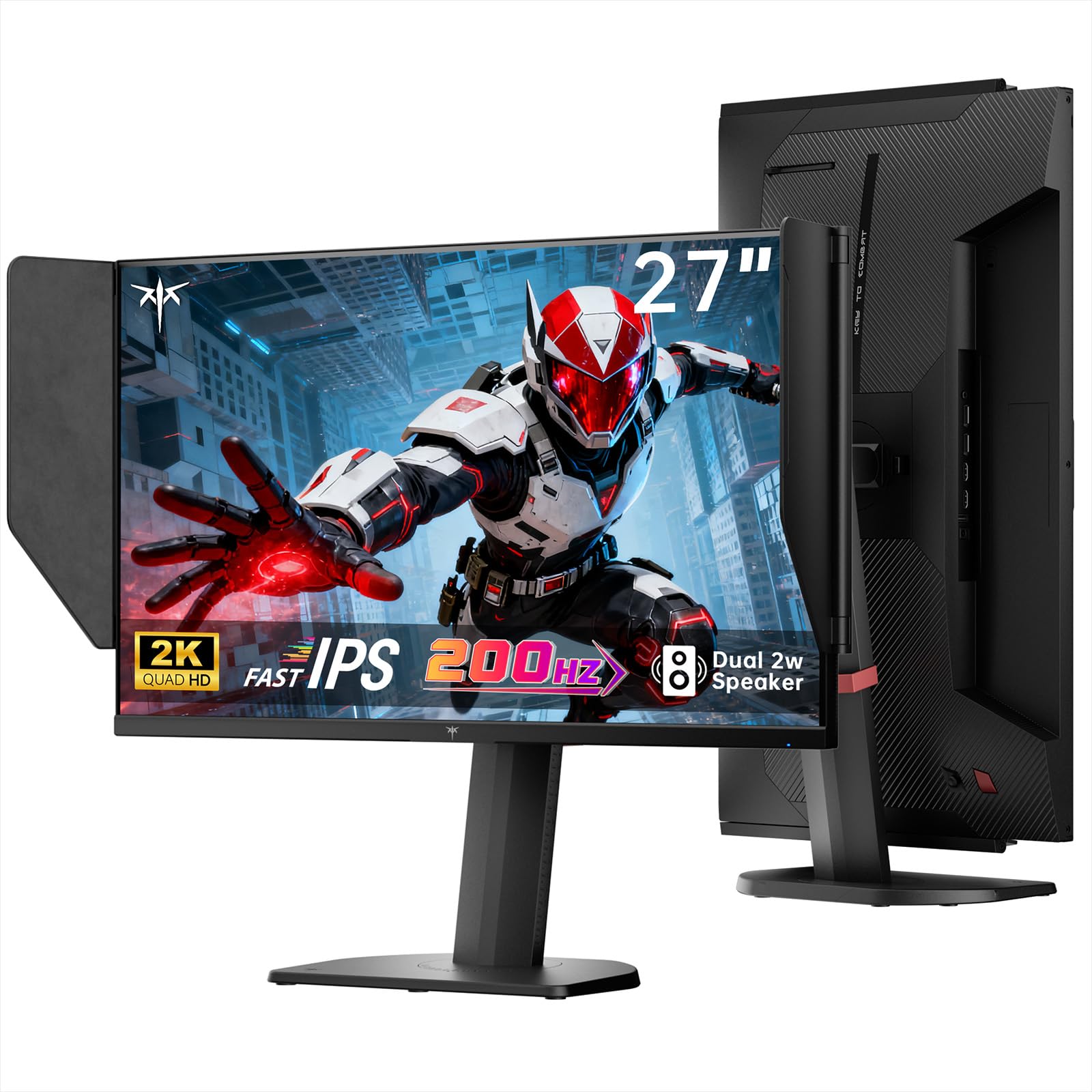
Image: The KTC 27M1 monitor with its stand fully assembled, ready for use.
3.2 Attaching the Shielding Hood
The shielding hood helps reduce glare and reflections for an optimal viewинг искуство.
- Locate the two shielding hood pieces.
- Align each piece with the designated slots on the sides of the monitor and gently slide them into place until secure.

Image: The KTC 27M1 monitor shown with the shielding hood attached, designed to block reflected light.
3.3 Каблови за повезивање
Повежите монитор са рачунаром или другим уређајима помоћу одговарајућих каблова:
- ДисплаиПорт (ДП): For 200Hz (overclockable to 210Hz) refresh rates, connect the DP cable from your graphics card to the monitor's DP 1.4 port.
- ДВИ: For 144Hz refresh rates, connect an HDMI 2.0 cable from your device to one of the monitor's HDMI ports.
- Снага: Connect the power adapter to the DC input on the monitor, then plug the power cord into a wall outlet.
- аудио: Connect headphones or external speakers to the 3.5mm earphone jack if desired.

Слика: Крупни план view of the KTC 27M1 monitor's rear ports, including HDMI, DisplayPort, USB, and earphone jack.
4. Упутство за употребу
4.1 Укључивање/искључивање
Press the 5-way navigation joystick located on the back of the monitor to power it on or off.
4.2 Навигација кроз OSD мени
The 5-way navigation joystick is used to access and navigate the On-Screen Display (OSD) menu:
- Притисните џојстик да отворите ОСД мени.
- Move the joystick Up/Down/Left/Right to navigate through menu options.
- Поново притисните џојстик да бисте изабрали опцију или потврдили подешавање.
- Move the joystick Left to go back to the previous menu or exit the OSD.
4.3 Подешавање подешавања екрана
У оквиру OSD менија можете подесити различита подешавања екрана:
- Осветљеност/контраст: Подесите укупни ниво осветљености и контраста.
- Подешавања боја: Modify color temperature (Warm, Cool, User), gamma, hue, and saturation. The monitor offers 130% sRGB color gamut and ΔE<2 for accurate color reproduction.
- Подешавање игара: Enable/disable Adaptive Sync (FreeSync/G-Sync Compatible), adjust Overdrive (Ultra Fast recommended for gaming), and activate Game Assist features.
- Напредна подешавања: Toggle HDR (Auto/Off) and OverClock (to achieve 210Hz refresh rate).
- Улаз: Manually select the input source (DP, HDMI1, HDMI2).
- Системски сет: Change OSD language, LED indicator, audio volume, and other system preferences.
4.4 Ергономска подешавања
The monitor stand supports multiple ergonomic adjustments for comfortable viewинг:
- Подешавање висине: Adjust the monitor height by 150±5mm.
- Нагиб: Tilt the screen from -5° to 35°.
- Окретни: Swivel the monitor ±60°.
- Пивот: Pivot the screen from -5° to 90° for vertical orientation.

Image: Visual representation of the KTC 27M1 monitor's tilt, swivel, elevate, and pivot adjustments.
5. Карактеристике
- Приказ: 27-inch QHD (2560x1440) Fast IPS panel.
- Брзина освежавања: 200Hz, overclockable to 210Hz.
- Време одговора: 1ms (MPRT) for sharp visuals.
- Тачност боје: 130% sRGB color gamut, 99% DCI-P3 coverage, ΔE<2, 450 cd/m² brightness, 1.07 Billion Colors, 1000:1 Contrast Ratio.
- Прилагодљива синхронизација: FreeSync and G-Sync Compatible to eliminate screen tearing.
- Нега очију: Flicker-free and low blue light modes for extended comfortable viewинг.
- аудио: Built-in dual 2W speakers.
- Повезивање: 2x HDMI 2.0 ports, 1x DisplayPort 1.4 port, 1x USB 2.0 port, 1x Earphone jack.
- Монтажа: 100x100mm VESA mount compatible.
- Дизајн: Includes a detachable shielding hood to block reflected light.

Image: The KTC 27M1 monitor displaying vibrant colors, highlighting its color accuracy and brightness features.
6. Спецификације
| Феатуре | Спецификација |
|---|---|
| Бранд | КТЦ |
| Број модела | H27T8 (Marketed as 27M1) |
| Величина екрана | 27 инча |
| Нативе Ресолутион | 2560x1440 (QHD) |
| Дисплаи Тецхнологи | Скоро ИПС |
| Рефресх Рате | 200 Hz (Overclockable to 210 Hz) |
| Време одговора | 1 милисекунда (MPRT) |
| Осветљеност | 450 кандела (cd/m²) |
| Однос контраста | 1000:1 |
| Гамут боја | 130% сРГБ, 99% ДЦИ-П3 |
| Viewинг Англе | 178 степени |
| ХДР подршка | Да |
| Адаптиве Синц | FreeSync, G-Sync Compatible |
| Уграђени звучници | 2x 2W Speakers |
| Повезивање | 2x HDMI 2.0, 1x DisplayPort 1.4, 1x USB 2.0, 1x Earphone |
| ВЕСА Моунт | 100к100мм |
| Ергономија | Height, Tilt, Swivel, Pivot Adjustment |
| Потрошња енергије | 48 Ваттс |
7. Одржавање и њега
- Чишћење екрана: Нежно обришите екран меком крпом која не оставља влакна. За тврдокорне мрље, дampen the cloth with a mild, non-abrasive screen cleaner.
- Чишћење Цasing: Користите меку, суву крпу за чишћење монитора casinг. Избегавајте употребу јаких детерџената или абразивних средстава за чишћење.
- вентилација: Ensure the ventilation openings on the monitor are clear and unobstructed to prevent overheating.
- Складиштење: If storing the monitor for an extended period, disconnect it from power and store it in a cool, dry place.
КСНУМКС. Решавање проблема
8.1 Нема напајања
- Проверите да ли је кабл за напајање безбедно повезан са монитором и утичницом.
- Проверите да ли утичница исправно функционише тако што ћете укључити други уређај.
- Уверите се да је адаптер за напајање правилно повезан.
8.2 No Signal/Blank Screen
- Confirm that the video cable (DP or HDMI) is securely connected to both the monitor and your computer/device.
- Press the OSD joystick to open the menu and manually select the correct input source.
- Уверите се да је ваш рачунар/уређај укључен и да није у режиму спавања.
- Try using a different video cable or port to rule out cable/port issues.
8.3 Flickering/Distorted Image
- Проверите да ли видео кабл има оштећења или лабаве везе.
- Adjust the refresh rate in your computer's display settings to match the monitor's native refresh rate (200Hz or 210Hz if overclocked).
- Enable Adaptive Sync (FreeSync/G-Sync Compatible) in the monitor's OSD menu and your graphics card settings.
- Уверите се да су драјвери ваше графичке картице ажурирани.
8.4 No Sound from Built-in Speakers/Earphone Jack
- Check the volume settings in the monitor's OSD menu and your computer's operating system.
- Ensure the correct audio output device is selected in your computer's sound settings.
- Verify that the audio cable (if using external speakers) or headphones are properly connected.
9. Гаранција и подршка
KTC is committed to providing quality service and support for your monitor.
- гаранција: This product comes with a 3-year quality guarantee.
- техничка подршка: Lifetime technical support is available for all KTC products.
- Контактирајте нас: If you have any questions or encounter issues, please contact KTC customer support. Solutions will be provided within 24 hours.