
1. Увод
The ATTACK SHARK G800 is a versatile wireless RGB gaming headset designed for an immersive audio experience across multiple platforms. It features tri-mode connectivity (2.4Ghz wireless, Bluetooth, and wired), 7.1 virtual surround sound, 50mm drivers, and a detachable AI noise-canceling microphone. This manual provides instructions for setup, operation, and maintenance to ensure optimal performance.
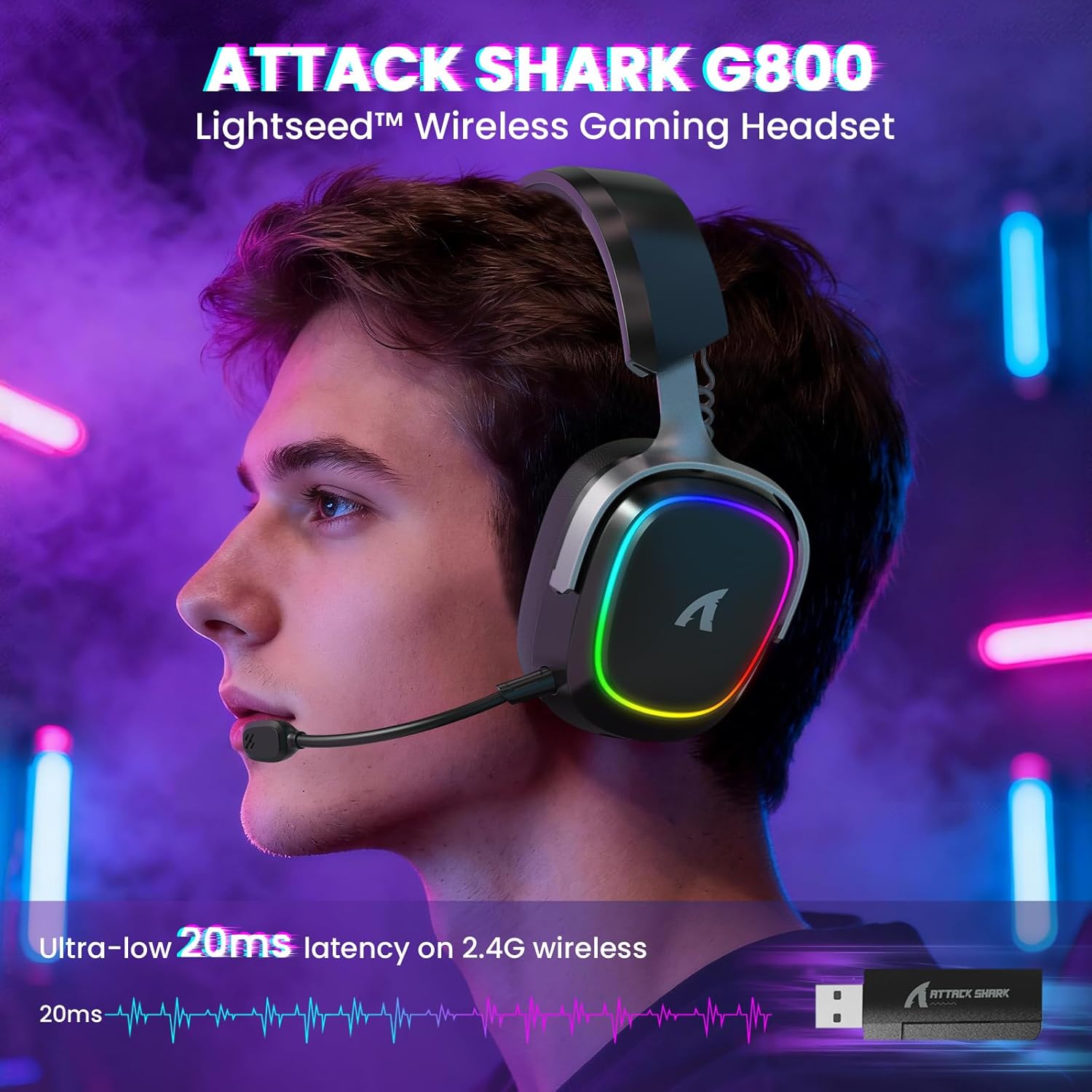
Image: The G800 headset in use, highlighting its RGB lighting and comfortable fit.
2. Шта је у кутији
- ATTACK SHARK G800 Wireless RGB Gaming Headset
- Detachable AI Noise-Canceling Microphone
- 2.4Ghz Wireless USB-A + Type-C Dual-Head Receiver
- УСБ-А на УСБ-Ц кабл за пуњење
- USB-C to USB-C Audio Cable
- Кориснички приручник (овај документ)
3. Производ је готовviewКонтроле и портови
Familiarize yourself with the various controls and ports on your G800 headset for seamless operation.
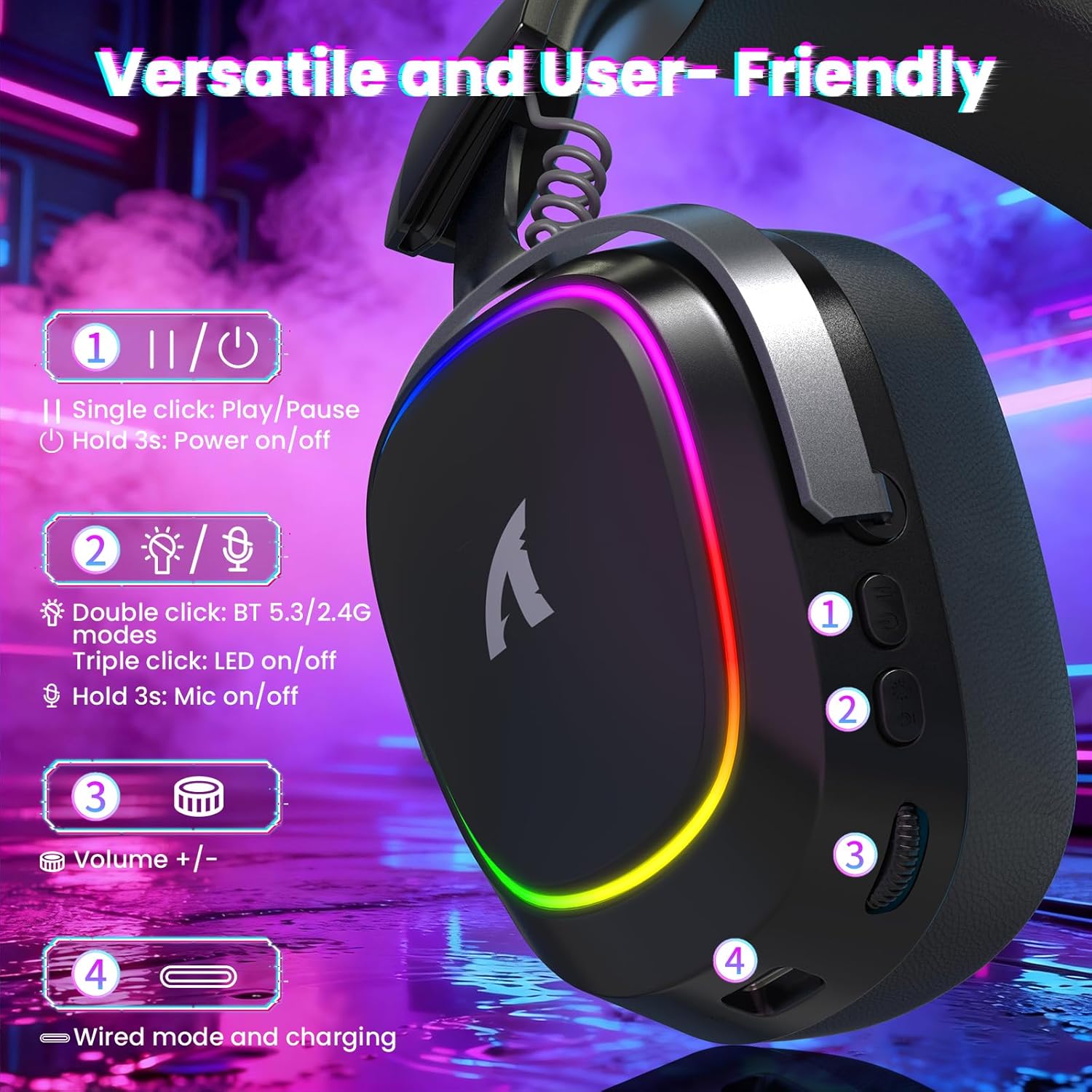
Слика: Детаљна view of the headset's left earcup with numbered controls and their functions.
- Play/Pause & Power Button: Single click for play/pause. Hold for 3 seconds to power on/off.
- Mode Switch & LED/Mic Control: Double click to switch between Bluetooth (BT 5.3) and 2.4Ghz wireless modes. Triple click to toggle RGB LED on/off. Hold for 3 seconds to toggle microphone on/off.
- Точак јачине звука: Rotate to adjust audio volume up or down.
- Wired Mode & Charging Port: USB-C port for wired connection and charging.
- Утичница за микрофон: Port for connecting the detachable microphone.
4. Подешавање и повезивање
The G800 headset offers three connection methods: 2.4Ghz wireless, Bluetooth, and wired.
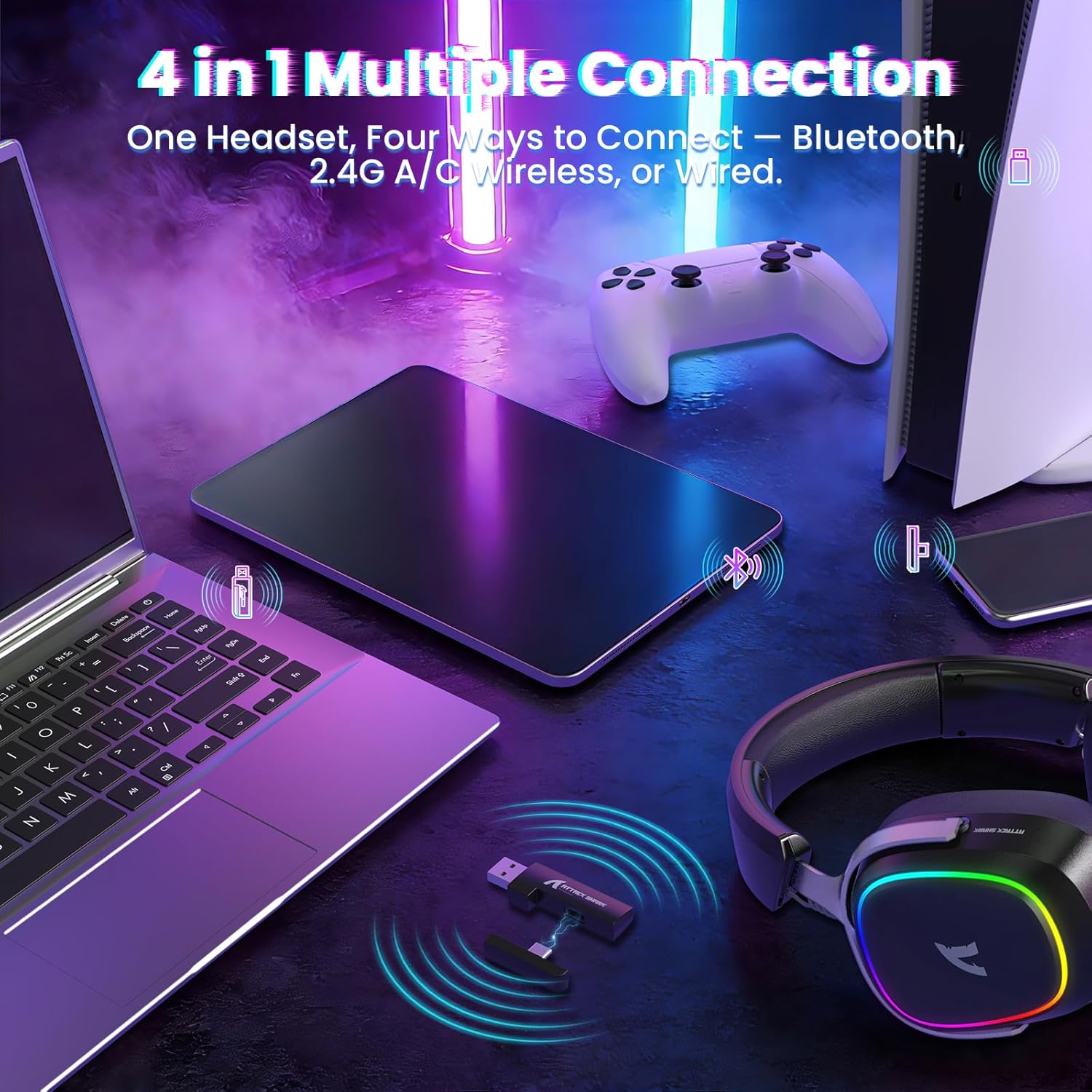
Image: The headset demonstrating its multi-platform connectivity options.
4.1. Бежична веза од 2.4 GHz
- Insert the 2.4Ghz USB-A or Type-C dual-head receiver into an available USB port on your PC, laptop, or PS5.
- Power on the G800 headset by holding the Power Button (1) for 3 seconds.
- Double click the Mode Switch (2) until the headset indicates 2.4Ghz mode (usually via an LED indicator or voice prompt).
- The headset should automatically connect to the receiver. If not, ensure the receiver is properly inserted and the headset is in 2.4Ghz mode.
4.2. Блуетоотх веза
- Power on the G800 headset by holding the Power Button (1) for 3 seconds.
- Double click the Mode Switch (2) until the headset indicates Bluetooth mode (usually via an LED indicator or voice prompt). The headset will enter pairing mode.
- On your device (e.g., mobile phone, tablet, PC), go to Bluetooth settings and search for available devices.
- Select "ATTACK SHARK G800" from the list to pair.
4.3. Жична веза
- Connect one end of the USB-C audio cable to the Wired Mode & Charging Port (4) on the headset.
- Connect the other end of the USB-C audio cable to your device's compatible port.
- Слушалице ће се аутоматски пребацити у жични режим.
4.4. Пуњење слушалица
The G800 headset is equipped with a 1000mAh battery for extended use.

Image: Visual representation of the headset's 1000mAh battery capacity.
- Connect the USB-A to USB-C charging cable to the Wired Mode & Charging Port (4) on the headset and to a USB power source (e.g., computer USB port, wall adapter).
- ЛЕД индикатор на слушалицама ће приказивати статус пуњења.
- The headset includes charging over-voltage protection for safety.
- An auto-shutdown function activates after 5 minutes of inactivity to conserve power.
5. Упутство за употребу
5.1. Аудио искуство
The G800 features 50mm large-aperture biological diaphragm drivers and virtual 7.1 surround sound for an immersive audio experience.

Image: The 50mm audio drivers, responsible for high-fidelity sound.

Image: Demonstrating the 7.1 surround sound capability for precise audio positioning.
5.2. Употреба микрофона
The detachable 360° AI Noise-Canceling Microphone ensures clear voice communication by filtering out background noise.
- Insert the detachable microphone into the dedicated microphone jack on the headset.
- Hold the Mode Switch (2) for 3 seconds to toggle the microphone on or off.
5.3. RGB контрола осветљења
The headset features customizable RGB lighting.
- Triple click the Mode Switch (2) to toggle the RGB LED lighting on or off.
5.4. Прилагођавање софтвера
Enhance your audio experience with the dedicated driver software.
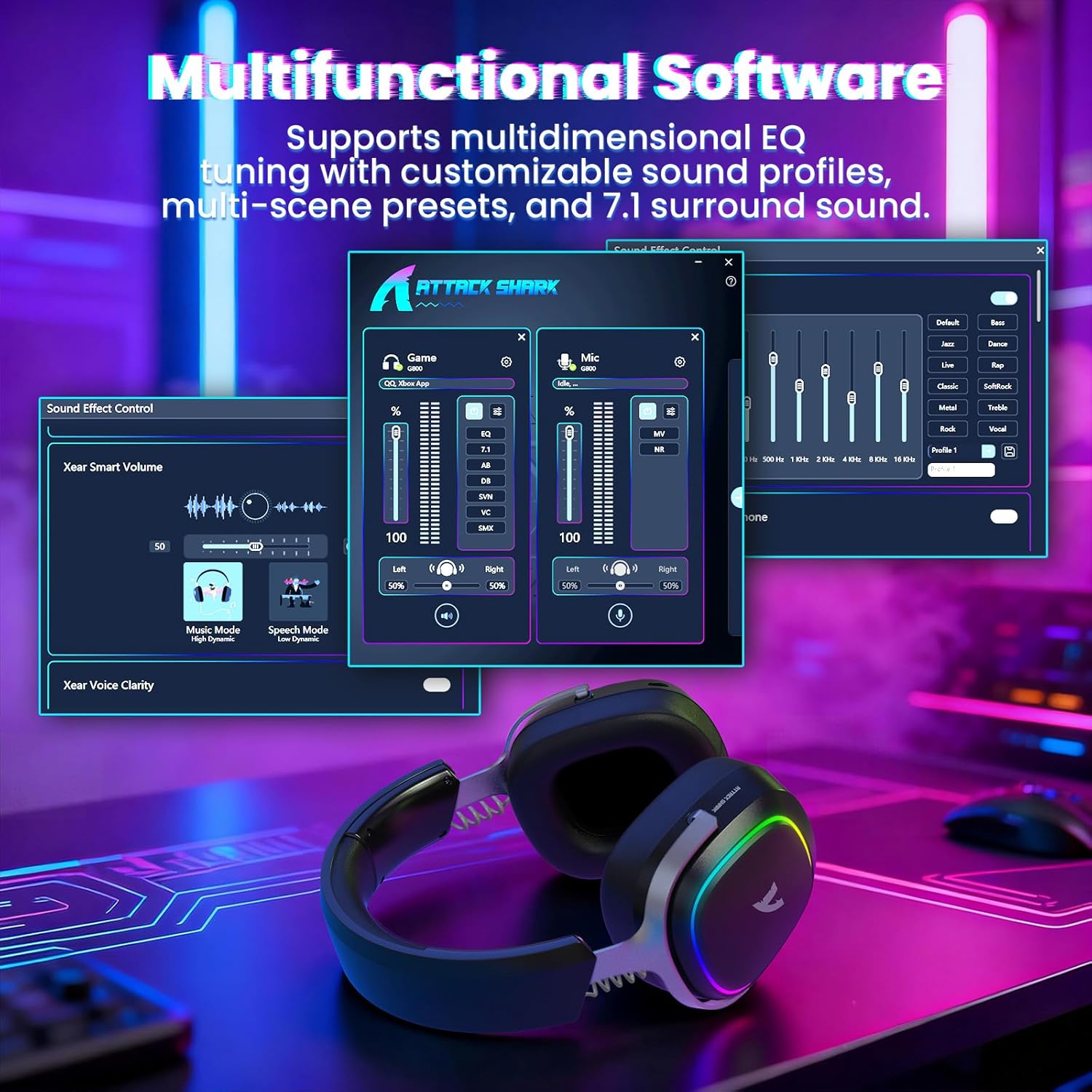
Image: The software interface for customizing audio settings.
- Download the official ATTACK SHARK G800 driver software from the manufacturer's webсајту.
- The software allows you to create custom EQ sound profiles and fine-tune 7.1 surround sound settings to match your preferences and game types.
6. Одржавање
Proper maintenance ensures the longevity and performance of your G800 headset.
- Чишћење: Користите меку, суву крпу за чишћење слушалица. Избегавајте течна средства за чишћење или абразивне материјале.
- Складиштење: Чувајте слушалице на хладном и сувом месту, даље од директне сунчеве светлости и екстремних температура.
- Јастучићи за уши: The ear cushions are replaceable. Refer to the manufacturer's webсајт за резервне делове и упутства.

Image: Components of the headset, including replaceable ear cushions.
КСНУМКС. Решавање проблема
- Нема звука:
- Проверите нивое јачине звука и на слушалицама и на повезаном уређају.
- Ensure the correct audio output device is selected in your device's sound settings.
- Verify the headset is properly connected (2.4Ghz receiver, Bluetooth paired, or wired cable).
- Reboot the headset and your device.
- Микрофон не ради:
- Уверите се да је микрофон безбедно причвршћен за слушалице.
- Check if the microphone is muted (hold Mode Switch (2) for 3 seconds to toggle).
- Проверите да ли је у подешавањима звука вашег уређаја изабран исправан улазни уређај за микрофон.
- Ако је могуће, тестирајте микрофон на другом уређају.
- Проблеми са везом:
- For 2.4Ghz, ensure the receiver is fully inserted and the headset is in 2.4Ghz mode.
- For Bluetooth, ensure the headset is in pairing mode and within range of your device. Try unpairing and re-pairing.
- For wired, ensure the cable is securely connected to both the headset and your device.
- Избегавајте изворе сметњи (нпр. друге бежичне уређаје, микроталасне пећнице).
- РГБ светла не раде:
- Triple click the Mode Switch (2) to toggle the RGB LED on/off.
- Уверите се да слушалице имају довољно напуњену батерију.
8. Спецификације
| Феатуре | Спецификација |
|---|---|
| Назив модела | Г800 |
| Технологија повезивања | Wired, Bluetooth (BT 5.3), 2.4Ghz Wireless |
| Тип аудио драјвера | Динамички драјвер (50 мм) |
| Сурроунд Соунд | Virtual 7.1 Spatial Audio |
| Микрофон | Detachable 360° AI Noise-Canceling |
| Wireless Latency (2.4Ghz) | 20ms (Lightseed Wireless Technology) |
| Wireless Range (2.4Ghz) | До 10м / 32.8фт |
| Блуетоотх домет | До 30м / 98.4фт |
| Капацитет батерије | 1000мАх |
| Постављање уха | Преко уха |
| Материјал | Aluminum Alloy, Protein Leather, Memory Foam |
| Тежина | 1.1 фунте (приближно) |
| Компатибилни уређаји | PC, Laptops, PS5, Mobile Devices |
9. Безбедносне информације
- Избегавајте дуже слушање музике на великој јачини звука како бисте спречили оштећење слуха.
- Не излажите слушалице екстремним температурама, влази или течностима.
- Чувати ван домашаја деце.
- Не покушавајте да растављате или модификујете слушалице. То ће поништити гаранцију.
- Одложите производ одговорно у складу са локалним прописима.
10. Званични видео производа
Видео: Званична видео презентација производаasing the ATTACK SHARK G800 Wireless Tri Mode RGB Gaming Headset's features and design. This video is provided by the seller, UrWorthLtd US.
11. Гаранција и подршка
For warranty information, technical support, or customer service, please refer to the documentation included with your purchase or visit the official ATTACK SHARK webсајт. Сачувајте доказ о куповини за потребе гаранције.