
Увод
Thank you for choosing the OMOTON WK016 Wireless Bluetooth Keyboard. This keyboard offers versatile connectivity options, including 2.4 GHz wireless and Bluetooth, allowing seamless switching between up to three devices. Designed for comfort and efficiency, it features an ergonomic layout, silent scissor-switch keys, and a full-size AZERTY layout with a numeric keypad. This manual provides detailed instructions for setup, operation, maintenance, and troubleshooting to ensure optimal performance.

Image: The OMOTON WK016 keyboard connected to an iPad, MacBook, and desktop monitor, illustrating its multi-device capability.
Садржај пакета
- OMOTON WK016 Wireless Bluetooth Keyboard
- УСБ кабл за пуњење
- 2.4 GHz USB-A Receiver (stored in the keyboard's back compartment)
- Упутство за употребу
Производ је завршенview
Familiarize yourself with the keyboard's components and features.

Image: Detailed diagram highlighting the various parts of the OMOTON WK016 keyboard, including the power switch, charging port, multimedia keys, 2.4 GHz receiver, and indicators.
- Прекидач за укључивање/искључивање: Located on the back, used to power the keyboard on or off.
- Конектор за пуњење: USB-C port for recharging the keyboard.
- Мултимедијални тастери: 12 dedicated keys for quick access to functions like volume, playback, and brightness.
- 2.4 GHz Receiver: USB-A dongle for wireless connection, stored in a compartment on the back.
- Цапс Лоцк индикатор: LED light indicating Caps Lock status.
- Rubber Anti-slip Pads: Located on the bottom for stability.
- Connection Channels: BT1, BT2, and 2.4G for multi-device pairing.
- Индикатор пуњења: LED light showing charging status.
- Numeric Keypad Indicator: LED light for numeric keypad status.
- Foldable Support: Adjustable feet on the back for ergonomic tilt.

Слика: Позади view of the keyboard, illustrating the foldable support, anti-slip pads, and the storage location for the 2.4G receiver.
Сетуп
2.4 ГХз бежична веза
- Locate the 2.4 GHz USB-A receiver in the compartment on the back of the keyboard.
- Прикључите пријемник на слободан USB-A порт на рачунару.
- Укључите тастатуру помоћу прекидача за укључивање/искључивање.
- Тастатура би требало аутоматски да се повеже са вашим уређајем.
Блутут веза (БТ1 / БТ2)

Image: Visual guide for pairing the keyboard via Bluetooth, showing the power switch, BT1/BT2 buttons, and device's Bluetooth settings.
- Укључите тастатуру: Locate the power switch on the back of the keyboard and slide it to the 'ON' position.
- Select a Bluetooth channel: Притисните и држите БТ1 key for 3 seconds until the blue LED indicator flashes, indicating pairing mode. To pair a second device, repeat this step with the БТ2 кључ.
- Activate Bluetooth on your device: Идите на подешавања Bluetooth-а на вашем уређају.
- Pair the keyboard: In the list of available devices, select "BT3.0 Keyboard" or "BT5.0 Keyboard" (depending on your device's Bluetooth version) to connect.
- Connection confirmation: Once successfully paired, the blue LED indicator on the keyboard will turn off.
The keyboard can be paired with up to three devices simultaneously (one via 2.4 GHz, two via Bluetooth). To switch between connected devices, simply press the corresponding connection key (BT1, BT2, or the 2.4G key if applicable).
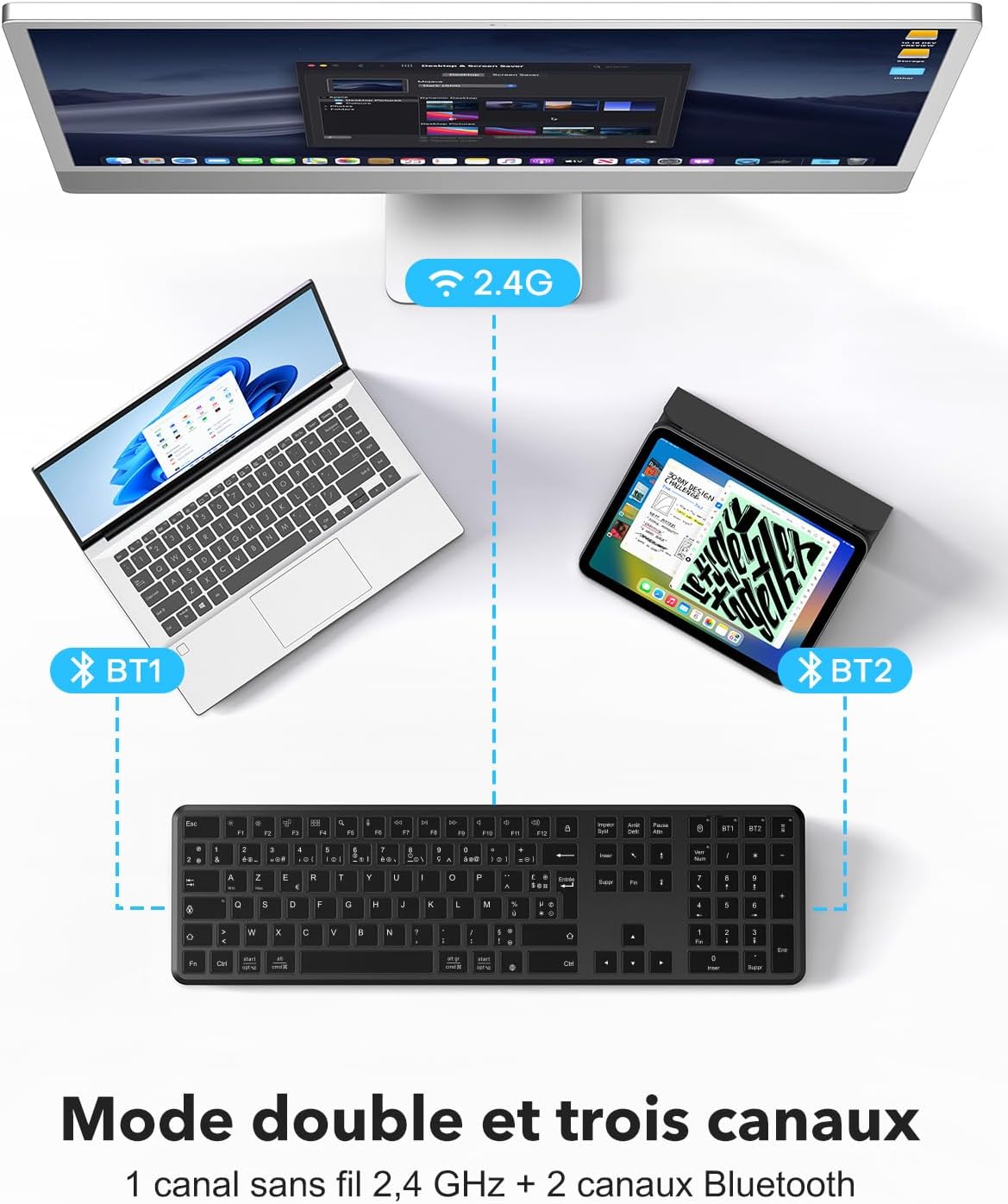
Image: Illustration of the keyboard's dual-mode and triple-channel connectivity, showing connections to a desktop (2.4G), laptop (BT1), and tablet (BT2).
Упутство за употребу
Function Keys (F1-F12) and Multimedia Controls
The keyboard features 12 multimedia keys for enhanced productivity. These keys provide direct access to various functions without complex key combinations.

Слика: Детаљна view of the function keys (F1-F12) and their multimedia shortcuts, such as brightness control, mission control, search, dictation, and media playback controls.
- Ф1: Бригхтнесс Довн
- Ф2: Бригхтнесс Уп
- Ф3: Mission Control (macOS) / Task View (Виндовс)
- Ф4: Launchpad (macOS) / Search (Windows)
- Ф5: Pretraga
- Ф6: Диктат
- Ф7: Превиоус Трацк
- Ф8: Пусти/Паузирај
- Ф9: Нект Трацк
- Ф10: Муте
- Ф11: Утишавање звука
- Ф12: Волуме Уп
To use the standard F1-F12 functions, you may need to press the Fn key simultaneously with the desired F key, depending on your operating system settings.
Ергономски дизајн
The keyboard features an ergonomic rear tilt and silent scissor-switch keys to reduce typing fatigue and provide a comfortable, quiet typing experience.

Image: Detailed illustration of the scissor-switch key mechanism, highlighting its quiet and comfortable operation.
Пуњење и батерија
The OMOTON WK016 keyboard is equipped with a built-in rechargeable lithium battery.

Image: The keyboard connected to a Type-C charging cable, showing that a charge time of less than 3 hours provides up to 150 hours of continuous use.
- Пуњење: Connect the provided USB charging cable to the keyboard's charging port and a USB power source. The charging indicator light will illuminate during charging.
- Време пуњења: Потпуно пуњење траје око 3 сата.
- Трајање батерије: A full charge provides up to 150 hours of continuous use.
- Упозорење о ниској снази: A power indicator light will notify you when the battery is low and requires recharging.
- Аутоматски режим спавања: To conserve energy, the keyboard automatically enters sleep mode after 10 minutes of inactivity. Press any key to instantly wake it up.
Компатибилност
The OMOTON WK016 keyboard offers broad compatibility with various operating systems and devices.
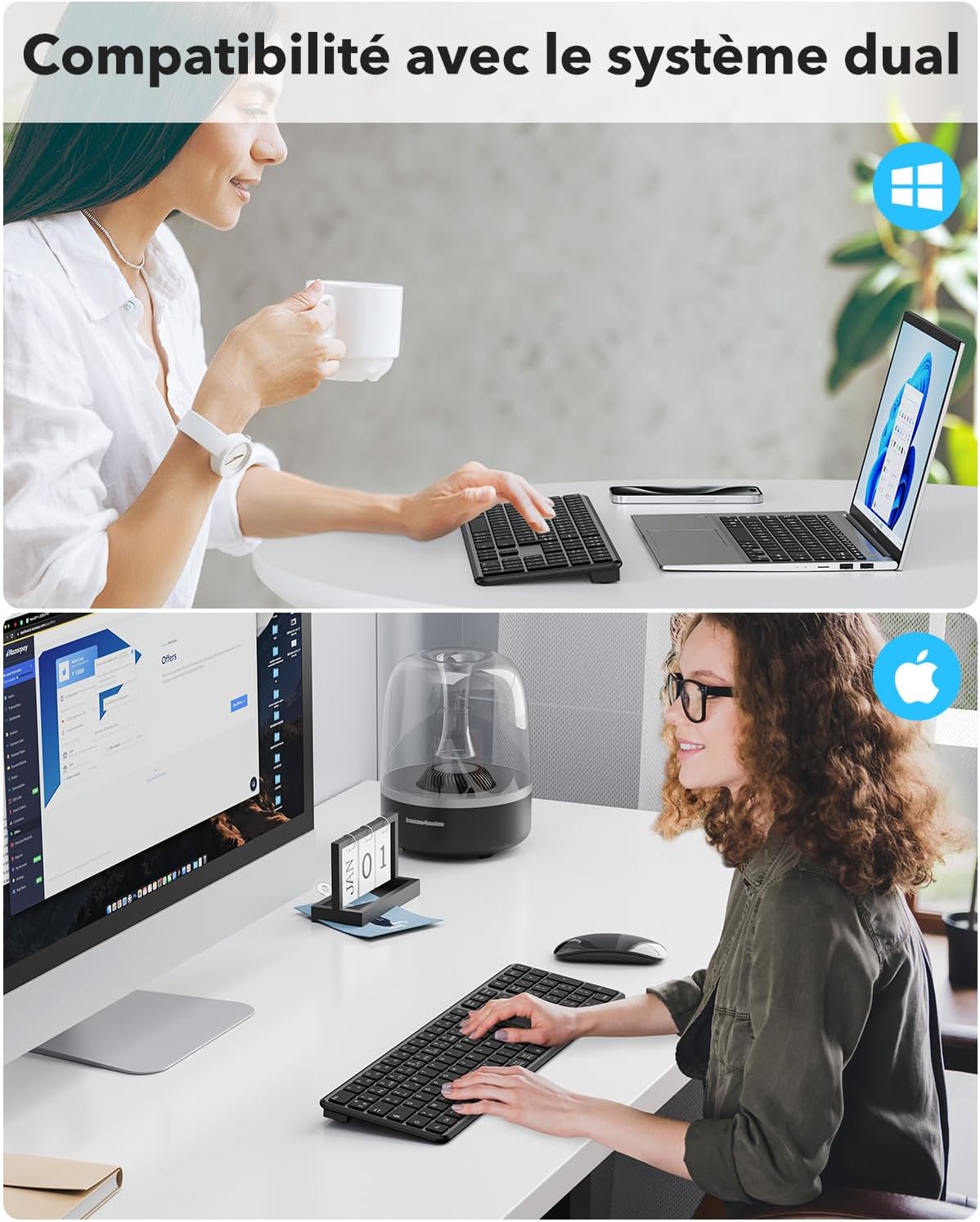
Image: The keyboard in use with both Windows and Apple macOS systems, highlighting its dual-system compatibility.
- Оперативни системи: Windows (11/10/8/7), macOS (iMac/MacBook Pro/Air/Mac Mini), iOS (partial support), Android (partial support).
- Компатибилни уређаји: Laptops, smartphones, tablets (e.g., Samsung Galaxy Tab S7 FE 12.4").
- Изглед: FR AZERTY layout. For optimal use, ensure your computer's language setting is set to French.
Одржавање
To ensure the longevity and optimal performance of your OMOTON WK016 keyboard, follow these maintenance guidelines:
- Чишћење: Користите меку, суву крпу која не оставља влакна да обришете површину тастатуре. За тврдокорну прљавштину, благо обришитеampОбришите крпу водом или благим средством за чишћење. Избегавајте прекомерну влагу.
- Уклањање прашине: Користите компримовани ваздух да уклоните прашину и остатке између тастера.
- Складиштење: Када се тастатура не користи дуже време, искључите је да бисте уштедели батерију. Чувајте је на хладном и сувом месту, даље од директне сунчеве светлости и екстремних температура.
- Избегавајте течности: Do not expose the keyboard to liquids. In case of accidental spills, immediately turn off the keyboard and allow it to dry completely before use.
- Пажљиво рукујте: Избегавајте испуштање тастатуре или њено излагање јаким ударцима.
Решавање проблема
If you encounter issues with your OMOTON WK016 keyboard, refer to the following common solutions:
- Тастатура се не повезује преко Bluetooth-а:
- Уверите се да је тастатура укључена и потпуно напуњена.
- Make sure the correct Bluetooth channel (BT1 or BT2) is selected and in pairing mode (flashing blue LED).
- Verify that Bluetooth is enabled on your device and that the keyboard is selected from the list of available devices.
- Try unpairing and re-pairing the keyboard on your device.
- Поново покрените уређај и тастатуру.
- Keyboard not connecting via 2.4 GHz:
- Ensure the 2.4 GHz USB-A receiver is securely plugged into your device.
- Verify the keyboard is turned on.
- Покушајте да прикључите пријемник на други УСБ порт.
- Ensure the keyboard is not in Bluetooth mode.
- Тастери не реагују или куцање није тачно:
- Проверите ниво батерије и напуните ако је потребно.
- Уверите се да је тастатура правилно повезана са вашим уређајем.
- Clean any debris from under the keys using compressed air.
- Verify your device's keyboard language settings match the AZERTY layout.
- Кашњење или одложени унос:
- Ensure the keyboard is within the effective range of your device (typically up to 10 meters).
- Минимизирајте сметње од других бежичних уређаја.
- Проверите ниво батерије.
- Тастатура пребрзо улази у режим спавања:
- Тастатура је дизајнирана да пређе у режим спавања након 10 минута неактивности ради уштеде енергије. Ово је нормално понашање. Притисните било који тастер да бисте је пробудили.
Спецификације
| Бранд | ОМОТОН |
| Модел | ВК016 |
| Технологија повезивања | Bluetooth, 2.4 GHz Wireless (USB-A) |
| Компатибилни уређаји | Лаптоп, паметни телефон, таблет |
| Компатибилност оперативног система | Windows (7/8/10/11), macOS, iOS (partial), Android (partial) |
| Распоред тастатуре | AZERTY (French Layout) |
| Број кључева | 105 |
| Тип прекидача | Scissor-switch (Linear) |
| Посебне карактеристике | Rechargeable, Silent, Multimedia Keys, Multi-device (3 channels) |
| Извор напајања | Напајање батеријом (пуњива литијумска батерија) |
| Време пуњења | < 3 сата |
| Време непрекидног коришћења | До 150 сати |
| Материјал | Пластика |
| Боја | Црно |
| Тежина | 520г |
| Димензије (Д к Ш к В) | 439 мм x 125 мм x 21.5 мм (приближно) |

Image: Diagram illustrating the physical dimensions and weight of the OMOTON WK016 keyboard.
Гаранција и подршка
OMOTON provides a 1 година гаранције за овај производ, покривајући производне недостатке од датума куповине.
For technical support, warranty claims, or any questions regarding your OMOTON WK016 keyboard, please contact OMOTON customer service through the retailer where you purchased the product or visit the official OMOTON webсајт за контакт информације.
Молимо вас да сачувате доказ о куповини за потребе гарантног сервиса.