
1. Увод
The LOTUS Smartwatch 50203/1 Naya Lite is designed to integrate health tracking and activity control into your daily routine. This smartwatch allows you to monitor health metrics, track various sports activities, and manage calls directly from your wrist. Its versatile and modern design ensures both functionality and comfort for daily use.
2. Шта је у кутији
- LOTUS Smartwatch 50203/1 Naya Lite
- 1 Пуњач
- Кориснички приручник (овај документ)
3. Подешавање
3.1. Пуњење уређаја
Before initial use, fully charge your smartwatch. Connect the provided charger to the charging port on the back of the watch and plug the USB end into a compatible power adapter (not included) or a computer's USB port. The watch display will indicate charging status. A full charge typically takes approximately 2 hours.
3.2. Инсталација и упаривање апликације
- Преузмите апликацију: Тражи the official LOTUS Smartwatch application in your smartphone's app store (Google Play Store for Android or Apple App Store for iOS). Install the application.
- Омогући Блуетоотх: Уверите се да је Блуетоотх омогућен на вашем паметном телефону.
- Отворите апликацију: Launch the LOTUS Smartwatch app and follow the on-screen instructions to create an account or log in.
- Додај уређај: Within the app, navigate to the 'Add Device' or 'Pair Device' section. The app will search for available smartwatches.
- Изаберите свој паметни сат: Select 'LOTUS 50203/1 Naya Lite' from the list of discovered devices. Confirm the pairing request on both your smartphone and the smartwatch if prompted.
- Комплетно подешавање: Follow any remaining prompts in the app to complete the initial setup, including personal profile information and notification preferences.
4. Упутство за употребу
4.1. Основна навигација
- екран осетљив на додир: Swipe left, right, up, or down to navigate through menus and functions. Tap to select an option.
- Бочно дугме: Press the side button to return to the home screen or to wake the display. A long press may access power options or specific features.
4.2. Упућивање и примање позива
Once paired with your smartphone, the smartwatch allows you to manage calls directly. Ensure your watch is connected via Bluetooth to your phone.
- Примање позива: Када примите позив, сат ће приказати идентификацију позиваоца. Додирните зелену икону да бисте одговорили или црвену икону да бисте одбили позив.
- Упућивање позива: Access the 'Phone' or 'Dialer' function on your smartwatch. You can dial numbers directly or select contacts from your synced phonebook.
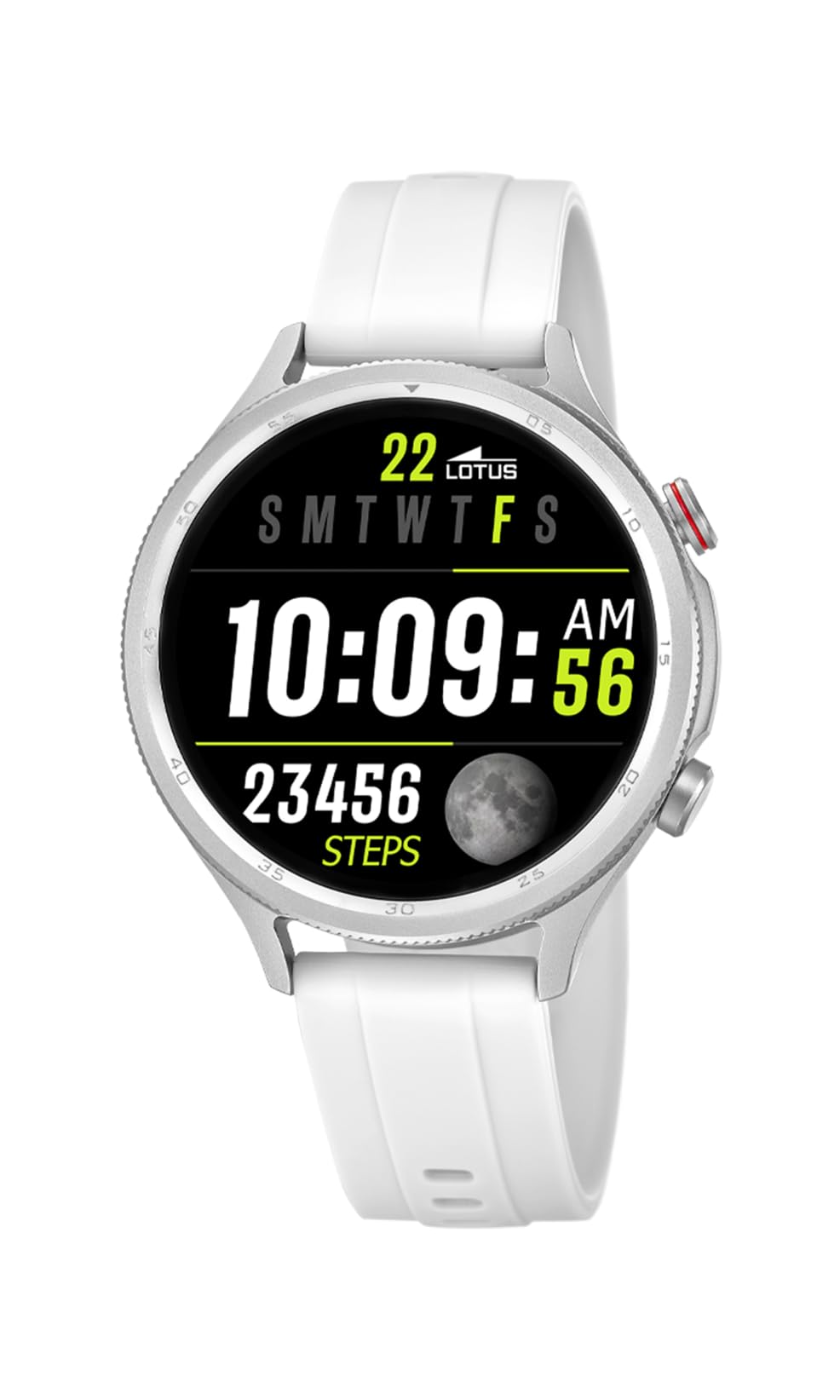
Image: The Lotus Smartwatch 50203/1 Naya Lite allows for convenient call management directly from your wrist.
4.3. Контрола музике
Control music playback on your smartphone directly from your smartwatch. Navigate to the 'Music Control' feature on your watch. You can play, pause, skip tracks, and adjust volume.
4.4. Праћење активности и спорта
The smartwatch tracks various fitness metrics and supports multiple sports modes.
- Кораци и калорије: The watch automatically counts your steps and estimates calories burned throughout the day. View your daily progress on the watch face or in the app.
- Спортски режими: Access the 'Sports' menu to select from various activities (e.g., running, walking, cycling). The watch will record duration, distance, and other relevant data for your chosen activity.

Image: The smartwatch display provides real-time updates on your activity metrics.
4.5. Праћење здравља
- Монитор спавања: Wear the smartwatch to bed to track your sleep patterns. The app provides detailed analysis of your sleep quality.
- Other Health Metrics: The watch may offer additional health monitoring features. Refer to the app for a complete list and instructions on how to use them.
4.6. АИ гласовни асистент
Activate the AI Voice Assistant feature on your smartwatch to perform tasks using voice commands. Ensure your watch is connected to your smartphone and the voice assistant feature is enabled in the app.
5. Одржавање
5.1. Чишћење паметног сата
Regularly clean your smartwatch and strap to prevent skin irritation and maintain functionality.
- Обришите екран и кућиште меком крпомamp, крпа без длачица.
- For the rubber strap, use mild soap and water, then rinse thoroughly and dry completely before wearing.
- Избегавајте употребу јаких хемикалија, абразивних средстава за чишћење или растварача.
5.2. Брига о батерији
- Избегавајте често потпуно пражњење батерије.
- Do not expose the watch to extreme temperatures, as this can degrade battery life.
- Користите само испоручени пуњач.
5.3. Отпорност на воду (IP65)
The LOTUS Smartwatch 50203/1 Naya Lite is rated IP65 water resistant. This means it is protected against dust ingress and low-pressure water jets from any direction. It is suitable for everyday use and can withstand splashes or light rain. It is not suitable for swimming, showering, or prolonged submersion in water.
КСНУМКС. Решавање проблема
- Сат се не укључује: Уверите се да је сат потпуно напуњен. Повежите га са пуњачем најмање 30 минута.
- Не могу да упарим телефон: Make sure Bluetooth is enabled on your phone and the watch. Ensure the watch is within range. Restart both the watch and your phone, then try pairing again through the app.
- Обавештења се не приказују: Check app settings on your phone to ensure notification permissions are granted for the LOTUS Smartwatch app. Also, verify notification settings within the smartwatch app itself.
- Inaccurate activity data: Ensure the watch is worn snugly on your wrist. Calibrate your personal information (height, weight, age) in the app for better accuracy.
- Екран не реагује: Try restarting the smartwatch. If the issue persists, contact customer support.
7. Спецификације
| Бранд | ЛОТУС |
| Модел | 50203/1 |
| Произвођач | Time Road SL. |
| Дисплаи Типе | Дигитал |
| Врста материјала | Легура цинка |
| Врста материјала бенда | Гума |
| Банд Цолор | Бела |
| Ниво отпорности на воду | IP65 (отпоран на воду) |
| Батерија | 1 Non-standard battery (included) |
| Укључене компоненте | 1 Пуњач |
8. Гаранција и подршка
For warranty information and customer support, please refer to the documentation provided with your purchase or visit the official LOTUS webсајт. Сачувајте доказ о куповини за потребе гаранције.
Произвођач: Time Road SL.