
ESX VMX1000DAB
ESX Vision VMX1000DAB User Manual
Universal 1-DIN Multi-Angle Media Moniceiver with 10 Inch Touchscreen
Увод
Thank you for choosing the ESX Vision VMX1000DAB Multi-Angle Media Moniceiver. This device is a universal 1-DIN car multimedia system featuring a 10-inch touchscreen display. It offers advanced connectivity options including wireless Apple CarPlay and Android Auto, DAB+ digital radio, Bluetooth hands-free calling and audio streaming, and a versatile media player. This manual provides essential information for the proper installation, operation, and maintenance of your VMX1000DAB unit.
Шта је у кутији
Carefully unpack your ESX Vision VMX1000DAB and ensure all items are present:
- VMX1000DAB Moniceiver Unit
- ГПС пријемник
- DAB+ Window Adhesive Antenna
- Ектернал Мицропхоне
- Mounting Hardware and Cables (ISO harness, USB cables, RCA cables)
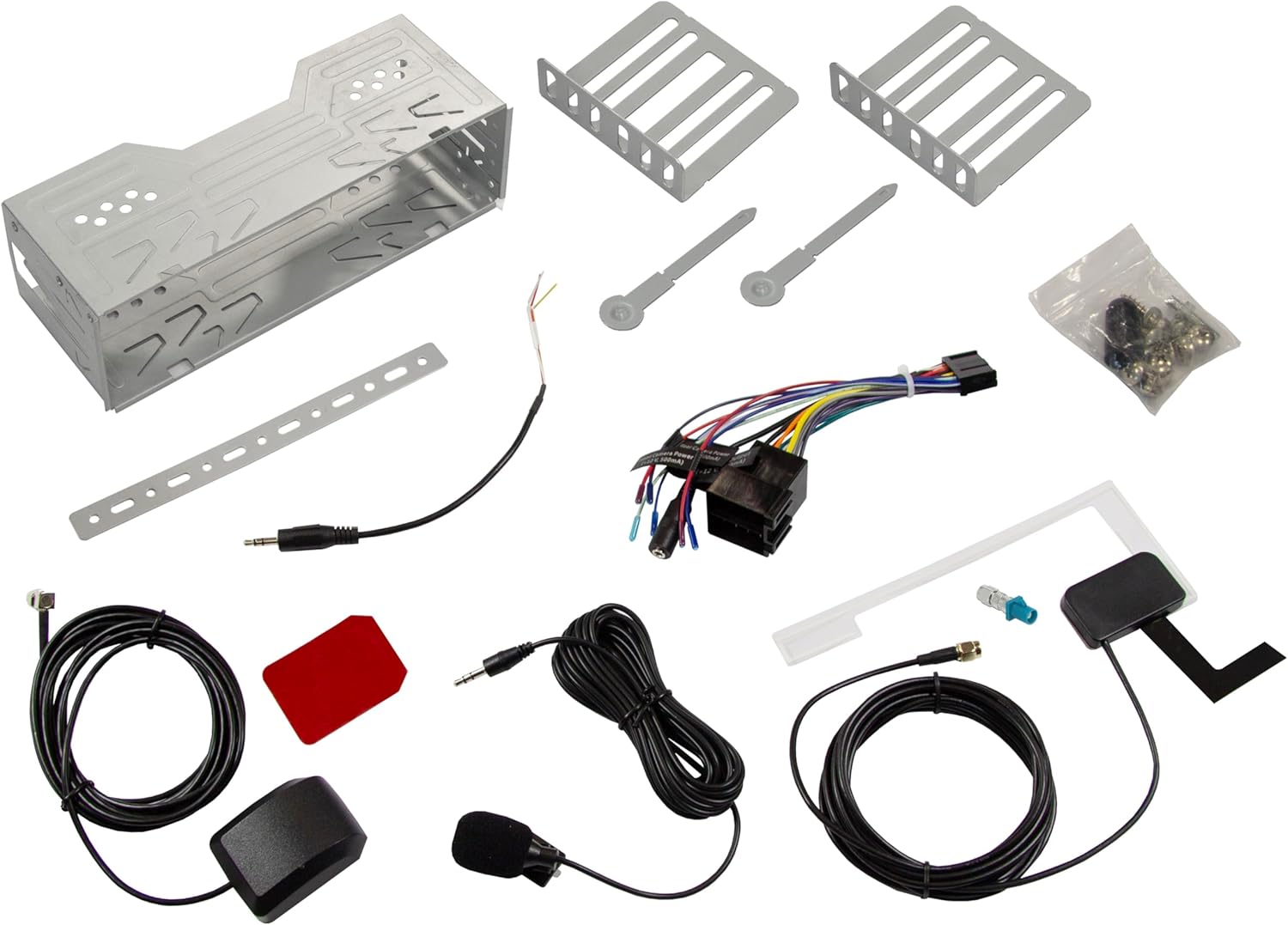
Image: All components included in the ESX Vision VMX1000DAB package.
Подешавање и инсталација
The VMX1000DAB is designed for universal 1-DIN installation. Professional installation is recommended to ensure correct wiring and functionality.
1. Монтажа јединице
- Install the 1-DIN chassis into your vehicle's dashboard opening using the provided mounting cage and brackets.
- The 10-inch monitor is multi-angle adjustable and removable for anti-theft protection. To attach, slide the monitor onto the front of the main unit until it clicks securely into place. To remove, press the release button (if applicable) and slide it off.

Image: The VMX1000DAB unit with its detachable monitor.
2. Ожичење
Connect the wiring harness, antennas, and external devices to the rear of the moniceiver. Refer to the wiring diagram provided with your unit for specific connections.
- Кабл за напајање/звучник: Connect the main ISO harness to your vehicle's wiring.
- УСБ-А портови: Two USB-A ports are available. One for media playback and charging (1.5A), and another specifically for Apple CarPlay/Android Auto and charging (1.5A).
- RCA претпојасни излази: Six 4V RCA preamplifier outputs (FL/FR/RL/RR/SUB1/SUB2) for connecting external ampлифиерс.
- RCA AUX Inputs: Stereo audio (L/R) and video input for external sources.
- Улази за камеру: Dedicated RCA inputs for front and rear cameras.
- ГПС антена: Connect the GPS receiver for optimized navigation.
- DAB+ антена: Connect the included DAB+ window adhesive antenna for digital radio reception.
- Спољни микрофон: Plug in the external microphone for clear hands-free calls.
- Контрола на волану: Connect to your vehicle's analog steering wheel controls (learnable function).

Image: Rear connections of the VMX1000DAB unit.
Упутство за употребу
The VMX1000DAB features a user-friendly interface controlled via its 10-inch touchscreen, a large volume knob, and four function keys.
1. Основне контроле
- Укључивање/искључивање: Press and hold the power button (usually integrated with the volume knob).
- Волумен: Rotate the large knob to adjust the volume.
- Функцијски тастери: Use the dedicated function keys for quick access to common features.
- екран осетљив на додир: Navigate menus and control functions by touching the display icons.

Image: VMX1000DAB Home Screen with various application icons.
2. Apple CarPlay и Android Auto
The VMX1000DAB supports both wireless and wired (via USB) Apple CarPlay and Android Auto. This allows you to mirror and control compatible smartphone apps directly from the 10-inch touchscreen.
- Бежична веза: Enable Bluetooth and Wi-Fi on your smartphone and pair it with the VMX1000DAB. Follow the on-screen prompts to initiate CarPlay or Android Auto.
- Жична веза: Connect your smartphone to the dedicated USB-A port using a certified USB cable.
- Карактеристике: Access navigation apps (e.g., Google Maps with Live Trading), music streaming services (e.g., Spotify), phone calls, messages, and other compatible applications.
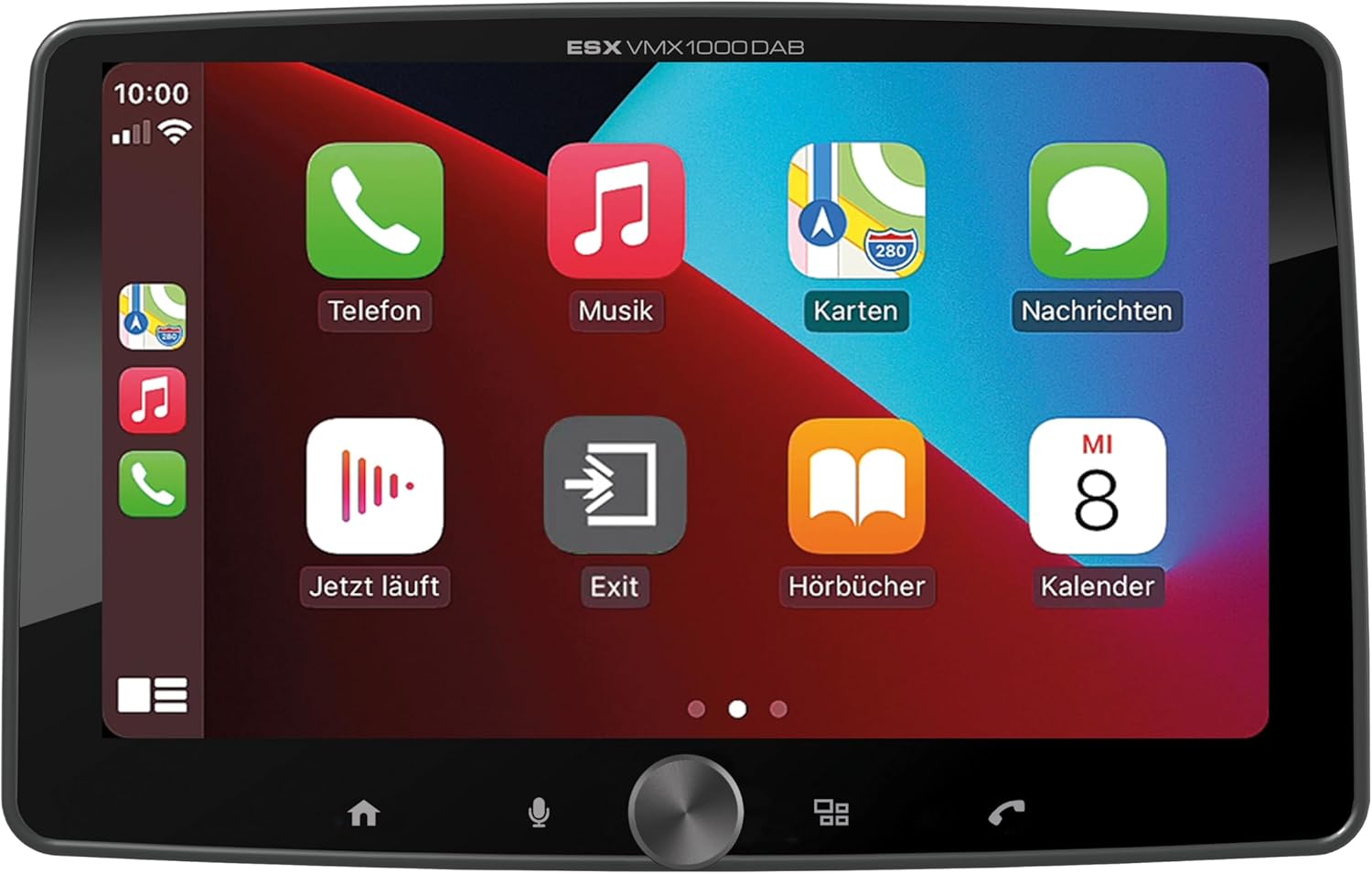
Image: Apple CarPlay interface on the VMX1000DAB.
3. Radio Functions
- DAB+ дигитални радио: Select the DAB+ source to enjoy high-quality digital radio. Ensure the DAB+ antenna is properly installed.
- ФМ/АМ радио: Tune into FM or AM stations. The RDS (Radio Data System) function provides station information and traffic announcements where available.
- Унапред подешене станице: Сачувајте своје омиљене станице за брз приступ.
4. Блуетоотх повезивање
- Упаривање: Go to the Bluetooth menu on the moniceiver and your smartphone. Тражи and select the VMX1000DAB to pair.
- Хандс-фрее позивање: Make and receive calls directly through the moniceiver using the external microphone and your car's speakers.
- Аудио стреаминг: Play music from your smartphone via Bluetooth audio streaming (A2DP).
5. Медиа Плаиер
The integrated media player supports various audio, video, and photo formats from USB storage devices.
- Компатибилни формати: AVI, FLV, MOV, MKV, WMV (video); WMA, MP3, FLAC (audio); JPEG, PNG, BMP (photo).
- УСБ репродукција: Insert a USB drive into the media USB-A port. The unit will automatically detect and allow you to browse and play media files.
6. Camera Inputs
Connect front and rear cameras to the dedicated RCA inputs for enhanced safety and parking assistance. The unit will automatically switch to the rear camera view when reverse gear is engaged (if properly wired).
7. Подешавања звука
The VMX1000DAB features a 4 x 80 Watt max integrated amplifier. Access the equalizer (EQ) and sound settings to customize your audio experience. Future software updates (available from ESX homepage) will include advanced audio features such as variable high-pass/low-pass filters, time alignment for front, rear, and subwoofer, and dual HD camera input support.
Одржавање
To ensure the longevity and optimal performance of your ESX Vision VMX1000DAB, follow these maintenance guidelines:
- Чишћење екрана: Користите меку крпу која не оставља влакна да нежно обришете екран осетљив на додир. За тврдокорне мрље, благо обришитеampОбришите крпу водом или средством за чишћење екрана. Избегавајте абразивне материјале или јаке хемикалије.
- Чишћење јединице: Wipe the main unit and buttons with a dry, soft cloth. Do not allow liquids to enter the unit.
- Везе: Периодично проверавајте све кабловске спојеве како бисте били сигурни да су безбедни и да немају корозије.
- Ажурирања софтвера: Check the official ESX homepage for available software updates to benefit from new features and improvements.
Решавање проблема
If you encounter issues with your VMX1000DAB, refer to the following common troubleshooting steps:
- Нема напајања: Check the power connections and the vehicle's fuse box. Ensure the unit is properly seated in its harness.
- Нема звука: Verify speaker connections. Check volume levels and ensure the mute function is not active. Confirm that the correct audio source is selected.
- Проблеми са Блуетоотх везом: Ensure Bluetooth is enabled on both the moniceiver and your smartphone. Delete previous pairings and attempt to re-pair. Try restarting both devices.
- CarPlay/Android Auto се не повезује: For wired connections, try a different USB cable or port. For wireless, ensure Wi-Fi is also enabled on your phone. Check for any software updates for your phone or the moniceiver.
- Слаб радио пријем: Check the antenna connection. For DAB+, ensure the adhesive antenna is correctly positioned and not obstructed.
- Екран осетљив на додир не реагује: Try restarting the unit. If the issue persists, a factory reset might be necessary (refer to the on-screen settings for this option).
- Monitor Detachment: Ensure the monitor is fully inserted and clicked into place. If it detaches easily, inspect the locking mechanism for any damage.
If these steps do not resolve the issue, please contact customer support or a qualified technician.
Спецификације
| Феатуре | Детаљ |
|---|---|
| Бранд | ЕСКС |
| Број модела | ВМКС1000ДАБ |
| Технологија повезивања | AUX, Bluetooth, USB, Wi-Fi |
| Контролни метод | Touch, Mechanical Knob |
| Посебне карактеристике | Apple CarPlay/Android Auto (Wireless & USB), Removable Monitor with CLICK System |
| Компатибилни уређаји | Смартпхонес |
| Режим аудио излаза | Стерео |
| Видео Енцодинг | AVI, FLV, MOV, MKV, WMV |
| Аудио формати | WMA, MP3, FLAC |
| Формати слика | ЈПЕГ, ПНГ, БМП |
| Излазна снага (РМС) | 80 Watts (per channel, max) |
| Тотал Ватtage | 320 вати (макс.) |
| Број канала | 4 |
| Преampизлази лифиер | 4V RCA (FL/FR/RL/RR/SUB1/SUB2) |
| УСБ улаз | USB Type A (with 1.5A charging) |
| Садржај пакета | Moniceiver, GPS receiver, DAB+ window adhesive antenna |
Гаранција и подршка
Информације о гаранцији: Please refer to your purchase documentation, retailer, or the official ESX webсајт за детаљне услове гаранције који важе за ваш регион.
Корисничка подршка: For technical assistance, troubleshooting beyond this manual, or inquiries regarding service, please contact your authorized ESX dealer or visit the official ESX homepage for support resources and contact information.
Ажурирања софтвера: New functions and software updates are periodically released and made available free of charge via the ESX homepage. It is recommended to check for updates to ensure your device has the latest features and performance enhancements.
Ask a question about this manual
Ask about setup, troubleshooting, compatibility, parts, safety, or missing instructions. Manuals+ will review the question and use this page’s manual context to help answer it.