
1. Увод
Thank you for choosing the Cooler Master ELITE Gold 1000W Power Supply Unit. This manual provides essential information for the safe and efficient installation, operation, and maintenance of your new power supply. The ELITE Gold 1000W is designed for daily gaming and PC building enthusiasts, fully supporting the latest ATX 3.1 standard and offering flexible compatibility with RTX 50 series GPUs and future upgrades.
2. Безбедносне информације
Please read and understand all safety instructions before installing or operating this product. Failure to do so may result in personal injury or damage to the product or connected devices.
- Опасност од струјног удара: Do not open the power supply unit casinг. Висока запреминаtages are present inside, even when the unit is turned off. There are no user-serviceable parts inside.
- Правилно уземљење: Ensure the power supply is properly grounded using the provided power cord.
- вентилација: Do not block any ventilation openings of the power supply. Ensure adequate airflow around the unit to prevent overheating.
- Влага: Не излажите напајање води или прекомерној влажности.
- Извор напајања: Connect the power supply only to a power source with the correct voltage and frequency as indicated on the unit's label.
- Управљање кабловима: Route cables carefully to avoid pinching or damage.
- температура: Operate the power supply within the specified temperature range (up to 40°C high-load environments).
3. Садржај пакета
Проверите да ли су све ставке присутне у вашем пакету:
- Cooler Master ELITE Gold 1000W Power Supply Unit
- Modular Cable Set (including 12+4 Pin, ATX24 Pin, EPS 4+4 Pin, EPS 8 Pin, SATA + Peripheral 4 Pin connectors)
- AC Power Cord (A/JP cord)
- Монтажни завртњи
- Упутство за употребу
4. Подешавање и инсталација
Follow these steps to install your Cooler Master ELITE Gold 1000W Power Supply Unit:
- Припремите свој систем:
Before installation, ensure your computer is completely powered off and unplugged from the wall outlet. Discharge any residual power by pressing the power button a few times.
- Install the PSU into the PC Case:
Position the ELITE Gold 1000W PSU into the designated power supply bay in your PC case. The compact design (under 150mm) facilitates easy installation in various PC cases. Secure the PSU with the provided mounting screws.

Image: The Cooler Master ELITE Gold 1000W Power Supply Unit installed within a computer chassis, viewed from above, highlighting its compact form factor and top-mounted fan grill.
- Повежите модуларне каблове:
The ELITE Gold 1000W features a full modular design. Connect only the necessary cables to the power supply unit first. Refer to the labels on the PSU for correct connector types (e.g., 10P MB, 18P MB, 8P PCI-E/CPU, 12V-2x6, 6P SATA/HDD).

Слика: Детаљна view of the Cooler Master ELITE Gold 1000W Power Supply Unit's modular cable interface, clearly showing labeled ports for various component connections such as motherboard, CPU, PCIe, and SATA/HDD.

Image: The Cooler Master ELITE Gold 1000W Power Supply Unit with its full suite of modular cables securely connected and neatly routed, demonstrating the full modular design.
- Повежите се са компонентама:
- матична плоча: Повежите 24-пински АТКС кабл на матичну плочу.
- ЦПУ: Connect the 4+4 pin or 8-pin EPS cable(s) to your motherboard's CPU power connector(s).
- Графичка картица (GPU): Connect the appropriate PCIe power cables (e.g., 8-pin, 12+4 pin for ATX 3.1/PCIe Gen 5.1) to your graphics card(s). This unit is optimized for RTX 50 series GPUs.
- Уређаји за складиштење: Повежите SATA каблове за напајање са SSD-овима, HDD-овима и оптичким уређајима.
- Периферни уређаји: Connect peripheral 4-pin cables to any other devices requiring power.
- Повежите наизменичну струју:
Connect the provided AC power cord to the power supply unit and then to a grounded wall outlet. Ensure the power switch on the PSU is in the OFF position before connecting to the wall outlet.
5. Упутство за употребу
After successful installation, follow these steps to operate your system:
- Укључено:
Flip the power switch on the back of the power supply unit to the ON (I) position.
- Покретање система:
Press the power button on your computer case to start your system. The ELITE Gold 1000W will provide stable and efficient power, thanks to its 80 Plus Gold certification and quiet, long-life rifle bearing fan.
- Искључивање:
To power off your system, shut down your operating system normally. For complete power disconnection, flip the power switch on the back of the power supply unit to the OFF (O) position and unplug the AC power cord.
6. Одржавање
Правилно одржавање осигурава дуготрајност и оптималне перформансе вашег напајања.
- Чишћење прашине: Периодично чистите прашину са вентилатора и вентилационих решетки напајања помоћу компримованог ваздуха. Уверите се да је систем искључен из струје пре чишћења.
- вентилација: Ensure that the PC case has adequate airflow and that the power supply's fan intake and exhaust are not obstructed.
- Инспекција каблова: Regularly check all modular cables for any signs of wear, fraying, or damage. Replace damaged cables immediately.
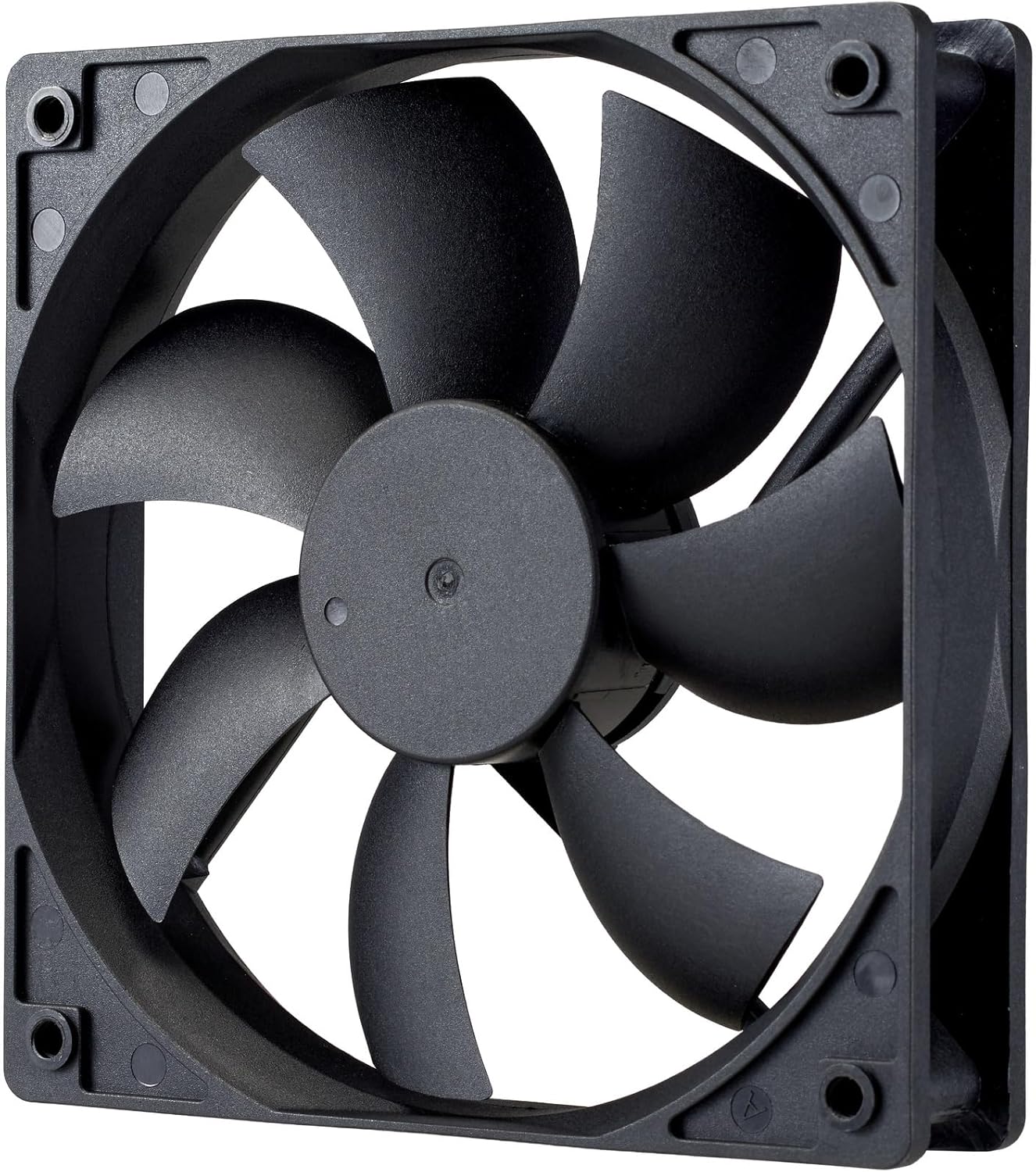
Слика: Крупни план view of the power supply's cooling fan, featuring five blades designed for efficient airflow and quiet operation.
КСНУМКС. Решавање проблема
If you encounter issues with your power supply, refer to the following troubleshooting steps:
- Нема напајања:
- Уверите се да је кабл за напајање наизменичном струјом безбедно повезан и са извором напајања и са зидном утичницом.
- Verify that the power switch on the back of the PSU is in the ON (I) position.
- Check all modular cables (24-pin ATX, EPS, PCIe) are firmly seated in both the PSU and the respective components.
- Тестирајте зидну утичницу другим уређајем да бисте се уверили да је функционална.
- Нестабилност система/Случајна гашења:
- Ensure adequate ventilation within your PC case to prevent overheating.
- Verify that your system's power requirements do not exceed the 1000W capacity of the PSU.
- Проверите да ли има лабавих кабловских веза.
- Необични звуци:
- A quiet rifle bearing fan is designed for minimal noise. If you hear unusual grinding or rattling, ensure no cables are obstructing the fan.
- If the noise persists, contact Cooler Master support.
If these steps do not resolve the issue, please contact Cooler Master customer support for further assistance.
8. Спецификације
Detailed technical specifications for the Cooler Master ELITE Gold 1000W Power Supply Unit:
| Назив модела | ELITE Gold |
| Број модела произвођача | MPX-A005-AFAG-BJP |
| Бранд | Цоолер Мастер |
| Оутпут Ватtage | 1000 Ваттс |
| 80 ПЛУС сертификат | Злато |
| АТКС верзија | АТКС 3.1 |
| PCIe верзија | ПЦИе Ген 5.1 |
| Форм Фацтор | АТКС |
| Повер Десигн | Фулл Модулар |
| Типови конектора | 12+4 Pin, ATX24 Pin, EPS 4+4 Pin, EPS 8 Pin, SATA + Peripheral 4 Pin |
| Број обожаватеља | 1 (Rifle Bearing Fan) |
| Макимум Инпут Волtage | 240 волти (АЦ) |
| Минимални улазни обимtage | 100 волти (АЦ) |
| Димензије производа (Д к Ш к В) | 14 к 15 к 8.6 цм |
| Тежина производа | 2230 грама |
| Радна температура | До 40°Ц |

Слика: Врх view of the Cooler Master ELITE Gold 1000W Power Supply Unit, showcasing its branding and honeycomb-patterned ventilation.

Image: The official 80 PLUS GOLD certification logo, indicating high power efficiency.
9. Гаранција и подршка
The Cooler Master ELITE Gold 1000W Power Supply Unit comes with a 5 година гаранције од дана куповине. Ова гаранција покрива недостатке у материјалу и изради при нормалној употреби.
For technical support, warranty claims, or further assistance, please visit the official Cooler Master website or contact your local Cooler Master distributor. Please have your product model number (MPX-A005-AFAG-BJP) and proof of purchase ready when contacting support.