
1. Производ је готовview
This manual provides detailed instructions for the assembly, operation, and maintenance of your Simple Deluxe 47-inch L-Shaped Gaming Desk. Designed for versatility, this desk features integrated power outlets, USB charging ports, three fabric storage drawers, and two open shelves, making it suitable for gaming, home office, or study environments.
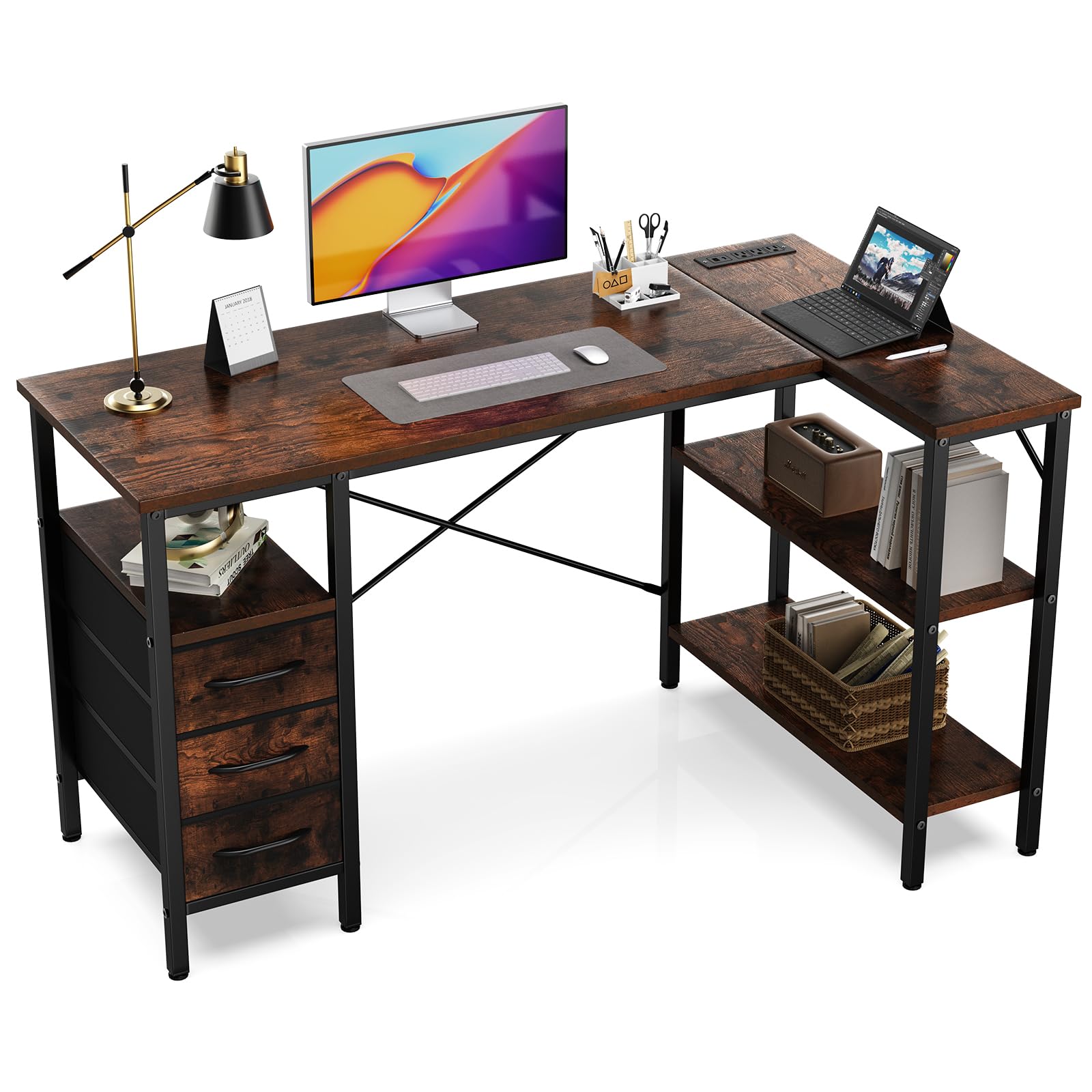
Figure 1: Fully assembled Simple Deluxe L-Shaped Gaming Desk.
2. Безбедносне информације
- Увек састављајте сто на мекој, чистој површини како бисте спречили огреботине.
- Пре употребе уверите се да су сви завртњи и причвршћивачи чврсто затегнути.
- Do not overload the desk or shelves beyond the recommended weight capacity of 220 pounds (100 kg).
- Држите децу и кућне љубимце даље од места за окупљање.
- Use only the provided tools and hardware for assembly.
- For electrical safety, do not expose the power outlets to moisture.
3. Садржај пакета
Пре склапања, проверите да ли су све доле наведене компоненте присутне и да ли су неоштећене. Ако неки делови недостају или су оштећени, обратите се корисничкој подршци.
| Парт | Опис | Количина |
|---|---|---|
| Столни панели | Main desktop, L-shaped extension, shelf boards | Разно |
| Компоненте металног оквира | Legs, support bars, cross braces | Разно |
| Power Outlet Module | Интегрисане утичнице за наизменичну струју и USB портови | 1 |
| Фабриц Драверс | Collapsible storage drawers | 3 |
| Хардваре Пацк | Вијци, имбус кључ, итд. | 1 сет |

Слика 2: Завршеноview of desk dimensions and main components.
4. Упутство за монтажу
Follow these steps carefully for proper assembly. It is recommended that one person assembles the desk.
4.1. Видео водич
Video 1: Detailed assembly guide for the L-Shaped Desk with Shelf Drawers. This video demonstrates each step of the assembly process, from frame construction to drawer installation and power outlet integration.
4.2. Корак-по-корак водич
- Assemble the Main Desk Frame:
Connect the metal frame components using the provided screws and Allen wrench. Ensure all connections are firm. Pay attention to the orientation of the pieces as shown in the diagrams.

Figure 3: Initial assembly of the desk's metal frame structure.
- Attach the Shelf Boards:
Insert the shelf boards into the designated slots on the frame. Secure them with screws. Note that the height of some shelves may be adjustable to suit your needs.

Figure 4: Securing the shelf boards within the metal frame.
- Install the Desktop Panels:
Carefully place the main desktop and the L-shaped extension panel onto the assembled frame. Align the pre-drilled holes and secure them with screws. Ensure the power outlet cutout is correctly positioned.

Figure 5: Placing and securing the desktop surfaces.
- Integrate the Power Outlet Module:
Insert the power outlet module into its designated cutout on the desktop. Secure it with the provided screws. Connect the power cable as instructed.

Figure 6: Securing the power outlet module into the desktop.
- Assemble and Insert Fabric Drawers:
Unfold the fabric drawers and insert the bottom panel to give them shape. Attach the handles. Slide the assembled drawers into their respective compartments under the desk.
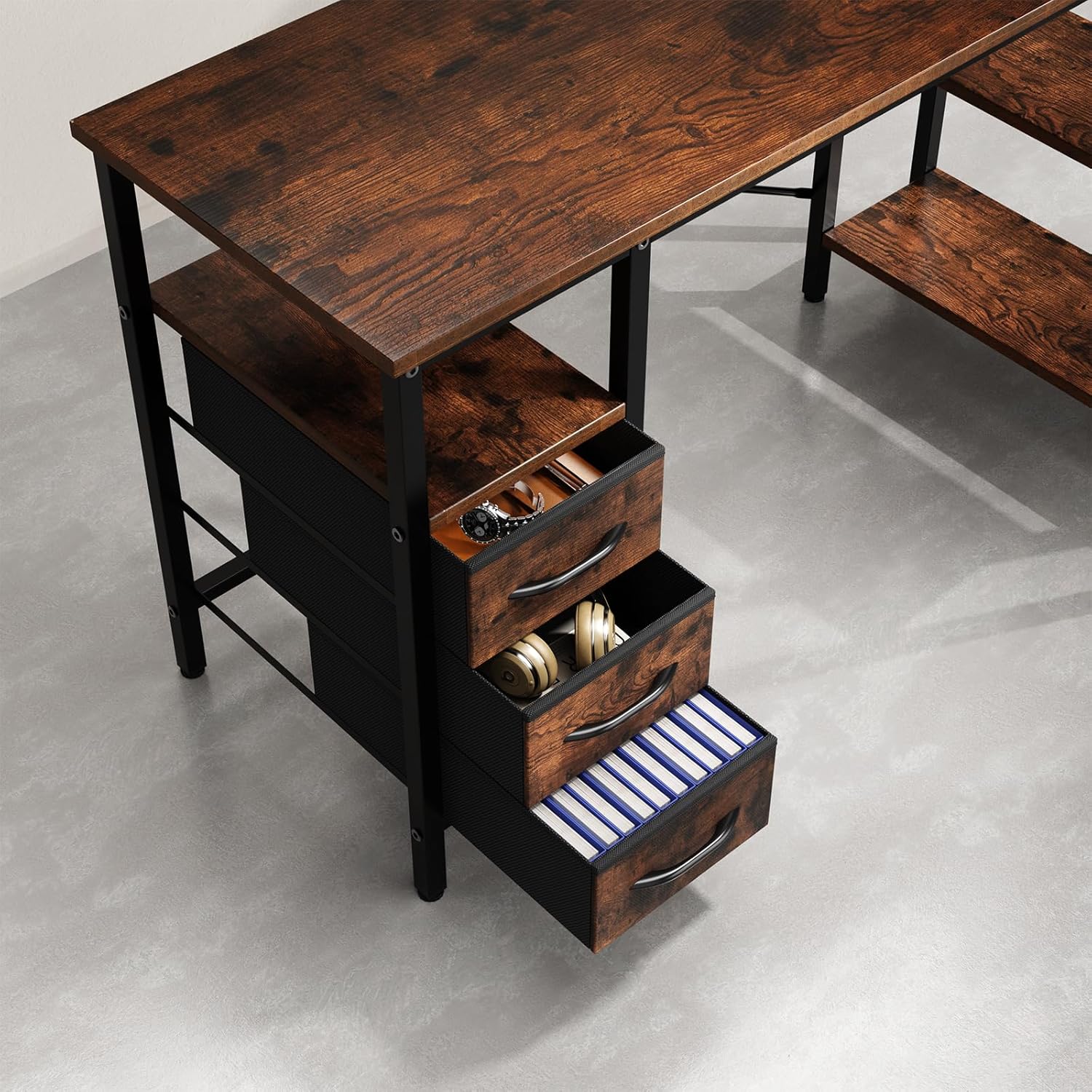
Figure 7: Fabric drawers providing ample storage for office supplies and accessories.
5. Упутство за употребу
5.1. Using the Integrated Power Outlets
- Укључите главни кабл за напајање стола у стандардну зидну утичницу.
- The integrated power strip provides three AC outlets and two USB charging ports.
- Connect your devices (monitors, laptops, phones, etc.) to the appropriate outlets.
- Ensure devices are compatible with the power specifications (120V AC, 60Hz, 12A max).
6. Одржавање
- Чишћење: Обришите површине стола огласомamp крпом. Избегавајте јаке хемикалије или абразивна средства за чишћење која могу оштетити завршну обраду.
- Провера хардвера: Периодично проверавајте све завртње и причвршћиваче како бисте били сигурни да су чврсто затегнути. По потреби поново затегните да бисте одржали стабилност.
- електрична безбедност: Inspect the power cord and outlets for any signs of damage. Discontinue use and contact customer support if damage is found.
- Брига о фиокама: The fabric drawers can be spot cleaned with a mild detergent. Allow them to air dry completely before reinserting.
КСНУМКС. Решавање проблема
| Проблем | Могући узрок | Решење |
|---|---|---|
| Сто је климав. | Лабави шрафови или нераван под. | Check and tighten all screws. Adjust the leveling feet on the bottom of the desk legs if applicable. |
| Утичнице не раде. | Desk not plugged in, circuit breaker tripped, or faulty module. | Ensure the desk's power cord is securely plugged into a working wall outlet. Check your home's circuit breaker. If issues persist, contact customer support. |
| Фиоке се не померају глатко. | Drawers are fabric and not designed to slide on rails. | The drawers are fabric storage bins designed to fit into compartments, not to slide on metal rails. Ensure they are properly shaped and inserted. |
8. Спецификације
- Бренд: Симпле Делуке
- Број модела: D-D3BCL01-47IN-RUST
- Облик: Л-облик
- Димензије производа: 18.5"Д к 47.2"Ш к 29.7"В
- Боја: Рустиц Бровн
- Материјал: Инжењерско дрво, метал
- Број фиока: 3
- Број полица: 2
- Препорука за максималну тежину: 220 фунти
- Утичнице: Интегрисане утичнице за наизменичну струју и USB портови
- Потребна монтажа: Да (препоручује се 1 особа)
- Упутства за негу: Обришите са Дamp Цлотх
9. Гаранција и подршка
For warranty information, missing parts, or technical support, please contact Simple Deluxe customer service. Keep your purchase receipt and model number handy for faster service.
Посетите Simple Deluxe Store за више производа и информација.