
1. Увод
This manual provides essential information for the proper use and care of your Tecmojo UL Listed Ultra-Slim Cat6a Ethernet Cable. Designed for high-speed data transmission, this cable ensures reliable network connectivity for various devices. Please read this manual thoroughly before use to ensure optimal performance and safety.
2. Карактеристике производа
- Пренос података великом брзином од 10 Gbps: Supports data transmission speeds up to 10Gbps with 550MHz bandwidth. Built with 30AWG 100% pure copper conductors for stable, low-loss signal performance.
- UL-Listed & Safety Certified: UL-tested and certified Cat6a slim patch cable meets strict safety and material quality standards for professional and commercial use.
- Ultra-Slim, Space-Saving Design: The ultra-slim Cat6a cable is ideal for high-density racks and cabinets. Its slim profile helps reduce congestion and improves airflow inside network enclosures.
- Premium Materials & Durable Jacket: Constructed with 100% pure copper wire and gold-plated RJ45 connectors. The flexible PVC jacket resists wear, bending fatigue, and facilitates installations in tight spaces.
- Wide Compatibility & Backward Support: Compatible with PCs, printers, routers, switches, NAS, VoIP phones, PoE devices, and more. Backward compatible with Cat6, Cat5e, and Cat5 networks.

Image: Internal structure of the Tecmojo Cat6a Ethernet cable, highlighting 100% bare copper conductors and a flexible PVC jacket for reliable transmission.

Image: Visual comparison illustrating the space-saving, easier routing, and improved airflow benefits of the 30AWG Ultra-Slim cable compared to a standard 24AWG cable.
3. Подешавање и инсталација
- Идентификујте портове: Locate the Ethernet ports (RJ45) on your network devices, such as your router, modem, computer, or gaming console. These ports are typically rectangular with a small clip.
- Повежите први крај: Insert one end of the Tecmojo Cat6a Ethernet cable into an available Ethernet port on your primary network device (e.g., router or modem). Ensure the RJ45 connector clicks securely into place.
- Повежите други крај: Insert the other end of the Ethernet cable into the Ethernet port of the device you wish to connect to the network (e.g., computer, Xbox, network switch). Again, ensure a secure click.
- Потврдите везу: Most network devices have LED indicators next to the Ethernet port. A solid or blinking light typically indicates a successful network connection.
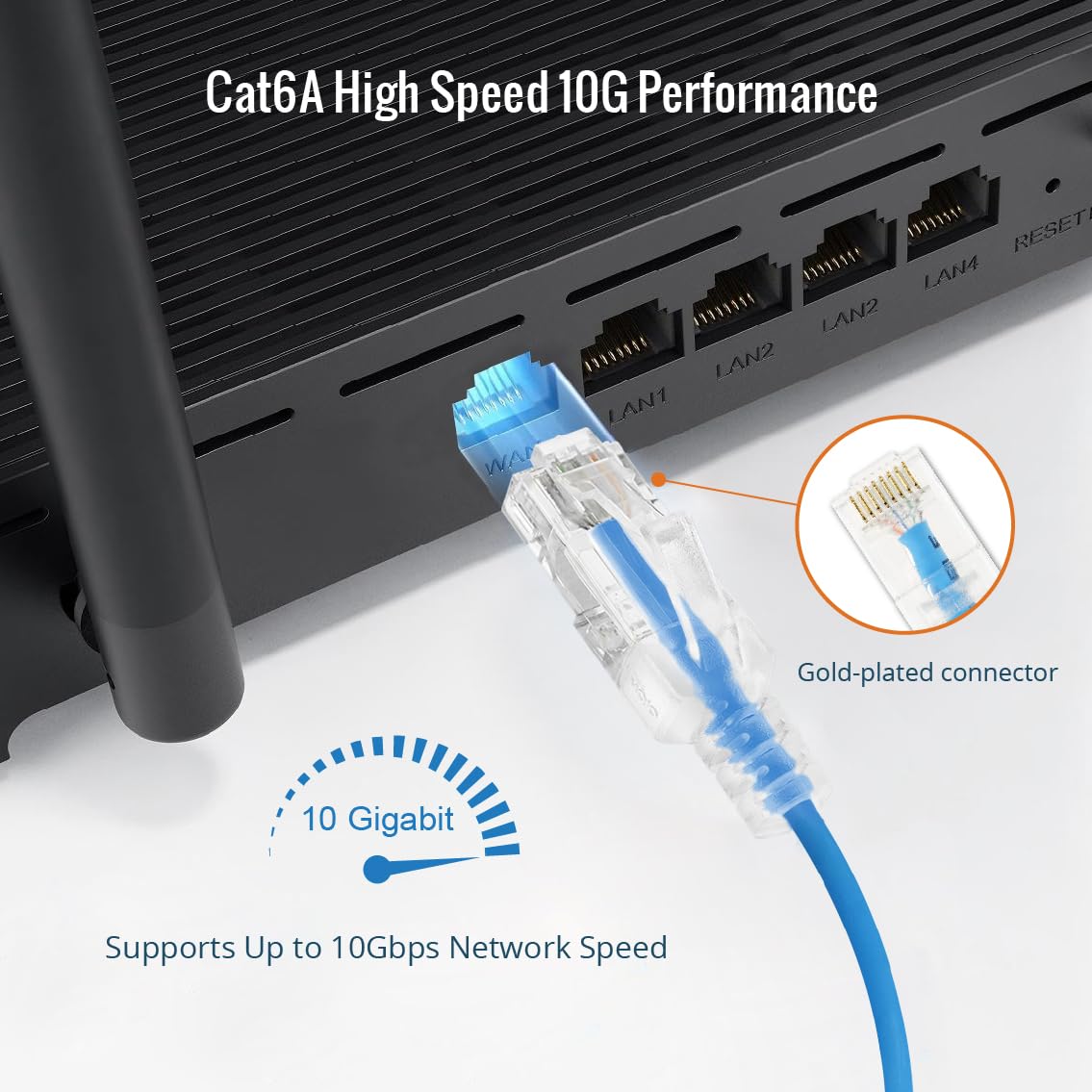
Image: A Tecmojo Cat6a Ethernet cable being connected to a router, demonstrating the secure fit of the gold-plated RJ45 connector for 10 Gigabit performance.

Image: Ultra-slim Tecmojo Cat6a cables organized within a patch panel, illustrating how the design allows for a clean and efficient setup in network racks.
4. Упутство за употребу
Once connected, the Tecmojo Cat6a Ethernet cable facilitates data communication between your devices and the network. It operates passively, transmitting data signals without requiring external power or configuration. The cable supports full-duplex communication, allowing data to be sent and received simultaneously at speeds up to 10Gbps.
- Брзо умрежавање: Utilize the cable for applications requiring high bandwidth, such as online gaming, 4K video streaming, large file transfers, and connecting to network-attached storage (NAS) devices.
- Напајање преко Етхернета (ПоЕ): This cable is compatible with PoE devices, allowing both data and power to be transmitted over a single cable, simplifying installations for devices like IP cameras or VoIP phones (requires PoE-enabled network equipment).
Video: An official Tecmojo video demonstrating the ultra-slim design of the Cat6a Ethernet patch cable and its ease of use in tight spaces, highlighting its 10G transmission speed.
5. Одржавање и њега
- Избегавајте оштре кривине: Do not bend the cable sharply, especially near the connectors, as this can damage the internal wires and affect performance.
- Заштитите конекторе: Keep the RJ45 connectors clean and free from dust or debris. If necessary, use compressed air to gently clean the ports.
- Правилно складиштење: When not in use, coil the cable loosely. Avoid tangling or knotting the cable.
- Услови животне средине: Store and use the cable in a dry environment, away from extreme temperatures and direct sunlight.
КСНУМКС. Решавање проблема
Ако имате проблема са мрежном везом, размотрите следеће кораке за решавање проблема:
- Проверите везе: Ensure both ends of the Ethernet cable are securely plugged into their respective ports. Listen for a click when inserting the RJ45 connector.
- Прегледајте кабл: Visually inspect the cable for any signs of physical damage, such as cuts, kinks, or frayed connectors. If damage is present, replace the cable.
- Поново покрените уређаје: Power cycle your network devices (modem, router, computer). Unplug them from power for 30 seconds, then plug them back in and wait for them to fully restart.
- Test with Another Cable/Port: If possible, try using a different Ethernet cable or connecting to a different port on your router/switch to determine if the issue lies with the cable, port, or device.
- Проверите подешавања мреже: Ensure your device's network settings are correctly configured (e.g., DHCP enabled for automatic IP address assignment).
7. Спецификације
| Феатуре | Детаљ |
|---|---|
| Бранд | Тецмојо |
| Број модела | 16112248Б |
| Цабле Типе | Cat6a Ethernet |
| Дужина | 30фт |
| Калибар жица | 30АВГ |
| Цондуцтор Материал | 100% Pure Copper |
| Брзина преноса података | До 10 Гбпс |
| Бандвидтх | 550МХз |
| Тип конектора | RJ45 (Gold-plated) |
| Материјал јакне | Флексибилан ПВЦ |
| Цертифицатион | УЛ Листед |
| Боја | Плава |
| Компатибилни уређаји | Laptop, Modem, Personal Computer, Printer, Router, Switches, NAS, VoIP phones, PoE devices, Xbox |

Image: UL Certificate of Compliance for the Tecmojo Cat6a cable, verifying its adherence to safety and material quality standards.
8. Гаранција и подршка
The Tecmojo UL Listed Ultra-Slim Cat6a Ethernet Cable comes with a 3-годишња гаранција произвођача.
For technical support, warranty claims, or additional product information, please visit the official Tecmojo store or contact customer service through the details provided on your purchase receipt.
Official Tecmojo Store: Tecmojo Official Store