
Увод
This manual provides essential information for setting up, operating, and maintaining your Fusion5 A7 N6 23.8-inch All-in-One PC. Please read these instructions carefully before use and retain them for future reference.
The Fusion5 A7 N6 is a 23.8-inch Full HD All-in-One PC designed for home offices, students, and everyday users. It features a 1920x1080 FHD IPS display, an Intel N150 processor, 16GB DDR4 RAM, and a 512GB SATA SSD, running on Windows 11 Home.
Шта је у кутији
- Fusion5 A7 N6 23.8" All-in-One PC
- Бежична тастатура
- Бежични миш
- Certified Power Adapter (12V/5A)
- Кориснички приручник (овај документ)
Сетуп
- Распакивање: Пажљиво извадите све компоненте из паковања. Уверите се да су присутне све ставке наведене у одељку „Шта се налази у кутији“.
- Пласман: Place the All-in-One PC on a stable, flat surface. Ensure adequate ventilation around the device.
- Прикључак за напајање: Connect the certified power adapter to the DC-in port on the back of the PC, then plug the adapter into a power outlet.
- Wireless Keyboard and Mouse Setup:
- Insert batteries (not included) into the wireless keyboard and mouse.
- Locate the USB receiver for the wireless keyboard and mouse. Plug it into an available USB port on the PC.
- The keyboard and mouse should automatically connect.
- Почетно укључивање: Притисните дугме за напајање, које се обично налази са стране или са задње стране екрана.
- Подешавање система Windows 11: Follow the on-screen instructions to complete the initial Windows 11 Home setup, including language, region, network connection, and user account creation.
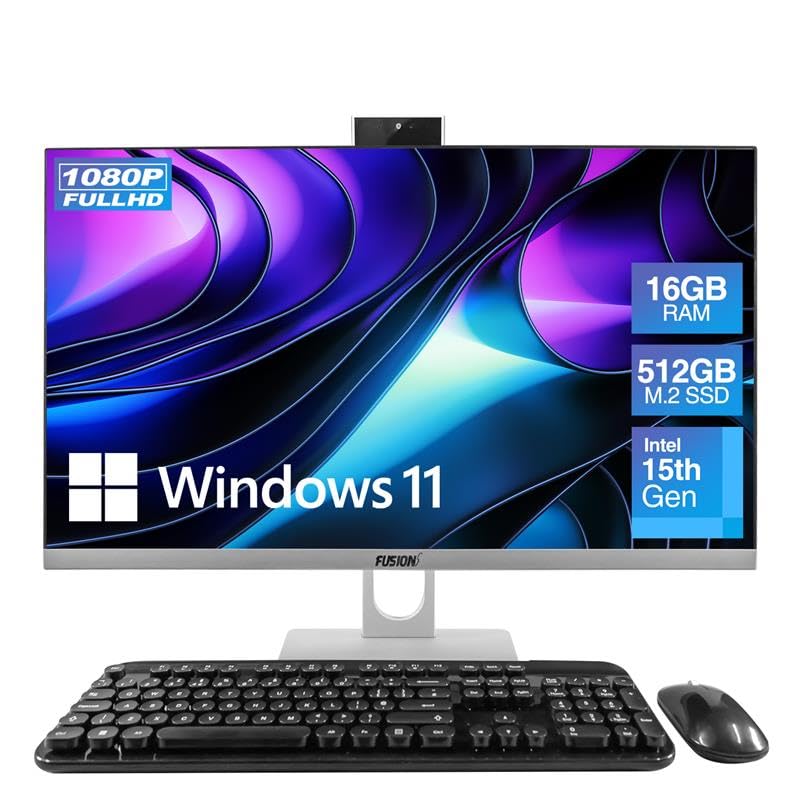
Image: The Fusion5 A7 N6 All-in-One PC with its included wireless keyboard and mouse, ready for setup.
Управљање рачунаром
Дисплаи Феатурес
The 23.8-inch Full HD (1920x1080) IPS display offers crisp visuals and wide viewing angles. The screen is designed with a micro-edge display for an immersive viewing experience and can be tilted for optimal viewин удобност.
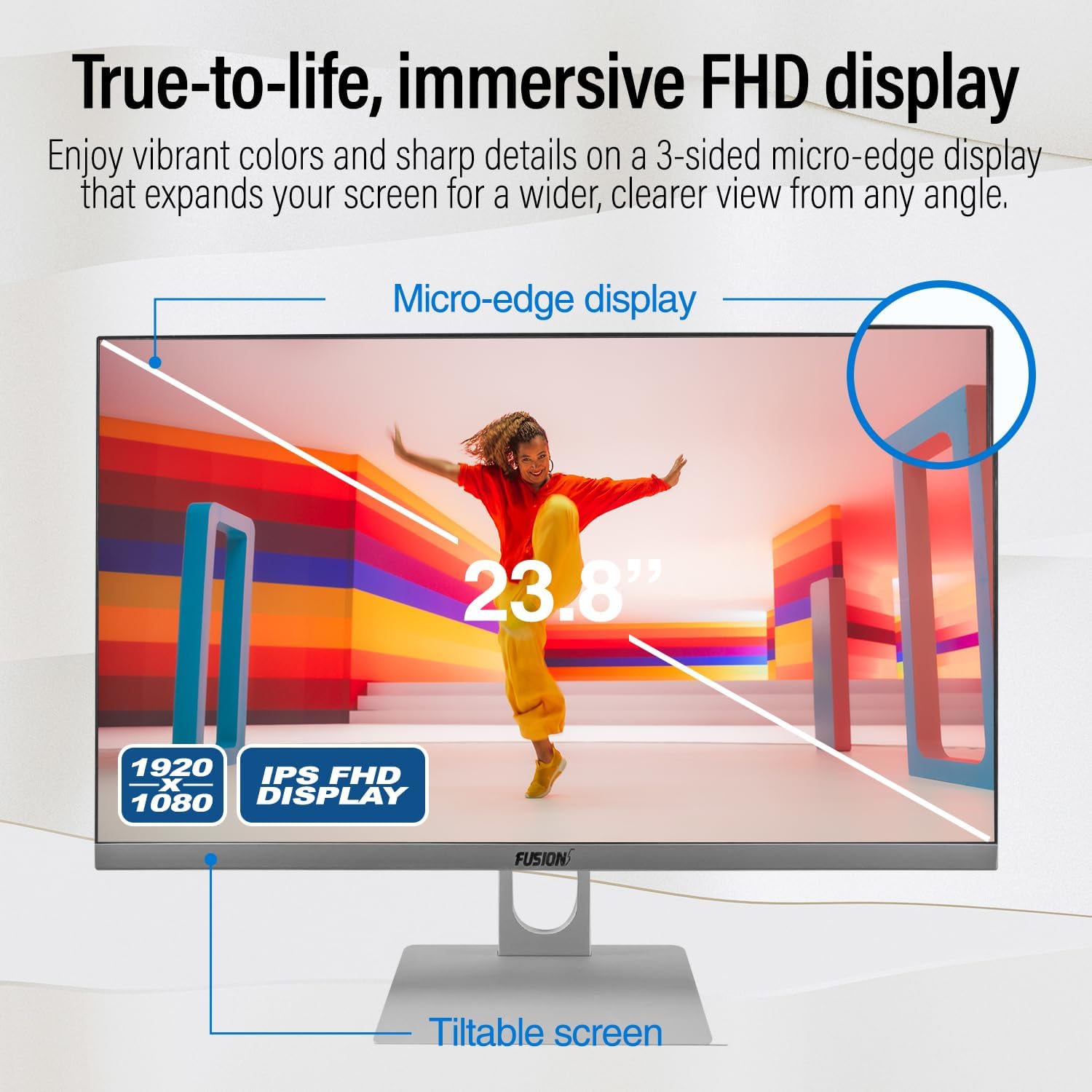
Image: Diagram highlighting the 23.8-inch FHD IPS display, micro-edge design, and tiltable screen functionality.
Перформансе
Your PC is equipped with an Intel N150 processor (up to 3.60 GHz), 16GB LPDDR4 RAM, and a 512GB SATA SSD. This configuration ensures fast boot-ups, responsive multitasking, and efficient handling of daily tasks and applications.
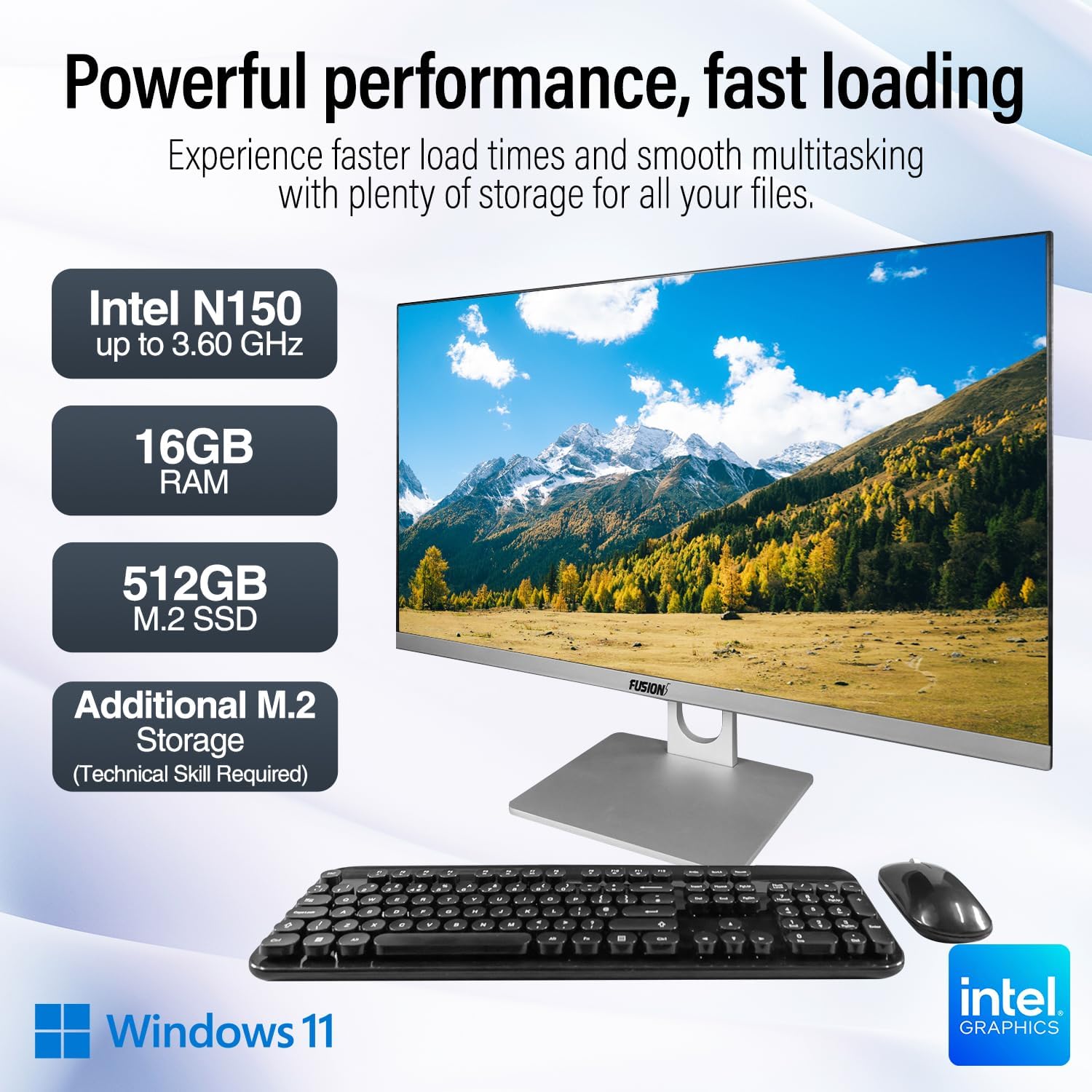
Image: Visual representation of the PC's core components: Intel N150 processor, 16GB RAM, 512GB M.2 SSD, and Windows 11 operating system.
Повезивање
The PC offers various ports for connecting peripherals and external displays, along with wireless connectivity options. The rear view of the PC illustrates the physical layout of these ports.

Слика: Позади view of the Fusion5 A7 N6 All-in-One PC, displaying the arrangement of its various ports.
- УСБ портови: 2x USB 3.0, 4x USB 2.0 for connecting external devices like flash drives, printers, and other peripherals.
- ХДМИ порт: 1x HDMI for connecting an external monitor or TV.
- ВГА порт: 1x VGA for connecting older external monitors.
- Етхернет порт: За жичану мрежну везу.
- Headphone + Microphone Combo Jack: За аудио улаз/излаз.
- бежични: Built-in AC Wi-Fi for internet access and Bluetooth 5.0 for connecting wireless accessories.
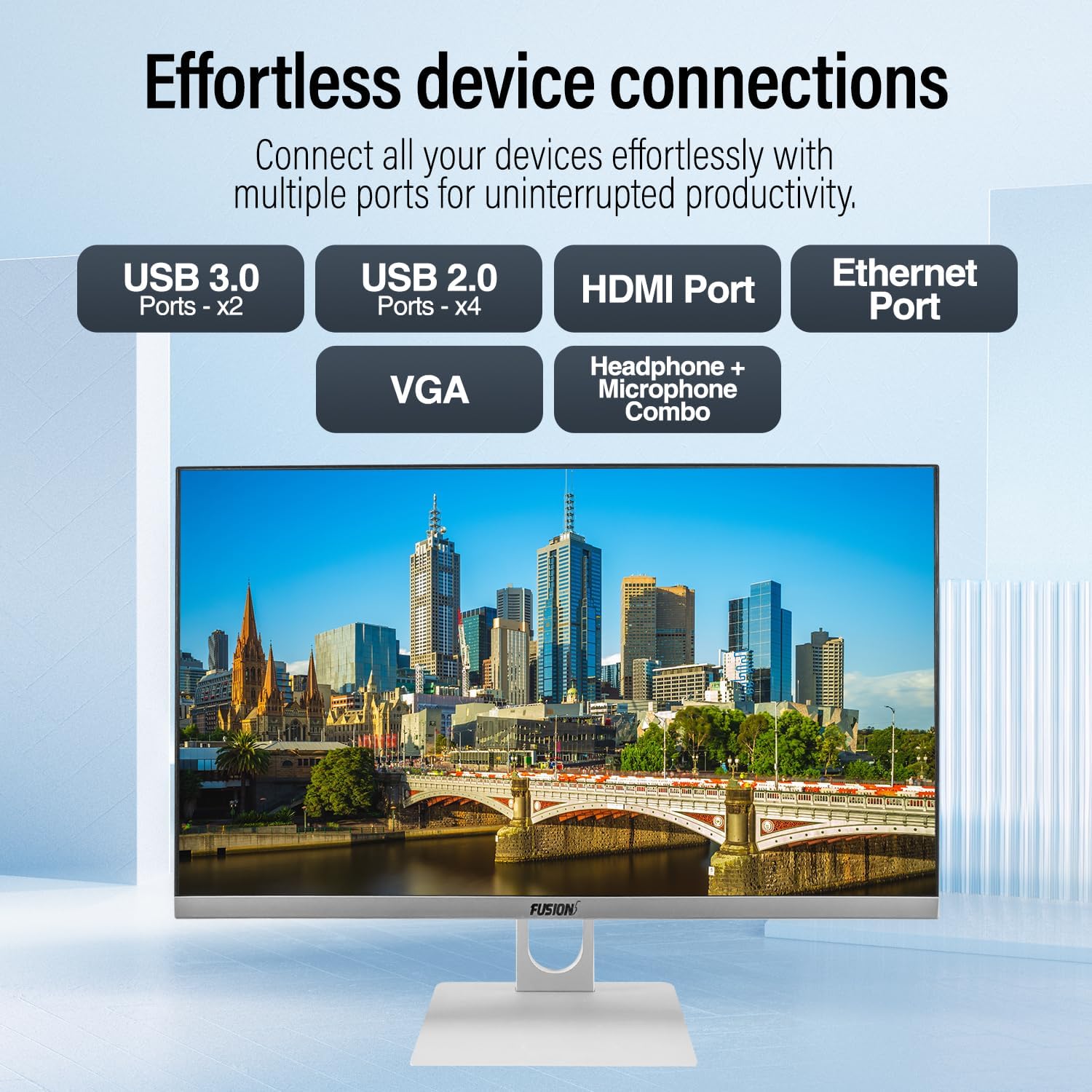
Слика: Крупни план view of the PC's rear ports, including USB 3.0, USB 2.0, HDMI, Ethernet, VGA, and the audio combo jack.
Webкамера и аудио
The PC includes an integrated 3MP pop-up webcam, built-in microphones, and speakers, making it suitable for video conferencing and online communication.

Image: Illustration of the PC's integrated 3MP pop-up webcam, built-in microphones, and speakers, demonstrating its use for video calls.
Безбедност
A Kensington Security Slot is provided for physical security, allowing you to secure your PC with a compatible lock (sold separately).
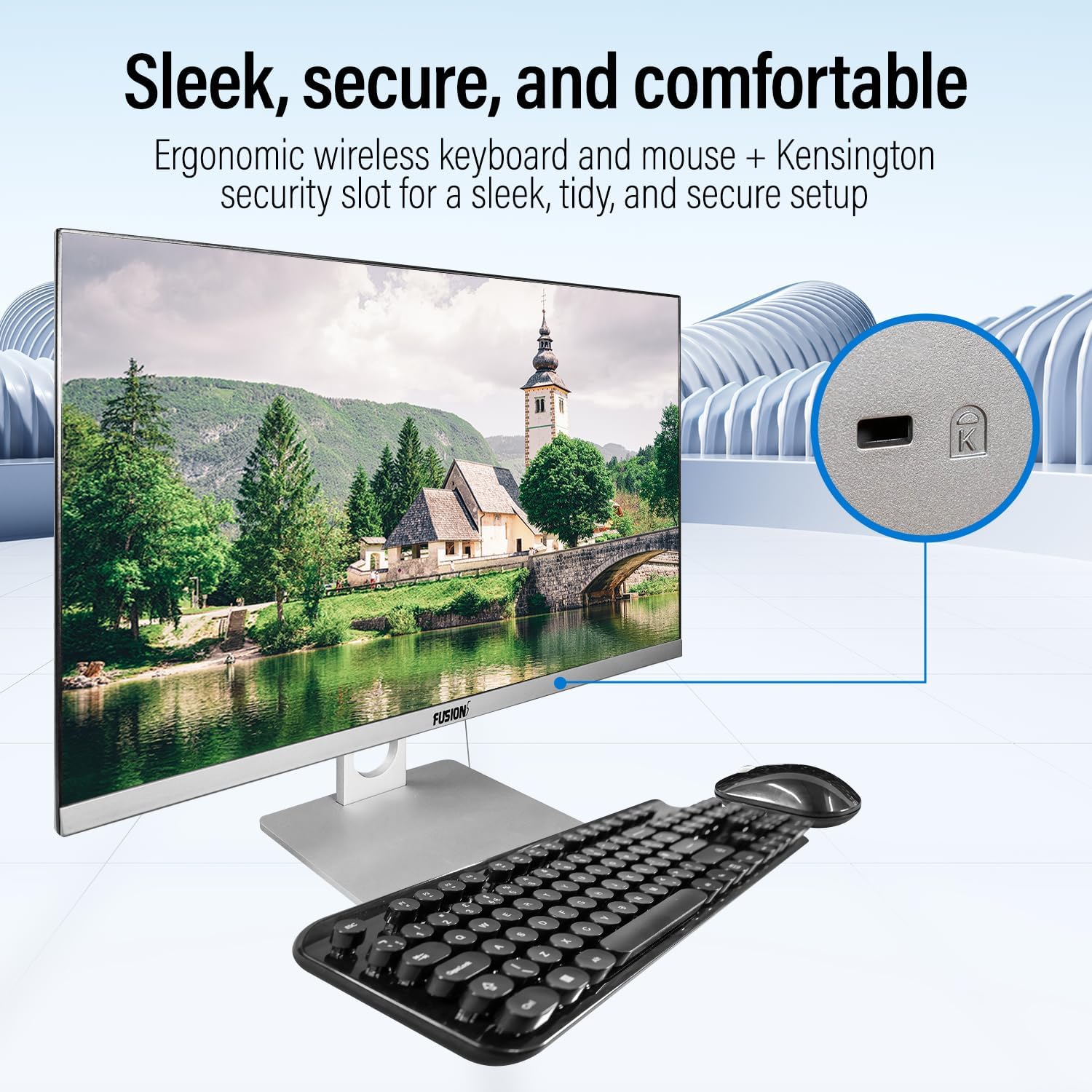
Image: Detail of the Kensington Security Slot located on the PC, designed for physical security.
Одржавање
- Чишћење екрана: Користите меку крпу без влакана, посебно дизајнирану за електронику. Dampen the cloth slightly with water or a screen cleaner solution (do not spray directly onto the screen).
- Чишћење шасије: Обришите спољашње површине меком, сувом крпом. Избегавајте абразивна средства за чишћење или раствараче.
- вентилација: Уверите се да су вентилациони отвори чисти од прашине и препрека како бисте спречили прегревање.
- Ажурирања софтвера: Редовно ажурирајте оперативни систем Windows и управљачке програме како бисте осигурали оптималне перформансе и безбедност.
Надоградња складишта
The Fusion5 A7 N6 supports M.2 SSD upgrades and the addition of a 2.5-inch SATA SSD/HDD. This procedure requires technical skill. If you are not comfortable performing this, seek professional assistance.
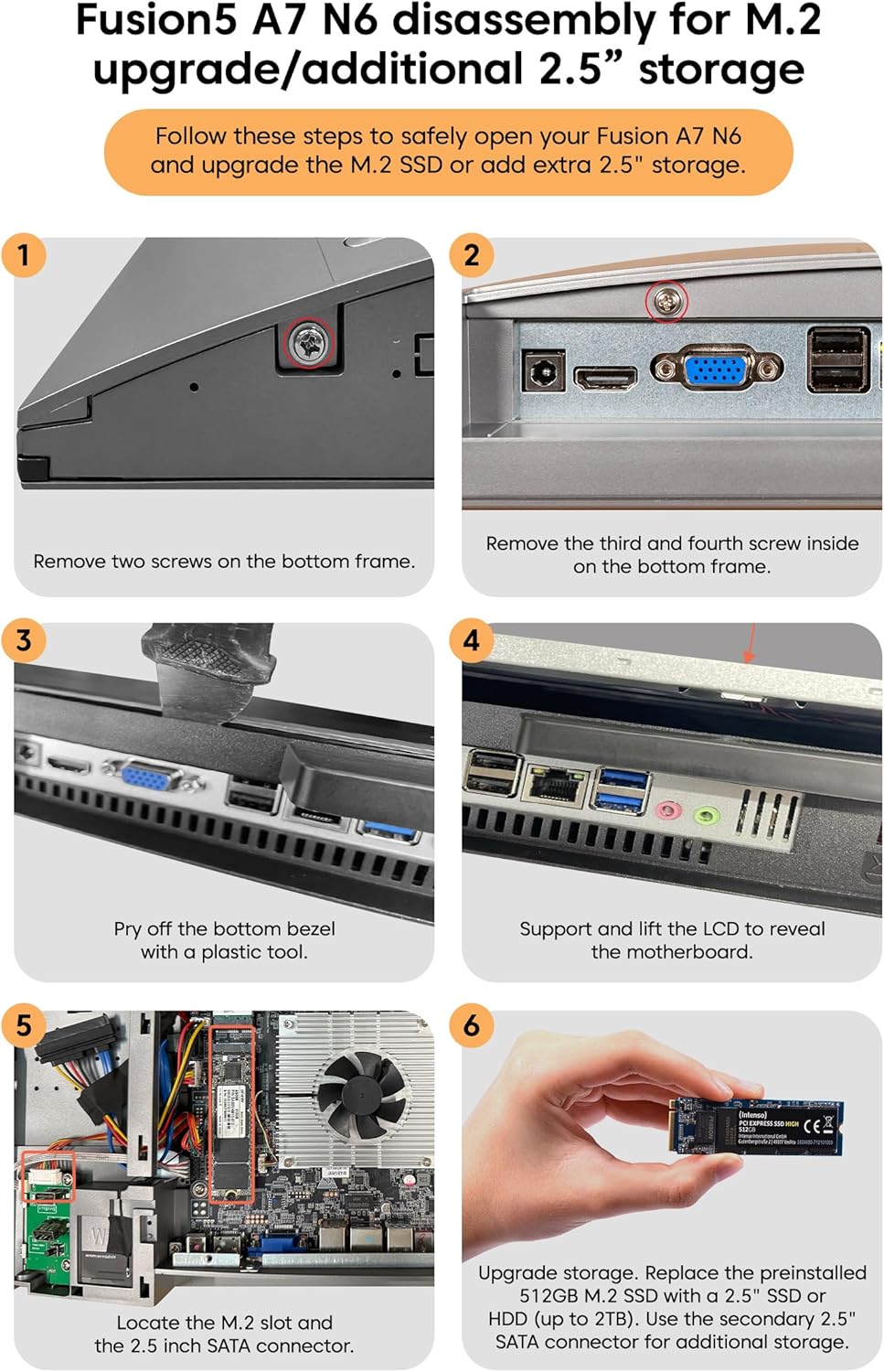
Image: Detailed visual instructions for disassembling the Fusion5 A7 N6 to upgrade the M.2 SSD or add a 2.5-inch storage drive.
- Искључите и искључите: Ensure the PC is completely powered off and disconnected from the power adapter and all peripherals.
- Уклоните завртње: Remove the two screws on the bottom frame of the PC.
- Remove Additional Screws: Remove the third and fourth screws located inside the bottom frame.
- Pry Off Bezel: Carefully pry off the bottom bezel using a plastic tool to avoid scratching the casing.
- Lift LCD: Gently support and lift the LCD panel to reveal the motherboard and internal components.
- Locate Slots: Identify the M.2 slot for SSD upgrades and the 2.5-inch SATA connector for additional storage.
- Install/Replace Storage:
- For M.2 SSD: Replace the preinstalled 512GB M.2 SSD with a new one if desired.
- For 2.5" Storage: Connect a 2.5-inch SSD or HDD (up to 2TB) to the SATA connector.
- Поновно састављање: Carefully reverse the steps to reassemble the PC, ensuring all connections are secure and screws are tightened.
Решавање проблема
| Проблем | Могући узрок | Решење |
|---|---|---|
| Рачунар се не укључује. | Power cable not connected; power adapter faulty; power outlet issue. | Ensure power cable is securely connected. Test power adapter with another device or try a different outlet. |
| Нема приказа на екрану. | PC is off; display settings issue; hardware fault. | Ensure PC is powered on. Try connecting an external monitor to check if the PC is functioning. Restart the PC. |
| Wireless keyboard/mouse not working. | Low batteries; USB receiver disconnected; driver issue. | Replace batteries. Ensure USB receiver is plugged into a working USB port. Reinstall drivers if necessary. |
| Нема интернет конекције (Wi-Fi). | Wi-Fi disabled; incorrect password; router issue. | Check Wi-Fi settings in Windows. Verify password. Restart your router. |
| Споре перформансе. | Too many applications running; low storage space; outdated drivers. | Затворите непотребне апликације. Ослободите простор на диску. Ажурирајте Windows и драјвере. |
Спецификације
| Феатуре | Детаљ |
|---|---|
| Бранд | Фусион5 |
| Број модела | A7 N6 16GB 512GB |
| Величина екрана | 23.8 инча |
| Резолуција екрана | 1920 к 1080 (Фулл ХД) |
| Процесор | Intel N150 (до 3.6 GHz) |
| РАМ | 16 ГБ ДДР4 СДРАМ |
| Складиштење | 512 GB SSD (SATA) |
| Графика | Интегрисана Интел УХД графика |
| Оперативни систем | Виндовс 11 Хоме |
| УСБ 3.0 портови | 2 |
| УСБ 2.0 портови | 4 |
| ХДМИ портови | 1 |
| Бежично повезивање | Wi-Fi (AC), Bluetooth 5.0 |
| Webцам | 3MP Pop-up Web Камера |
| Аудио | Built-in Microphones, Built-in Speakers |
| Сецурити Слот | Кенсингтон сигурносни утор |
| Димензије (пакет) | 61 к 46.5 к 20.5 цм |
| Тежина (пакет) | 4.2 кг |
Гаранција и подршка
Your Fusion5 A7 N6 All-in-One PC comes with a standard manufacturer's warranty. Please refer to the warranty card included with your product for specific terms and conditions.
For technical support, troubleshooting assistance, or warranty claims, please contact Fusion5 customer service through their official website or the contact information provided in your product documentation. When contacting support, please have your model number (A7 N6 16GB 512GB) and purchase details ready.