
1. Производ је готовview
The Philips 55MLED610/94 is a 55-inch 4K Ultra HD QLED Smart QD-Mini LED Google TV. It features advanced display technology, smart connectivity, and integrated audio solutions for an enhanced viewинг искуство.

Фронт view of the Philips 55MLED610/94 55-inch 4K QD-Mini LED Google TV.
Кључне карактеристике:
- Приказ: 4K QD-Mini LED Panel, Philips Halo Control Technology, Dolby Vision, Local Dimming, 120 Hz Motion Clarity HSR, HDR 10+, 178 Degree Wide Viewing Angle, MEMC, ALLM.
- Смарт ТВ: Google TV operating system, 2GB RAM, 32GB ROM, Quad Core Processor, Dual band WIFI 5, Hands-Free Voice Control, Screen Mirroring, Google Assistant compatibility.
- аудио: 36 Watts Output, Dolby Atmos, Dolby Audio.
- Повезивање: 3 HDMI Ports (including HDMI 2.1), 2 USB Ports, 1 LAN Port, 1 Antenna Input, 1 Satellite Input, 1 Digital Audio Out (Optical), 1 AV-IN, 1 Earphone port.
2. Подешавање и инсталација
2.1 Распакивање и садржај
Carefully unpack the television and ensure all components are present.
- 1N TV Unit
- 2N Stand Bases
- 1N Кратки водич за почетак
- 1Н гарантни лист
- 1Н даљински управљач
- 2N AAA Batteries (for remote)
- 1N кабл за напајање
- 4N Screws (for stand/mount)
- 1N AV Converting Cable

Illustration showing the TV unit and its included accessories for setup.
2.2 Инсталација на постоље или монтажа на зид
The television supports both table-top stand installation and wall mounting.
- Монтажа на сто: Attach the provided stand bases to the bottom of the TV unit using the included screws. Ensure the stand is stable on a flat surface.
- Zidni nosač: For wall mounting, use a compatible VESA wall mount (not included) and follow the instructions provided with the wall mount. Refer to the TV's back panel for mounting points.

Позади view of the television, highlighting the mounting points and various input/output ports.
2.3 Повезивање периферних уређаја
Connect your external devices such as set-top boxes, gaming consoles, and audio systems to the TV using the appropriate ports.
- ДВИ: Use HDMI ports for high-definition video and audio from devices like Blu-ray players or gaming consoles. HDMI 2.1 supports advanced features.
- УСБ: Повежите УСБ дискове за репродукцију медија или екстерно складиштење.
- ЛАН: За стабилну жичану интернет везу.
- Антена/Сателит: Connect your antenna or satellite dish for broadcast TV.
- Дигитални аудио излаз (оптички): За повезивање са екстерним звучним системима.
- AV-IN: За старије уређаје који користе композитни видео и стерео аудио.
- Слушалице: За приватно слушање.

Детаљно view of the television's input and output ports, including HDMI, USB, LAN, and audio connections.
3. Упутство за употребу
3.1 Почетно укључивање и подешавање Google TV-а
After connecting the power cord, press the power button on the remote control or TV. Follow the on-screen instructions to complete the initial setup, including language selection, network connection (Wi-Fi or LAN), and Google account sign-in.

The Google TV interface, showing various streaming applications and content recommendations.
3.2 Функције даљинског управљача
The provided remote control uses both IR and Bluetooth technology. Insert the two AAA batteries as indicated.

The remote control for the Philips 55MLED610/94 TV, featuring dedicated buttons for streaming services and Google Assistant.
- Дугме за напајање: Укључује или искључује ТВ.
- Навигациона табла: За навигацију и избор у менију.
- Дугме за Google асистент: Активира гласовну контролу за команде и претраге.
- Дугмад за јачину звука/канал: Подешава јачину звука и мења канале.
- Дугмад пречица за апликације: Direct access to popular streaming services like Netflix and Prime Video.
3.3 Smart TV Features and Applications
The Google TV platform provides access to a wide range of applications and services.
- Унапред инсталиране апликације: Access popular streaming services such as Prime Video, Netflix, Hotstar, Zee5, YouTube, Eros Now, Hungama, JioCinema, and SonyLiv.
- Гоогле помоћник: Use hands-free voice control to search for content, control smart home devices, and get information.
- Пресликавање екрана (Мирацаст): Преносите садржај са компатибилних мобилних уређаја на ТВ екран.
- Web Прегледач: Претражујте интернет директно на свом телевизору.
3.4 Подешавања екрана и звука
Подесите подешавања слике и звука да бисте оптимизовали viewинг и искуство слушања.
- Режими слике: Select from various picture modes (e.g., Standard, Vivid, Movie, Game) or customize settings like brightness, contrast, color, and sharpness.
- Долби Вижн и ХДР10+: The TV automatically detects and optimizes content for Dolby Vision and HDR10+ for enhanced dynamic range and color.
- Режими звука: Choose sound modes (e.g., Standard, Music, Movie) or adjust equalizer settings. Dolby Atmos provides immersive audio.
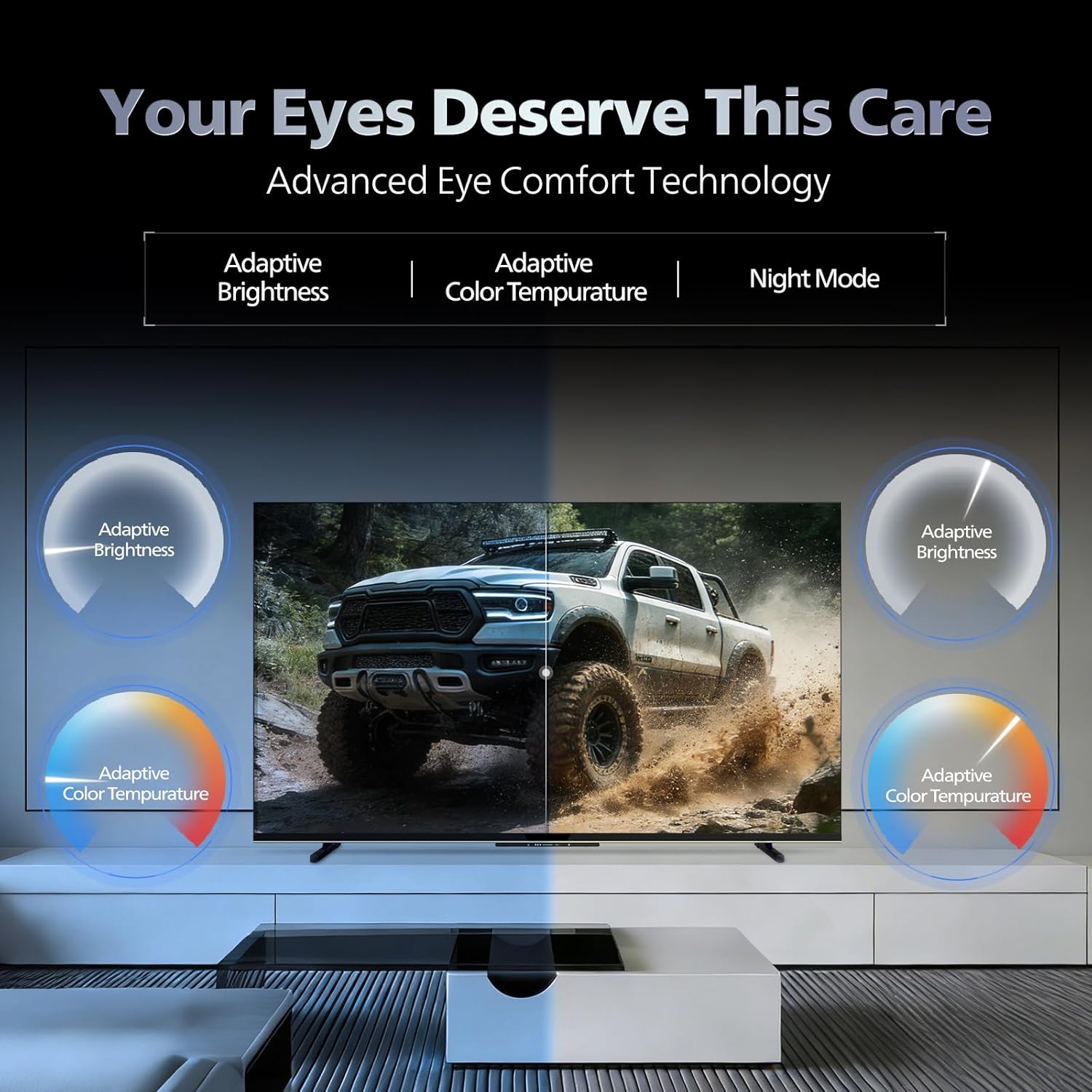
- Технологија удобности очију: Features like Adaptive Brightness, Adaptive Color Temperature, and Night Mode are available to reduce eye strain.

Visual representation of the TV's advanced eye comfort technology, including adaptive brightness and color temperature.

A visual demonstrating the immersive multi-dimensional audio experience provided by Dolby Atmos on the television.
4. Одржавање
4.1 Чишћење телевизора
To clean the screen and cabinet, first unplug the power cord. Use a soft, lint-free cloth. For stubborn marks, lightly dampОчистите крпу водом или благим, неабразивним средством за чишћење екрана. Никада не прскајте средство за чишћење директно на екран.
Важно: The television is није водоотпоран. Avoid exposing it to liquids.
4.2 Ажурирања софтвера
Ensure your TV's software is up to date for optimal performance and security. The TV will typically prompt you for available updates. You can also manually check for updates in the settings menu.
КСНУМКС. Решавање проблема
If you encounter issues with your television, try the following basic troubleshooting steps before contacting support.
- Нема напајања: Уверите се да је кабл за напајање безбедно прикључен и на телевизор и на исправну утичницу. Покушајте са другом утичницом.
- Нема слике/звука: Check all cable connections (HDMI, AV, Antenna). Ensure the correct input source is selected on the TV.
- Даљински не ради: Замените батерије у даљинском управљачу. Уверите се да нема препрека између даљинског управљача и инфрацрвеног сензора телевизора.
- Проблеми са интернет конекцијом: Restart your Wi-Fi router. Check the TV's network settings and ensure it's connected to the correct network. Try a wired LAN connection if possible.
- Проблеми са квалитетом слике: Подесите подешавања слике (осветљеност, контраст, оштрина). Уверите се да је извор садржаја високог квалитета.
The television displaying a fast-paced gaming scene, highlighting its 120Hz refresh rate and gaming optimization features.
6. Спецификације
| Феатуре | Детаљ |
|---|---|
| Број модела | 55MLED610/94 |
| Величина екрана | 55 инча (138 цм) |
| Дисплаи Тецхнологи | КД-Мини ЛЕД |
| Резолуција | 4К Ултра ХД (3840 к 2160) |
| Рефресх Рате | 120 Hz HSR |
| Подржан ХДР формат | HDR10+, Долби Вижн |
| Viewинг Англе | 178 степени |
| Излаз звука | 36 Ваттс |
| Аудио Енцодинг | Долби Атмос, Долби Аудио |
| Оперативни систем | Гоогле ТВ |
| РАМ | 2ГБ |
| РОМ | 32ГБ |
| Повезивање | Wi-Fi (Dual band WIFI 5), Bluetooth 5.1, 3 HDMI (1x HDMI 2.1 eARC), 2 USB, 1 LAN, 1 Antenna, 1 Satellite, 1 Digital Audio Out (Optical), 1 AV-IN, 1 Earphone |
| Димензије производа (Д x Ш x В) | 8 Д x 144.5 Ш x 84 В центиметара |
| Item Weight Without Stand | 9.4 килограма |
| Потрошња енергије | 130 Ваттс |
| Оцена енергије | 3 звездица |
| Годишња потрошња енергије | 182 кВх / год |
| Укључене компоненте | TV Unit, Stand Bases, Quick Start Guide, Warranty Card, Remote, Batteries, Power cord, Screws, AV Converting Cable |

Dimensional drawing of the Philips 55MLED610/94 TV, showing height, width, and depth measurements.
7. Гаранција и подршка
7.1 Информације о гаранцији
A 1-year warranty is provided by the manufacturer from the date of purchase. Warranty claims can be processed using your Amazon e-invoice.
The warranty covers manufacturing defects but does not cover spares.
7.2 Корисничка подршка
For assistance, contact the brand's toll-free number: 18004256396. Please provide the product's model name (55MLED610/94) and seller's details from your invoice. The service center will schedule a convenient service slot.
Произвођач: Radiant Appliances And Electronics Private Limited
Survey No. 111, 112, S-2 A 1, Ecity, Fabcity, Maheshwaram Mandal Raviryala Village, Ranga Reddy, Telangana- 501141
увозник: TPV Technology India Private Limited
Unit No. 307-308 3rd Floor, SEWA Corporate Park MG Road Gurugram Haryana 122002