
1. Увод
This manual provides detailed instructions for the assembly, operation, and maintenance of your Yaheetech L-Shaped Computer Desk. Please read all instructions carefully before beginning assembly and retain this manual for future reference. Ensure all components are present and undamaged before proceeding.
Безбедносне информације
- Држите мале делове даље од деце.
- Склопите на мекој, чистој површини како бисте спречили огреботине.
- Немојте превише затезати завртње током монтаже.
- Ensure the desk is placed on a level surface to prevent instability.
- Do not exceed the maximum weight capacity of the desk surfaces or shelves.
2. Садржај пакета
Before assembly, verify that all the following components are included in your package. If any parts are missing or damaged, please contact customer support.
- Desk Panels (Main desktop, monitor stand, side shelves, drawer panels)
- Компоненте металног оквира (ноге, носачи)
- Drawer Fabric Bins (4 units)
- Power Outlet Unit (with 2 AC outlets and 2 USB ports)
- Подесиви јастучићи за стопала
- Accessory Kit (Screws, bolts, Allen wrench, etc.)
- Упутство за монтажу
3. Упутства за подешавање и монтажу
Пажљиво пратите ове кораке да бисте саставили свој рачунарски сто у облику слова Л. Препоручује се да за склапање буду потребне две особе.
Монтажа корак по корак
- Распакујте и идентификујте делове: Lay out all components on a clean, soft surface. Refer to the parts list in your included assembly instructions to identify each piece.
- Assemble the Main Desk Frame: Attach the metal legs and support bars to the main desktop panel using the provided screws. Do not fully tighten screws until all parts are aligned.
- Install the Monitor Stand: Secure the monitor stand to the main desktop as indicated in the diagrams.
- Assemble the Drawer Unit: Construct the frame for the drawers. Insert the fabric drawer bins into their respective slots.
- Причврстите бочне полице: Assemble the side shelving unit and attach it to the main desk frame.
- Интегрисана утичница: Carefully place the power outlet unit into its designated slot on the desktop. Ensure the power cord is routed safely.
- Причврстите подесиве јастучиће за ноге: Screw the adjustable foot pads into the bottom of each leg.
- Завршно затезање: Када су све компоненте на свом месту и поравнате, потпуно затегните све завртње.
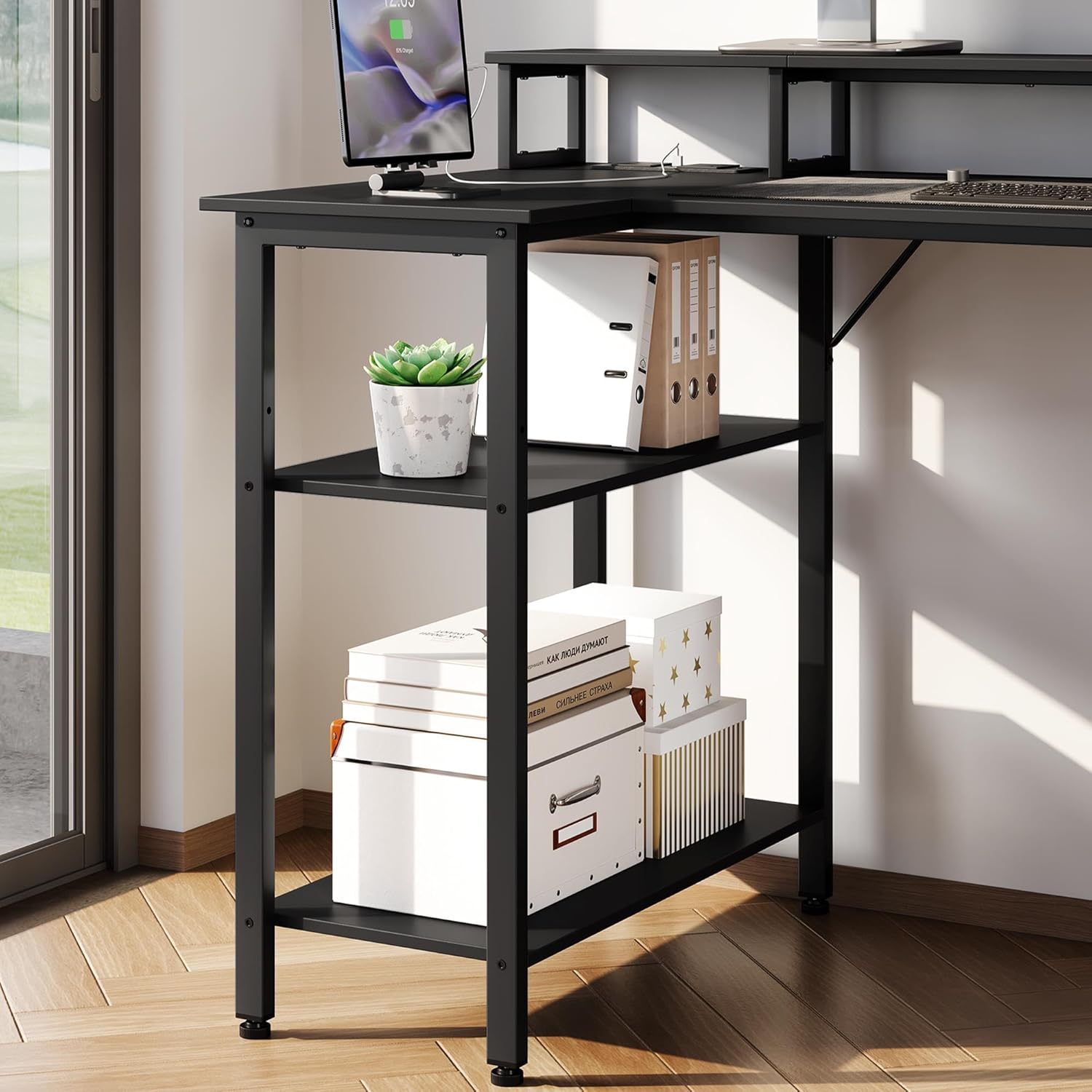
Figure 3.1: Desk dimensions and component overview за монтажу.
Реверзибилни дизајн
This desk features a reversible design, allowing you to configure the drawer unit and storage shelves on either the left or right side to suit your space and preference. Plan your desired orientation before beginning assembly of these specific sections.
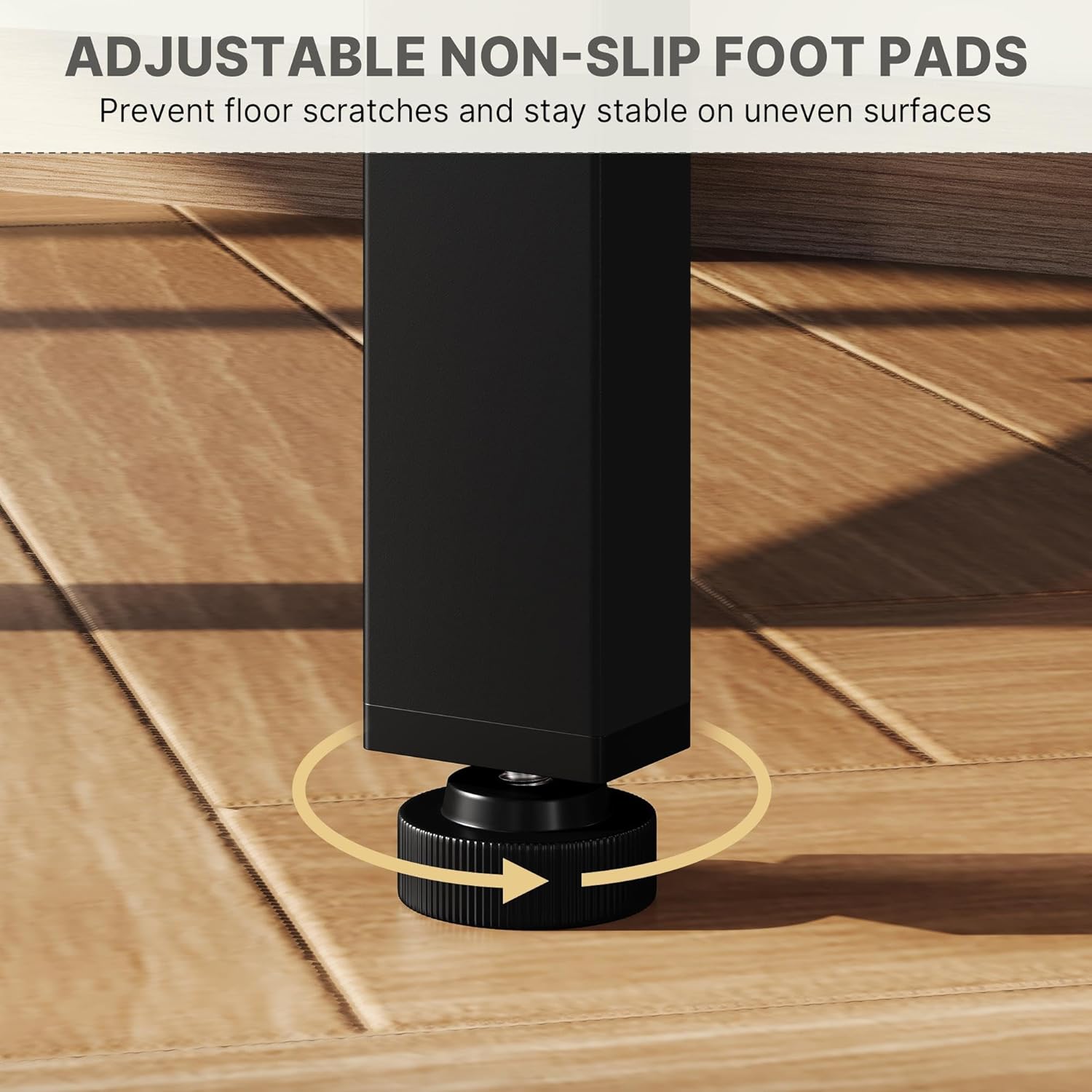
Figure 3.2: Reversible design options for the desk layout.
4. Упутство за употребу
Your Yaheetech L-Shaped Computer Desk is designed for versatile use in home offices, gaming rooms, or study areas.
Коришћење утичница
The integrated power strip includes two AC outlets (250V/13A) and two USB ports (5V/2A). Connect the desk's power cord to a wall outlet. You can then plug in monitors, laptops, phone chargers, and other electronic devices directly into the desk for convenient power access.

Figure 4.1: Integrated power outlets and USB ports.
Постоље за монитор
The raised monitor stand helps elevate your screen to an ergonomic eye level, reducing neck and eye strain. It also provides additional storage space underneath for keyboards, mice, or other accessories.

Figure 4.2: Ergonomic benefits of the monitor stand.
Решења за складиштење
The desk includes four spacious fabric drawers and open storage shelves. Use the drawers for organizing documents, stationery, or personal items. The open shelves are ideal for books, decorative items, or small electronic devices.

Figure 4.3: Four spacious fabric drawers.

Figure 4.4: Open storage shelves.
5. Одржавање
Proper care will ensure the longevity and appearance of your Yaheetech L-Shaped Computer Desk.
Чишћење
- Обришите површине меком, дamp крпу. Избегавајте абразивна средства за чишћење или јаке хемикалије.
- For spills, wipe immediately to prevent staining.
- Редовно бришите прашину сувом, меком крпом.
Stability and Leveling
The desk is equipped with adjustable non-slip foot pads. Periodically check the desk's stability and adjust the foot pads as needed to ensure it remains level on uneven surfaces and to prevent floor scratches.

Figure 5.1: Adjustable non-slip foot pads.
КСНУМКС. Решавање проблема
If you encounter any issues with your desk, refer to the following common problems and solutions.
Сто је климав
- решење: Check all screws and bolts to ensure they are securely tightened. Adjust the non-slip foot pads on each leg to level the desk on uneven floors.
Утичнице не раде
- решење: Ensure the desk's main power cord is securely plugged into a functional wall outlet. Check if the wall outlet itself is receiving power. Avoid overloading the outlets.
Drawers Do Not Slide Smoothly
- решење: Ensure the fabric drawers are correctly inserted and not overloaded. Check for any obstructions in the drawer slots.
За проблеме који нису овде обрађени, обратите се корисничкој подршци компаније Yaheetech.
7. Спецификације
| Феатуре | Детаљ |
|---|---|
| Бранд | Иахеетецх |
| Број модела | MMbdt0000101001 |
| Облик | Л-облик |
| Димензије производа (Д x Ш x В) | 70 цм к 140 цм к 87 цм |
| Боја | Црно |
| Врх Врста материјала | Енгинееред Воод |
| Материјал оквира | Гвожђе |
| Финисх Типе | Painted/Lacquered (Top), Powder Coated (Frame) |
| Посебна карактеристика | L-shaped Computer Desk with Charging Station |
| Број фиока | 4 |
| Опције складиштења | Monitor stand, storage shelves |
| Обавезна монтажа | Да |
| Укључене компоненте | 1 × Computer Desk, 1 × Assembly Instructions, 1 × Accessory Kit |
| Утичнице | 2 AC утичнице (250V/13A) |
| УСБ портови | 2 USB порта (5V/2A) |
| Тежина артикла | 24.66 кг |
8. Гаранција и подршка
За информације о гаранцији или техничку подршку, погледајте документацију која је приложена уз куповину или посетите званичну веб страницу Yaheetech-а. website. Please have your model number (MMbdt0000101001) and purchase details ready when contacting support.