
1. Увод
The Daitsu Velar ceiling fan combines design, technology, and sustainability to provide comfort throughout the year. Its natural FSC-certified wooden blades, sourced from responsibly managed forests, add warmth to any room while committing to the protection of the planet's forest resources.
This manual provides detailed instructions for the safe installation, operation, and maintenance of your Daitsu Velar ceiling fan. Please read it thoroughly before installation and keep it for future reference.
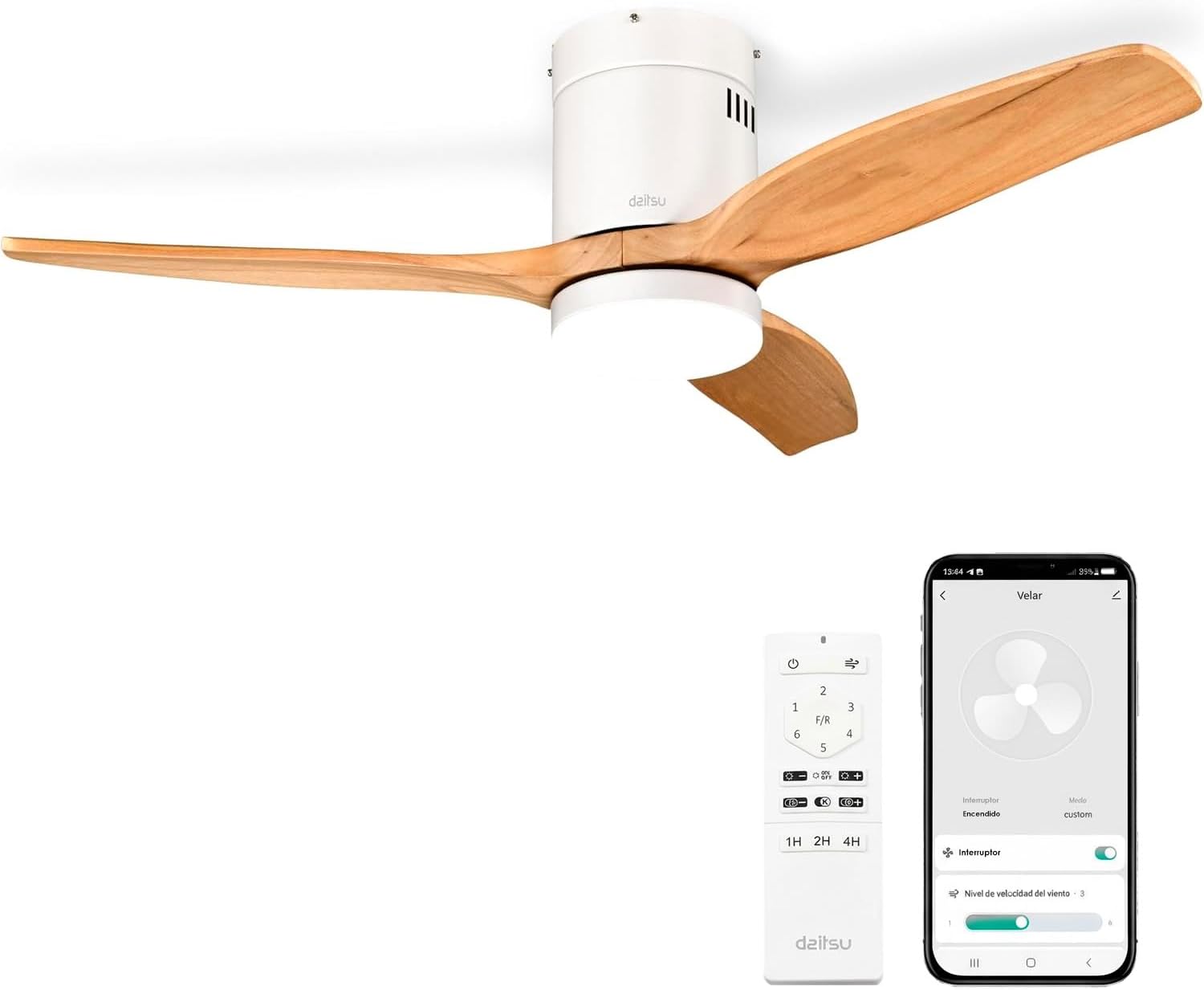
Image 1.1: Daitsu Velar Ceiling Fan in a living room setting.
2. Безбедносне информације
Важна безбедносна упутства:
- Пажљиво прочитајте сва упутства пре инсталације и употребе.
- Ensure the power supply is disconnected at the main circuit breaker before installation or maintenance.
- Инсталацију мора обавити квалификовани електричар у складу са локалним електричним прописима.
- Монтажна конструкција мора бити способна да издржи тежину вентилатора (приближно 4.6 кг).
- Ensure the fan blades are at least 2.3 meters (7.5 feet) from the floor and have at least 0.5 meters (1.6 feet) clearance from walls or other obstructions.
- Не убацујте предмете у путању ротирајућих сечива.
- Не покушавајте сами да поправљате или модификујете вентилатор. Обратите се квалификованом сервисеру.
- Овај уређај је само за унутрашњу употребу.
3. Садржај пакета
Пре почетка инсталације, проверите да ли су све компоненте присутне и да нису оштећене:
- Лопатице вентилатора (3x)
- Motor and Ceiling Mount Bracket
- LED Light Kit (plate + diffuser)
- Wireless Remote Control and Wall Mount Holder
- Mounting Screws (for ceiling and blades)
- Упутство за употребу (овај документ)

Слика 3.1: Примерampлеву страну паковања производа, са назначеним укљученим компонентама.
4. Подешавање и инсталација
Потребни алати: Screwdriver, wire strippers, electrical tape, ladder, drill (if necessary).
- Искључивање струје: Искључите напајање на главном прекидачу да бисте спречили струјни удар.
- Инсталација носача за монтажу: Securely attach the ceiling mount bracket to a ceiling joist or a suitable electrical junction box capable of supporting the fan's weight. Use the provided mounting screws.
- Ожичење: Connect the fan's electrical wires to the household wiring according to the wiring diagram in the full installation guide (not provided here, but typically included with the product). Ensure all connections are secure and insulated.
- Склоп мотора: Carefully lift the fan motor assembly and hang it onto the mounting bracket.
- Додатак за сечиво: Attach the three wooden blades to the motor housing using the provided screws. Ensure they are securely fastened.
- LED Light Kit Installation: Connect the LED light kit wiring and attach the light plate and diffuser to the bottom of the fan motor housing.
- Инсталација надстрешнице: Померите поклопац до плафона и причврстите га да покрије ожичење и носач за монтажу.
- Обнова напајања: Вратите напајање на главном прекидачу.
- Подешавање даљинског управљача: Insert batteries into the remote control. The fan should be ready for operation.
- Wi-Fi App Setup (Daitsu Connect):
- Download the "Daitsu Connect" app from your smartphone's app store.
- Follow the in-app instructions to pair your fan with your mobile device. This typically involves putting the fan into pairing mode (refer to the full app manual for specific steps).
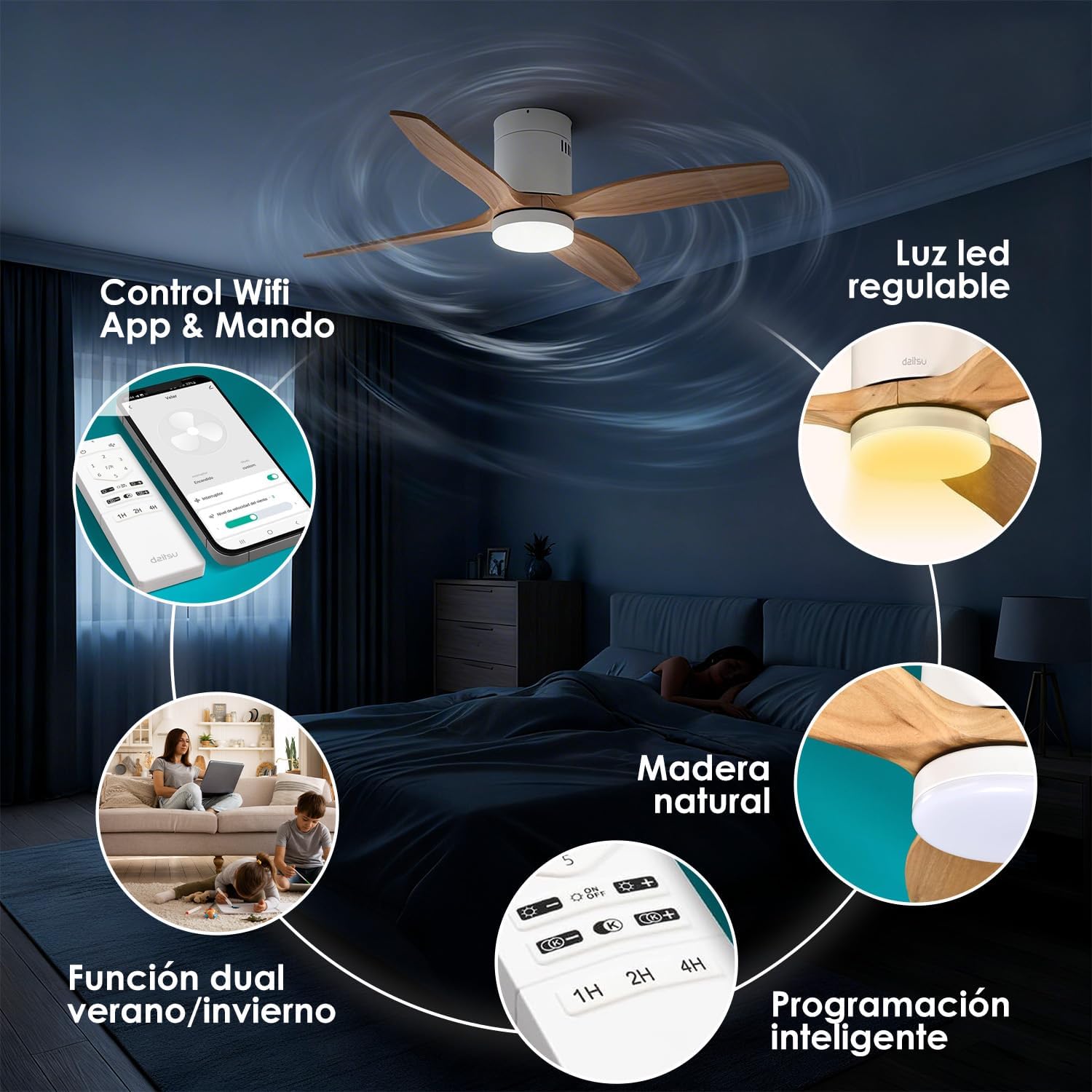
Слика 4.1: Готовоview of fan features, including Wi-Fi App & Remote Control.
5. Упутство за употребу
Your Daitsu Velar ceiling fan can be controlled using the included wireless remote control or the Daitsu Connect mobile application.
5.1. Функције даљинског управљача

Image 5.1: Remote control and Daitsu Connect App interface.
- Укључивање/искључивање: Притисните тастер Повер дугме за укључивање или искључивање вентилатора и светла.
- Брзина вентилатора: Use the speed buttons (1-6) to select one of the six available fan speeds. There is also a variable mode that alternates between low levels for a more natural air sensation.
- Summer/Winter Function (F/R): Притисните тастер Ф/Р button to switch between summer and winter modes.
- Летњи режим: Лопатице се окрећу у смеру супротном од казаљке на сату, гурајући ваздух надоле како би створиле хладан поветарац.
- Зимски режим: Blades rotate clockwise, drawing cool air up and pushing warm air down from the ceiling, optimizing heating efficiency.
- Контрола светла:
- Укључено/искључено светло: Притисните дугме за светло да бисте укључили или искључили ЛЕД светло.
- Подешавање осветљености: Користите + и - buttons to adjust the light intensity (9 levels).
- Подешавање температуре боје: Користите K+ и K- buttons to change the color temperature from cool to warm (9 levels).
- Функција тајмера: Set the fan to automatically turn off after 1, 2, or 4 hours using the respective timer buttons (1H, 2H, 4H).

Image 5.2: Summer/Winter function diagram for optimal air circulation.

Image 5.3: LED light adjustability with 9 intensity and color temperature levels.
5.2. Daitsu Connect App Control
The Daitsu Connect app provides full control over all fan functions, including speed, light, mode, and timer, directly from your mobile device. It also allows for personalized hourly programming to automate operation based on your daily or weekly routines.
- Пуна функционалност: Access all remote control features and more.
- Advanced Scheduling: Program specific on/off times and settings for different days.
- Функција меморије: The fan automatically remembers its last state (speed, light, color temperature, and mode) if power is interrupted or turned off from the switch. Upon power restoration, it will resume the last settings.

Image 5.4: Key features including 6 speeds, programming, light levels, and dual control.
6. Одржавање
Редовно одржавање обезбеђује оптималне перформансе и продужава век трајања вашег вентилатора.
- Чишћење:
- Увек искључите напајање пре чишћења.
- Wipe the fan housing and blades with a soft, damp тканина. Немојте користити абразивна средства за чишћење или раствараче.
- Dust the blades regularly to maintain balance and efficiency.
- Инспекција сечива: Периодично проверавајте да ли су сви завртњи сечива затегнути. Лабави завртњи могу изазвати климање и буку.
- Извор светлости: The integrated LED light is designed for long life. If it requires replacement, contact customer support.
КСНУМКС. Решавање проблема
Ако имате проблема са вентилатором, погледајте следеће уобичајене проблеме и решења:
| Проблем | Могући узрок | Решење |
|---|---|---|
| Вентилатор се не покреће. | Нема струје, лабаве каблове, празна батерија даљинског управљача. | Check circuit breaker. Ensure wiring is secure. Replace remote control batteries. |
| Вентилатор се љуља. | Лабави завртњи сечива, неуравнотежена сечива, неправилна монтажа. | Tighten all blade screws. Ensure blades are balanced (a balancing kit may be required). Recheck mounting bracket security. |
| Светло не ради. | Loose wiring, LED module failure. | Check light kit wiring connections. If issue persists, contact customer support for LED module replacement. |
| Даљински управљач не реагује. | Dead batteries, interference, remote not paired. | Replace batteries. Ensure no obstructions. Re-pair remote if necessary (refer to full manual). |
| Wi-Fi app connection issues. | Incorrect Wi-Fi password, poor signal, fan not in pairing mode. | Verify Wi-Fi password. Ensure fan is within Wi-Fi range. Follow app instructions to put fan in pairing mode. |
If the problem persists after attempting these solutions, please contact Daitsu customer support.
8. Спецификације
| Феатуре | Детаљ |
|---|---|
| Бранд | Даитсу |
| Број модела | ВЕЛАР |
| Величина | Ø122cm (suitable for rooms up to 25m²) |
| Димензије (Д к Ш к В) | 106.5 cm x 106.5 cm x 31.5 cm (Note: The Ø122cm refers to the blade span, while 106.5cm might be the housing dimensions or a different measurement.) |
| Тежина | 4.6 килограма |
| Боја | White with Wooden Blades |
| Број оштрица | 3 |
| Извор напајања | Цордед Елецтриц |
| Волtage | 240 Волтс |
| Потрошња енергије | 30 Ваттс |
| Капацитет протока ваздуха | 121 кубних метара у минути |
| Број брзина | 6 |
| Ниво буке | 34 Decibels (Ultra-silent DC motor) |
| Посебне карактеристике | Natural wooden blades, Remote control, App control (Wi-Fi), Dimmable LED light (18W, 9 intensity levels, 9 color temperatures), Summer/Winter function, Smart memory function, Programmable auto-off. |
| Препоручена употреба | Air circulation, Ventilation (Indoor use only) |

Image 8.1: Dimensions for the Ø122cm model.
9. Гаранција и подршка
гаранција: Овај производ долази са једногодишњом гаранцијом произвођача.
Корисничка подршка: For technical assistance, warranty claims, or any questions regarding your Daitsu Velar ceiling fan, please contact Daitsu customer service through their official webсајт или контакт информације које сте добили уз документацију о куповини.
Please have your model number (VELAR) and proof of purchase ready when contacting support.