
Увод
This manual provides detailed instructions for the safe and efficient use of your SWOFY M4 128GB MP3 Player. Please read this manual thoroughly before operating the device and retain it for future reference.
Безбедносне информације
- Не излажите уређај екстремним температурама, директној сунчевој светлости или високој влажности.
- Избегавајте испуштање или излагање уређаја јаким ударима.
- Не покушавајте сами да растављате или поправљате уређај. Обратите се квалификованом сервисеру.
- Користите само приложени USB Type-C кабл за пуњење.
- Држите уређај даље од воде и других течности.
Садржај пакета
Проверите да ли су све ставке присутне у вашем пакету:
- SWOFY M4 128GB MP3 Player
- УСБ Типе-Ц кабл
- Кориснички приручник (овај документ)
- Кабловске слушалице
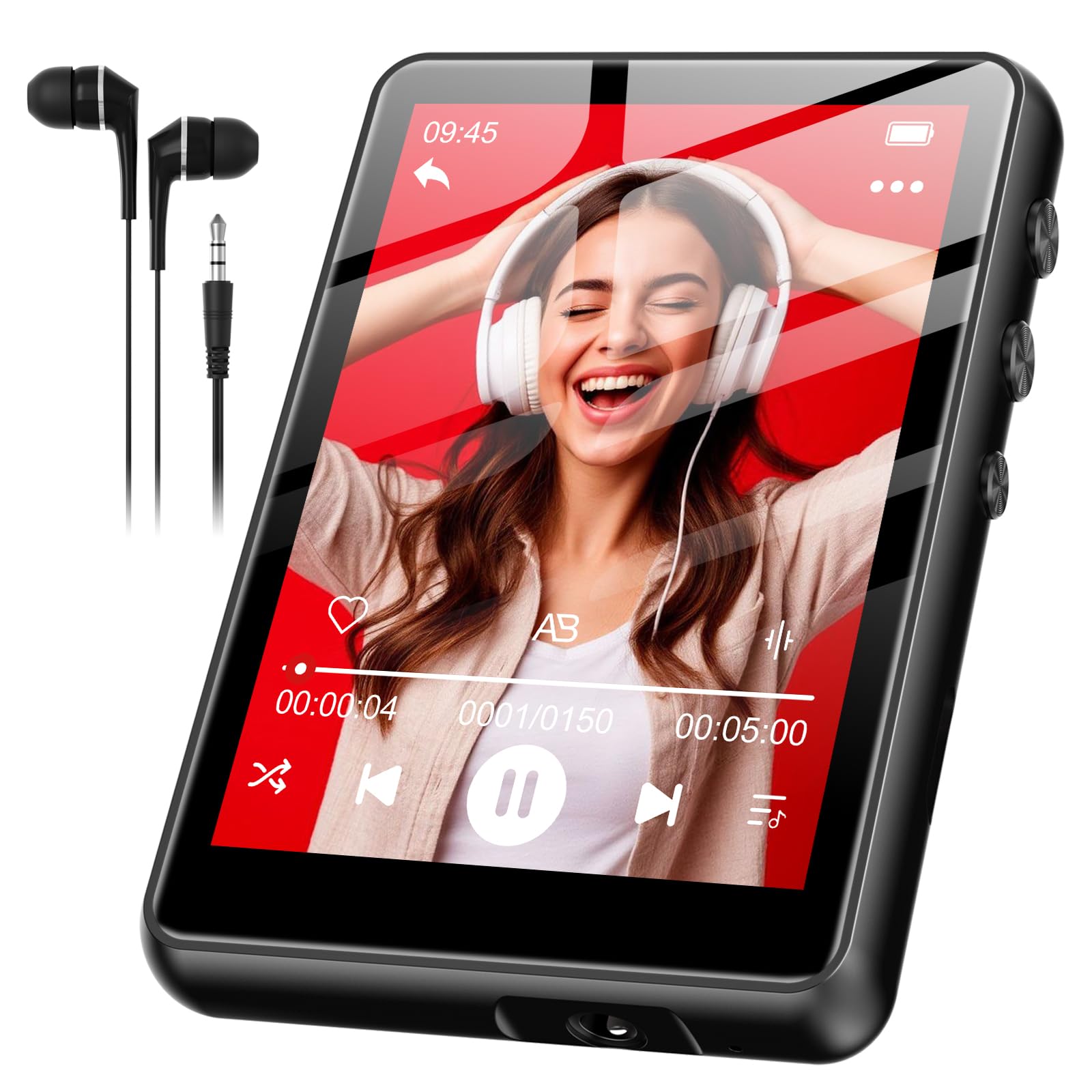
Image: SWOFY M4 MP3 Player with its USB Type-C cable, wired earphones, and user manual, laid out on a surface.
Производ је завршенview
The SWOFY M4 MP3 Player features a 2.4-inch screen and a compact design. It includes three physical buttons for basic control, in addition to its touch screen functionality.
Контроле и портови
- Дугме за напајање: Long press to turn on/off. Short press to lock/unlock screen.
- Дугмад за јачину звука (+/-): Подесите јачину звука.
- УСБ Типе-Ц порт: За пуњење и пренос података.
- 3.5 мм прикључак за слушалице: For wired earphones.
Note: Specific button locations may vary slightly. Refer to the device's physical layout.
Сетуп
- Пуњење уређаја:
Before first use, fully charge your MP3 player. Connect the provided USB Type-C cable to the device's charging port and the other end to a USB power adapter (not included) or a computer's USB port. The device fully charges in approximately 2 hours. The battery indicator on the screen will show charging status.
- Укључивање/искључивање:
To power on, press and hold the Power button until the screen illuminates. To power off, press and hold the Power button until a power-off option appears on the screen, then confirm.
- Подешавање језика:
Upon first power-on, or if the language is not set to English, navigate through the menus to find the "Settings" or "System Settings" option. Look for a "Language" setting. Select "English" from the available options. This is crucial for proper device operation and understanding menu options.
- Пренос музике Files:
Connect the MP3 player to your computer using the USB Type-C cable. The device should appear as a removable disk drive. Drag and drop your music files (e.g., MP3, WMA, FLAC) into the designated music folder on the player. Safely eject the device from your computer before disconnecting the cable.
Упутство за употребу
Основна навигација
The SWOFY M4 features a 2.4-inch touch screen for navigation. You can also use the physical buttons for certain functions:
- Екран на додир: Tap icons to select, swipe to scroll through lists or pages.
- Дугме за напајање: Short press to return to the previous menu or home screen (functionality may vary by context).
- Дугмад за јачину звука: Подесите јачину звука репродукције.
Пуштање музике
- From the main menu, tap the "Music" icon.
- Browse your music by Artist, Album, Songs, or Playlists.
- Tap on a song to begin playback.
- During playback, you can use the on-screen controls to pause/play, skip tracks, or adjust volume.
Блуетоотх упаривање
To connect your SWOFY M4 to Bluetooth headphones or speakers:
- Уверите се да је ваш Bluetooth аудио уређај у режиму упаривања.
- On the MP3 player, go to "Settings" and then "Bluetooth".
- Turn Bluetooth "On" and tap "Тражи Уређаји“.
- Select your device from the list to pair. Once paired, audio will stream wirelessly.
ФМ Радио
Да бисте користили функцију FM радио:
- Connect the wired earphones to the 3.5mm jack. The earphones act as an antenna.
- From the main menu, tap the "FM Radio" icon.
- Користите контроле на екрану да бисте скенирали станице или их ручно подесили.
- The device supports up to 7.5 hours of FM radio recording. Consult the on-screen menu for recording options.
Одржавање
- Чишћење: Use a soft, dry, lint-free cloth to clean the screen and body of the device. Do not use liquid cleaners or aerosols.
- Одржавање батерије: To prolong battery life, avoid fully discharging the battery frequently. Charge the device regularly, especially if it will be stored for an extended period. The 300mAh lithium polymer battery is designed for long-lasting performance.
- Складиштење: Store the MP3 player in a cool, dry place away from direct sunlight and extreme temperatures.
Решавање проблема
If you encounter issues with your SWOFY M4 MP3 Player, refer to the following common solutions:
| Проблем | Решење |
|---|---|
| Уређај се не укључује. | Уверите се да је батерија напуњена. Прикључите уређај на извор напајања и оставите га да се пуни најмање 15 минута пре него што га поново покушате укључити. |
| Screen menus are not in English. | Navigate to the "Settings" or "System Settings" menu (often represented by a gear icon). Locate the "Language" option (it may be represented by a globe icon or text in the current language). Select "English" from the list. |
| Cannot delete songs. | Ensure the device is not connected to a computer. Navigate to the music library, select the song(s) you wish to delete, and look for an "Options" or "Delete" function within the music playback or file management menu. If connected to a computer, delete files directly from the device's storage via the computer. |
| Екран осетљив на додир не реагује или је нетачан. | Restart the device. Ensure the screen is clean and dry. If the issue persists, perform a factory reset (see below). |
| Device is frozen or unresponsive. | Press and hold the Power button for approximately 10-15 seconds to force a restart. If this does not work, locate a small reset pinhole (if present) and use a paperclip to press it. |
| Блутут уређај се неће упарити. | Ensure both devices are in pairing mode and within range. Turn Bluetooth off and on again on both devices. Try pairing with another Bluetooth device to confirm the MP3 player's Bluetooth functionality. |
Фацтори Ресет
A factory reset will erase all data and settings on your device and restore it to its original factory state. Use this as a last resort for persistent issues.
- Go to "Settings" > "System Settings" (or similar).
- Look for "Reset" or "Factory Reset" option.
- Confirm the reset. The device will restart after the process is complete.
Спецификације
| Феатуре | Детаљ |
|---|---|
| Број модела | SF-M4US-128GB-NA2 |
| Бранд | СВОФИ |
| Капацитет меморије | 128 ГБ |
| Величина екрана | 2.4 инча |
| Тип батерије | Литијум полимер 300мАх |
| Време пуњења | Отприлике 2 сата |
| Wired Earphone Playback | До 50 сати |
| FM Radio Recording | До 7.5 сати |
| Повезивање | Блуетоотх, УСБ Типе-Ц |
| Укључене компоненте | MP3 Player, USB Type-C Cable, User Manual, Wired Earphones |
| Димензије парцеле | 14.81 к 14.6 к 1.9 цм |
| Тежина | 181 г |
Гаранција и подршка
SWOFY products are designed for reliability and performance. For warranty information or technical support, please refer to the contact details provided on the product packaging or visit the official SWOFY webсајт. Сачувајте рачун као доказ о куповини за потребе гаранције.
За додатну помоћ, можете се обратити и продавцу где је производ купљен.