
1. Увод
The DEPSTECH DS320 Dual Lens Borescope Camera is an advanced inspection tool designed for examining hard-to-reach areas. It features a 4.3-inch IPS screen for clear viewing, dual lenses for versatile inspection angles, IP67 waterproofing for use in wet environments, and a 16.5ft semi-rigid cable for flexible maneuverability. This manual provides essential information for the safe and effective operation and maintenance of your borescope.
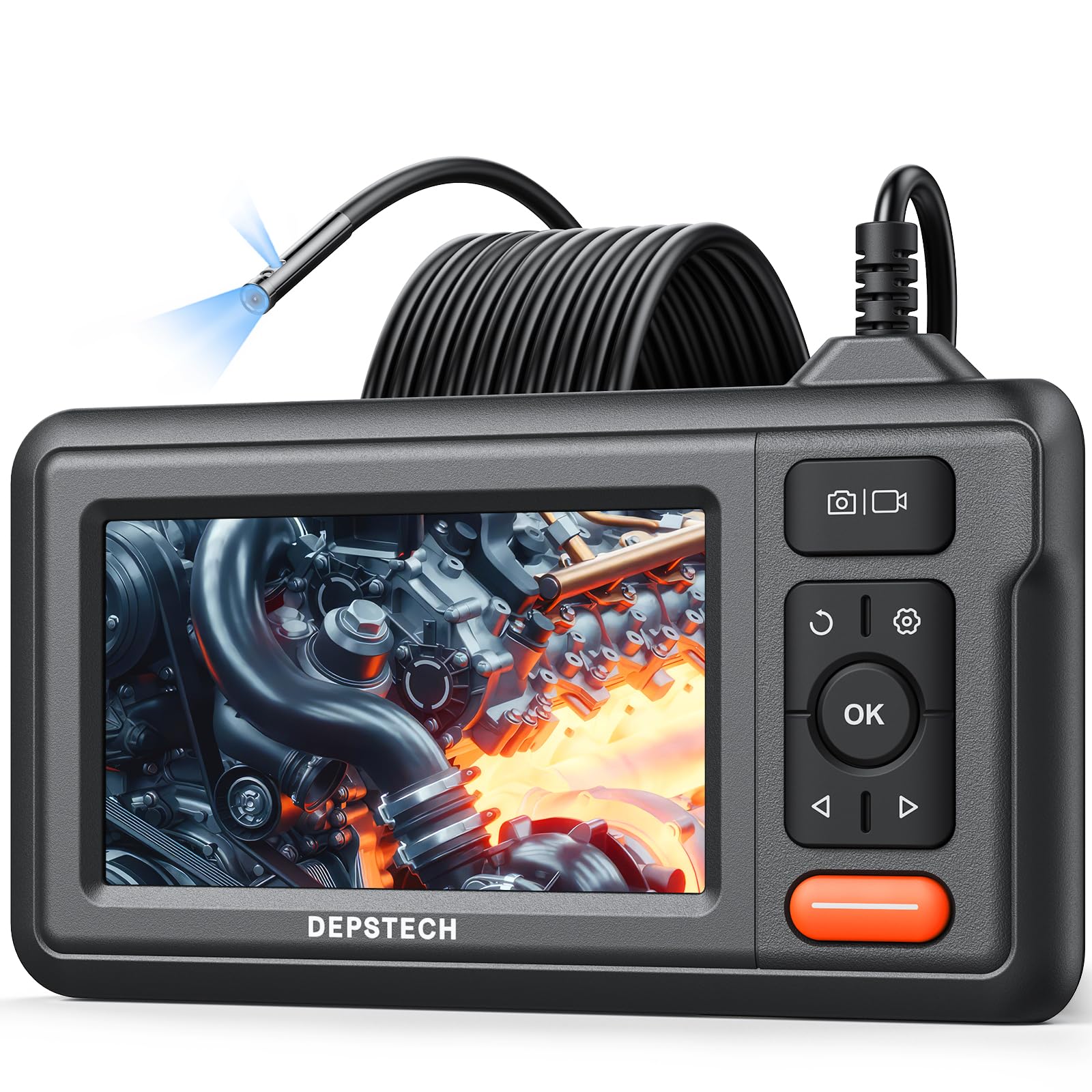
Figure 1: DEPSTECH DS320 Dual Lens Borescope Camera.
2. Безбедносне информације
Молимо вас да прочитате и разумете сва безбедносна упутства пре употребе овог производа. Непоштовање ових упутстава може довести до струјног удара, пожара или озбиљних повреда.
- Не користите уређај у експлозивним атмосферама, као што је присуство запаљивих течности, гасова или прашине.
- Држите уређај ван домашаја деце.
- Do not modify or disassemble the device. Repairs should only be performed by authorized personnel.
- Ensure the camera probe is clean and free from debris before and after use.
- Не излажите уређај екстремним температурама или директној сунчевој светлости током дужег периода.
- The camera probe is IP67 waterproof, but the main unit is not. Avoid immersing the main unit in water.
3. Садржај пакета
Проверите да ли су све ставке присутне у вашем пакету:
- DS320 Endoscope with 16.5ft Semi-Rigid Cable
- Accessory Kit (Hook and Magnet)
- Кабл за пуњење типа Ц
- Упутство за употребу

Figure 2: Package contents including the borescope, cable, and accessories.
4. Производ је готовview
The DEPSTECH DS320 is designed for ease of use and high performance in various inspection scenarios.
4.1. Карактеристике главне јединице
- 4.3-инчни IPS екран: Provides a clear, high-definition display with a 178° viewing angle for real-time inspection footage.
- Интуитивне контроле: Easy-to-use buttons for navigation, image capture, video recording, and light adjustment.
- Ергономски дизајн: Comfortable to hold for extended periods during inspections.
- Дуг век трајања батерије: Equipped with a battery providing approximately 3 hours of continuous operation.

Figure 3: The 4.3-inch IPS color display for clear viewинг.
4.2. Camera Probe Features
- Систем двоструких сочива: Features a front-facing camera and a side-facing camera, allowing for comprehensive inspection without repositioning the probe.
- Блуарт 3.0 технологија: Enhances image clarity, processing speed, and low-light performance for sharp and vivid images.
- ИП67 водоотпоран: The camera probe is resistant to water and dust, making it suitable for wet and dirty environments.
- Подесива ЛЕД светла: Seven adjustable LED lights provide optimal illumination in dark areas.
- 16.5ft Semi-Rigid Cable: Offers flexibility to navigate tight spaces while maintaining its shape for precise positioning.

Figure 4: The dual lens system with front and side cameras.

Слика 5: Прample of 180° image rotation for easier viewинг.
5. Подешавање
5.1. Пуњење уређаја
Before first use, fully charge the borescope. Connect the provided Type-C charging cable to the device's charging port and a suitable USB power adapter (not included). The charging indicator will show the charging status.
5.2. Attaching the Probe
The semi-rigid cable is pre-attached to the main unit. Ensure the connection is secure before use.
5.3. Укључивање/искључивање
Press and hold the power button (usually marked with a power symbol) for a few seconds to turn the device on or off. The screen will illuminate upon successful power-on.
6. Упутство за употребу
6.1. Основна операција
Once powered on, the live feed from the camera will appear on the IPS screen. Use the navigation buttons (up/down/left/right) and the OK button to interact with the menu and settings.

Figure 6: The borescope ready for immediate use.
6.2. Using Dual Lenses
The DS320 features both a front camera and a side camera. Use the dedicated button (often labeled with a camera icon or 'M' for mode) to switch between the front view, страна view, or a split-screen display if available. This allows for comprehensive inspection of an area without needing to rotate the probe.
6.3. Подешавање осветљености ЛЕД диоде
The camera probe is equipped with adjustable LED lights. Use the brightness adjustment buttons (often marked with '+' and '-' or arrow icons) on the main unit to increase or decrease the illumination level. This helps in achieving optimal visibility in varying light conditions.

Figure 7: IP67 waterproof camera head with adjustable LED lights.
6.4. Снимање фотографија и видео записа
To capture an image, press the photo button (usually a camera icon). To record video, press the video button (usually a video camera icon). Ensure a compatible memory card (not included) is inserted for saving media. The device supports recording in 720p resolution.

Figure 8: Screen interface for capturing photos and recording videos.
6.5. Коришћење прибора
The accessory kit includes a hook and a magnet. These can be attached to the camera probe to retrieve small objects or to maneuver the probe in difficult areas. Carefully attach them to the camera head as instructed in the accessory guide.

Figure 9: Included hook and magnet accessories.
6.6. Видео производа прекоview
For a visual guide on the product's features and usage, please watch the official product video below.
Video 1: Official DEPSTECH Borescope Product Video, demonstrating key features and applications.
7. Одржавање
7.1. Чишћење
After each use, especially in dirty or wet environments, clean the camera probe with a soft, damp cloth. For stubborn dirt, a mild detergent can be used. Ensure the probe is completely dry before storage. Do not use abrasive cleaners or solvents. The main unit should be wiped with a dry cloth.
7.2. Складиштење
Store the borescope in a cool, dry place, away from direct sunlight and extreme temperatures. Use the original packaging or a protective case to prevent damage to the screen and probe cable.
7.3. Брига о батерији
To prolong battery life, avoid fully discharging the battery frequently. If storing the device for an extended period, charge it to approximately 50-70% every few months.
КСНУМКС. Решавање проблема
| Проблем | Могући узрок | Решење |
|---|---|---|
| Уређај се не укључује. | Ниска батерија. | Пуните уређај помоћу приложеног Type-C кабла. |
| Нема слике на екрану. | Кабл камере није правилно повезан или је оштећен. | Ensure the camera cable is securely connected. If still no image, contact support. |
| Слика је мутна или нејасна. | Lens is dirty; insufficient lighting. | Clean the camera lens. Adjust the LED brightness using the controls on the main unit. |
| Не могу да сачувам фотографије/видео записе. | No memory card inserted; memory card full or corrupted. | Insert a compatible memory card. Check if the card has sufficient space or try formatting it (this will erase all data). |
9. Спецификације
| Феатуре | Детаљ |
|---|---|
| Број модела | DS320DL-5MM |
| Дисплаи | 4.3-инчни ИПС екран |
| Цамера Типе | Двоструко сочиво (предње и бочно) |
| Водоотпорна оцена | IP67 (само сонда) |
| Цабле Ленгтх | 16.5 feet (Semi-Rigid) |
| Осветљење | 7 podesivih LED svetla |
| Квалитет слике | HD (720p for video recording) with Bluart 3.0 Technology |
| Батерија | 1 A battery required (included), approx. 3 hours operating time |
| Тежина артикла | 1.46 фунти |
| Димензије пакета | 8.31 к 6.5 к 3.07 инча |
10. Гаранција и подршка
This DEPSTECH product comes with a standard manufacturer's warranty. For detailed warranty information, product support, or technical assistance, please refer to the warranty card included in your package or visit the official DEPSTECH website. You may also contact DEPSTECH customer service directly for assistance.
DEPSTECH Authorized Store: Посетите продавницу