
1. Увод
The ACMER T1 is a compact and versatile 2.5W diode laser engraver and cutter designed for precision work. Its portable design and user-friendly interface make it suitable for various applications, from educational projects to small business creations. This manual provides essential information for the safe and effective operation of your ACMER T1 device.

Image 1.1: The ACMER T1 Laser Engraver highlighting its compact design, ease of use, safety features, 2.5W laser power (6000mW is a common marketing term for 2.5W optical power), multi-material capability, dual device control, and maximum engraving speed.
Key features include a 0.04 x 0.04 mm laser spot size, 0.01 mm repeatability, and a maximum engraving speed of 10,000 mm/min. It supports a wide range of materials such as wood, acrylic, leather, ceramic, and glass.
2. Безбедносне информације
The ACMER T1 is a Class 4 laser product. Class 4 lasers are high-power lasers that can cause severe eye and skin injuries from direct or scattered beam exposure. Always exercise extreme caution when operating this device.
2.1 Опште мере предострожности
- Заштита очију: Always wear certified laser safety goggles that block the 455 ± 5 nm wavelength when the laser is in operation. Never look directly into the laser beam.
- Заштита коже: Avoid direct exposure of skin to the laser beam.
- Опасност од пожара: Laser engraving and cutting can generate heat and sparks, potentially igniting flammable materials. Always supervise the machine during operation and have a fire extinguisher nearby. Ensure adequate ventilation.
- Радна област: Operate the laser in a well-ventilated area, away from flammable liquids, gases, or materials. Keep the work area clean and free of clutter.
- Деца и кућни љубимци: Keep children and pets away from the laser engraver during operation.
- Напајање: Use only the provided power adapter. Ensure the power supply is stable and correctly grounded.
- Хитно заустављање: Familiarize yourself with the location of the emergency stop button and how to use it.
2.2 Laser Safety Certification
The ACMER T1 is certified according to Laser Safety Class 4 and complies with IEC 60825-1 standards, ensuring a level of safety when operated correctly and with appropriate precautions.
Image 2.1: Certificates of conformity for the ACMER T1, demonstrating adherence to international safety standards.
3. Компоненте производа
The ACMER T1 package typically includes:
- ACMER T1 Laser Engraver Unit
- Повер Адаптер
- УСБ кабл
- Ласерске заштитне наочаре
- Sample Materials for Testing
- Кориснички приручник (овај документ)
4. Подешавање
Follow these steps to set up your ACMER T1 laser engraver.
4.1 Физичко подешавање
- Raspakujte: Пажљиво уклоните све компоненте из паковања.
- Пласман: Place the engraver on a stable, level, and heat-resistant surface in a well-ventilated area. Ensure there is sufficient space around the machine for safe operation and material handling.
- Прикључите напајање: Connect the power adapter to the engraver and then to a suitable power outlet. Do not power on yet.
- Повежите се са рачунаром: Connect the engraver to your computer using the provided USB cable.
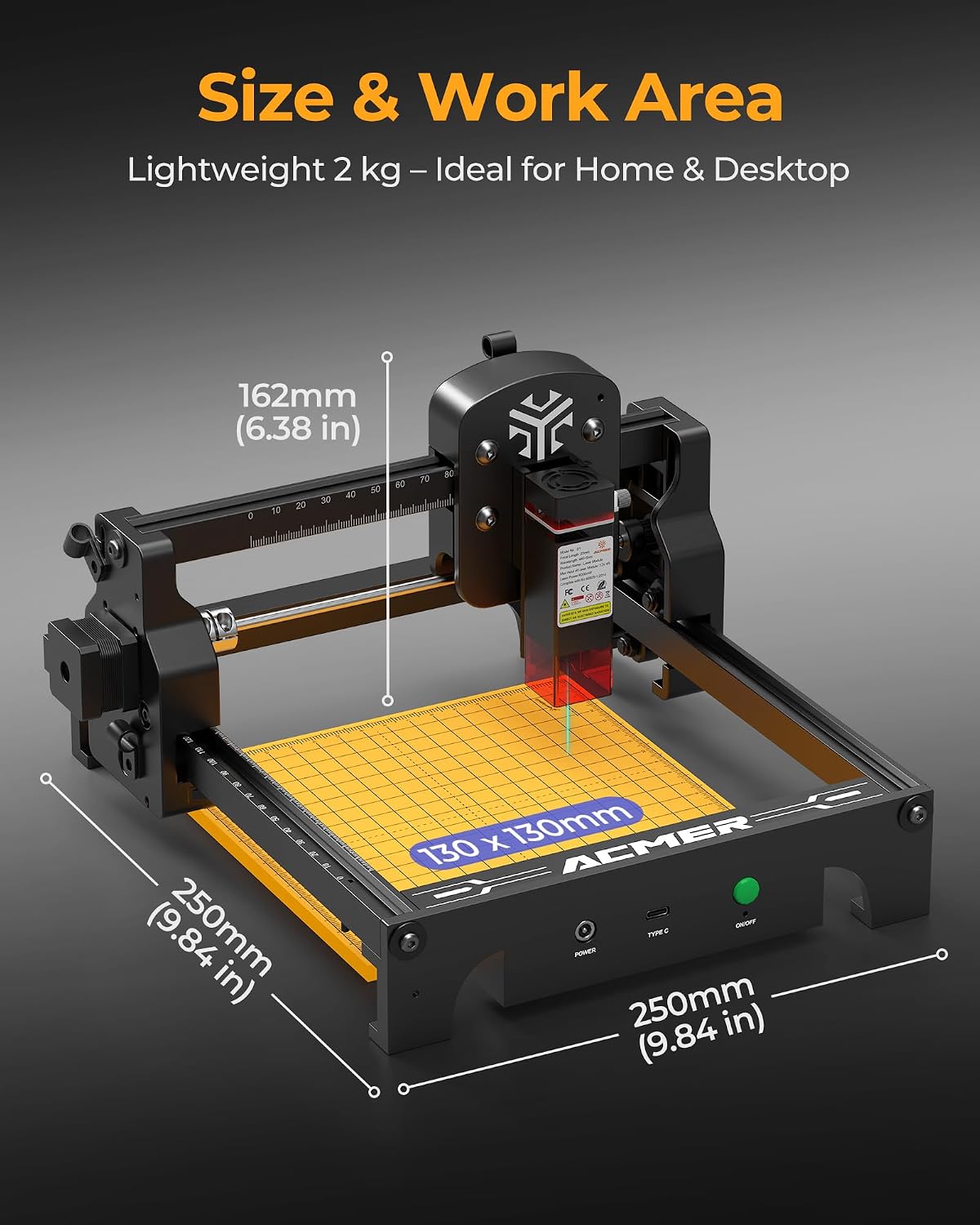
Image 4.1: Physical dimensions and work area of the ACMER T1 laser engraver. The device is lightweight at 2 kg, with a work area of 130 x 130 mm.
4.2 Software Installation and Compatibility
The ACMER T1 is compatible with popular laser control software:
- ЛигхтБурн: A powerful, paid software for laser control, design, and editing.
- ЛасерГРБЛ: A free, open-source software for Windows users, primarily for engraving.
- ACMER APP: A dedicated application for control.
The engraver supports various file formats including NC, DXF, BMP, JPG, and PNG. It is compatible with macOS, Windows, and Linux operating systems.
- Преузмите софтвер: Visit the official ACMER website or the respective software websites (LightBurn, LaserGRBL) to download the latest version.
- Инсталирајте драјвере: Follow the software installation instructions, which typically include driver installation for the laser engraver.
- Почетна веза: Launch the software and establish a connection with the ACMER T1. Refer to the software's documentation for detailed connection procedures.
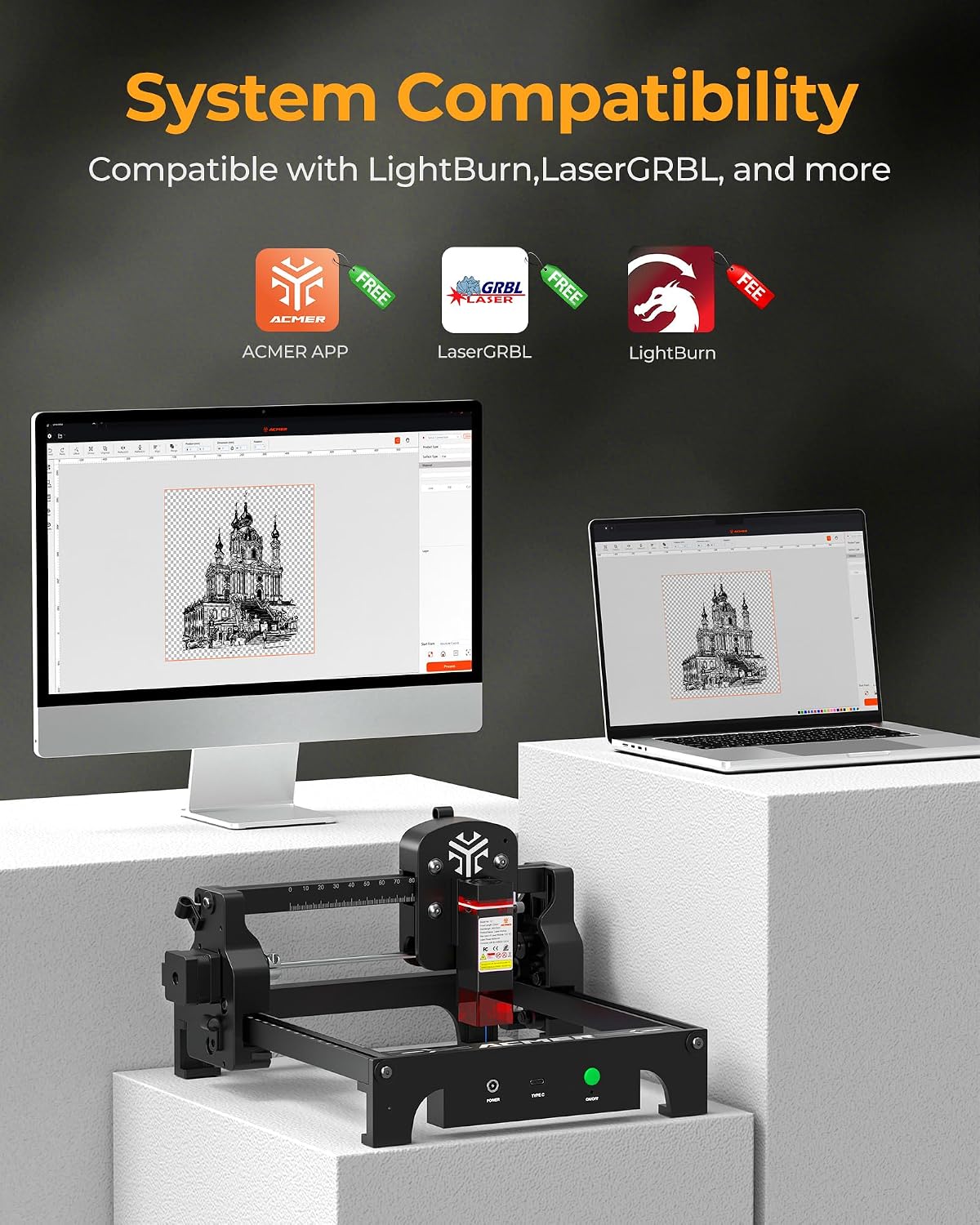
Image 4.2: System compatibility of the ACMER T1, showing support for ACMER APP, LaserGRBL, and LightBurn across various operating systems.
5. Упутство за употребу
This section outlines the basic steps for operating your ACMER T1 laser engraver.
5.1 Припрема за гравирање/сечење
- Постављање материјала: Place the material to be engraved or cut securely on the work area. Ensure it is flat and stable.
- Подешавање фокуса: Adjust the laser focus according to the material thickness. Most software provides tools for this.
- Заштитне наочаре: Always wear your laser safety goggles before starting any operation.
5.2 Рад софтвера
- Дизајн оптерећења: Open your chosen laser software (e.g., LightBurn, LaserGRBL) and load your design file.
- Подесите подешавања: Configure laser power, speed, and passes based on the material type and desired effect. Refer to material settings guides for recommendations. The ACMER T1 offers a maximum engraving speed of 10,000 mm/min.
- Frame/Preview: Use the framing function in your software to preview the laser path on the material without firing the high-power laser. This helps ensure correct positioning.
- Почетак операције: Once all settings are confirmed and safety precautions are in place, initiate the engraving or cutting process from the software.

Image 5.1: High-performance cutting capabilities of the ACMER T1, illustrating the fine laser spot size and examples of material cutting thicknesses.
5.3 Material Compatibility and Results
The ACMER T1 can engrave and cut a variety of materials:
- Гравирање: Wood, bamboo, paper, plastic, leather, PCB, aluminum oxide, non-reflective coated/painted metals, ceramic, glass.
- Сечење: Thin wood, acrylic, leather, cardboard. (Specific thicknesses depend on material density and laser settings).

Слика 5.2: Примерample of superior engraving output achieved with the ACMER T1, demonstrating micron-level precision.

Image 5.3: Showcase of creative works possible with the ACMER T1, including engraved glass, leather, and metal items.
6. Одржавање
Regular maintenance ensures optimal performance and longevity of your ACMER T1.
- Чишћење сочива: Periodically clean the laser lens with a soft, lint-free cloth and lens cleaning solution. A dirty lens can reduce laser power and engraving quality.
- Чишћење радног простора: Remove debris and dust from the work area after each use to prevent interference with laser movement and to reduce fire risk.
- подмазивање: Check the guide rails and moving parts for smooth operation. Apply a small amount of appropriate lubricant if necessary, following manufacturer recommendations.
- Ажурирања фирмвера: Check the ACMER official website for any available firmware updates for your device.
КСНУМКС. Решавање проблема
This section addresses common issues you might encounter with your ACMER T1.
7.1 Уобичајена питања и решења
| Иссуе | Могући узрок | Решење |
|---|---|---|
| Ласер не пуца | Power not connected; Emergency stop engaged; Software not connected; Laser module fault. | Check power cable; Release emergency stop; Ensure software connection; Contact support if module is faulty. |
| Лош квалитет гравирања | Incorrect focus; Wrong power/speed settings; Dirty lens; Material not flat. | Adjust laser focus; Optimize power/speed settings for material; Clean laser lens; Ensure material is flat. |
| Машина се не помера | USB connection issue; Software error; Motor cable disconnected. | Check USB cable and port; Restart software/computer; Verify motor cable connections. |
| Software not detecting device | Drivers not installed; Incorrect port selected; USB cable fault. | Install necessary drivers; Select correct COM port in software; Try a different USB cable or port. |
If you encounter an issue not listed here or cannot resolve a problem, please contact ACMER customer support.
8. Спецификације
Detailed technical specifications for the ACMER T1 Laser Engraver.
| Феатуре | Детаљ |
|---|---|
| Број модела | T1 (gravur laser_T1) |
| Ласер Повер | 2.5W (Diode Laser) |
| Ласер Вавеленгтх | 455 ± 5 нм |
| Спот Сизе | 0.04 × 0.04 мм |
| Прецизност гравирања | 0.01 мм |
| Поновљивост Прецизност | 0.01 мм |
| Ворк Ареа | 130 × 130 мм |
| Max Engraving Speed | 10,000 мм/мин |
| Димензије производа (Д к Ш к В) | 250 × 250 × 162 mm (9.84 x 9.84 x 6.38 inches) |
| Тежина производа | 1.83 kg (Approx. 2 kg packaged) |
| Материјал | Алуминијум, Пластика |
| Боја | Црно |
| Тотал Повер | 24 В |
| Повер Суппли | ДЦ КСНУМКСВ, КСНУМКСА |
| Класа безбедности ласера | Class 4 (IEC 60825-1 compliant) |
| Подржани софтвер | LightBurn, LaserGRBL, ACMER APP |
| Подржани ОС | мацОС, Виндовс, Линук |
| Подржано File Форматс | NC, DXF, BMP, JPG, PNG |
9. Гаранција
The ACMER T1 Laser Engraver comes with a 2-year availability of spare parts, ensuring long-term support for your device. For specific warranty terms and conditions, please refer to the purchase documentation or contact ACMER customer support.
10. Подршка
For technical assistance, troubleshooting, or any inquiries regarding your ACMER T1, please utilize the following support resources:
- Подршка на мрежи: ACMER provides 24/7 online support. Visit the official ACMER website for contact options, including live chat, email, or support tickets.
- Форуми заједнице: Engage with other ACMER users and experts on official or community forums for tips, tricks, and solutions.
- Документација: Refer to the latest user manuals, FAQs, and software guides available on the ACMER webсајту.
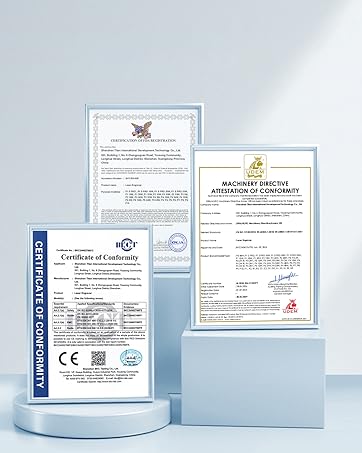
Image 10.1: ACMER offers 24/7 online support for customer assistance.