
Увод
Thank you for choosing the MEETION C9990 Wireless Bluetooth Keyboard and Mouse combo. This product offers versatile connectivity options (2.4GHz USB and dual Bluetooth channels), an ergonomic design for comfort, and rechargeable batteries for extended use. This manual will guide you through the setup, operation, and maintenance of your new device.
Садржај пакета
- MEETION C9990 Wireless Keyboard
- MEETION Wireless Mouse
- USB пријемник (смештен у одељку за батерије миша)
- УСБ-Ц кабл за пуњење
- Упутство за употребу
Производ је завршенview
Карактеристике тастатуре
- Изглед у пуној величини: Includes a numeric pad for comprehensive data entry.
- Low-Noise Scissor-Switch Keys: Пружа тихо и удобно искуство куцања.
- Мултимедијални тастери: Dedicated function keys for quick access to media controls and system functions.
- Fixed Anti-Slip Stand: Ensures stability and an ergonomic typing angle.
- Ултра-танак дизајн: Естетски лепоasing and space-efficient.

Image: Close-up of the keyboard keys, illustrating the low-noise scissor-switch design for quiet and comfortable typing.

Image: The keyboard features a fixed-angle anti-slip stand for enhanced stability and typing comfort.
Карактеристике миша
- Ergonomic Sculpted Design: Contoured shape supports natural wrist and hand posture.
- Подесиви ДПИ: Four DPI settings (800-2400) for precise cursor control.
- Tilt-Scroll Wheel: Allows for horizontal and vertical scrolling.
- Прекидач режима: Easily switch between 2.4GHz and Bluetooth modes.

Image: The mouse features an ergonomic sculpted design to provide comfort during extended use.

Image: Detailed diagram of the mouse highlighting its various components and functions, including buttons, scroll wheel, and switches.
Упутства за подешавање
1. Пуњење уређаја
Both the keyboard and mouse are equipped with built-in rechargeable batteries. Before first use, or when the battery indicator shows low power, charge both devices using the provided USB-C cable.
- Connect the USB-C end of the charging cable to the charging port on the keyboard and mouse.
- Connect the USB-A end of the charging cable to a USB power source (e.g., computer USB port, USB wall adapter).
- Индикаторска лампица пуњења ће светлети током пуњења и искључити се када се потпуно напуни.
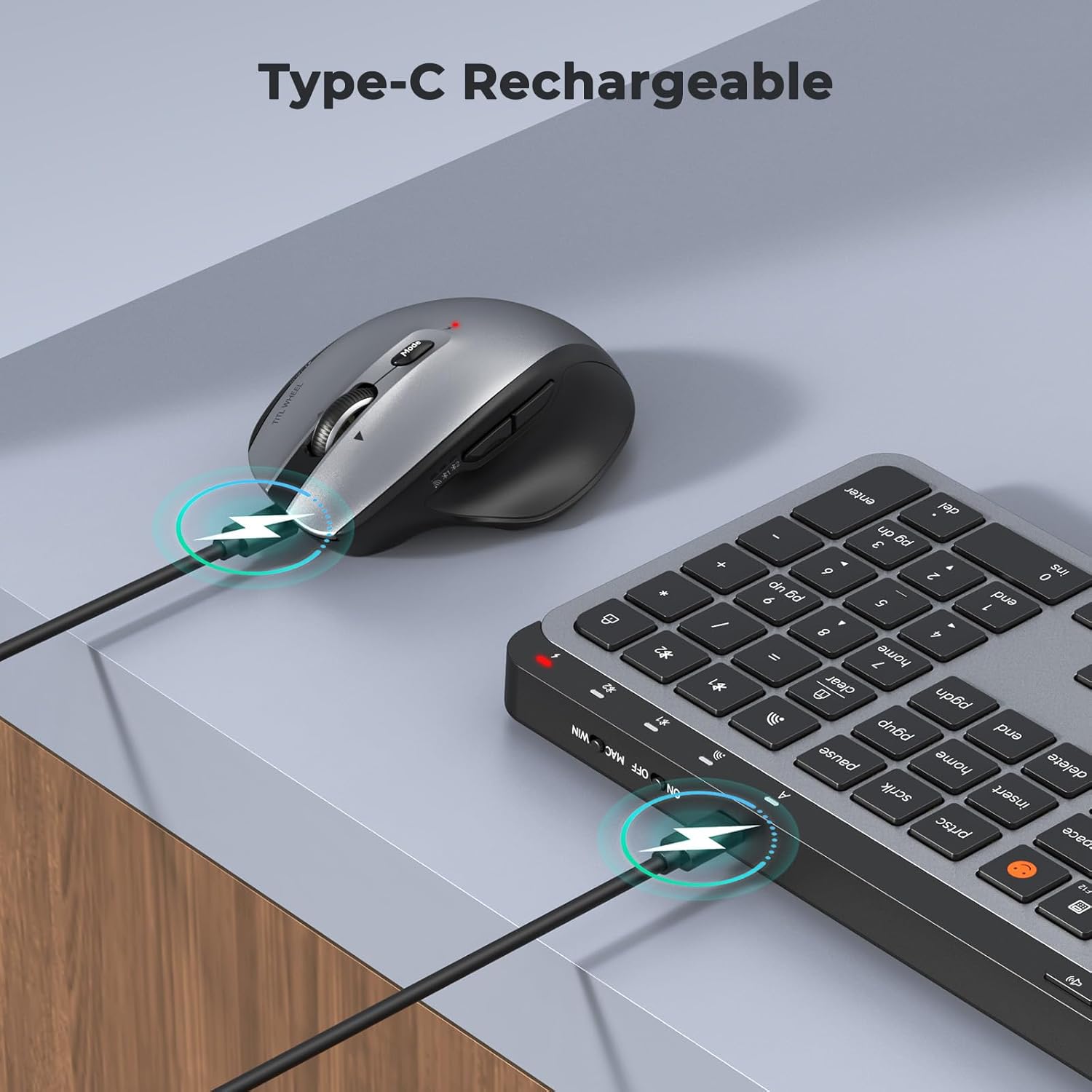
Image: Both the keyboard and mouse are rechargeable via USB-C, ensuring convenience and eliminating the need for disposable batteries.
2. Повезивање са уређајима
The C9990 combo supports three connection modes: 2.4GHz wireless (via USB receiver) and two Bluetooth channels (BT1, BT2).
2.1. Бежична веза од 2.4 GHz
- Locate the USB receiver, typically stored in the mouse's battery compartment.
- Укључите УСБ пријемник у слободан УСБ порт на рачунару.
- Укључите тастатуру и миш користећи одговарајуће прекидаче за напајање.
- For the keyboard, press the 2.4Г button (usually indicated by a USB icon) to switch to 2.4GHz mode.
- For the mouse, switch the mode selector to the 2.4Г положај.
- The devices should connect automatically.
2.2. Блутут веза (BT1 / BT2)
- Укључите тастатуру и миш.
- За тастатуру: Притисните и држите БТ1 or БТ2 button for 3-5 seconds until the indicator light flashes rapidly, indicating pairing mode.
- За миш: Switch the mode selector to the БТ1 or БТ2 position, then press and hold the Bluetooth pairing button (often located on the underside) until the indicator light flashes.
- On your device (laptop, tablet, smartphone), go to Bluetooth settings and search for new devices.
- Select "MEETION Keyboard" and "MEETION Mouse" from the list to pair.
- Repeat for the second Bluetooth channel (BT2) if connecting to another device.
3. Пребацивање између уређаја
The C9990 allows seamless switching between up to three connected devices (one 2.4GHz and two Bluetooth).
- За тастатуру: Притисните посвећено 2.4Г, БТ1, или БТ2 button to switch to the desired connected device.
- За миш: Use the mode switch on the underside of the mouse to select 2.4Г, БТ1, или БТ2.

Image: The keyboard and mouse can switch between three devices (PC, tablet, phone) with a single click, indicated by the Bluetooth and 2.4G icons.
Упутство за употребу
Функције тастатуре
- Multimedia Keys (F1-F12): These keys provide quick access to functions like brightness control, display window, home, dictation, sleep, app switcher, screen mirroring, screen capture, music player, email, and calculator. Functions may vary slightly depending on the operating system.
- Тастер емоџија: The dedicated emoji key supports Windows, macOS, iPad (iPadOS), and Android Samsung devices. It does not support iPhone (iOS).

Image: The keyboard features a row of multimedia keys (F1-F12) for quick access to various system functions.
Функције миша
- ДПИ подешавање: Press the DPI switch button (usually located near the scroll wheel) to cycle through the available DPI settings (800, 1200, 1600, 2400). Adjust to your preference for cursor speed and precision.
- Tilt-Scroll Wheel: In addition to vertical scrolling, tilt the scroll wheel left or right for horizontal scrolling in applications that support it (e.g., spreadsheets).
- Дугмад за напред/назад: Use the side buttons for quick navigation in web претраживачи и file истраживачи.
Одржавање
- Чишћење: Користите меку, суву крпу за чишћење површина тастатуре и миша. За тврдокорну прљавштину, благо обришитеampОбришите крпу водом или благим раствором за чишћење. Избегавајте јаке хемикалије или абразивне материјале.
- Одржавање батерије: To prolong battery life, avoid fully discharging the devices frequently. Charge them when the low battery indicator appears. If storing for an extended period, charge them to about 50% and recharge every few months.
- Складиштење: Чувајте уређаје на хладном и сувом месту, даље од директне сунчеве светлости и екстремних температура.
Решавање проблема
Проблеми са повезивањем
- Уређај се не повезује: Ensure both the keyboard and mouse are powered on and fully charged. Check that the correct connection mode (2.4G, BT1, or BT2) is selected on both devices. For Bluetooth, ensure your host device's Bluetooth is enabled and the devices are in pairing mode.
- Повремена веза: Move the devices closer to your computer. Avoid using them near strong electromagnetic interference sources (e.g., Wi-Fi routers, other wireless devices).
- 2.4GHz receiver not recognized: Try plugging the USB receiver into a different USB port. Ensure the receiver is fully inserted.
Проблеми са функционалношћу
- Keys or mouse unresponsive: Recharge the devices. Restart your computer or device. Re-pair the devices if using Bluetooth or re-insert the USB receiver for 2.4GHz.
- Курсор миша је нестабилан: Clean the mouse sensor. Ensure you are using the mouse on a suitable surface (not highly reflective or transparent). Adjust DPI settings.
Спецификације
| Број модела | Ц9990 |
| Технологија повезивања | Bluetooth, USB (2.4GHz Wireless) |
| Распоред тастатуре | QWERTY, Full Size |
| Детекција покрета миша | Оптицал |
| ДПИ подешавања миша | 800, 1200, 1600, 2400 |
| Извор напајања | Напајање батеријама (пуњиво преко USB-C) |
| Компатибилни оперативни системи | Windows, macOS, Linux, Chrome OS, Android |
| Тежина артикла | 1.16 Kilograms (combined) |
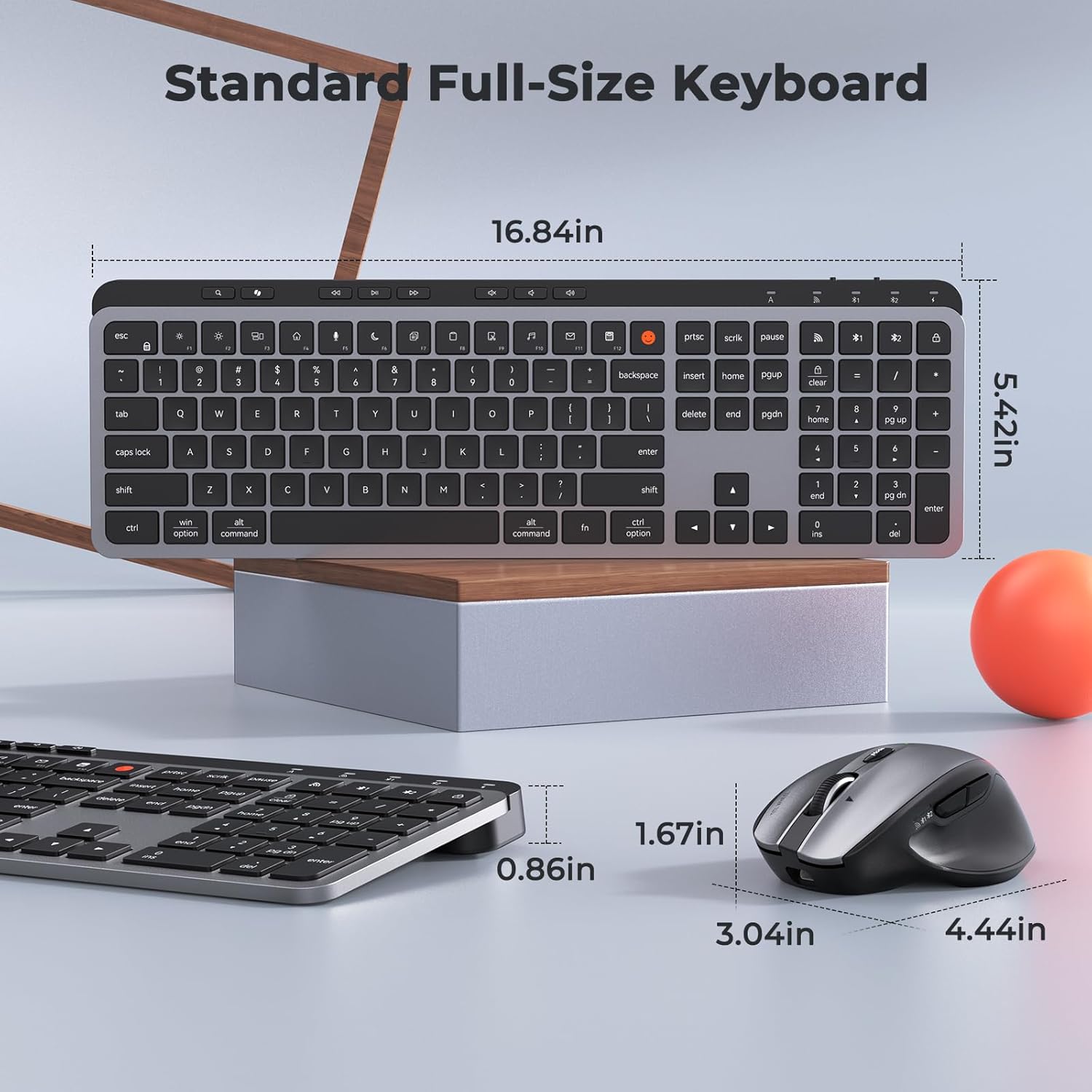
Image: Dimensions of the MEETION C9990 keyboard and mouse for reference.
Гаранција и подршка
The MEETION C9990 Wireless Bluetooth Keyboard and Mouse comes with a 1-годишња гаранција од датума куповине. Ова гаранција покрива производне недостатке при нормалној употреби.
For technical support, troubleshooting assistance, or warranty claims, please contact MEETION customer service through the retailer where you purchased the product or visit the official MEETION webсајт за контакт информације.
Безбедносне информације
- Не излажите уређаје води, влази или екстремним температурама.
- Избегавајте испуштање или излагање уређаја јаким ударцима.
- Do not attempt to disassemble or repair the devices yourself. Refer to qualified service personnel.
- Чувати ван домашаја деце.
- Одложите батерије и електронске компоненте одговорно у складу са локалним прописима.