
1. Увод
The ASHATA Hands-Free USB Wired 1D/2D Barcode Scanner is a high-performance desktop scanning platform designed for efficient and accurate barcode reading. It features advanced decoding technology, soft LED illumination, and multiple feedback methods for an enhanced user experience. Its robust design ensures durability in various environments.
This scanner is capable of reading both 1D and 2D/QR barcodes from labels, paper, and digital displays, including damaged or distorted codes. Its omnidirectional design allows for hands-free operation, making it ideal for supermarkets, retail stores, warehouses, and POS systems.
2. Садржај пакета
- 1 x ASHATA Barcode Scanning Platform
- 1 к Упутство за употребу
3. Подешавање
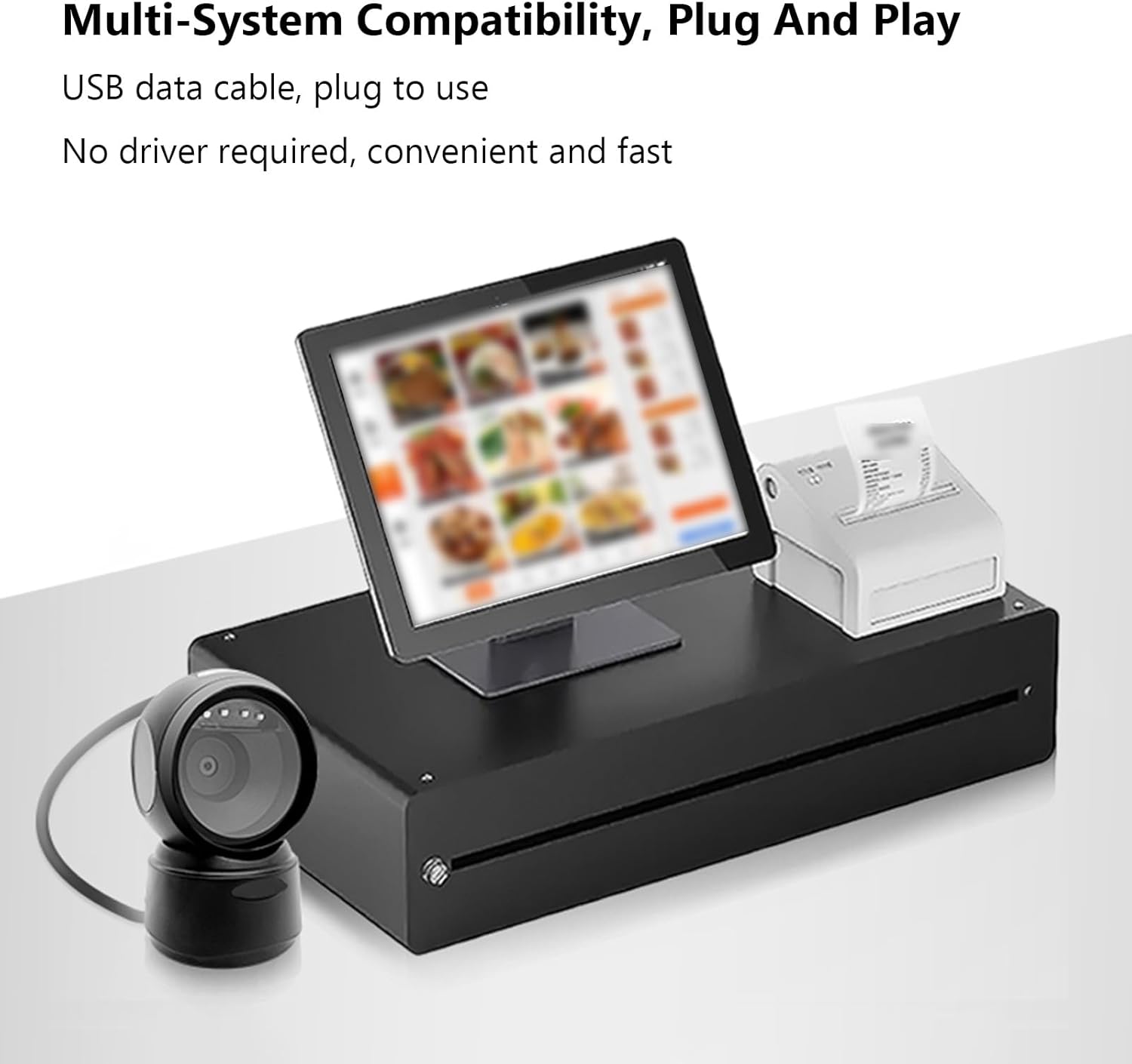
The ASHATA Barcode Scanner is designed for simple plug-and-play operation, requiring no additional driver installation.
- Распакујте скенер: Carefully remove the barcode scanning platform and user manual from the packaging.
- Повежите се са уређајем: Insert the USB data cable from the barcode scanner into an available USB port on your computer or POS system.
- Препознавање система: Оперативни систем ће аутоматски открити и инсталирати потребне драјвере. Овај процес може потрајати неколико тренутака.
- Пласман: Place the scanner on a stable, flat surface. The anti-slip base ensures stability during operation.
4. Упутство за употребу
The scanner offers hands-free, omnidirectional scanning for various barcode types.
4.1 Скенирање баркодова
Simply present the barcode to the scanner's window. The scanner will automatically detect and decode the barcode. A buzzer sound and LED indicator lights will provide feedback upon successful scanning.

4.2 Intelligent Sensing
The scanner features an intelligent sensing mode:
- Аутоматски режим спавања: Upon inactivity, the scanner enters an automatic sleep mode to conserve power.
- Паметно буђење: The scanner automatically wakes up and becomes active when a barcode is presented for scanning.

4.3 Применљиви сценарији
This scanner is suitable for a wide range of applications, including:
- Супермаркети
- Тржни центри
- Cosmetic Stores
- Retail Industry
- Банке
- Складишта
- Bookstores
- ПОС системи

5. Одржавање
To ensure optimal performance and longevity of your ASHATA Barcode Scanner, follow these maintenance guidelines:
- Чишћење: Gently wipe the scanner's window and exterior with a soft, dry, lint-free cloth. Avoid using abrasive cleaners, solvents, or excessive moisture, as these can damage the device.
- Руковање: Although the scanner has a sturdy ABS structure and is IP42 rated, capable of withstanding drops from heights up to 1.5 meters, handle it with care to prevent unnecessary impact.
- Складиштење: Чувајте скенер на хладном и сувом месту, даље од директне сунчеве светлости и екстремних температура када се не користи.
- Нега каблова: Избегавајте прекомерно савијање или увијање USB кабла како бисте спречили унутрашња оштећења.
КСНУМКС. Решавање проблема
If you encounter issues with your ASHATA Barcode Scanner, please refer to the following common troubleshooting steps:
- Скенер не реагује:
- Ensure the USB cable is securely connected to both the scanner and the host device.
- Try connecting the scanner to a different USB port on your device.
- Restart your computer or POS system.
- Unable to Read Barcodes:
- Уверите се да је бар-код чист, неоштећен и јасно видљив.
- Verify that the barcode is within the scanner's reading depth of field.
- Check if the scanner's window is clean and free from obstructions.
- Confirm that the barcode type is supported by the scanner (refer to Specifications).
- No Feedback (Buzzer/LED):
- If the scanner is in sleep mode, present a barcode to wake it up.
- Ensure the scanner is properly connected and powered.
Ако ови кораци не реше проблем, обратите се корисничкој подршци за додатну помоћ.
7. Спецификације
| Врста ставке | 1D/2D Barcode Scanner Platform |
| Тип извора светлости | 625nm LED Supplementary Light |
| Принцип скенирања | Имаге ЦМОС |
| Триггер Моде | Induction Mode / Continuous Mode / Instruction Mode |
| Угао скенирања | Tilt Angle 65°, Rotate Angle 360°, Skew Angle 75° |
| Тачност скенирања | >4.5мил |
| Дубина поља за читање | 5mil (Code39): 2cm-13cm UPC-13mil: 2cm-28cm 20mil (Code39): 2cm-35cm 20mil QR Code: 2cm-24cm |
| Цабле Ленгтх | 1.5м / 4.92фт |
| Величина производа | 13.6 к 8.3 к 8 цм / 5.35 к 3.27 к 3.15 инча |
| Тежина производа | 224 г / 7.9 оз |
| Повезивање | УСБ, РС232 |
| Трајност | IP42 rated, withstands drops up to 1.5 meters |
| Supported Decoding Capabilities | QRCode, PDF417, MaxiCode, Aztec, DataMatrix(ECC200), Micro QR, Hanxin Code, Micro PDF417, EAN13, EAN8, UPC-A, UPC-E, Code128, Code39, Code93, CodaBar, Interleaved 2 of 5, Industrial 25, Codel1MSIPlessey, Standard 2 of 5, Plessey, ChinaPost 25, etc. |
8. Гаранција и подршка
For warranty information or technical support, please refer to the documentation included with your purchase or contact ASHATA customer service through your retailer. Keep your purchase receipt for warranty claims.