
1. Увод
Thank you for choosing the GOBOULT Tenet TWS Earbuds. This manual provides essential information for setting up, operating, and maintaining your earbuds to ensure optimal performance and longevity. The Tenet earbuds feature Bluetooth 5.4 connectivity, 13mm dynamic drivers, Quad Mic Environmental Noise Cancellation (ENC), and support for the Amp App for personalized audio.
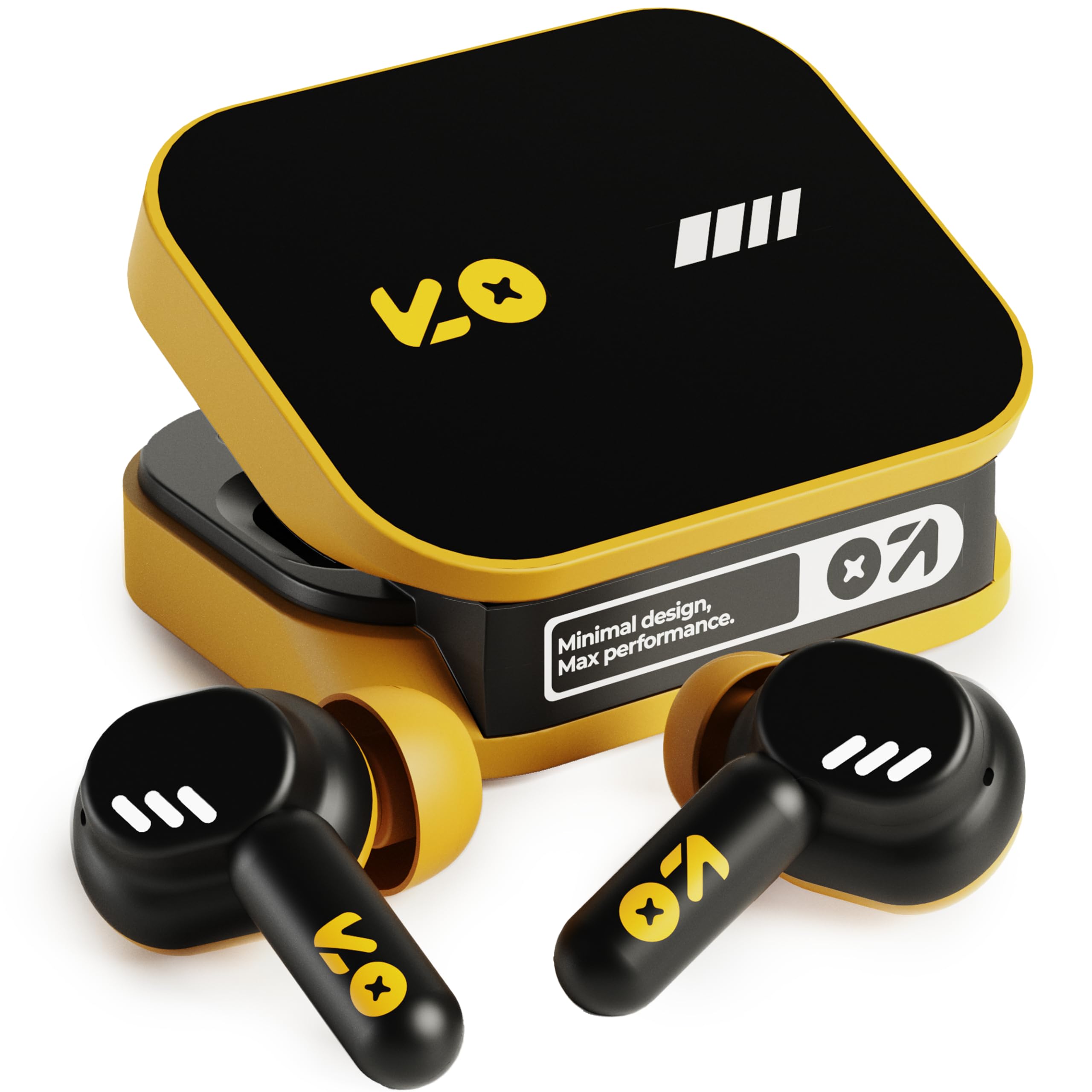
Image: The GOBOULT Tenet TWS Earbuds in Solar Yellow, shown with their charging case.
2. Садржај пакета
Проверите да ли су све следеће ставке укључене у ваш пакет:
- GOBOULT Tenet TWS Earbuds (Left and Right)
- Футрола за пуњење
- УСБ кабл за пуњење типа Ц
- Јастучићи за уши (разних величина)
- Кориснички приручник (овај документ)
- Гарантни лист
3. Подешавање
3.1. Пуњење слушалица и футроле
Before first use, fully charge the earbuds and the charging case. The case provides extended battery life for the earbuds.
- Ставите обе слушалице у кутијицу за пуњење, водећи рачуна да су правилно постављене.
- Connect the provided USB Type-C charging cable to the charging port on the case and to a compatible USB power source (e.g., wall adapter, computer USB port).
- The indicator light on the charging case will show the charging status. Refer to the LED indicator guide in the operating section for details.
- A full charge provides up to 75 hours of total playtime with the charging case. A quick 10-minute charge can provide up to 120 minutes of playtime.

Image: The GOBOULT Tenet earbuds in their open charging case, illustrating the USB-C charging port and battery life.
3.2. Постављање слушалица
Proper fit is crucial for sound quality and comfort. The earbuds feature a 'Vacuum Lock Earshell' design for a secure fit.
- Select the ear cushions that best fit your ears. Different sizes are provided.
- Пажљиво уметните слушалице у ушни канал.
- Twist slightly to ensure a snug and comfortable seal. This helps optimize audio performance and noise isolation.

Image: A diagram illustrating the 'Vacuum Lock Earshell' design and how the earbud sits securely in the ear.
4. Упутство за употребу
4.1. Укључивање/искључивање
- Укључено: Отворите кућиште за пуњење и слушалице ће се аутоматски укључити.
- Искључивање: Вратите слушалице у кутијицу за пуњење и затворите поклопац. Аутоматски ће се искључити и почети са пуњењем.
4.2. Блуетоотх упаривање
The GOBOULT Tenet earbuds use Bluetooth 5.4 for stable and efficient connection.
- Уверите се да су слушалице напуњене и да се налазе унутар кућишта за пуњење.
- Open the charging case. The earbuds will enter pairing mode, indicated by flashing LED lights.
- На свом уређају (паметном телефону, таблету, лаптопу) омогућите Блутут.
- Тражи available Bluetooth devices and select "GOBOULT Tenet" from the list.
- Када се повежу, индикаторска светла на слушалицама ће престати да трепере.
4.3. Dual Device Connectivity
The earbuds support dual device pairing, allowing seamless switching between two connected devices.
- Pair the earbuds with your first device (e.g., smartphone) as described above.
- Искључите слушалице из Bluetooth подешавања првог уређаја (не раскидајте упаривање).
- Pair the earbuds with your second device (e.g., laptop).
- Reconnect the earbuds to the first device from its Bluetooth settings. The earbuds are now connected to both devices.
- To switch between devices, simply pause audio on one device and play on the other.

Image: The GOBOULT Tenet earbuds and charging case positioned between a smartphone and a laptop, demonstrating dual device connectivity.
4.4. Додирните Контроле
The earbuds feature intuitive touch controls for music playback, call management, and voice assistant activation.
| Функција | Акција |
|---|---|
| Пусти/Паузирај | Један додир на обе слушалице |
| Нект Трацк | Двапут додирните десну слушалицу |
| Превиоус Трацк | Двапут додирните леву слушалицу |
| Одговори/Заврши позив | Један додир на обе слушалице |
| Одбаци позив | Дуго притисните било коју слушалицу |
| Активирајте гласовног асистента (Siri/Google Assistant) | Трипут додирните било коју слушалицу |

Image: An illustration detailing the touch controls for music and calls, along with information on intelligent AI assistance and IPX5 water resistance.
4.5. Коришћењем Amp Апп
Personalize your listening experience with the dedicated Amp Апп.
- Download the "Amp App" from your device's app store.
- Connect your GOBOULT Tenet earbuds to your device via Bluetooth.
- Отворите Amp App. It will automatically detect your earbuds.
- Within the app, you can customize EQ settings (e.g., Rock, Jazz, Natural, Bass), rename your earbuds, and access tailored widgets.

Image: The GOBOULT Amp App interface displayed on a smartphone, showing custom EQ modes and other personalization options for the earbuds.
4.6. Call Management (Quad Mic ENC)
The Quad Mic Environmental Noise Cancellation (ENC) ensures clear calls by reducing background noise.
- Use the touch controls (Section 4.4) to answer, end, or reject calls.
- The four integrated microphones work to isolate your voice from ambient sounds, providing clear communication even in noisy environments.
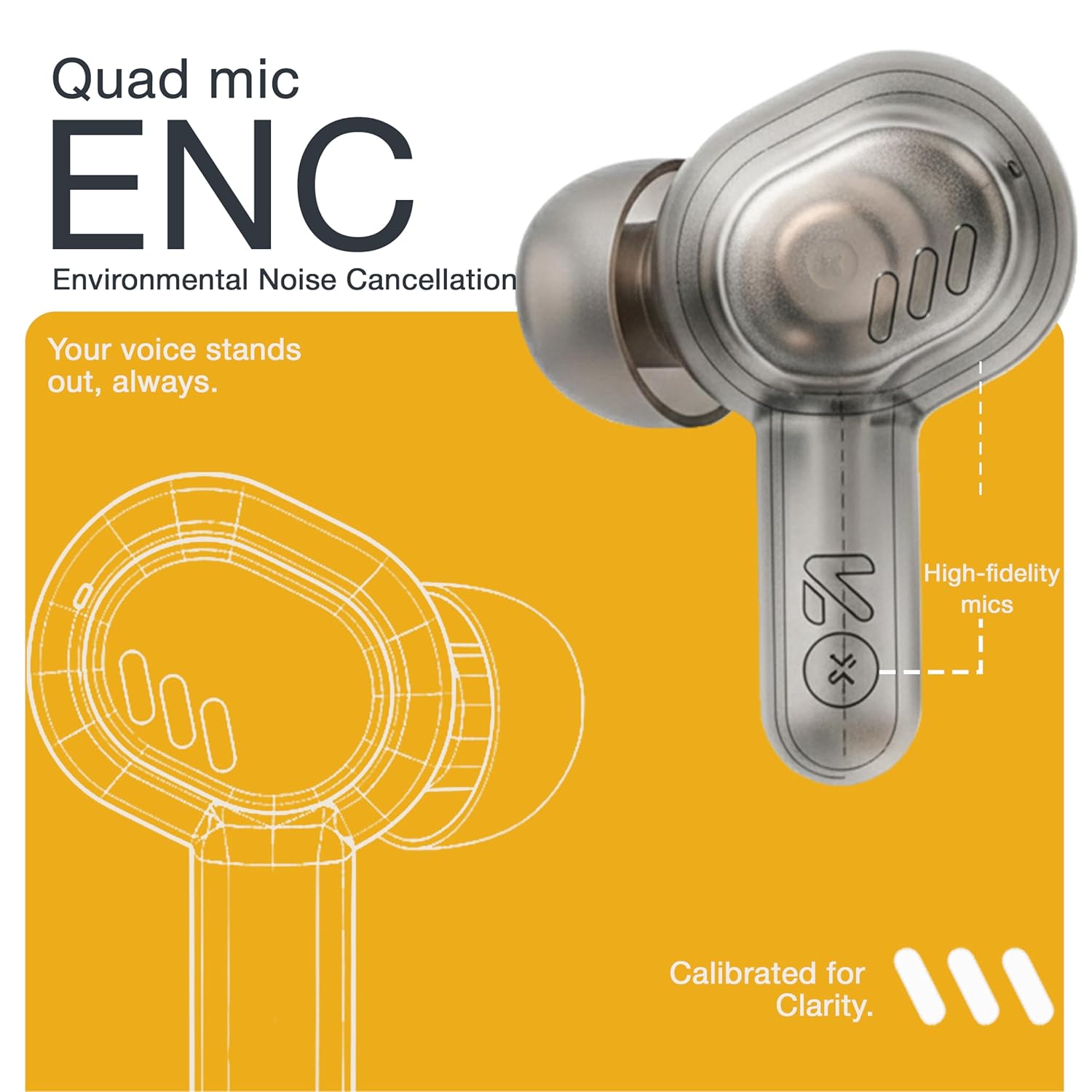
Image: A detailed diagram highlighting the Quad Mic ENC system within the earbud, designed for clear voice transmission.
4.7. Audio Performance (13mm Drivers)
The GOBOULT Tenet earbuds are equipped with 13mm dynamic drivers for a rich audio experience.
- Experience deep bass, clear vocals, and balanced audio across various music genres.
- Подесите звучни професионалацfile further using the Amp App's equalizer settings.

Слика: Експлодирана view diagram of the earbud, showcasing the 13mm dynamic driver responsible for audio output.
4.8. Отпорност на воду
The earbuds are IPX5 water resistant, making them suitable for workouts and light splashes.
- IPX5 rating means the earbuds can resist a sustained, low-pressure water jet spray.
- Do not submerge the earbuds in water or expose them to heavy rain.
- Кутија за пуњење није водоотпорна.
5. Одржавање
5.1. Чишћење
- Редовно чистите слушалице и кућиште за пуњење меком, сувом крпом која не оставља влакна.
- Remove ear cushions and clean them with mild soap and water if necessary, ensuring they are completely dry before reattaching.
- Не користите абразивна средства за чишћење, алкохол или хемијске раствараче.
- Уверите се да су контакти за пуњење на обе слушалице и кућишту чисти и без прљавштине.
5.2. Складиштење
- Када се не користе, чувајте слушалице у њиховој футроли за пуњење како бисте их заштитили и одржали напуњеним.
- Уређај чувајте на хладном и сувом месту, даље од екстремних температура и директне сунчеве светлости.
5.3. Брига о батерији
- Да бисте продужили век трајања батерије, избегавајте често потпуно пражњење слушалица и футроле.
- Редовно пуните уређај, чак и ако га не користите често, како бисте спречили дубоко пражњење.
КСНУМКС. Решавање проблема
| Проблем | Могуће решење |
|---|---|
| Слушалице се не упарују |
|
| Нема звука из једне слушалице |
|
| Проблеми са пуњењем |
|
| Ниска јачина звука или лош квалитет звука |
|
| Гласовни асистент не реагује |
|
7. Спецификације
| Феатуре | Детаљ |
|---|---|
| Бранд | ГОБУЛТ |
| Назив модела | Tenet (Airbass) |
| Број модела | Airbass Earbuds |
| Постављање уха | Ин Еар |
| Контрола буке | Environmental Noise Cancellation (ENC), Sound Isolation |
| Блуетоотх верзија | 5.4 |
| Блуетоотх домет | До 10 метара |
| Величина аудио драјвера | 13 милиметара |
| Фреквенцијски опсег | 20 Hz - 20,000 Hz |
| Осетљивост | 105 дБ |
| Battery Average Life (with case) | До 75 сати |
| Брзо пуњење | 10 минута пуњења за 120 минута репродукције |
| Порт за пуњење | УСБ Типе-Ц |
| Ниво отпорности на воду | ИПКС5 (само слушалице) |
| Тип контролера | Touch, Google Assistant, Siri |
| Компатибилни уређаји | Desktops, Gaming Consoles, Laptops, Smart Watch, Tablets |
| Тежина артикла | 54.5 Grams (Case + Earbuds) |
| Земља порекла | Кина |
8. Гаранција и подршка
8.1. Информације о гаранцији
The GOBOULT Tenet TWS Earbuds come with a 1-Year Manufacturer's Warranty from the date of purchase. This warranty covers manufacturing defects.
- Молимо вас да сачувате рачун као доказ о куповини за потребе гаранције.
- Гаранција не покрива оштећења настала услед злоупотребе, незгода, неовлашћених модификација или нормалног хабања.
8.2. Корисничка подршка
For any queries, technical assistance, or warranty claims, please contact GOBOULT customer support.
- Произвођач: Exotic Mile Private Limited, B-67 Wazirpur Industrial Area, New Delhi 110052
- увозник: Exotic Mile Pvt. Ltd., B67 Wazirpur Industrial Area, New Delhi 110052
- Refer to the contact information provided on your warranty card or the official GOBOULT webсајт за најновије канале подршке.