
Увод
The LOFREE Pudding Dual Mode Wireless Mouse (Model OE929) is designed for versatile use across various operating systems and devices. It offers both Bluetooth and 2.4G wireless connectivity, adjustable DPI settings, and a comfortable, ergonomic design. This manual provides instructions for setup, operation, maintenance, and troubleshooting to ensure optimal performance of your device.
Садржај пакета
- LOFREE Pudding Dual Mode Wireless Mouse
- USB пријемник (2.4G)
- Charging Cable (USB-C to USB-A, typically)
- Упутство за употребу
Производ је завршенview
The LOFREE Pudding mouse features a unique transparent texture and an ergonomic design for comfortable use. It includes an adjustable ambient light feature and a scroll wheel with integrated button functionality.

слика: The LOFREE Pudding mouse showcasing its high transparency texture and sleek design.

слика: A hand holding the LOFREE Pudding mouse, illustrating its comfortable, skin-like touch and ergonomic grip.
Сетуп
1. Пуњење миша
Before first use, ensure the mouse is fully charged. Connect the provided charging cable to the mouse's charging port and to a USB power source. The ambient light may indicate charging status (e.g., breathing light while charging, solid when full).

слика: The LOFREE Pudding mouse, highlighting its approximately 100 hours of battery life on a single charge.
2. Dual-Mode Connection
The mouse supports two wireless connection methods: 2.4G via USB receiver and Bluetooth.
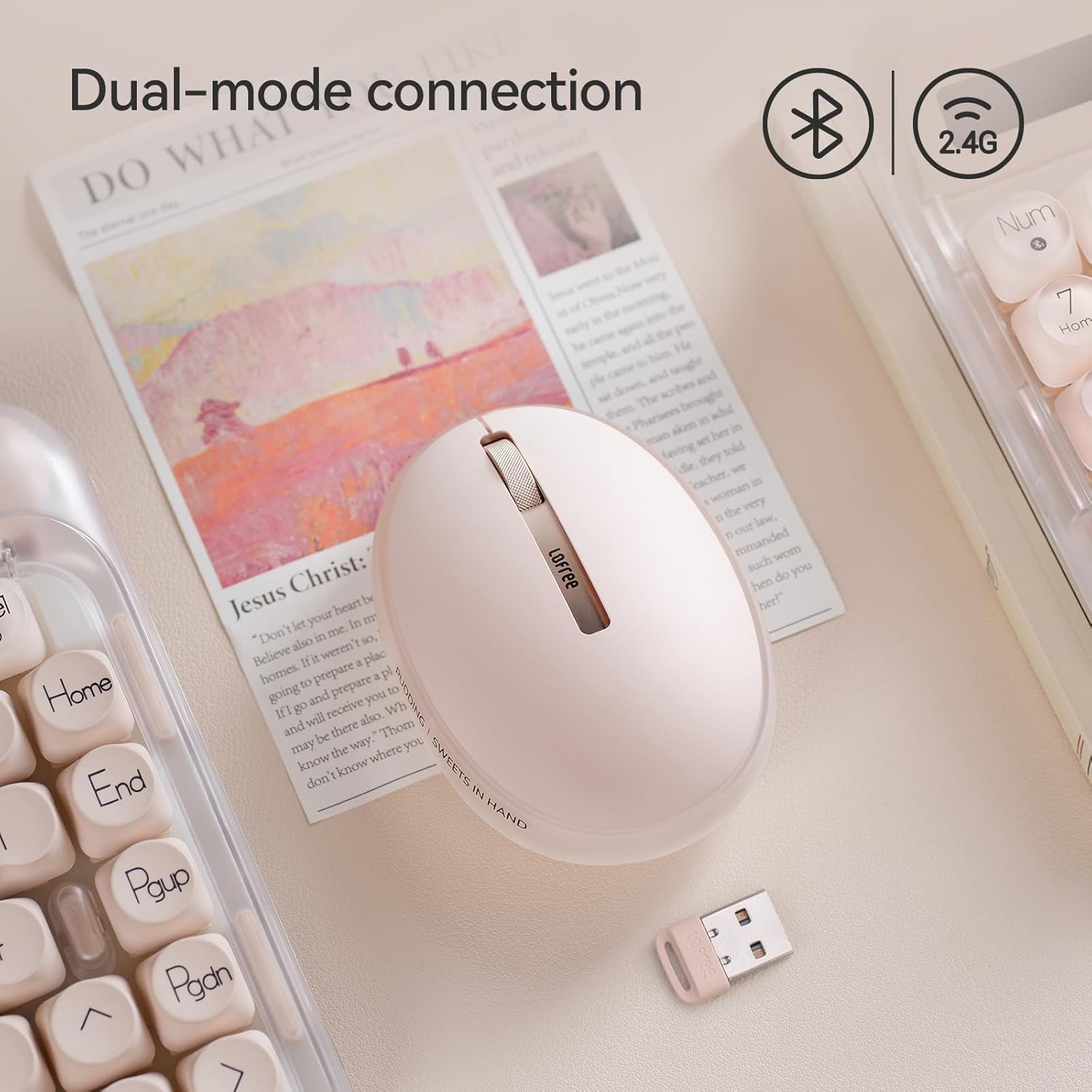
слика: The LOFREE Pudding mouse demonstrating its dual-mode connection capability, supporting both Bluetooth and 2.4G wireless technologies.
2.1. 2.4Г бежична веза
- Locate the USB receiver, typically stored in a compartment on the mouse or in the packaging.
- Укључите УСБ пријемник у слободан УСБ порт на рачунару.
- Turn on the mouse. The computer should automatically detect and install the necessary drivers.
- Напомена: For systems below Windows 7, the 2.4G connection is recommended as Bluetooth mode may not be supported.
2.2. Блуетоотх веза
- Уверите се да је Bluetooth на вашем уређају омогућен.
- Switch the mouse to Bluetooth mode (refer to the mouse's bottom switch or button for mode selection).
- On your device, search for Bluetooth devices. The mouse should appear as "LOFREE Pudding Mouse" or similar.
- Изаберите миш за упаривање. Пратите упутства на екрану да бисте завршили процес упаривања.
3. Компатибилност
The LOFREE Pudding mouse is compatible with a wide range of operating systems and devices, including:
- Windows (Windows 7 and above for Bluetooth)
- мацОС
- иОС
- Андроид
- PC, Mac, Laptop, and other compatible devices.
Упутство за употребу
1. Adjusting DPI Levels
The mouse features 5 adjustable DPI levels to suit different tasks and preferences. You can cycle through these settings by pressing the DPI button, usually located near the scroll wheel or on the bottom of the mouse.
- Available DPI settings: 600, 800, 1200, 1600, 3600.
- Press the DPI button to switch between levels. The mouse cursor speed will change accordingly.

слика: A hand demonstrating the adjustment of DPI levels on the LOFREE Pudding mouse, with available settings of 600, 800, 1200, 1600, and 3600.
2. Ambient Light Modes
The mouse is equipped with an adjustable ambient light feature, offering two modes:
- Constant Always On: The light remains steadily illuminated.
- Режим дисања: The light gently pulses on and off.
To switch between these modes, refer to the dedicated light control button or combination of buttons on the mouse. In dormant state, the ambient light will turn off and can be reactivated by clicking any button on the mouse.

слика: The LOFREE Pudding mouse displaying its adjustable ambient light feature, with options for "Always On" or "Breathing" modes.
3. Управљање напајањем
The mouse is designed to conserve battery life. It will enter a dormant state after a period of inactivity, turning off the ambient light. To wake the mouse, simply click any button.
Одржавање
1. Чишћење
- Use a soft, dry, lint-free cloth to clean the mouse surface.
- За тврдокорну прљавштину, благо дampи крпу са водом или благим, неабразивним средством за чишћење.
- Избегавајте употребу јаких хемикалија, растварача или абразивних материјала, јер они могу оштетити завршну обраду миша.
- Уверите се да течност не улази у унутрашње компоненте миша.
2. Брига о батерији
- Charge the mouse regularly to maintain battery health.
- Избегавајте често потпуно пражњење батерије.
- If storing the mouse for an extended period, charge it to approximately 50% to prevent deep discharge.
Решавање проблема
Mouse Not Responding / Disconnecting
- Проверите батерију: Ensure the mouse is charged. Connect it to a power source.
- 2.4Г веза:
- Уверите се да је УСБ пријемник безбедно прикључен у исправан УСБ порт.
- Pokušajte sa drugim USB portom.
- Ensure the mouse is switched to 2.4G mode.
- Блуетоотх веза:
- Уверите се да је Блуетоотх омогућен на вашем уређају.
- Ensure the mouse is switched to Bluetooth mode.
- Unpair and re-pair the mouse from your device's Bluetooth settings.
- Ensure your device's operating system supports Bluetooth for mice (e.g., Windows versions below 7 may have limited support).
- сметње: Move the mouse closer to the receiver/device. Avoid using it near other wireless devices that might cause interference.
DPI се не мења
- Уверите се да притискате исправно дугме за подешавање DPI.
- If the mouse is unresponsive, try restarting it (turn off and on).
Ambient Light Not Working
- Check if the mouse is in a dormant state; click a button to wake it.
- Уверите се да је батерија довољно напуњена.
- Verify you are using the correct button or combination to cycle through light modes.
Спецификације
| Феатуре | Детаљ |
|---|---|
| Број модела | ОЕКСНУМКС |
| Технологија повезивања | Bluetooth, 2.4G Radio Frequency |
| Технологија детекције покрета | Оптицал |
| ДПИ Левелс | 600, 800, 1200, 1600, 3600 (Adjustable) |
| Капацитет батерије | 500мАх |
| Трајање батерије | Отприлике 100 сата |
| Посебне карактеристике | LED Lights (Ambient), Lightweight, Rechargeable, Wireless |
| Компатибилност | Windows, macOS, iOS, Android (PC, Mac, Laptop) |
| Тежина артикла | 8.9 унци |
| Димензије пакета | 5.2 к 4.13 к 2.4 инча |
Гаранција и подршка
LOFREE products are manufactured to high-quality standards. For warranty information, technical support, or service inquiries, please refer to the official LOFREE webсајт или директно контактирајте њихову корисничку подршку. Сачувајте рачун о куповини за потребе рекламације у гаранцији.
За више информација посетите LOFREE Store on Amazon.