
1. Увод
This manual provides detailed instructions for the Donner DEK-630 61-Key Electronic Keyboard. Please read this manual thoroughly before using the instrument to ensure proper operation and to maximize your musical experience. The DEK-630 is designed for beginners and music enthusiasts, featuring lighted keys, various tones and rhythms, and learning modes to support your musical journey.

Image 1.1: The Donner DEK-630 61-Key Electronic Keyboard Set, including the keyboard, Z-stand, and bench.
2. Шта је у кутији
Проверите да ли су све компоненте присутне у пакету:
- Donner DEK-630 Electric Keyboard
- Z-shaped Stand
- Пиано Бенцх
- Мусиц Рест
- Note Stickers
- Повер Адаптер
- Упутство за употребу (овај документ)
3. Подешавање
3.1 Assembling the Z-shaped Stand
- Unfold the main frame of the Z-stand.
- Attach the horizontal support bars to the vertical frames using the provided screws and knobs. Ensure they are securely tightened.
- Adjust the height of the stand to your preferred playing position using the adjustment knobs.
Video 3.1: Official Donner Music video demonstrating the assembly of the DEK-630 keyboard stand.
3.2 Assembling the Piano Bench
- Unfold the legs of the piano bench.
- Ensure all locking mechanisms are engaged for stability.
3.3 Placing the Keyboard and Music Rest
- Carefully place the DEK-630 keyboard onto the assembled Z-stand. Ensure it is stable and centered.
- Уметните држач за ноте у предвиђене слотове на горњој плочи тастатуре.

Image 3.1: The Donner DEK-630 keyboard fully set up with the Z-stand and piano bench.
3.4 Прикључак за напајање
- Connect the provided power adapter to the DC 12V input jack (8) on the rear panel of the keyboard.
- Укључите адаптер за напајање у стандардну електричну утичницу.

Image 3.2: Close-up of the DEK-630's rear panel, highlighting the power adapter input and other connectivity options.
4. Упутство за употребу
4.1 Укључивање/искључивање
Притисните тастер ПОВЕР button located on the control panel to turn the keyboard on or off. The LCD display will illuminate upon power-on.
4.2 ЛЦД екран прекоview
The LCD display provides visual feedback on the current tone, rhythm, tempo, and learning mode status. Use the navigation buttons to browse through options.

Image 4.1: The DEK-630's LCD display, showing active settings for tones, rhythms, and learning modes.
4.3 Tone Selection (300 Tones)
To select a tone:
- Притисните тастер ТОНЕ дугме.
- Користите нумеричку тастатуру или +/- buttons to select from 300 available tones. The selected tone number and name will appear on the LCD.
4.4 Rhythm Selection (256 Rhythms)
To select a rhythm:
- Притисните тастер РХИТАМ дугме.
- Користите нумеричку тастатуру или +/- buttons to select from 256 available rhythms.
- Притисните СТАРТ/СТОП to begin or end the rhythm playback.
4.5 Demo Songs (40 Songs)
The keyboard includes 40 demo songs for listening and practice.
- Притисните тастер ДЕМО ПЕСМА дугме.
- Користите +/- buttons to cycle through the demo songs.
- Притисните ПЛАИ to start the selected demo song.
4.6 Learning Modes
The DEK-630 offers built-in learning modes to assist beginners, including lighted keys, auto-chord, and metronome functions.
- Осветљени кључеви: Keys illuminate to guide you during learning exercises.
- Auto-Chord: Automatically plays chords based on single key presses, simplifying accompaniment.
- Метрономе: Provides a steady beat to help develop rhythm and timing. Activate by pressing the МЕТРОНОМЕ дугме.

Image 4.2: A user's hands playing the DEK-630, demonstrating the lighted key feature for learning.
4.7 Снимање и репродукција
Да бисте снимили свој наступ:
- Притисните тастер РЕЦ button. The REC indicator will light up.
- Play your desired melody.
- Притисните ПЛАИ to stop recording and listen to your recorded performance.
4.8 Dual Keyboard / Split Functions
- Dual Keyboard: Allows two different voices to be layered and played simultaneously.
- Split Function: Divides the keyboard into two sections, each with its own tone, allowing two different instruments to be played at once. Refer to the full manual for detailed activation steps.
4.9 Контрола јачине звука
Подесите главну јачину звука помоћу МАСТЕР ВОЛУМЕ knob or buttons on the control panel.
4.10 Опције повезивања
The DEK-630 offers various ports for expanded functionality:
- Sustain Pedal Jack (1): Connect an optional sustain pedal for expressive playing.
- MIDI Port (2): Connect to computers or other MIDI devices for music production and learning software.
- УСБ порт (3): For USB MIDI connectivity.
- Audio Input Line (4): Connect external audio sources (e.g., MP3 player) to play along.
- Output (L/R) (5): Повежите се са екстерним amplifiers or mixing consoles.
- Mic Jack (6): Connect a microphone for vocal accompaniment.
- Прикључак за слушалице (7): Connect headphones for private practice. Headphones need to be purchased separately.
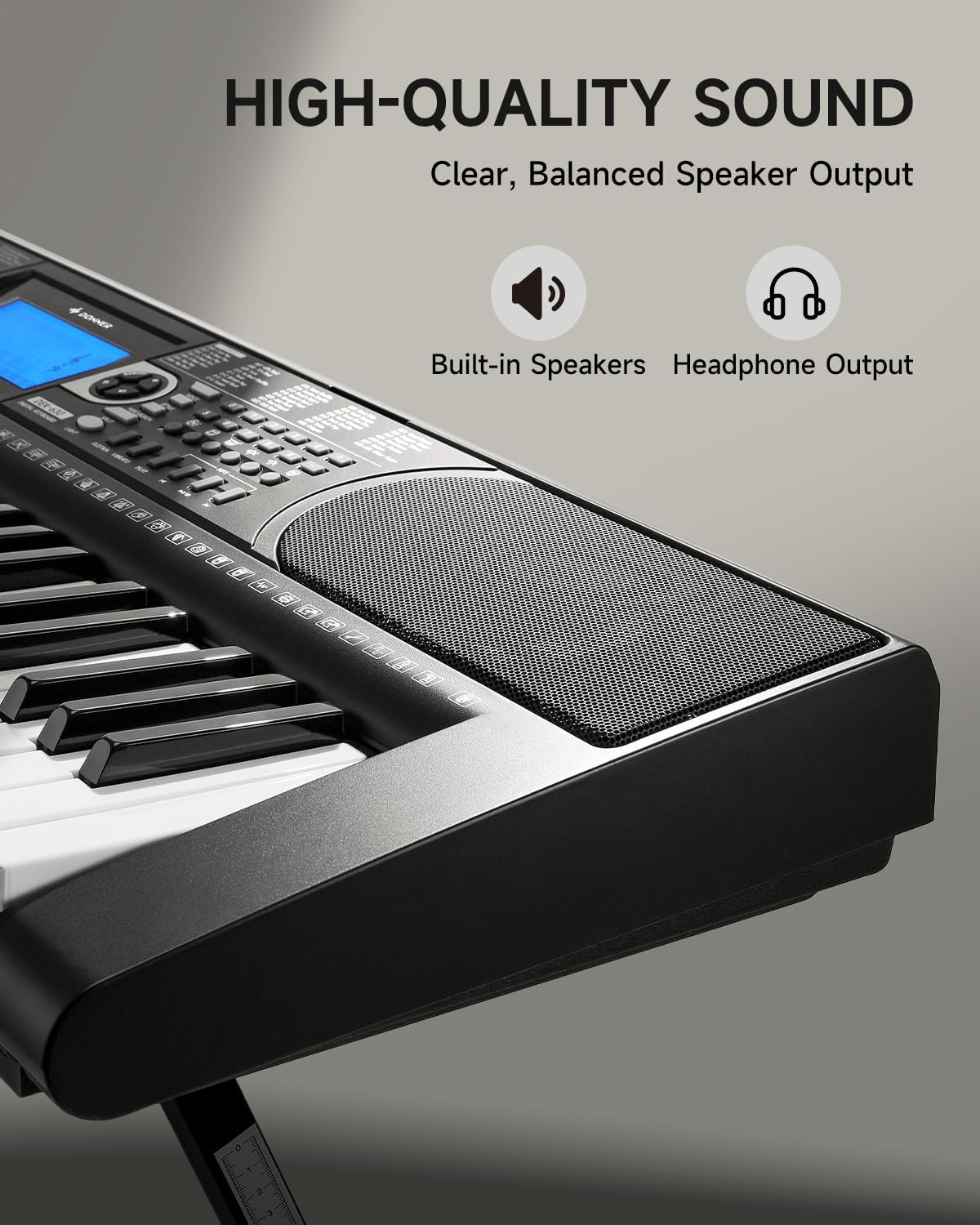
Image 4.3: The DEK-630's built-in speaker and headphone output for versatile sound options.
5. Одржавање
5.1 Чишћење
- Wipe the keyboard and stand with a soft, dry cloth.
- За тврдокорну прљавштину користите мало дamp крпом, а затим добро осушите.
- Avoid using abrasive cleaners, solvents, or waxes, as these can damage the finish.
5.2 Складиштење
- Чувајте тастатуру на хладном и сувом месту, даље од директне сунчеве светлости и екстремних температура.
- If storing for an extended period, disconnect the power adapter.
КСНУМКС. Решавање проблема
| Проблем | Могући узрок | Решење |
|---|---|---|
| Нема звука |
|
|
| Тастери не реагују |
|
|
| ЛЦД екран је празан |
|
|
7. Спецификације
- Модел: ДЕК-630
- Број кључева: 61
- Тонови: 300
- Ритмови: 256
- Демо песме: 40
- Посебне карактеристике: Built-In Speaker, Lighted Keys, Portable, LCD Display, Learning Modes (Auto-Chord, Metronome)
- Повезивање: USB MIDI, Audio Input, Output (L/R), Mic Jack, Headphone Jack, Sustain Pedal Jack
- Снага: ДЦ 12В адаптер за напајање
- Dimensions (Keyboard without stand): 37.80 к 11.81 к 3.54 инча (96 к 30 к 9 цм)
- Укључене компоненте: Electric Keyboard, Z-shaped Stand, Piano Bench, Music Rest, Note Stickers
8. Гаранција и подршка
8.1 Информације о гаранцији
The Donner DEK-630 Electronic Keyboard comes with a 2 година гаранције from the date of purchase. This warranty covers manufacturing defects and malfunctions under normal use. Please retain your proof of purchase for warranty claims. The warranty does not cover damage caused by misuse, accidents, unauthorized modifications, or normal wear and tear.
8.2 Корисничка подршка
For technical assistance, troubleshooting, or warranty inquiries, please contact Donner customer support. Visit the official Donner webсајт за контакт информације и додатне ресурсе.
Donner Official Webсајт: ввв.доннердеал.цом