
1. Увод
This manual provides detailed instructions for setting up, operating, and maintaining your AOOSTAR MACO AMD Ryzen 7 H255 Mini PC. Please read this manual thoroughly before using the device to ensure proper functionality and safety. The AOOSTAR MACO Mini PC is designed for high performance, featuring an AMD Ryzen 7 H255 processor, Radeon 780M graphics, and extensive connectivity options.
2. Садржај пакета
Проверите да ли се у вашем пакету налазе све ставке наведене у наставку:
- 1 x AOOSTAR MACO AMD Ryzen 7 H255 Mini PC
- 1 x SSD Cooling Pad
- 1 x 120W 19V 6.32A Type-C Power Supply
3. Производ је готовview
The AOOSTAR MACO Mini PC is a compact yet powerful computing solution. Below are key features and an overview његових компоненти и портова.
3.1 Кључне карактеристике
- процесор: AMD Ryzen 7 H255 (8-core, 16-thread, up to 4.9 GHz) with Zen 4 architecture and 4nm process.
- Графика: Integrated Radeon 780M graphics (RDNA 3 architecture).
- Меморија: Dual-channel DDR5 5600MHz (expandable up to 128GB).
- Складиштење: Dual-channel M.2 2280 NVMe PCIe4.0x4 SSD (expandable up to 8TB).
- безбедност: One-touch fingerprint unlock for secure access.
- Дисплаи Суппорт: Supports up to four 4K displays simultaneously.
- Повезивање: OCuLink, Dual USB4, USB 3.2 Gen2, USB 3.0, HDMI, DisplayPort, Dual 2.5G LAN, Wi-Fi 6.
3.2 External Components and Ports
Familiarize yourself with the various ports and components of your Mini PC.
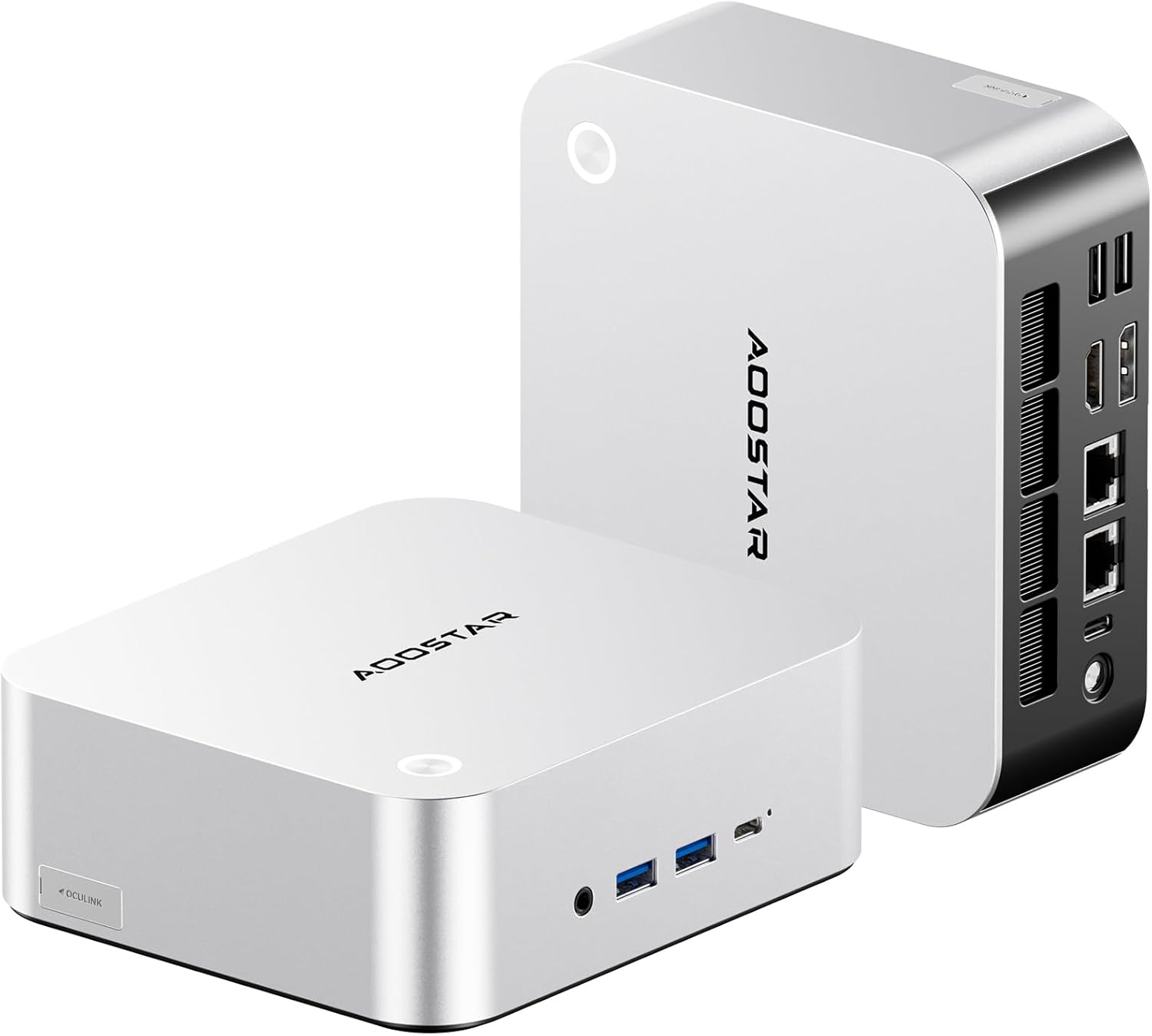
Слика: Предња и задња страна view of the AOOSTAR MACO Mini PC, showcasinг његов компактан дизајн и разне портове.

Слика: Детаљна view of the AOOSTAR MACO Mini PC's rear ports, including OCuLink, USB4, USB 3.2 Gen2, HDMI, DisplayPort, and Dual 2.5G LAN ports.
- Предњи панел: Power button with fingerprint sensor, USB ports.
- Задња плоча: OCuLink port (1), USB4 ports (2), USB 3.2 Gen2 ports (2), USB 3.0 ports (2), HDMI port (1), DisplayPort (1), 2.5G LAN ports (2), DC power input (1), Audio Jack (1).

Image: Close-up of the one-touch fingerprint sensor on the AOOSTAR MACO Mini PC for secure login.

Image: Visual representation of the AMD Ryzen 7 H255 processor, highlighting its core count, turbo frequency, and architecture.

Слика: Интерна view showing the dual DDR5 memory slots and dual M.2 PCIe 4.0 SSD slots for high-speed storage and memory.

Image: The OCuLink port connected to an external GPU enclosure, demonstrating its use for enhanced graphics performance.

Image: Two AOOSTAR MACO Mini PCs side-by-side, highlighting the dual USB4 ports for high-speed data transfer and power delivery.
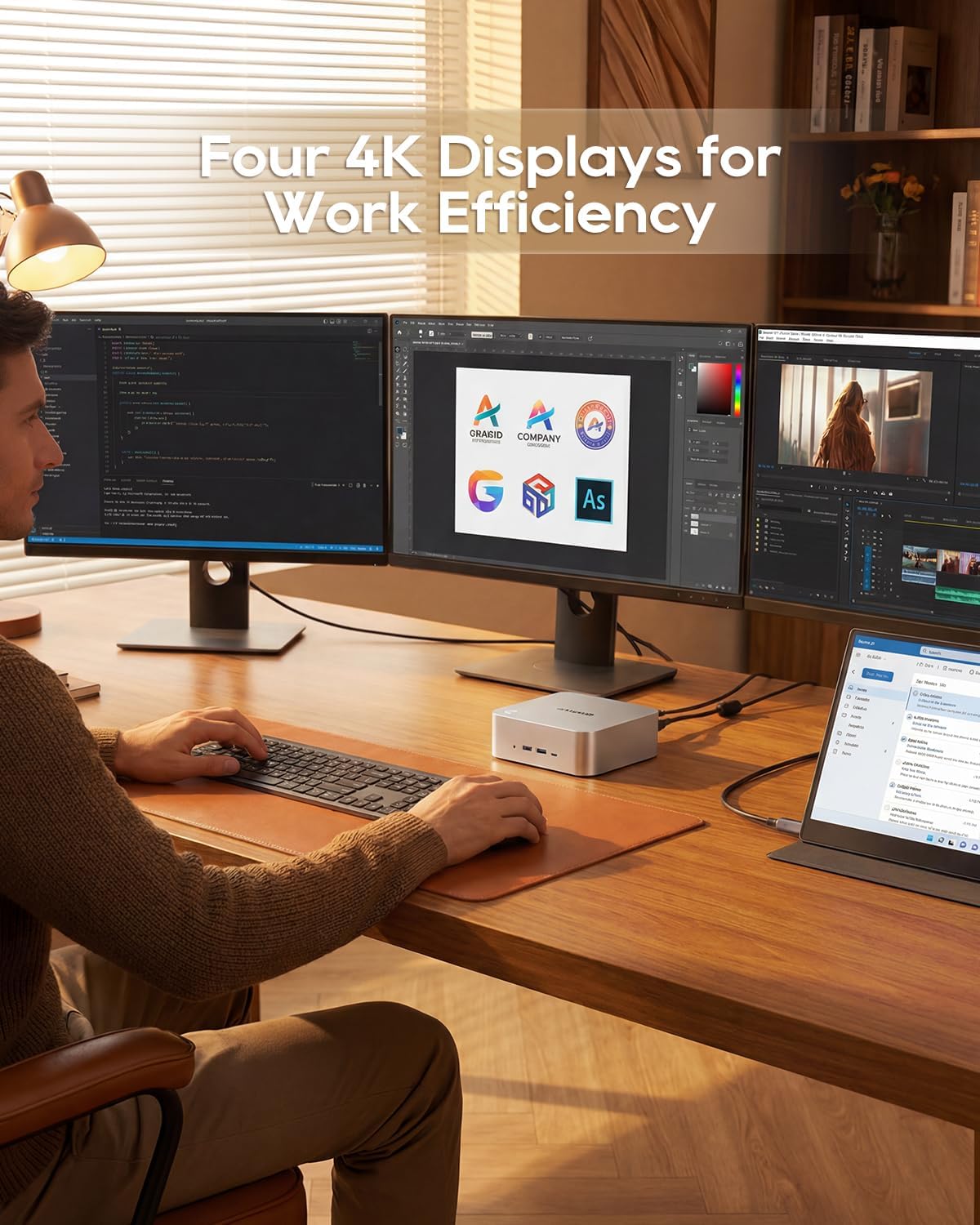
Image: A user working with the AOOSTAR MACO Mini PC connected to four 4K displays, illustrating its multi-display capability for productivity.
Image: The rear of the Mini PC showing the dual 2.5G LAN ports and an external WiFi antenna, emphasizing its high-speed networking capabilities.
Видео: Оверview of the AOOSTAR MACO Mini PC, demonstrating its features such as fingerprint unlock, business applications, gaming performance, and home theater use.
4. Упутства за подешавање
Follow these steps to set up your AOOSTAR MACO Mini PC:
- Повежи екран: Connect your monitor(s) to the Mini PC using an HDMI or DisplayPort cable. The Mini PC supports up to four 4K displays.
- Повежите периферне уређаје: Прикључите тастатуру, миш и све остале УСБ уређаје у доступне УСБ портове.
- Мрежна конекција: For wired internet, connect an Ethernet cable to one of the 2.5G LAN ports. For wireless internet, ensure the Wi-Fi antenna is connected (if external) and the device is powered on to configure Wi-Fi settings.
- Прикључак за напајање: Connect the 120W Type-C power supply to the DC input port on the Mini PC, then plug the power adapter into a wall outlet.
- Укључено: Press the power button on the front of the Mini PC. The system will boot up.
- Почетно подешавање: Follow the on-screen instructions to complete the operating system setup (e.g., Windows OS).
5. Упутство за употребу
This section covers general operation and specific features of your Mini PC.
5.1 Откључавање отиском прста
The Mini PC features a one-touch fingerprint unlock for enhanced security and quick access. During initial OS setup or via system settings, you can enroll your fingerprints. Once configured, simply touch the power button to wake and log in without needing a password.
5.2 Multi-Display Setup
The Mini PC supports connecting up to four 4K displays. Connect your monitors to the available HDMI and DisplayPort outputs. You can configure display settings (e.g., extend, duplicate) within your operating system's display settings.
5.3 OCuLink for External Graphics
The OCuLink port provides a high-bandwidth connection (64 Gbps) for external GPU solutions. This allows for significantly improved graphics performance for demanding applications or gaming. Note that OCuLink is not hot-swappable and does not occupy an M.2 2280 PCIe4.0 SSD slot.
5.4 USB4 Ports
The dual USB4 ports offer versatile connectivity with high data transfer speeds and power delivery capabilities (up to 100W). These ports can be used for external graphics card docks, NVMe SSD arrays, or other high-speed peripherals.
6. Одржавање
Редовно одржавање помаже у обезбеђивању дуготрајности и оптималних перформанси вашег Мини рачунара.
- Чишћење: Use a soft, dry cloth to clean the exterior of the Mini PC. For dust accumulation in vents, use compressed air. Ensure the device is powered off and unplugged before cleaning.
- вентилација: Ensure the Mini PC is placed in a well-ventilated area. Do not block the ventilation openings.
- Ажурирања софтвера: Regularly update your operating system, drivers, and applications to maintain security and performance.
КСНУМКС. Решавање проблема
If you encounter issues with your Mini PC, refer to the following common troubleshooting steps:
- Нема напајања:
- Уверите се да је адаптер за напајање безбедно повезан и са Мини рачунаром и са исправном утичницом.
- Проверите да ли је утичница функционална тако што ћете укључити други уређај.
- Без приказа:
- Check that the display cable (HDMI/DisplayPort) is securely connected to both the Mini PC and the monitor.
- Уверите се да је монитор укључен и подешен на исправан улазни извор.
- Покушајте да се повежете са другим екраном или користите други кабл.
- Нема интернет везе:
- For wired connection, check the Ethernet cable and router status.
- For Wi-Fi, ensure Wi-Fi is enabled in the operating system settings and you are connected to the correct network with the correct password.
- Restart your router/modem and the Mini PC.
- Споре перформансе:
- Затворите непотребне апликације које раде у позадини.
- Проверите да ли на вашем SSD-у има довољно слободног простора за складиштење.
- Ensure the Mini PC is well-ventilated to prevent overheating.
8. Спецификације
Detailed technical specifications for the AOOSTAR MACO AMD Ryzen 7 H255 Mini PC:
| Феатуре | Спецификација |
|---|---|
| Бранд | AOOSTAR |
| Број модела | MACO AMD Ryzen 7 H255 |
| ЦПУ модел | AMD Ryzen 7 H255 |
| Брзина процесора | 3.8 GHz (Base), up to 4.9 GHz (Max Boost) |
| Грапхицс Цопроцессор | Radeon 780M |
| Величина инсталиране РАМ меморије | 24 ГБ |
| Технологија РАМ меморије | ДДР5 |
| Брзина меморије | 5600 МХз |
| Максимална величина РАМ меморије | 128 ГБ |
| Капацитет меморије | 1 ТБ ССД |
| Хард Диск Интерфаце | ПЦИЕ к 4 |
| Оперативни систем | OS (Pre-installed) |
| Технологија повезивања | HDMI, USB, Wi-Fi 6, 2.5G LAN, OCuLink |
| Видео излазни интерфејс | ДисплаиПорт, ХДМИ |
| Резолуција | 4K |
| Укупно УСБ портова | 6 (2x USB4, 2x USB 3.2 Gen2, 2x USB 3.0) |
| Димензије артикла | 5.12 к 5.12 к 2.36 инча |
| Тежина артикла | 660 грама |
| Боја | Црно |
9. Гаранција и подршка
The AOOSTAR MACO AMD Ryzen 7 H255 Mini PC comes with a 1-year warranty. For warranty claims, technical support, or service inquiries, please contact AOOSTAR customer support through their official channels or the retailer where the product was purchased. Keep your proof of purchase for warranty validation.