
1. Производ је готовview
The Edifier W280NB Pro are neckband wireless headphones designed for immersive audio experiences with advanced features. They offer hybrid active noise cancellation, Hi-Res Audio support with LDAC, and a durable, comfortable design suitable for various activities.

Image: Edifier W280NB Pro headphones with key features highlighted.
Кључне карактеристике:
- Deep Hybrid Active Noise Cancellation: Up to -45dB noise reduction with 4 selectable modes (High ANC, Medium ANC, Ambient Aware, Wind Reduction).
- Studio-Quality Hi-Res Audio: 10mm dynamic drivers with titanium-coated composite diaphragms, supporting LDAC codec and Hi-Res Audio Wireless certification (20Hz-40KHz frequency response).
- Long-Lasting Battery & Fast Charging: Up to 23 hours of playback (ANC off), 14 hours (ANC on). 15 minutes of charging provides 5 hours of playtime. Full charge in 1.5 hours.
- Стабилна Bluetooth 5.4 веза: Ensures stable transmission, low power consumption, and multipoint connection for seamless device switching.
- All-Day Comfort & Secure Fit: Lightweight, flexible neckband with skin-friendly material and multiple sizes of ear wings for a secure fit. Magnetic earbuds for tangle-free storage.
- Durable & Clear Calls: IP55 dust and water resistance. Built-in AI noise-canceling microphones for clear communication in noisy environments.
2. Водич за подешавање
2.1 Садржај пакета
Пре употребе, уверите се да су сви састојци присутни у паковању:
- Edifier W280NB Pro Neckband Wireless Headphones
- УСБ-Ц кабл за пуњење
- Multiple sizes of ear tips and ear wings
- Кориснички приручник (овај документ)
2.2 Пуњење слушалица
Charge the headphones fully before first use to ensure optimal battery performance.
- Connect the provided USB-C charging cable to the charging port on the neckband.
- Повежите други крај кабла са УСБ адаптером за напајање (није укључен) или УСБ портом рачунара.
- The indicator light will show charging status (refer to the LED indicator section for details).
- A full charge takes approximately 1.5 hours. A 15-minute quick charge provides approximately 5 hours of playback.

Image: Visual representation of battery life (23 hours ANC off, 14 hours ANC on) and fast charging (15 mins = 5 hours).
2.3 Fitting the Headphones
Proper fit is crucial for comfort, sound quality, and effective noise cancellation.
- Select the ear tips and ear wings that best fit your ears. Experiment with different sizes for the most secure and comfortable seal.
- Place the neckband around your neck.
- Insert the earbuds into your ear canals and adjust the ear wings to sit snugly in your outer ear for stability.

Image: Diagram showing various ear tip and ear wing sizes for a secure and comfortable fit.
2.4 Блуетоотх упаривање
Pair your Edifier W280NB Pro headphones with your device via Bluetooth.
- Уверите се да су слушалице напуњене и искључене.
- Press and hold the multi-function button (usually the power button) until the indicator light flashes rapidly (e.g., blue and red alternately), indicating pairing mode.
- На свом уређају (паметном телефону, таблету, лаптопу) омогућите Блутут и потражите доступне уређаје.
- Select "Edifier W280NB Pro" from the list of found devices.
- Once connected, the indicator light will typically show a steady blue light or flash slowly.
Вишетачка веза:
The W280NB Pro supports multipoint connection, allowing you to connect to two Bluetooth devices simultaneously.
- Упарите слушалице са првим уређајем као што је горе описано.
- Онемогућите Блутут на првом уређају.
- Вратите слушалице у режим упаривања и упарите их са другим уређајем.
- Re-enable Bluetooth on the first device. The headphones should now be connected to both devices, allowing seamless switching.

Image: Illustration of Bluetooth 5.4 technology for stable transmission and multipoint connection.
3. Упутство за употребу
3.1 Укључивање/искључивање
- Укључено: Press and hold the multi-function button for approximately 3 seconds until the indicator light illuminates.
- Искључивање: Press and hold the multi-function button for approximately 5 seconds until the indicator light turns off.
3.2 Контроле дугмета
The Edifier W280NB Pro features intuitive button controls on the neckband for easy management of music, calls, and noise cancellation modes.

Image: Diagram illustrating the functions of each button on the neckband for calls, music playback, and mode switching.
| Акција | Функција |
|---|---|
| Multi-function Button (Power) | Press and hold 3s: Power On Press and hold 5s: Power Off Press and hold (pairing mode): Enter Bluetooth pairing Single press (during call): Answer/End Call Double press (during call): Reject Call |
| Јачина звука (+) | Single press: Increase Volume Press and hold: Next Track |
| Смањивање јачине звука (-) | Single press: Decrease Volume Press and hold: Previous Track |
| Дугме за репродукцију/паузу | Single press: Play/Pause Music |
| Дугме за начин рада АНЦ | Single press: Cycle through ANC modes (High ANC, Medium ANC, Ambient Aware, Wind Reduction, ANC Off) |
3.3 Режими активног поништавања буке (ANC)
The W280NB Pro offers four distinct noise cancellation modes to adapt to your environment.

Image: Visual guide to the four ANC modes and their typical use cases.
- High ANC: Provides maximum noise reduction, ideal for very noisy environments like airplanes or subways.
- Medium ANC: Offers a balanced level of noise cancellation, suitable for offices or cafes.
- Амбиент Аваре: Allows you to hear your surroundings while still enjoying your audio, useful for urban environments or when needing to be aware of announcements.
- Смањење ветра: Посебно дизајниран да смањи буку ветра током активности на отвореном.
3.4 Упућивање и примање позива
The headphones feature AI noise-canceling microphones for clear call quality.
- Одговори на позив: Једном притисните вишефункционално дугме.
- Заврши позив: Једном притисните вишефункционално дугме.
- Одбиј позив: Двапут притисните вишефункционално дугме.

Image: A person using the headphones for a call, highlighting the AI-enhanced clear call feature.
3.5 Апликација Edifier Connect
For advanced settings and customization, download the Edifier Connect app from your device's app store. The app allows you to:
- Преименујте свој уређај.
- Personalize ANC levels.
- Fine-tune audio with preset EQs or custom EQs.
- Locate lost headphones.
4. Одржавање
4.1 Чишћење
The W280NB Pro headphones are IP55 rated for dust and water resistance, but proper cleaning helps maintain their condition.
- Wipe the neckband and earbuds with a soft, dry, lint-free cloth.
- For ear tips, gently remove them and clean with a damp cloth and mild soap if necessary. Ensure they are completely dry before reattaching.
- Avoid using harsh chemicals, abrasive materials, or submerging the headphones in water.
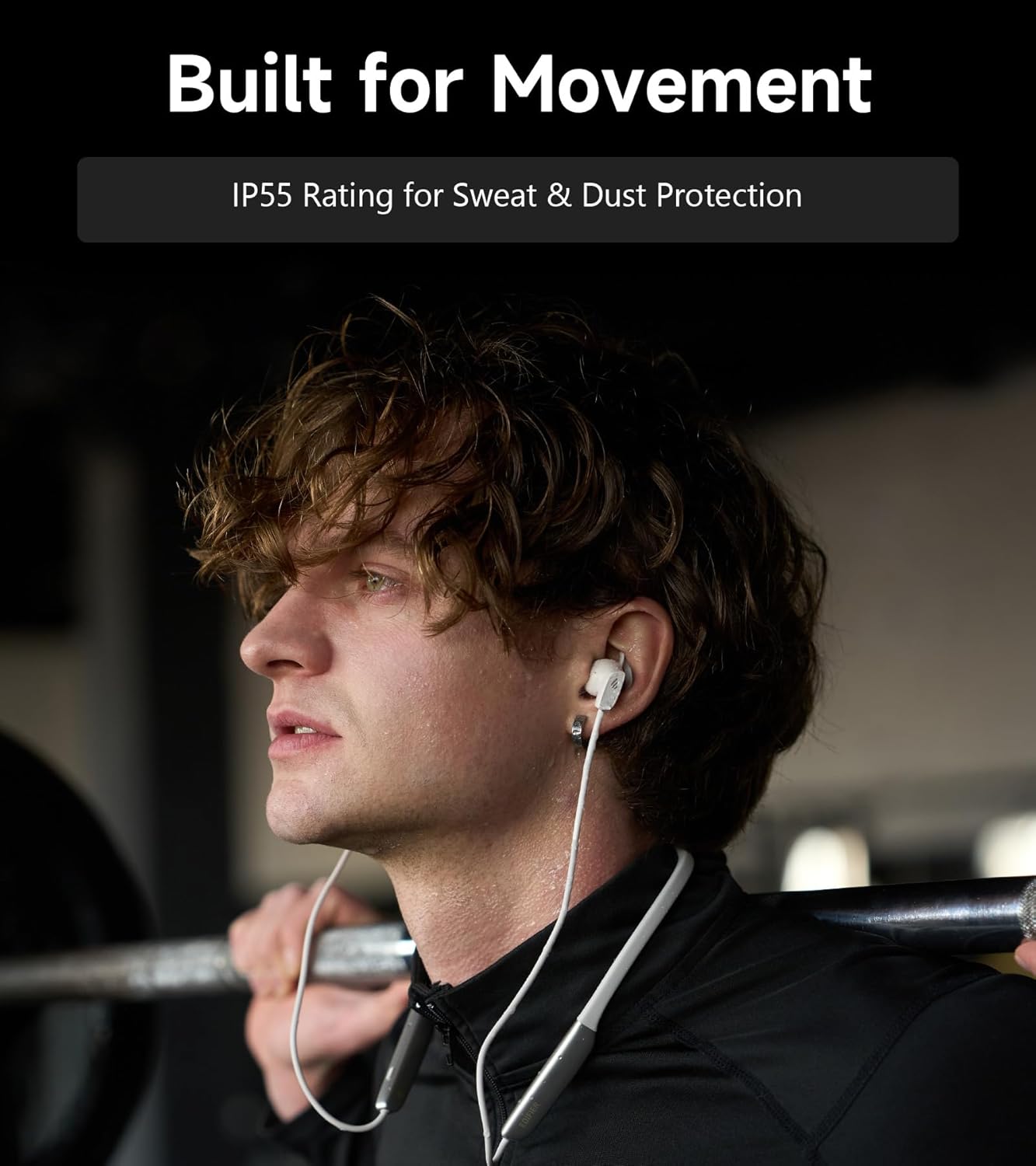
Image: A person wearing the headphones during a workout, illustrating the IP55 sweat and dust protection.
4.2 Складиштење
When not in use, store your headphones properly to prevent damage.
- The earbuds are magnetic, allowing them to snap together for tangle-free storage around your neck or in a bag.
- Чувати на хладном и сувом месту далеко од директне сунчеве светлости и екстремних температура.
4.3 Одржавање батерије
- Избегавајте често потпуно пражњење батерије.
- Редовно пуните слушалице, чак и ако се не користе дуже време, како бисте одржали здравље батерије.
КСНУМКС. Решавање проблема
If you encounter issues with your Edifier W280NB Pro headphones, refer to the following common problems and solutions.
| Проблем | Могући узрок | Решење |
|---|---|---|
| Слушалице се не укључују. | Ниска батерија. | У потпуности напуните слушалице. |
| Упаривање са уређајем није могуће. | Headphones not in pairing mode. Bluetooth disabled on device. Уређај је предалеко од слушалица. | Ensure headphones are in pairing mode (flashing indicator). Омогућите Блуетоотх на свом уређају. Move device closer to headphones (within 10 meters). Try resetting the headphones (refer to manual for specific reset procedure if available, or power cycle). |
| Нема звука или је јачина звука ниска. | Volume too low on headphones or device. Слушалице нису повезане. На уређају је изабран погрешан аудио излаз. | Increase volume on both headphones and device. Ensure headphones are successfully paired and connected. Check your device's audio settings to ensure output is set to Edifier W280NB Pro. |
| Лош квалитет звука. | Лоша Блуетоотх веза. Неправилно приањање врха уха. Audio source quality. | Приближите се повезаном уређају. Ensure ear tips provide a secure seal. Пробајте други аудио извор или file. |
| Активно поништавање буке није ефикасно. | Неправилно приањање врха уха. Incorrect ANC mode selected. Extreme noise conditions. | Ensure ear tips provide a secure seal. Cycle through ANC modes to select the most appropriate one. ANC works best for low-frequency, constant noise. |
| Микрофон не ради током позива. | Headphones not selected as input device. Микрофон је искључен на уређају. | Check your device's call settings to ensure Edifier W280NB Pro is selected for microphone input. Ensure microphone is not muted on your device. |
6. Спецификације
Detailed technical specifications for the Edifier W280NB Pro Neckband Wireless Headphones.
| Феатуре | Детаљ |
|---|---|
| Бранд | Едифиер |
| Назив модела | W280NB Pro |
| Боја | Црно |
| Постављање уха | Ин Еар |
| Форм Фацтор | Трака за врат |
| Импеданса | 24 Охмс |
| Контрола буке | Активно поништавање буке |
| Фреквенцијски опсег | 20Хз-40КХз |
| Тип аудио драјвера | Dynamic Driver (10mm with Titanium-Coated Diaphragm) |
| Технологија повезивања | бежични (Блуетоотх) |
| Блуетоотх верзија | 5.4 |
| Блуетоотх домет | 10 метара (33 стопа) |
| Battery Average Life (Playback) | 23 сати (искључено ANC), 14 сати (укључено ANC) |
| Време пуњења батерије | 1.5 сата |
| Ниво отпорности на воду | IP55 (Dust & Waterproof) |
| Компатибилни уређаји | Smartphones, Tablets, Laptops, Smart Speakers |
| Материјал | Silicone (Enclosure) |
| УПЦ | 628430220005 |
7. Информације о гаранцији
The Edifier W280NB Pro Neckband Wireless Headphones come with a 1 године гаранције произвођача.
This warranty covers defects in materials and workmanship under normal use. It does not cover damage caused by misuse, accidents, unauthorized modifications, or normal wear and tear. Please retain your proof of purchase for warranty claims.
8. Корисничка подршка
For further assistance, technical support, or warranty inquiries, please contact Edifier customer service.
- Webсајт: Посетите званични Едифајер webсајт за често постављана питања, ресурсе за подршку и контакт информације.
- Имејл/Телефон: Refer to the Edifier website or your product packaging for specific contact details in your region.