
Увод
This manual provides essential instructions for setting up, operating, and maintaining your MENDUNER Smartphone. Please read this manual thoroughly before using your device to ensure proper function and longevity.
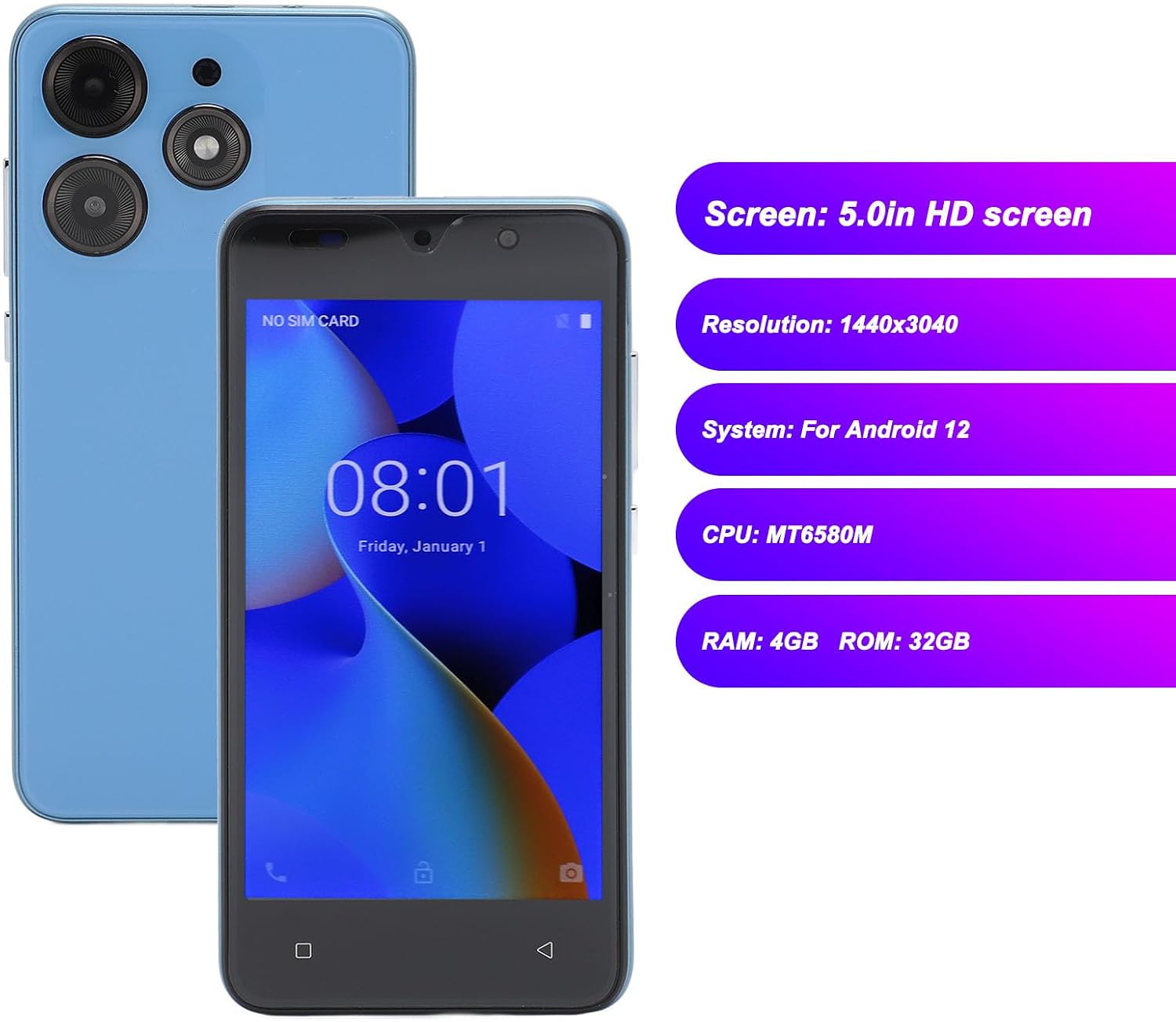
Your MENDUNER Smartphone features a 5.0-inch HD screen with a resolution of 1440x3040, 4GB RAM, 32GB ROM, dual SIM card support, and face recognition technology. It operates on the Android 12 system and is equipped with a 6800mAh battery.
Садржај пакета
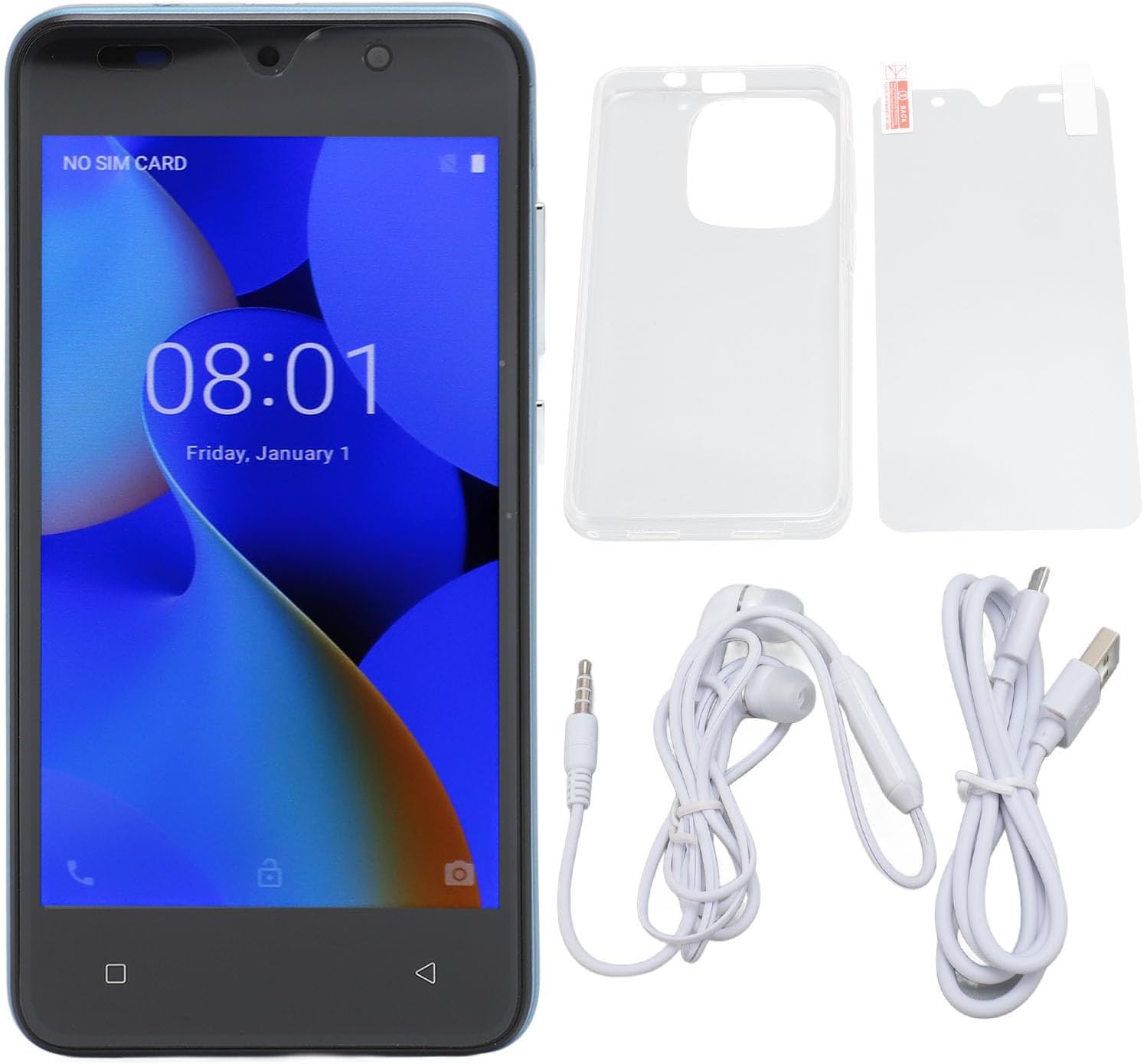
Проверите да ли су све ставке наведене у наставку укључене у пакет вашег производа:
- 1 x MENDUNER Smartphone
- 1 к штитник за екран
- 1 к Заштитна торбица
- 1 x Data Cable (USB)
- 1 x Earphones (3.5mm jack)
- 1 x Упутство за употребу (овај документ)
Сетуп
1. Уметање SIM картица и меморијске картице
Your smartphone supports dual SIM cards and one small memory card (up to 128GB, not included).
- Пронађите лежиште за СИМ картицу са стране уређаја.
- Use the provided SIM ejector tool (if included) or a small pin to open the tray.
- Carefully place your SIM cards into the designated slots (SIM 1 and SIM 2).
- If using a memory card, insert it into the memory card slot.
- Лагано гурните лежиште назад у уређај док не кликне на своје место.
2. Почетно пуњење
Before first use, it is recommended to fully charge the smartphone. Connect the data cable to the phone's USB port and the other end to a power adapter (not included) or a computer's USB port. The battery capacity is 6800mAh.

Упутство за употребу
1. Укључивање/искључивање
- За укључивање: Press and hold the power button located on the right side of the device until the screen lights up.
- За искључивање: Press and hold the power button on the top right until the power options appear on the screen. Select "Power Off".
2. Основна навигација
The MENDUNER Smartphone features a 5.0-inch HD screen with a resolution of 1440x3040. Navigate the interface using touch gestures.


3. Препознавање лица
Your device supports face recognition for secure unlocking. To set up:
- Иди на Подешавања > Безбедност и приватност > Откључавање лицем.
- Пратите упутства на екрану да бисте регистровали своје лице.
- Ensure good lighting and hold the phone at eye level during registration.

4. Употреба камере
The smartphone is equipped with an 8MP front camera (f/2.0 aperture) and an 8MP rear camera (f/1.8 aperture) with autofocus.
- Отворите апликацију Камера са почетног екрана или из фиоке апликација.
- Додирните дугме затварача да бисте снимили фотографију.
- Пребацујте се између предње и задње камере помоћу иконе за пребацивање камере.

5. Повезивање
The device supports WIFI, Bluetooth, FM Radio, and GPS functionalities.
- ВИФИ: Приступ Подешавања > Мрежа и Интернет > Ви-Фи да бисте се повезали са доступним мрежама.
- Блуетоотх: Приступ Подешавања > Повезани уређаји > Блуетоотх да бисте се упарили са другим Bluetooth уређајима.
- ГПС: Location services can be enabled via Подешавања > Локација for navigation and location-based apps.
- ФМ радио: Use the pre-installed FM Radio app. Earphones may be required as an antenna.
Одржавање
- Чишћење: Користите меку крпу која не оставља влакна за чишћење екрана и кућишта телефона. Избегавајте јаке хемикалије.
- Ажурирања софтвера: Редовно проверавајте системска ажурирања путем Подешавања > Систем > Ажурирање система како би се осигурале оптималне перформансе и безбедност.
- Одржавање батерије: Avoid extreme temperatures. Do not let the battery fully discharge frequently.
- Управљање складиштем: Периодично чистите непотребне files and apps to maintain 32GB ROM performance. Consider using a memory card for additional storage.
Решавање проблема
| Проблем | Решење |
|---|---|
| Уређај се не укључује. | Уверите се да је батерија напуњена. Повежите је са пуњачем најмање 30 минута, а затим покушајте поново да је укључите. |
| Екран не реагује. | Perform a forced restart by holding the power button for about 10-15 seconds. If the issue persists, contact support. |
| Повезивање на Ви-Фи није могуће. | Check if Wi-Fi is enabled in settings. Restart your router and the phone. Ensure you have the correct password. |
| Face recognition fails. | Ensure you are in a well-lit environment. Re-register your face in Подешавања > Безбедност и приватност. |
| Лош век трајања батерије. | Смањите осветљеност екрана, затворите апликације у позадини, онемогућите непотребне функције попут GPS-а или Bluetooth-а када се не користе. Проверите потрошњу батерије у подешавањима да бисте идентификовали апликације које троше много енергије. |
Спецификације
| Феатуре | Детаљ |
|---|---|
| Назив модела | MENDUNER64ycd3elpm-13 |
| Дисплаи | 5.0-inch HD Screen, 1440 x 3040 Resolution |
| Оперативни систем | Андроид 12 |
| Процесор | MT6580M, 1.3 GHz CPU Speed |
| РАМ | 4 ГБ |
| Интерна меморија (РОМ) | 32 ГБ |
| Екпандабле Стораге | Подржава до 128ГБ МицроСД картице (није укључена) |
| Слотови за СИМ картице | Dual SIM (GSM: 850/900/1800/1900MHz, WCDMA: 850/2100MHz) |
| Предња камера | 8 MP, f/2.0 aperture, fixed focal length |
| Задња камера | 8 MP, f/1.8 aperture, autofocus |
| Капацитет батерије | КСНУМКС мАх литијум-јонска |
| Повезивање | Wi-Fi, Bluetooth, FM Radio, GPS |
| Биометријска безбедност | Препознавање лица |
| Портс | 1 x USB, 1 x 3.5mm Audio Jack |
| Земља порекла | Кина |


Гаранција и подршка
Информације о гаранцији
This MENDUNER Smartphone comes with a 2-годишња гаранција произвођача. Please retain your proof of purchase for warranty claims. The warranty covers manufacturing defects and malfunctions under normal use conditions.
Корисничка подршка
For technical assistance, troubleshooting beyond this manual, or warranty inquiries, please contact MENDUNER customer support. Refer to the contact information provided on the product packaging or the official MENDUNER webсајту.