
Увод
This manual provides detailed instructions for the installation, operation, maintenance, and troubleshooting of your Blackspider BSDD1460A 7-inch Android multimedia radio. Please read this manual thoroughly before using the device to ensure proper functionality and safety.
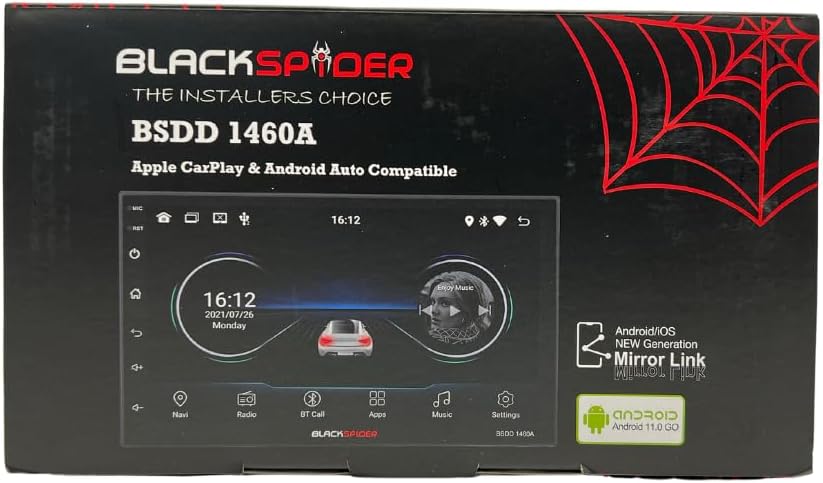
Figure 1: Blackspider BSDD1460A Product Packaging
The Blackspider BSDD1460A is a double-DIN head unit featuring a 7-inch Android 11 touchscreen. It supports Wireless Apple CarPlay, Wired Android Auto, built-in GPS navigation, and offers robust multimedia control and audio output. It is designed for seamless integration with various car systems, including rear cameras and steering wheel controls.
Подешавање и инсталација
Садржај пакета
Before installation, verify that all components are present in the package:
- 1 x BSDD1460A Radio Unit
- 1 к Кабл за камеру
- 1 x RCA Cables Set
- 2 к УСБ каблови
- 1 x GPS prijemnik
- 1 к дијаграм ожичења
- 2 к носачи за монтирање
- 4 к завртњи
- 1 к спољни микрофон
- 1 к кабл за напајање

Figure 2: Unboxed Components

Слика 3: Детаљно View of Cables and Wiring Diagram
Смернице за инсталацију
Installation of the BSDD1460A unit should ideally be performed by a qualified professional. Incorrect wiring can damage the unit or your vehicle's electrical system. Refer to the included wiring diagram for specific connections.
Key connection points include:
- Напајање: Connect the power cable to the vehicle's electrical system, ensuring correct polarity and fuse protection.
- Излази за звучнике: Connect to your vehicle's speakers. The unit provides 60W x 4 max output.
- ГПС антена: Connect the GPS receiver to the dedicated input and mount the antenna in a location with clear sky visibility.
- Улаз за задњу камеру: Connect your rear-view camera to the designated input for automatic display when reversing.
- УСБ портови: Utilize the dual rear USB ports for media playback or charging devices.
- Спољни микрофон: Connect the external microphone for improved hands-free calling audio quality.
- Контроле на волану: Connect to your vehicle's resistive steering wheel controls for integrated functionality.
- РЦА излази: Use the RCA audio outputs (Front/Rear) and dedicated Subwoofer output for external ampлифиерс.

Слика 4: Прикључци на задњој плочи
Упутство за употребу
Укључивање/искључивање
Press and hold the power button on the front panel or use the vehicle's ignition to turn the unit on or off. The unit will display the Blackspider logo upon startup.

Figure 5: Startup Screen
Interfejs ekrana osetljivog na dodir
The 7-inch touchscreen provides intuitive control over all functions. Tap icons to open applications, swipe to navigate menus, and use pinch-to-zoom gestures where applicable (e.g., in navigation apps).
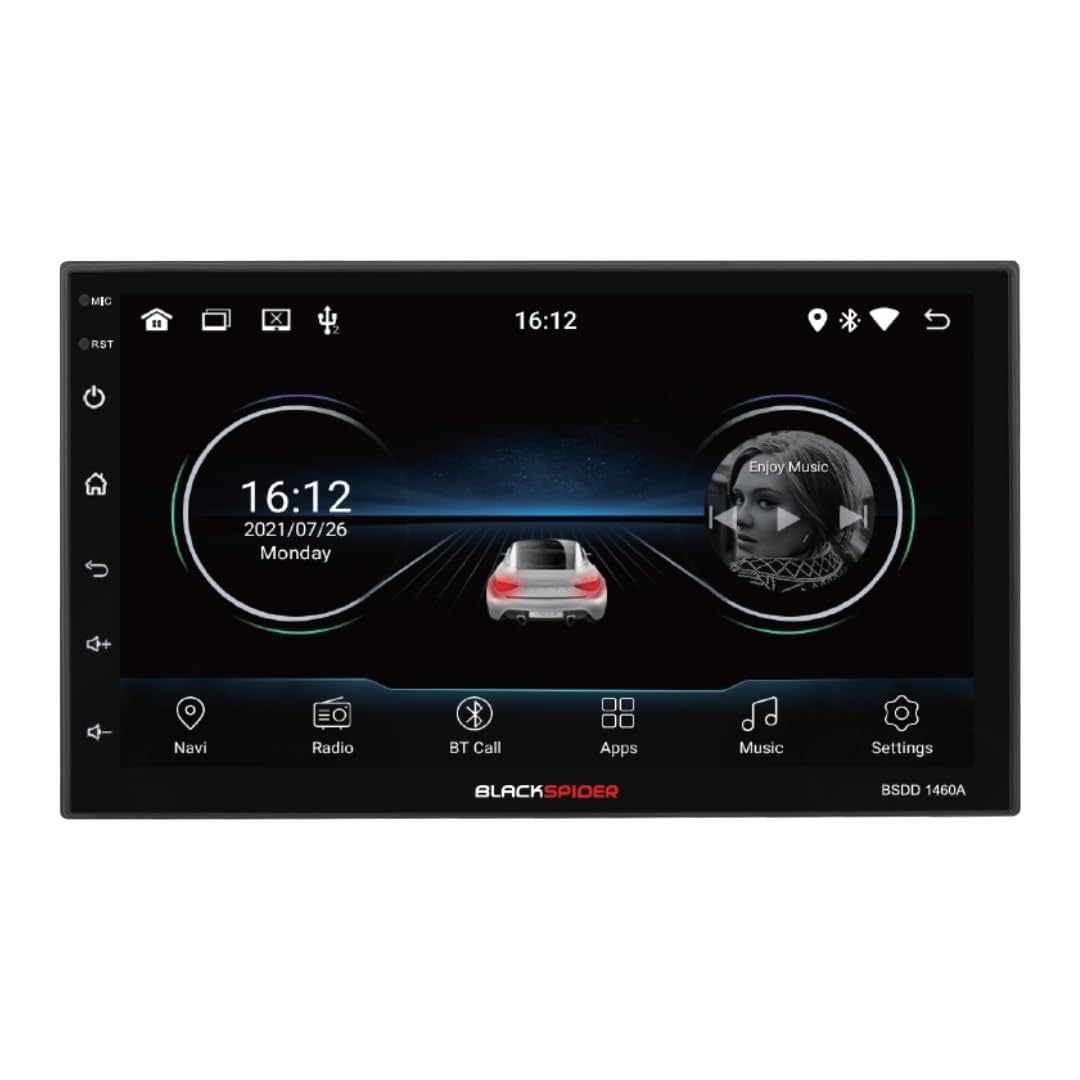
Figure 6: Main Home Screen

Figure 7: Applications Screen
Кључне карактеристике
- Бежични Аппле ЦарПлаи: Connect your iPhone wirelessly for access to navigation, music, messages, and more directly on the unit's screen. Ensure Bluetooth and Wi-Fi are enabled on your iPhone.
- Жичани Андроид Ауто: Connect your Android smartphone via a USB cable to use Android Auto features, including Google Maps, Spotify, and voice commands.
- Уграђена ГПС навигација: The unit comes with built-in GPS capabilities. You can download and use various navigation applications from the Android system's app store.
- Bluetooth Hands-Free Calling & Music Streaming: Pair your smartphone via Bluetooth for hands-free calls and wireless audio streaming. The included external microphone enhances call clarity.
- Мултимедијална репродукција: Репродукујте аудио и видео files from USB drives connected to the dual rear USB ports.
- Подршка за задњу камеру: When a rear camera is connected, the display automatically switches to the camera view када се возило налази у брзини за ход уназад.
- Контрола звука: Adjust volume, balance, fader, and utilize the built-in equalizer presets to customize your audio experience.
Одржавање
To ensure the longevity and optimal performance of your Blackspider BSDD1460A, follow these maintenance guidelines:
- Чишћење: Use a soft, dry cloth to clean the screen and unit exterior. For stubborn marks on the screen, use a screen cleaner specifically designed for electronic displays. Avoid abrasive cleaners or solvents.
- Ажурирања софтвера: Periodically check for software updates through the unit's settings menu or the manufacturer's webсајт. Ажурирање софтвера може побољшати перформансе и додати нове функције.
- Услови животне средине: Избегавајте излагање уређаја екстремним температурама, директној сунчевој светлости током дужег периода или прекомерној влази.
Решавање проблема
If you encounter issues with your Blackspider BSDD1460A, refer to the following common problems and solutions:
| Проблем | Могући узрок | Решење |
|---|---|---|
| Jedinica se ne uključuje | Неисправно ожичење, прегорели осигурач, проблем са акумулатором возила | Check power connections and fuses. Ensure vehicle battery is charged. Consult an installer. |
| Нема излаза звука | Жице звучника су искључене, јачина звука је прениска, активирано је искључивање звука | Check speaker connections. Increase volume. Deactivate mute function. |
| ГПС сигнал је изгубљен или нетачан | GPS antenna obstructed or improperly placed | Уверите се да GPS антена има чист view неба. Проверите везу антене. |
| Apple CarPlay/Android Auto се не повезује | Incorrect settings, cable issue (for Android Auto), phone compatibility | For CarPlay, ensure Wi-Fi and Bluetooth are on. For Android Auto, try a different USB cable. Check phone compatibility and settings. |
| Екран на додир не реагује | Привремени софтверски квар | Restart the unit. If issue persists, perform a factory reset (note: this will erase all user data). |
Спецификације
Technical specifications for the Blackspider BSDD1460A multimedia radio:
- Модел: BSDD1460A
- Приказ: 7-inch Android 11 Touchscreen
- Меморија: 2ГБ РАМ + 32ГБ РОМ
- Повезивање: Wireless Apple CarPlay, Wired Android Auto, Bluetooth, GPS, Dual Rear USB, AV Input & Video Output, RCA Audio Outputs (Front/Rear), Dedicated Subwoofer Output
- Аудио излаз: 60W × 4 max speaker output, Built-in Equalizer Presets
- Посебне карактеристике: Задњи-view camera input, Resistive steering wheel control support, External microphone support
- Димензије (Д к Ш к В): 14Д к 17.8Ш к 10В центиметара
- Тежина артикла: 1.35 килограма
- Боја: Црно
Информације о гаранцији
The Blackspider BSDD1460A comes with a 1 година гаранције from the date of purchase. This warranty covers manufacturing defects under normal use. It does not cover damage caused by improper installation, misuse, accidents, unauthorized repairs, or normal wear and tear. Please retain your proof of purchase for warranty claims.
Подршка
For further assistance, technical support, or warranty claims, please contact your retailer or the Blackspider customer service department. Refer to the contact information provided with your purchase or visit the official Blackspider webсајт за ресурсе подршке.