
Увод
The Roku Hiro 32-inch 720p HD Smart TV offers an integrated Roku streaming experience. This television features an HD display for clear picture quality and speakers with enhanced audio. It supports Bluetooth for private listening with headphones and includes Wi-Fi for internet connectivity. The Roku operating system provides a customizable home screen, access to numerous streaming channels, and automatic updates, making it suitable for various living spaces.
Шта је у кутији
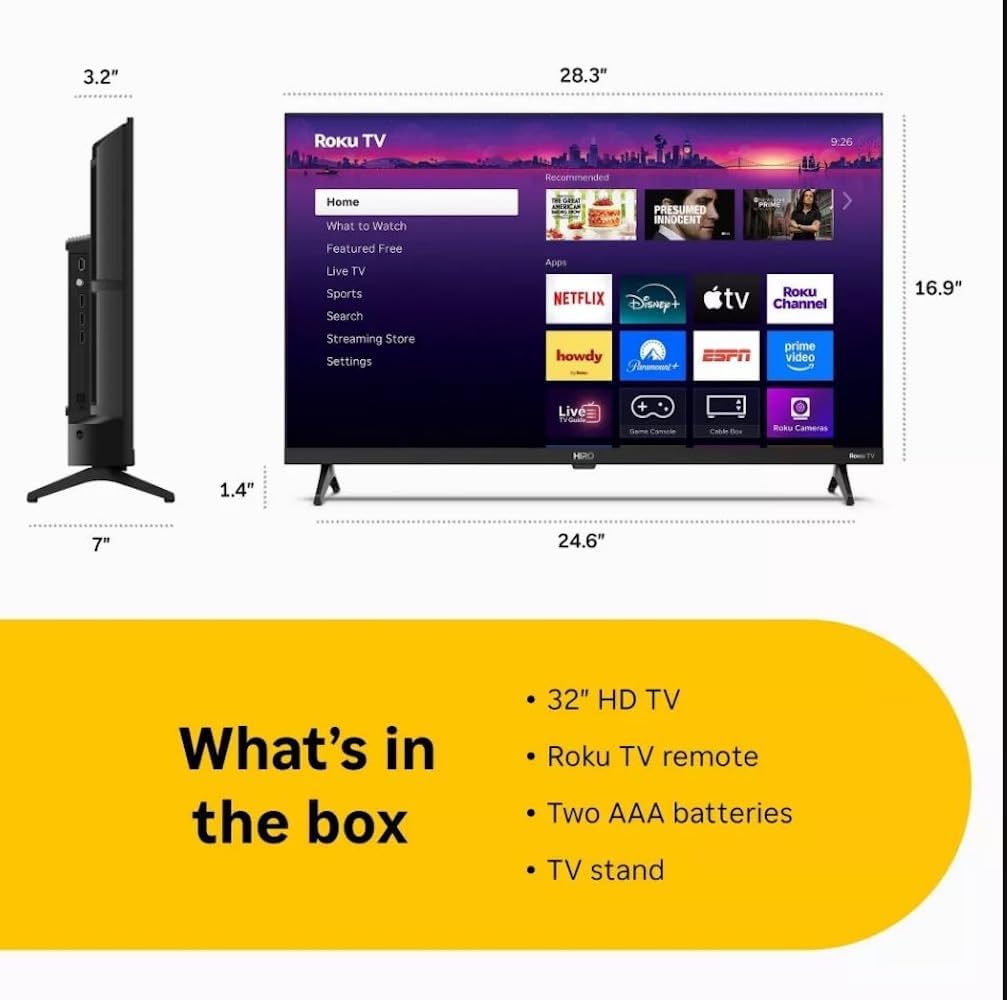
Diagram showing the dimensions of the Roku Hiro 32-inch TV and a list of included accessories: 32-inch HD TV, Roku TV remote, two AAA batteries, and TV stand.
- Hiro 32" 720p HD Smart TV Flat Screen LED Television with Roku TV
- Ремоте Цонтрол
- ТВ комода
- Повер Цабле
- Упутство за употребу
Сетуп
1. Инсталација постоља
Carefully place the TV screen-down on a soft, clean surface to prevent damage. Align the TV stand with the designated slots on the bottom of the TV. Secure the stand using the provided screws. Ensure the stand is firmly attached before proceeding.
2. Повезивање уређаја

Позади view of the Roku Hiro TV, showing the input/output ports including USB, HDMI, and antenna connections.
- Снага: Прикључите кабл за напајање на улаз за напајање телевизора, а затим на зидну утичницу.
- ДВИ: Connect external devices such as Blu-ray players, game consoles, or cable boxes to the HDMI ports. This TV features 3 HDMI ports.
- УСБ: Use the USB port for media playback from a USB drive.
- Оптички аудио: Connect an external sound system using an optical audio cable for enhanced sound.
- Антена/кабл: Connect an antenna or cable TV feed to the RF input for over-the-air or cable channels.
3. Почетно подешавање
After connecting all necessary cables, power on the TV. Follow the on-screen instructions to:
- Изаберите свој језик.
- Повежите се на своју Ви-Фи мрежу.
- Активирајте свој Roku налог (или креирајте нови).
- Scan for available channels if an antenna is connected.
Упутство за употребу
Функције даљинског управљача

Close-up of the Roku TV remote control, highlighting buttons for TV power, volume, mute, sleep timer, instant replay, options, and app shortcuts.
- Дугме за напајање: Укључује или искључује ТВ.
- Смерни тастер (D-Pad): Креће се кроз меније и бира ставке.
- Дугме ОК: Потврђује изборе.
- Хоме дугме: Враћа се на почетни екран Roku-а.
- Дугме за назад: Враћа се на претходни екран.
- Појачавање/утишавање: Подешава јачину звука ТВ-а.
- Дугме за утишавање: Искључује или укључује звук телевизора.
- Дугмад пречица за апликације: Direct access to popular streaming services (e.g., Netflix, Disney+, Apple TV+, Prime Video).
- Мерач спавања: Sets a timer for the TV to turn off automatically.
- Инстант Реплаи: Jumps back a few seconds in supported content.
- Опције: Accesses additional settings or information for the current content.
Navigating the Roku OS

The Roku TV home screen interface, showing recommended content and various streaming applications.
The Roku home screen provides access to all your streaming channels, inputs, and settings. Use the D-Pad on your remote to navigate through the menu options on the left and the app grid on the right. You can customize the order of your channels by highlighting an app, pressing the * (Options) button, and selecting 'Move channel'.
Стреаминг Цонтент
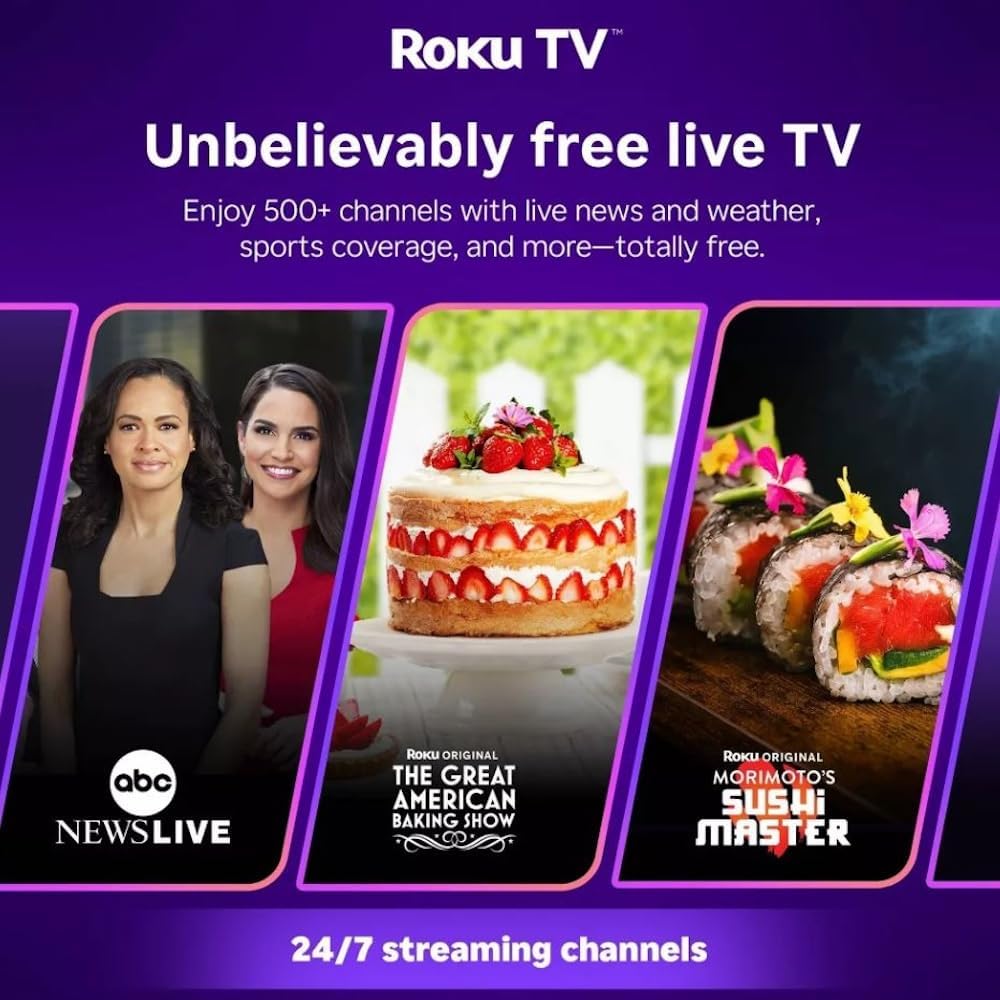
Roku TV interface promoting free live TV channels, featuring examples like ABC News Live, The Great American Baking Show, and Morimoto's Sushi Master.
Access a wide range of streaming services and free content through the Roku Channel Store. The Roku platform offers over 500 free channels, including live television, movies, and news. Use the 'Search' function on the home screen to find specific titles or channels.
Аудио карактеристике

Roku Hiro TV displaying the home screen with various streaming apps, emphasizing enhanced audio quality.
The TV features enhanced audio quality. For private listening, you can pair Bluetooth headphones directly with the TV. Navigate to Settings > Remotes & devices > Bluetooth devices > Pair new device to connect your headphones.
Одржавање
Чишћење телевизора
- Увек искључите телевизор из струје пре чишћења.
- Користите меку крпу која не оставља влакна да нежно обришете екран и кућиште.
- За тврдокорне трагове, лагано дampОчистите крпу водом или благим, неабразивним средством за чишћење екрана. Не прскајте средство за чишћење директно на екран.
- Избегавајте употребу јаких хемикалија, абразивних сунђера или растварача.
Ажурирања софтвера
The Roku TV automatically checks for and installs software updates when connected to the internet. To manually check for updates, go to Подешавања > Систем > Ажурирање софтвера.
Решавање проблема
| Проблем | Решење |
|---|---|
| Нема струје | Уверите се да је кабл за напајање безбедно повезан и са телевизором и са исправном електричном утичницом. Покушајте са другом утичницом. |
| Нема слике, али је звук присутан | Проверите улазни извор. Притисните Хоме button on the remote and select the correct input. Ensure all HDMI cables are securely connected. |
| Нема звука, али је слика присутна | Check the volume level and ensure the TV is not muted. If using external audio, verify connections and settings. |
| Повезивање на Ви-Фи није могуће | Проверите лозинку за Wi-Fi. Рестартујте рутер и модем. Идите на Подешавања > Мрежа > Подеси везу to reconfigure. |
| Даљински управљач не ради | Замените батерије у даљинском управљачу. Уверите се да нема препрека између даљинског управљача и инфрацрвеног сензора телевизора. |
Спецификације
| Назив модела | H32C2C4 |
| Величина екрана | 32 инча |
| Дисплаи Тецхнологи | ЛЕД |
| Резолуција | 720п |
| Рефресх Рате | 60 Хз |
| Оперативни систем | Року ОС |
| Технологија повезивања | Bluetooth, HDMI, Optical Audio, USB, Wi-Fi |
| Total Number of HDMI Ports | 3 |
| Укупно УСБ портова | 1 |
| Димензије производа (Д x Ш x В) | 3.2"Д к 28.3"Ш к 16.9"В |
| Тежина артикла | 7.5 фунти |
| Волtage | 120 волти (АЦ) |
| Тип монтаже | Табле Моунт |
| Боја | Црно |
Информације о гаранцији
This Roku Hiro TV is covered by a 90-day Replacement Warranty. Please retain your proof of purchase for any warranty claims. For detailed terms and conditions, refer to the warranty documentation included with your product or visit the official Roku support webсајту.
Подршка
For further assistance, troubleshooting guides, or to contact customer support, please visit the official Roku support website. You can find comprehensive FAQs and contact information there.