
1. Увод
Welcome to the user manual for your new Nothing Phone (4a) Pro. This guide provides essential information on setting up, operating, maintaining, and troubleshooting your device. Please read this manual thoroughly to ensure optimal performance and longevity of your smartphone.
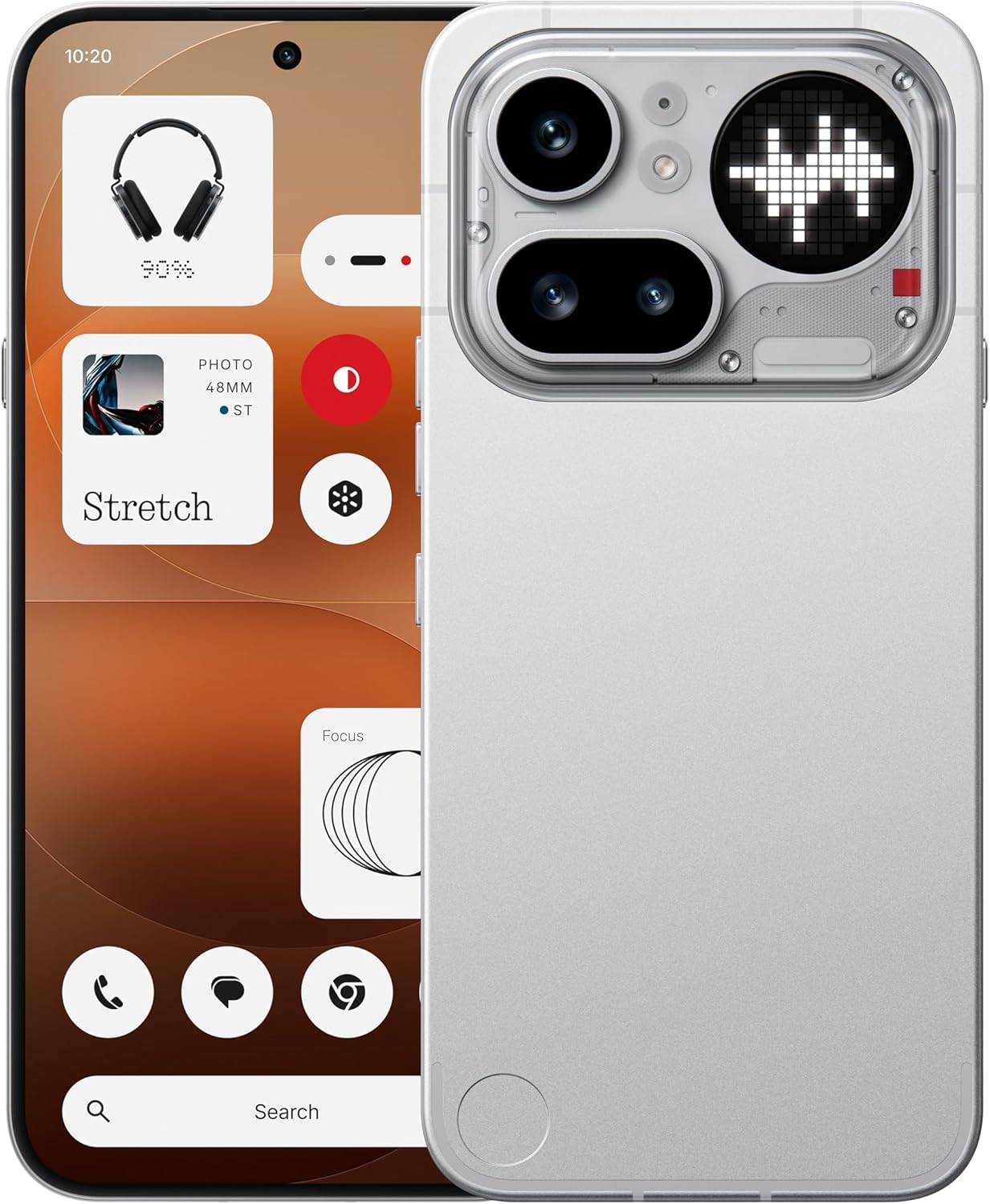
Слика 1.1: Фронт view of the Nothing Phone (4a) Pro. This image displays the sleek design and full-screen display of the device.
2. Садржај кутије
Проверите да ли ваш пакет садржи следеће ставке:
- Nothing Phone (4a) Pro Handset
- Nothing USB-C Cable
- Навлака за телефон
- Pre-applied Screen Protector
- Алат за избацивање СИМ картице
- Безбедносне информације
- Гарантни лист
3. Почетно подешавање
3.1. Уметање СИМ картице
- Пронађите лежиште за СИМ картицу са стране телефона.
- Insert the provided SIM ejector tool into the small hole on the tray and press gently until the tray pops out.
- Place your Nano SIM card(s) into the tray with the gold contacts facing down. The Phone (4a) Pro supports Dual Nano SIM.
- Пажљиво вратите лежиште у телефон док не кликне на своје место.
3.2. Укључивање уређаја
Притисните и држите Дугме за напајање located on the side of the phone until the Nothing logo appears on the screen. Follow the on-screen instructions to complete the initial setup, including language selection, Wi-Fi connection, and Google account setup.
3.3. Пуњење батерије
Before first use, it is recommended to fully charge your device. Connect the Nothing USB-C cable to the phone's USB Type-C port and the other end to a compatible power adapter (sold separately). The phone supports quick charging.
4. Управљање вашим уређајем
4.1. Основна навигација
The Nothing Phone (4a) Pro features a responsive touchscreen. Use gestures such as tapping, swiping, pinching, and spreading to navigate the interface, open apps, and interact with content.
4.2. In-Display Fingerprint Sensor
Your device is equipped with an in-display fingerprint sensor for secure unlocking and authentication. To set up, navigate to Подешавања > Безбедност > Отисак прста and follow the instructions to register your fingerprint(s).
4.3. Оперативни систем
The Nothing Phone (4a) Pro runs on Nothing OS based on Android 16, offering a clean and intuitive user experience with access to a wide range of applications via the Google Play Store.

Слика 4.1: Готовоview of Nothing Phone (4a) Pro key features, including the triple camera system, 140x ultra zoom, 5080 mAh battery with 50W fast charge, Snapdragon 7 Gen 4 processor, essential AI tools, Nothing OS on Android 16, 6.83" 1.5K flexible AMOLED display, and Google Gemini + ChatGPT integration.
5. Карактеристике камере
The Nothing Phone (4a) Pro is equipped with an advanced camera system to capture high-quality photos and videos.
5.1. Систем задње камере
The rear camera setup includes a 50MP main sensor, a 50MP ultra-wide sensor, and an 8MP telephoto sensorКључне карактеристике укључују:
- OIS + EIS: Optical Image Stabilization and Electronic Image Stabilization for steady shots.
- Аутоматско фокусирање: Fast and accurate focusing.
- Ultra XDR: Enhanced dynamic range for vibrant images.
- 7X In-sensor Zoom: High-quality zoom without loss of detail.
- 70X Ultra Zoom: Extended zoom capabilities for distant subjects.
- 4К видео снимање: Capture high-resolution videos.
5.2. Предња камера
The front camera features a 32MP sensor, подржавајући 1080p video recording at 30fps/60fps with Ultra XDR, ideal for selfies and video calls.

Слика 5.1: Diagram illustrating the Pro 3-Camera System of the Nothing Phone (4a) Pro, highlighting the 50 MP OIS Periscope Camera, 50 MP OIS Sony Main Camera, 120° Sony Ultra-Wide Camera, and 32 MP Front Camera.
6. Приказ и перформансе
6.1. Дисплеј
Уређај има 6.83-inch 144Hz flexible LTPS AMOLED display with a resolution of 1260 к 2800 пиксела and a pixel density of 450 ппи. This provides sharp visuals, smooth scrolling, and an immersive viewинг искуство.
6.2. Перформансе
Поверед би тхе Qualcomm Snapdragon 7 Gen 4 octa-core processor with a clock speed of up to 2.8ГХз, the Phone (4a) Pro delivers robust performance for multitasking, demanding applications, and gaming. It is complemented by 12 ГБ ЛПДДР5Кс РАМ-а и 256 ГБ интерне меморије.
7. Батерија и пуњење
The Nothing Phone (4a) Pro is equipped with a 5400мАх литијум-јонска батерија, providing extended usage time. It supports брзо пуњење via the USB Type-C port, allowing for rapid power replenishment.
8. Повезивање
Your device offers comprehensive connectivity options:
- Мрежа: Dual Nano SIM, 5G, 4G VoLTE
- бежични: Wi-Fi 6, Bluetooth v5.4
- Портови: USB Type-C (OTG compatible)
- Навигација: ГПС
9. Одржавање и њега
9.1. Отпорност на воду
The Nothing Phone (4a) Pro is rated as Отпоран на воду. While it can withstand splashes and light rain, it is not fully waterproof. Avoid submerging the device in water or exposing it to high-pressure water jets.
9.2. Чишћење
To clean your phone, use a soft, lint-free cloth. Avoid using abrasive materials, solvents, or aerosol sprays, as these can damage the screen or finish.
9.3. Услови животне средине
Operate and store your device within recommended temperature ranges. Extreme heat or cold can affect battery life and overall performance.
КСНУМКС. Решавање проблема
If you encounter issues with your Nothing Phone (4a) Pro, try the following basic troubleshooting steps:
- Уређај се не укључује: Уверите се да је батерија напуњена. Прикључите пуњач и сачекајте неколико минута пре него што поново покушате да је укључите.
- Екран не реагује: Restart the device by pressing and holding the Power button for approximately 10-15 seconds.
- Проблеми са мрежом: Check if your SIM card is properly inserted. Try toggling Airplane Mode on and off. Ensure you have network coverage.
- Рушење апликације: Close and reopen the app. If the issue persists, clear the app's cache and data in Подешавања > Апликације.
- Споре перформансе: Close unnecessary background apps. Restart your device. Consider performing a factory reset as a last resort (note: this will erase all data on your phone).
11. Спецификације
| Феатуре | Детаљ |
|---|---|
| Бранд | Ништа |
| Модел | Phone (4a) Pro |
| Оперативни систем | Андроид 16 |
| Процесор | Qualcomm Snapdragon 7 Gen 4 Octa-core (up to 2.8 GHz) |
| РАМ | 12 ГБ ЛПДДР5Кс |
| Интерна меморија | 256 ГБ |
| Величина екрана | 6.83 инча |
| Дисплаи Типе | Flexible LTPS AMOLED |
| Резолуција екрана | 1260 к 2800 пиксела |
| Рефресх Рате | 144 Хз |
| Задња камера | 50MP + 50MP + 8MP (OIS + EIS, Ultra XDR, 7X in-sensor zoom, 70X ultra zoom, 4K video) |
| Предња камера | 32MP (1080p video at 30fps/60fps, Ultra XDR) |
| Капацитет батерије | 5400 мАх литијум-јонски |
| Пуњење | Quick Charging, USB Type-C |
| Повезивање | 5G, Dual SIM, Wi-Fi 6, Bluetooth v5.4, OTG, GPS |
| Безбедност | Сензор отиска прста на екрану |
| Отпорност на воду | Отпоран на воду |
| Димензије | 16.4 к 7.8 к 0.8 центиметара |
| Тежина | 190 грама |
12. Информације о гаранцији
The Nothing Phone (4a) Pro comes with a Двогодишња гаранција произвођача from the date of purchase. This warranty covers manufacturing defects under normal use. Please refer to the included Warranty Card for detailed terms and conditions, exclusions, and how to claim warranty services.
13. Подршка
For further assistance, technical support, or service inquiries, please visit the official Nothing support website or contact their customer service. Keep your purchase receipt and warranty card handy when seeking support.