
1. Увод
This manual provides essential information for setting up, operating, maintaining, and troubleshooting your Redmi A7 Pro 5G smartphone. Please read this guide thoroughly to ensure optimal performance and longevity of your device.
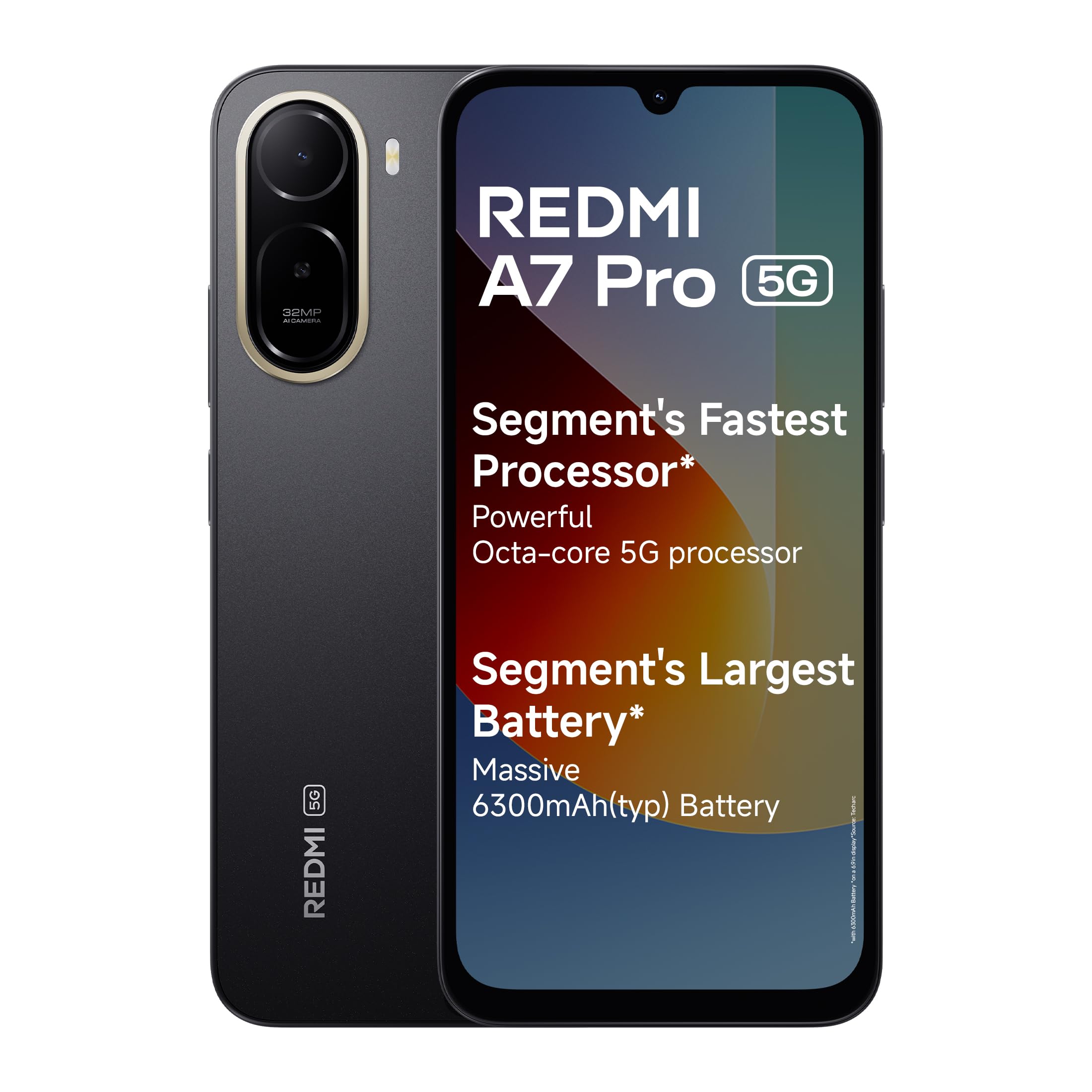
Image: Redmi A7 Pro 5G smartphone, showcasinњегов дизајн и подешавање камере.
2. Шта је у кутији
Проверите да ли су све ставке присутне у паковању вашег производа:
- Redmi A7 Pro 5G Smartphone
- пуњач
- УСБ Типе-Ц кабл
- Алат за избацивање СИМ картице
- Гарантни лист
- Упутство за употребу (овај документ)
3. Подешавање
3.1 Уметање СИМ картице
- Пронађите лежиште за СИМ картицу са стране уређаја.
- Уметните алатку за избацивање СИМ картице у мали отвор поред лежишта и чврсто притисните док лежиште не искочи.
- Place your Nano-SIM card(s) and/or microSD card into the tray with the gold contacts facing down. Ensure they are correctly oriented.
- Лагано гурните лежиште назад у уређај док не кликне на своје место.
3.2 Прво укључивање и подешавање
- Press and hold the Power button until the Redmi logo appears.
- Пратите упутства на екрану да бисте изабрали језик, регион и повезали се са Wi-Fi мрежом.
- Пријавите се помоћу свог Google налога или креирајте нови.
- Set up a screen lock (PIN, pattern, or password) and fingerprint recognition for enhanced security.
3.3 Пуњење уређаја
Connect the USB Type-C cable to the charging port at the bottom of the phone and the other end to the provided charger. Plug the charger into a power outlet. The device supports 15W quick charging.
4. Управљање вашим уређајем
4.1 Дисплеј
The Redmi A7 Pro 5G features a large 17.53cm (6.9-inch) display with a 120Hz adaptive refresh rate for smooth visuals. It is TUV certified for eye comfort.

Image: The Redmi A7 Pro 5G display, emphasizing its size and smooth refresh rate.
4.2 Перформансе
Powered by an Octa-core 5G processor, the device delivers stable performance for daily tasks and multitasking.

Image: Visual representation of the Octa-core 5G processor.
4.3 Батерија
The Redmi A7 Pro 5G is equipped with a 6300mAh battery. It supports 15W quick charging and 7.5W wired reverse charging, allowing you to share power with other compatible devices.

Image: Illustration of the phone's large battery capacity and charging features.
4.4 Камера
Capture moments with the 32MP AI Dual Camera on the rear and an 8MP selfie shooter. Features include:
- Ultra HD Mode: For clear, detailed shots.
- Портретни режим: Creates natural background blur.
- Вештачка интелигенција неба: Automatically adjusts sky colors and brightness.
- AI Beauty Selfie: Enhances facial features for selfies.

Image: Close-up of the Redmi A7 Pro 5G's dual AI camera system.
4.5 Аудио
Experience enhanced audio with 200% Volume Boosted Speakers, designed to provide clear sound even in noisy environments.

Слика: Интерна view highlighting the phone's speaker system.
4.6 Софтвер и функције
The device runs on Android 16 with Xiaomi HyperOS 3, offering a smooth and interconnected experience. Key software features include:
- HyperIsland: A dynamic notification and interaction area.
- Гугл Џемини: Your AI assistant for various tasks.
- Заокружи за претрагу: Тражи any image, video, or text on your screen by circling it.
- Синхронизација позива: Seamlessly pick up calls on connected tablets or laptops.
- Синхронизација мреже: Automatically connect your tablet to your phone's hotspot.
- Shared Clipboard: Copy and paste content instantly across connected Xiaomi devices.

Image: Xiaomi HyperOS 3 overview.

Image: Demonstrating Google Gemini and Circle to Search functionalities.
4.7 Security and Durability
The Redmi A7 Pro 5G features IP52-rated protection against dust and splashes. A side-mounted fingerprint sensor provides quick and secure access to your device.

Image: Redmi A7 Pro 5G highlighting its durability features.
5. Одржавање
5.1 Чишћење уређаја
- Користите меку крпу која не оставља влакна да обришете екран и кућиште.
- Избегавајте употребу јаких хемикалија, абразивних материјала или аеросолних спрејева.
- Држите портове без прашине и остатака.
5.2 Ажурирања софтвера
Редовно проверавајте и инсталирајте ажурирања софтвера како бисте били сигурни да ваш уређај има најновије функције, безбедносне закрпе и побољшања перформанси. Идите на Подешавања > О телефону > Верзија MIUI-ја да проверите ажурирања.
5.3 Одржавање батерије
- Избегавајте екстремне температуре, јер могу скратити век трајања батерије.
- Не остављајте телефон да се пуни дуже време након што достигне 100%.
- За оптимално здравље батерије, покушајте да ниво напуњености одржите између 20% и 80%.
5.4 Управљање складиштем
Редовно чистите непотребно files, cache, and uninstall unused applications to maintain optimal storage and performance. You can expand storage using a microSD card.
КСНУМКС. Решавање проблема
If you encounter issues with your Redmi A7 Pro 5G, try the following steps:
6.1 Уређај се не укључује
- Уверите се да је батерија напуњена. Прикључите пуњач и сачекајте неколико минута пре него што покушате да је укључите.
- Притисните и држите дугме за напајање најмање 10-15 секунди да бисте поново покренули рачунар.
6.2 Проблеми са наплатом
- Check if the charger and cable are securely connected.
- Try using a different charger and cable to rule out accessory malfunction.
- Уверите се да је прикључак за пуњење чист и да нема остатака.
6.3 App Performance and Lag
- Затворите позадинске апликације.
- Clear app cache (Settings > Apps > Manage apps > [App Name] > Clear cache).
- Уверите се да је софтвер вашег уређаја ажуриран.
- Ако проблеми и даље постоје, размислите о враћању на фабричка подешавања (прво направите резервну копију података).
6.4 Проблеми са мрежном повезивањем
- Поново покрените уређај.
- Укључите и искључите режим рада у авиону.
- Проверите уметање СИМ картице.
- Reset network settings (Settings > Connection & sharing > Reset Wi-Fi, mobile networks & Bluetooth).
7. Спецификације
| Феатуре | Спецификација |
|---|---|
| Бранд | Редми |
| Модел | А7 Про 5Г |
| Оперативни систем | Android 16, Xiaomi HyperOS |
| РАМ меморија | 4 ГБ |
| Капацитет складиштења | 128 GB (Expandable up to 128 GB) |
| Величина екрана | 17.53 Centimetres (6.9 inches) |
| Резолуција | 720 к 1600 |
| Рефресх Рате | 120 Хз |
| Дисплаи Типе | ЛЦД |
| Задња камера | 32 MP (Dual Camera) |
| Предња камера | 8 МП |
| Капацитет батерије | 6300 Милиamp Сати |
| Пуњење | 15W Quick Charging, 7.5W Wired Reverse Charging |
| Утор за СИМ картицу | Дуал СИМ |
| Тип конектора | УСБ тип Ц |
| Биометријска безбедност | Препознавање отиска прста |
| Мрежна повезаност | 5G, Bluetooth, Wi-Fi |
| Тежина артикла | 210 грама |
| Димензије артикла | 17.2 к 7.9 к 0.8 центиметара |
| Трајност | Заштита IP52 |
8. Информације о гаранцији
The Redmi A7 Pro 5G comes with a 1-годишња гаранција произвођача for the device from the date of purchase. In-box accessories, including batteries, are covered by a 6-месечна гаранција произвођача од дана куповине.
Please retain your proof of purchase for warranty claims. For detailed terms and conditions, refer to the warranty card included in your product box.
9. Подршка
For further assistance, technical support, or service inquiries, please contact Redmi customer service. You can find contact details on the official Redmi website or through the support section in your device settings.
Manufacturer Contact Information: BYD INDIA PRIVATE LIMITED, DEVELOPED PLOT NO.OZ-7,SIPCOT ORAGADAM, SRIPERUMBUDUR (TK) KANCHEEPURAM DISTRICT 602105 TAMIL NADU., Xiaomi Technology India Pvt Ltd.
Importer Contact Information: Xiaomi Technology India Private Limited, Building Orchid. Block E, Embassy Tech Village, Marathahalli Outer Ring Road, Devarabisanahalli, Bengaluru 560103.

Image: Information on Redmi's service and support.