
1. Увод
The Monster Mission 350 is a versatile wireless gaming headset designed for an immersive audio experience across various platforms. It features dual connectivity options (2.4GHz wireless and Bluetooth 6.0), a detachable microphone, and comfortable over-ear design. This manual provides instructions for setup, operation, maintenance, and troubleshooting to ensure optimal use of your headset.
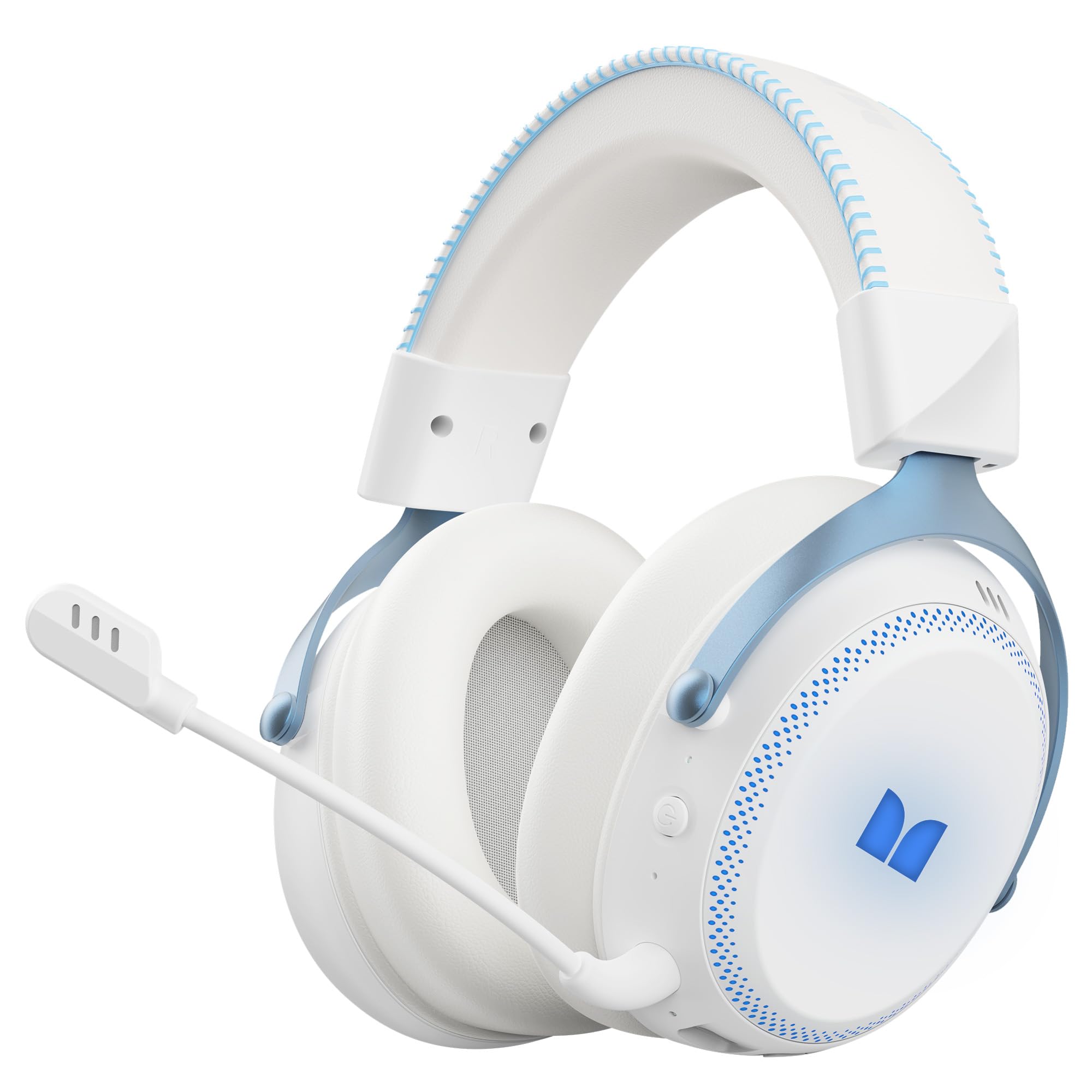
Слика 1.1: The Monster Mission 350 headset providing 7.1 surround sound, allowing users to pinpoint audio cues like gunshots, explosions, vehicle sounds, and enemy footsteps for an immersive gaming experience.
2. Садржај пакета
Молимо вас да проверите пакет за следеће ставке:
- Monster Mission 350 Wireless Gaming Headset x1
- 2.4GHz USB Wireless Dongle x1
- Detachable Microphone x1
- УСБ кабл за пуњење к1
- 3.5 мм аудио кабл к1
- Упутство за употребу к1
3. Производ је готовview
Familiarize yourself with the components and controls of your Monster Mission 350 headset.
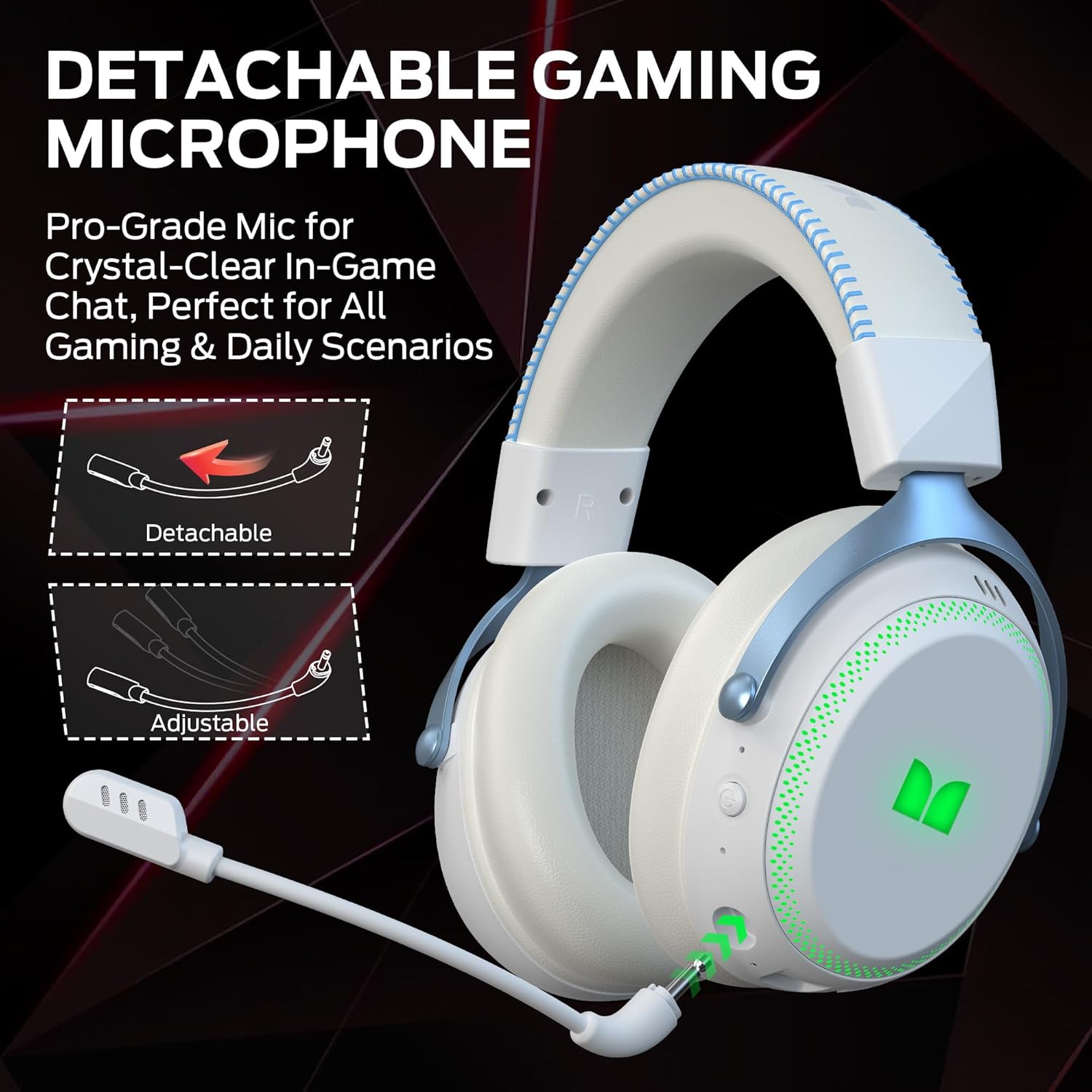
Слика 3.1: The headset features a detachable and adjustable gaming microphone, designed for clear in-game communication and versatile use in various scenarios.

Слика 3.2: The headset includes customizable RGB lighting effects on the earcups, allowing users to personalize their gaming setup and enhance the aesthetic appeal.
Headset Controls (Refer to diagram in physical manual for exact placement)
- Дугме за напајање: Притисните и држите за укључивање/искључивање.
- Точак јачине звука: Подешава ниво аудио излаза.
- Дугме за искључивање микрофона: Укључује/искључује микрофон.
- Дугме за RGB осветљење: Cycles through lighting modes or turns RGB off.
- 3.5 мм аудио прикључак: За жичну везу.
- УСБ-Ц прикључак за пуњење: За пуњење слушалица.
4. Подешавање
4.1. Пуњење слушалица
Before first use, fully charge the headset. Connect the USB charging cable to the headset's USB-C port and the other end to a USB power source (e.g., computer, wall adapter). The charging indicator light will show charging status and turn off or change color when fully charged. A full charge takes approximately 2 hours.
4.2. Повезивање путем бежичне мреже од 2.4 GHz
This method provides a low-latency connection ideal for gaming.
- Insert the 2.4GHz USB wireless dongle into an available USB port on your gaming console, desktop, or laptop.
- Power on the Monster Mission 350 headset.
- The headset should automatically connect to the dongle. A status indicator light on the headset will confirm the connection.
- Adjust audio settings on your device to ensure the headset is selected as the input and output device.
4.3. Повезивање преко Блуетоотх-а
Use Bluetooth for connecting to mobile devices, tablets, or other Bluetooth-enabled devices.
- Power on the Monster Mission 350 headset.
- Press and hold the Bluetooth pairing button (refer to physical manual for location) until the indicator light flashes, indicating pairing mode.
- On your device, go to Bluetooth settings and search for "Monster Mission 350".
- Select the headset to pair. The indicator light on the headset will become solid when connected.
4.4. Connecting via 3.5mm Audio Cable
For wired connections to devices with a 3.5mm audio jack, or when the battery is depleted.
- Повежите један крај 3.5 мм аудио кабла са 3.5 мм аудио прикључком на слушалицама.
- Connect the other end to the 3.5mm audio output on your device.
- The headset will operate in passive mode, and power is not required for audio playback.

Слика 4.1: The Monster Mission 350 supports dual audio connections, featuring Bluetooth 6.0 for mobile devices and a dedicated 2.4GHz wireless dongle for low-latency gaming on compatible platforms.
5. Упутство за употребу
5.1. Укључивање/искључивање
Press and hold the Power button for approximately 3 seconds to turn the headset on or off. An audible prompt or indicator light will confirm the status.
5.2. Контрола јачине звука
Rotate the Volume wheel located on the earcup to increase or decrease the audio volume.
5.3. Употреба микрофона
Attach the detachable microphone to the designated port on the headset. Press the Microphone Mute button to toggle the microphone on or off. The microphone can be adjusted for optimal positioning.
5.4. RGB контрола осветљења
Press the RGB Lighting button to cycle through different lighting effects or to turn the RGB lighting off. This feature allows for customization of the headset's appearance.
5.5. Battery Life and Indicators
The headset provides approximately 70 hours of battery life for general use, or 45 hours with RGB lights continuously on. A low battery indicator will alert you when charging is required.

Слика 5.1: The Monster Mission 350 headset offers extended battery performance, with a 2-hour charge providing up to 90 hours of gaming, 45 hours with RGB lights active, or 70 hours for calls.
6. Одржавање и њега
Правилна нега осигурава дуготрајност и перформансе ваших слушалица.
- Чишћење: Користите меку, суву крпу за чишћење слушалица. За слушалице, нежно обришите благом крпом.amp крпом ако је потребно и оставите да се потпуно осуши на ваздуху пре употребе. Избегавајте јаке хемикалије или абразивне материјале.
- Складиштење: Чувајте слушалице на хладном и сувом месту, даље од директне сунчеве светлости и екстремних температура.
- Отпорност на воду: The headset is не water resistant. Avoid exposure to liquids.
- Одржавање батерије: To maintain battery health, avoid fully discharging the battery frequently. Charge the headset regularly, even if not in use for extended periods.

Слика 6.1: The Monster Mission 350 headset is designed for all-day comfort, featuring comfortable memory foam earcups, an adjustable headband, and soft, breathable earpads to reduce fatigue during extended use.
КСНУМКС. Решавање проблема
If you encounter issues with your Monster Mission 350 headset, refer to the following common problems and solutions:
| Проблем | Могуће решење |
|---|---|
| Слушалице се не укључују. | Ensure the headset is fully charged. Press and hold the Power button for 3-5 seconds. |
| Нема звука или је јачина звука ниска. | Check headset volume wheel. Verify device's audio output settings. Ensure headset is properly connected (2.4GHz dongle, Bluetooth, or 3.5mm cable). |
| Микрофон не ради. | Ensure microphone is securely attached and not muted. Check device's input settings to confirm the headset microphone is selected. |
| Cannot connect via 2.4GHz wireless. | Ensure the USB dongle is fully inserted. Try a different USB port. Power cycle both the headset and the device. |
| Није могуће упаривање преко Bluetooth-а. | Ensure headset is in pairing mode. Turn off and on Bluetooth on your device. Forget the device from your Bluetooth list and try pairing again. |
| RGB светла не раде. | Press the RGB Lighting button to cycle through modes. Ensure the headset has sufficient battery charge. |
8. Спецификације
Detailed technical specifications for the Monster Mission 350 Wireless Gaming Headset:
| Феатуре | Детаљ |
|---|---|
| Број модела | Monster Mission 350 |
| Технологија повезивања | 2.4GHz Wireless, Bluetooth 6.0, 3.5mm Jack |
| Домет | Up to 33 Feet (Bluetooth) |
| Величина аудио драјвера | 55 мм динамички управљачки програм |
| Импеданса | 32 Охмс |
| Осетљивост | 120 дБ |
| Постављање уха | Преко уха |
| Материјал кућишта | Leather (earpads) |
| Трајање батерије | Up to 70 Hours (general use), 45 Hours (with RGB lights on) |
| Време пуњења батерије | Приближно 2 сати |
| Тип контроле | Button Control (Push Button, Siri compatible) |
| Компатибилни уређаји | Gaming Consoles, Desktops, Tablets, Laptops, Cellphones |
| Тежина артикла | 0.54 килограма |
| Ниво отпорности на воду | Није водоотпоран |

Слика 8.1: The Monster Mission 350 headset is equipped with a 55mm dynamic driver, engineered to deliver clear and powerful audio performance for gaming and multimedia.
9. Информације о гаранцији
The Monster Mission 350 Wireless Gaming Headset comes with a 3-месечна гаранција from the date of purchase. This warranty covers manufacturing defects under normal use. It does not cover damage caused by misuse, accidents, unauthorized modifications, or normal wear and tear. Please retain your proof of purchase for warranty claims.
10. Корисничка подршка
For further assistance, technical support, or warranty inquiries, please refer to the contact information provided with your product packaging or visit the official Monster website. When contacting support, please have your product model number (Monster Mission 350) and proof of purchase readily available.