
1. Увод
Хвала вам на куповиниasing the TOPPING E50II Compact Desktop DAC. This device is designed to provide high-fidelity audio decoding for various digital sources. It features an AK4497S DAC chip, supports high-resolution audio formats up to PCM768kHz and DSD512, and offers versatile connectivity options including USB, optical, coaxial, RCA, and TRS balanced outputs. This manual provides essential information for proper setup, operation, and maintenance of your E50II.
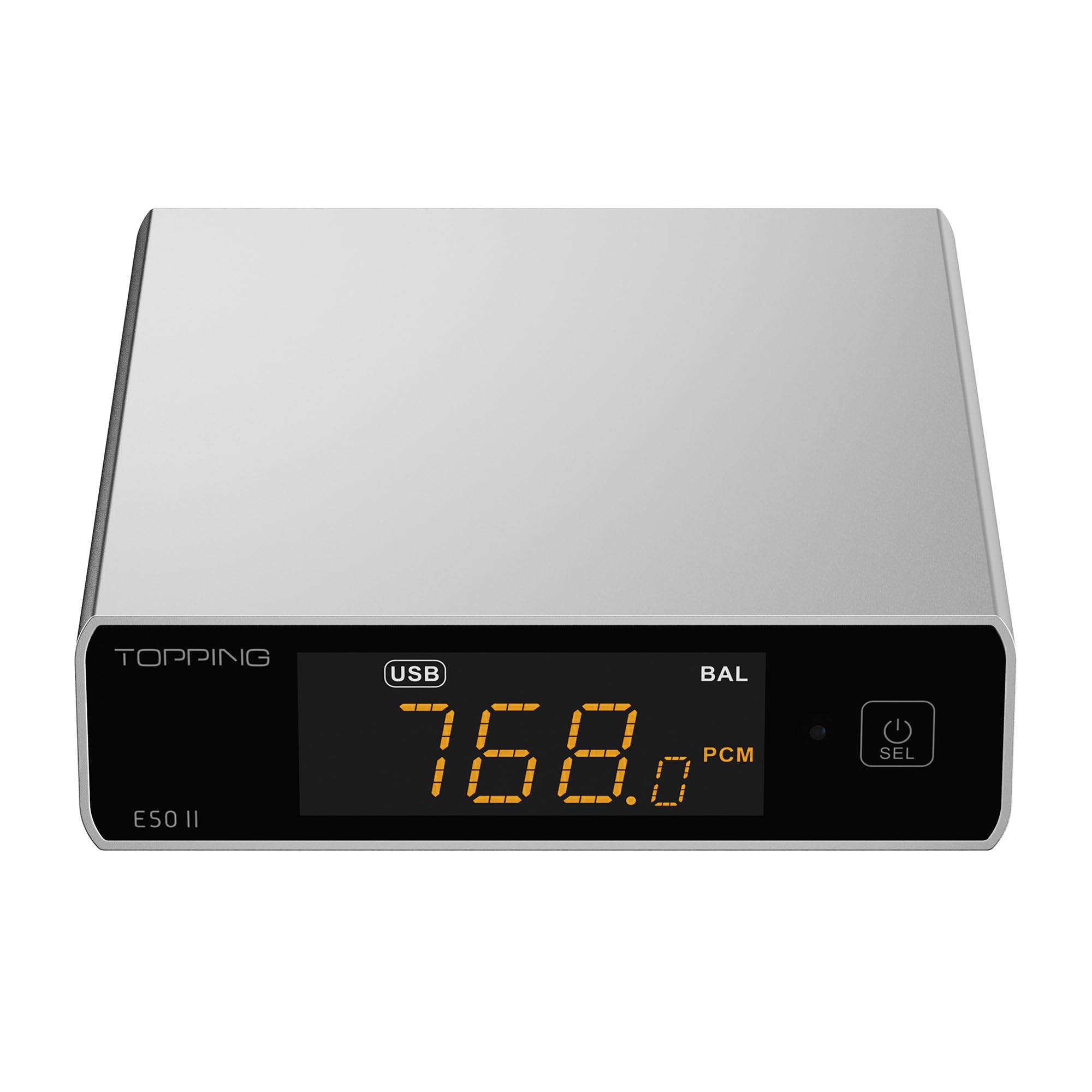
Image 1.1: The TOPPING E50II Compact Desktop DAC in silver finish.
2. Безбедносне информације
- Не растављајте нити модификујте уређај. Неовлашћене модификације могу поништити гаранцију и представљати безбедносни ризик.
- Држите уређај даље од воде, влаге и високих температура.
- Use only the provided power adapter or a compatible 5V power supply.
- Осигурајте одговарајућу вентилацију око уређаја како бисте спречили прегревање.
- Избегавајте постављање тешких предмета на уређај.
- Искључите кабл за напајање током грмљавине или када се не користи дуже време.
3. Садржај пакета
Молимо вас да проверите да ли су све ставке присутне у пакету:
- TOPPING E50II Unit
- Ремоте Цонтрол
- УСБ кабл (Тип-А до Тип-Ц)
- USB Power Cable (Type-A to Type-C)
- Блуетоотх антена
- Кориснички приручник (овај документ)
- Гарантни лист

Image 3.1: Included accessories: remote control, USB cables, and Bluetooth antenna.
4. Производ је готовview
4.1 Предња плоча

Image 4.1: Front panel of the E50II, showing the display and control button.
- Екран: Приказује тренутни улаз, sample rate, volume, and other status information.
- Вишенаменско дугме: Press to power on/off, select input, or adjust settings.
4.2 Задња плоча

Image 4.2: Rear panel of the E50II, illustrating various input and output ports.
- RCA Outputs (L/R): Unbalanced analog audio output.
- TRS Balanced Outputs (L/R): Balanced analog audio output.
- Коаксијални улаз: Дигитални аудио улаз.
- Оптички улаз: Дигитални аудио улаз.
- УСБ-Ц улаз: For connecting to a computer or other digital source.
- УСБ-Ц улаз за напајање: For connecting to a 5V power supply.
- Конектор за Bluetooth антену: За причвршћивање Блутут антене.
5. Подешавање
5.1 Прикључак за напајање
Connect the provided USB power cable to the E50II's "POWER" USB-C port and then to a 5V power adapter (not included) or a USB port on your computer. The E50II requires a stable 5V power supply for optimal performance.
5.2 Аудио везе
Choose the appropriate input and output connections based on your audio system:
- УСБ улаз: Connect the E50II's "USB" port to your computer or other USB audio source using the provided USB data cable.
- Оптички/коаксијални улаз: Connect your digital audio source (e.g., CD player, TV) to the E50II's "OPTICAL" or "COAXIAL" input.
- РЦА излаз: Connect the E50II's "SE" RCA outputs to your ampзвучнике или активне звучнике помоћу RCA каблова.
- TRS Balanced Output: Connect the E50II's "BAL" TRS outputs to your balanced amplifier or active speakers using 6.35mm TRS cables. The E50II supports simultaneous output from both RCA and TRS ports.

Image 5.1: Close-up of the balanced TRS and unbalanced RCA output connections.
5.3 Bluetooth Antenna Installation
Screw the provided Bluetooth antenna onto the antenna connector on the rear panel of the E50II.
5.4 Driver Installation (for Windows)
For Windows operating systems, a dedicated driver is required for USB audio playback up to PCM768kHz and DSD512. The driver can be downloaded from the official TOPPING website. Follow the on-screen instructions for installation. macOS and Linux typically do not require a separate driver.
6. Упутство за употребу
6.1 Основни рад

Image 6.1: A hand interacting with the multi-function button on the E50II's front panel.
- Укључивање/искључивање: Press and hold the multi-function button for 3 seconds to power on or off.
- Избор улаза: Briefly press the multi-function button to cycle through available inputs (USB, Optical, Coaxial, Bluetooth).
- Контрола јачине звука: Rotate the multi-function button to adjust the volume.
6.2 Коришћење даљинског управљача
Укључени даљински управљач омогућава лак приступ разним функцијама:
- Дугме за напајање: Укључује/искључује уређај.
- Дугмад за избор уноса: Dedicated buttons for USB, Optical, Coaxial, and Bluetooth inputs.
- Појачавање/утишавање: Подешава излазну јачину звука.
- Искључи звук: Mutes/unmutes the audio output.
- ЕК тастер: Cycles through PEQ presets.
- Дугме за филтрирање: Cycles through digital filter modes.
- Gain Button: Switches between Low and High gain modes.
6.3 TOPPING Home App Control
The E50II is compatible with the "TOPPING Home" app, allowing control from your smartphone or tablet via Bluetooth. This app enables input switching, EQ settings, and volume adjustment remotely.

Image 6.2: Smartphone displaying the TOPPING Home app interface for controlling the E50II.
6.4 Блуетоотх рад
Да бисте се повезали преко Блуетоотх-а:
- Switch the E50II input to Bluetooth mode. The display will show "BT".
- On your mobile device, search for "TOPPING E50II" in the Bluetooth settings and pair.
- Once connected, audio from your device will be streamed to the E50II. The E50II supports LDAC, aptX-Adaptive, aptX HD, aptX, AAC, and SBC codecs.
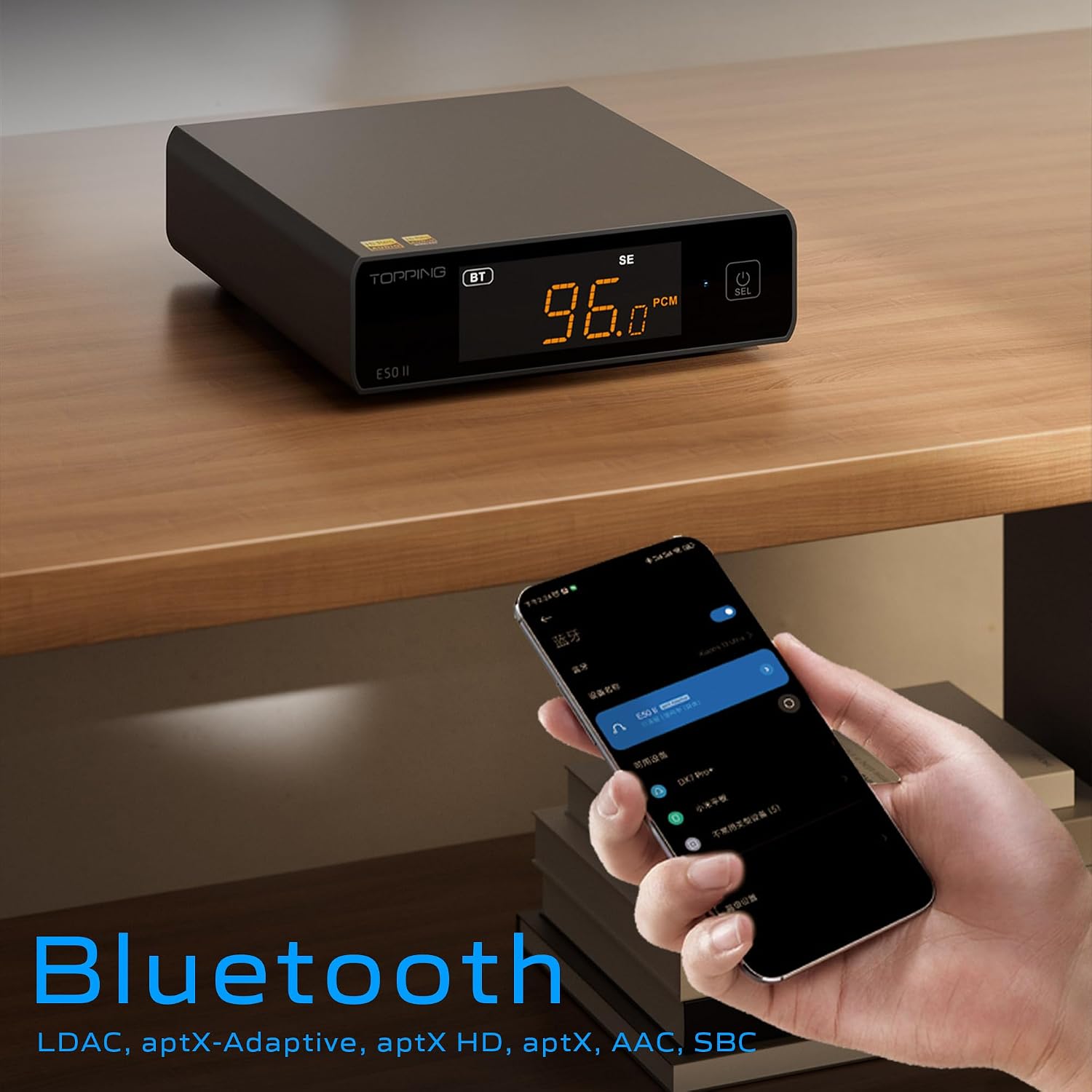
Image 6.3: A black E50II unit with a smartphone showing Bluetooth connection status.
6.5 PEQ (Parametric Equalizer) Function
The E50II features a 10-band Parametric Equalizer (PEQ) for precise sound customization. You can adjust frequency, gain, and bandwidth for each band. This function is accessible via the TOPPING Home app or dedicated PC software.

Image 6.4: Screenshot of the TOPPING TUNE FOR PC software interface, showing the 10-band PEQ settings.
6.6 Преamp Функција
The E50II can function as a preamplifier, allowing direct connection to a power amplifier or active speakers. In this mode, the volume can be controlled via the remote or the TOPPING Home app, providing precise output level control to prevent overload or under-driving of connected equipment.
7. Одржавање
- Очистите уређај меком, сувом крпом. Не користите течна средства за чишћење или аеросоле.
- Држите вентилационе отворе чистим од прашине и остатака.
- Чувајте уређај на хладном и сувом месту када се не користи.
КСНУМКС. Решавање проблема
| Проблем | Могући узрок | Решење |
|---|---|---|
| Нема излаза звука | Incorrect input/output selection, loose cables, muted volume. | Check input source, ensure cables are securely connected, unmute or increase volume. |
| Уређај се не укључује | Power cable not connected, faulty power adapter. | Ensure power cable is connected to a working 5V source. Try a different power adapter. |
| Проблеми са Блуетоотх везом | E50II not in Bluetooth mode, device not paired, interference. | Switch E50II to Bluetooth input. Re-pair the device. Ensure no strong interference sources nearby. |
| Изобличен звук | Input signal too high, incorrect gain setting, faulty cables. | Reduce source volume. Adjust E50II gain setting. Try different audio cables. |
| Windows USB driver not working | Incorrect driver installation, driver conflict. | Reinstall the latest driver from the TOPPING website. Check for other conflicting audio drivers. |
9. Спецификације
- Бренд: ТОППИНГ
- Модел: E50II
- ДАЦ чип: АК4497С
- УСБ интерфејс: КСМОС КСУ316
- Max USB Decoding: PCM 768kHz / DSD512
- Optical/Coaxial Decoding: До 192кХз
- Блуетоотх кодеци: LDAC, aptX-Adaptive, aptX HD, aptX, AAC, SBC
- Режим аудио излаза: Стерео
- Излазни интерфејси: RCA (unbalanced), 6.35mm TRS (balanced)
- Улазни интерфејси: USB, Optical, Coaxial, Bluetooth
- Карактеристике: 10-band PEQ, Preamp function, TOPPING Home App control, Top Sync circuit for low jitter.
10. Гаранција и подршка
The TOPPING E50II is covered by the manufacturer's or authorized agent's warranty regulations. Please refer to the warranty card included in your package for specific terms and conditions. For technical support, driver downloads, or service inquiries, please visit the official TOPPING webсајт или контактирајте локалног овлашћеног продавца.
Званични ТОПИНГ Webсајт: ввв.топпингаудио.цом