
1. Увод
This manual provides essential information for setting up, operating, maintaining, and troubleshooting your TCL 43T6D 4K UHD Smart QLED Google TV. Please read this manual thoroughly before using your television to ensure proper and safe operation. Keep this manual for future reference.

Фронт view of the TCL 43T6D 4K UHD Smart QLED Google TV.
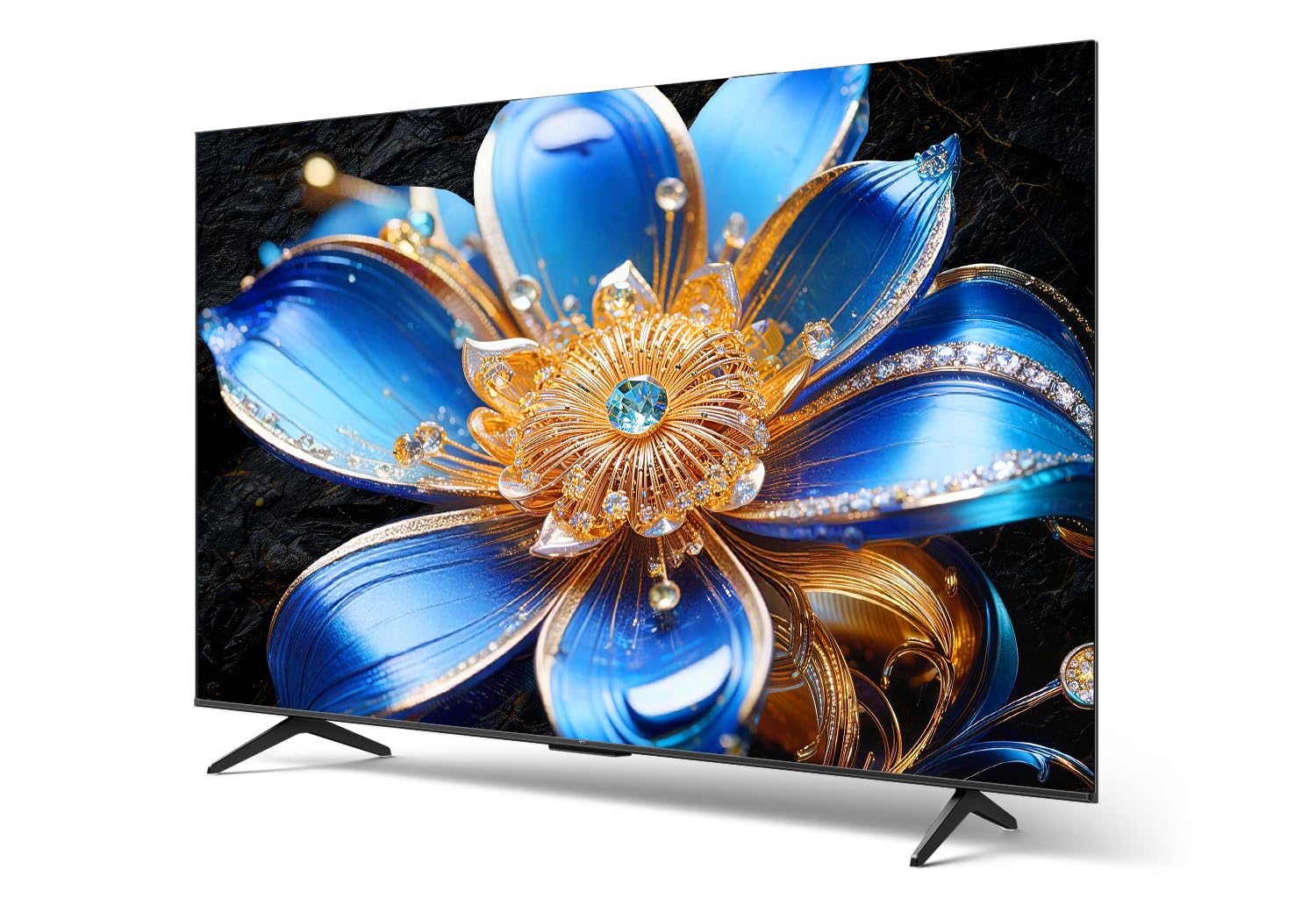
Сиде проfile of the TCL 43T6D 4K UHD Smart QLED Google TV, highlighting its slim design.
2. Шта је у кутији
Проверите да ли су све компоненте присутне у паковању:
- 1N ЛЕД телевизор
- 1N Stand (Table Top Stand)
- 1Н даљински управљач
- 2N ААА батерије

Illustration of the items included in the TV packaging. Note that a fixed wall mount is not included.
3. Подешавање
3.1 Физичка инсталација
Your TCL 43T6D TV can be installed using the included table-top stand or a compatible wall mount (sold separately).
Table Top Stand Installation:
- Пажљиво поставите телевизор екраном надоле на меку, равну површину како бисте спречили оштећења.
- Attach the stand bases to the designated slots at the bottom of the TV, ensuring they are securely fastened with the provided screws.
- Place the TV on a stable, level surface.
Монтажа зидног носача:
If you choose to wall-mount your TV, please consult a professional installer or refer to the wall mount's instructions for proper installation. Ensure the wall mount is compatible with the VESA mounting pattern of your TV.
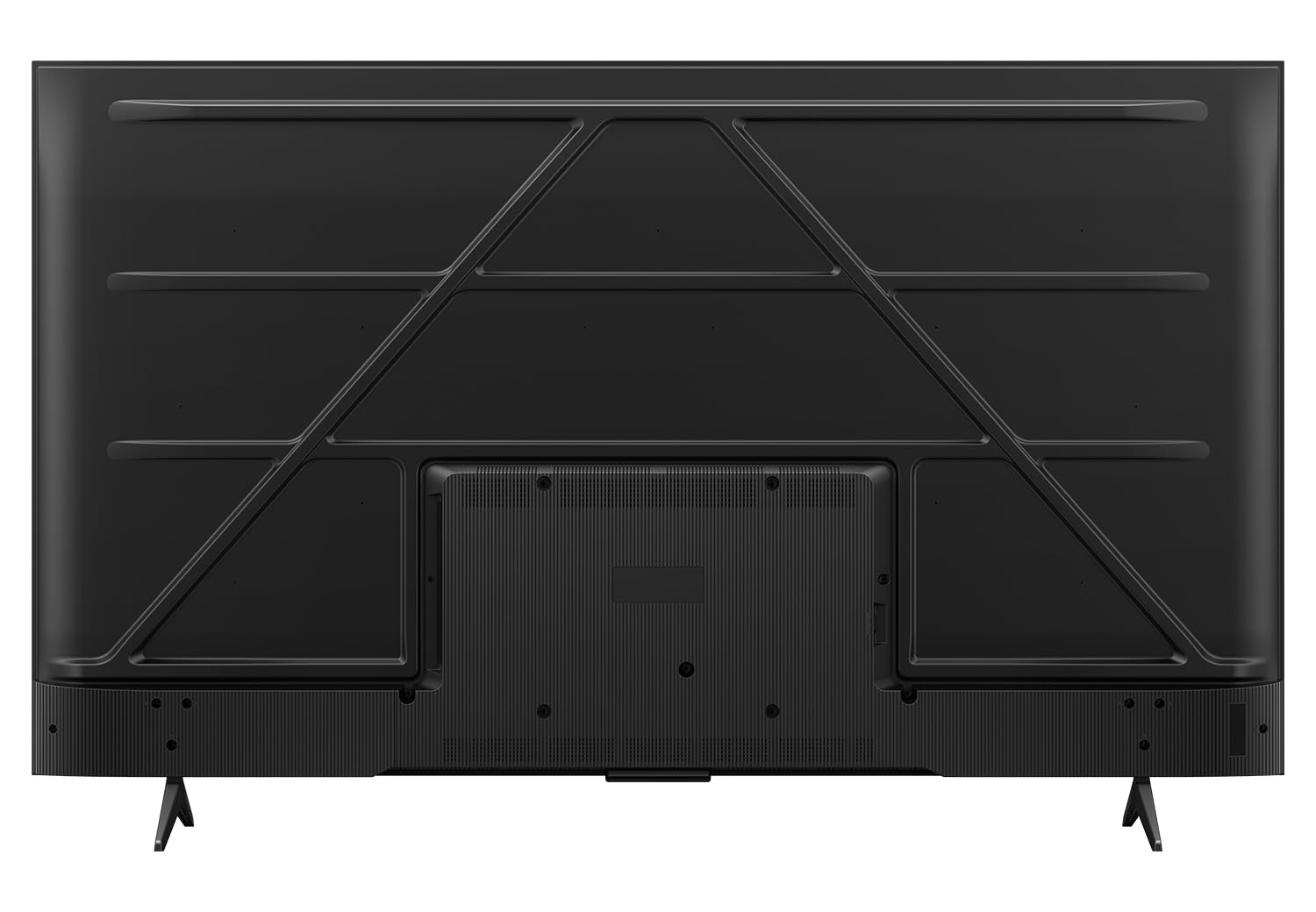
Позади view of the television, indicating potential wall mount attachment points.
3.2 Повезивање уређаја
Connect your external devices such as set-top boxes, gaming consoles, and sound systems to the appropriate ports on your TV.

Детаљно view портова за повезивање телевизора.
- HDMI Ports (HDMI 1, HDMI 2, HDMI 3): Connect high-definition devices like Blu-ray players, gaming consoles, and set-top boxes. HDMI 2 supports eARC for enhanced audio return channel functionality.
- УСБ 3.0 порт: Повежите УСБ уређаје за складиштење података за репродукцију медија.
- Улаз за антену/кабл: Повежите антену или кабловски ТВ сигнал.
- Сателитски улаз: Connect a satellite dish for satellite TV reception.
- AV IN Adapter: За повезивање старијих уређаја помоћу композитних видео и стерео аудио каблова.
- Етхернет (ЛАН): Повежите се на жичану мрежу за приступ интернету.
- Оптички аудио излаз: Повежите се са саундбаром или аудио ресивером за дигитални аудио излаз.
3.3 Почетно укључивање и чаробњак за подешавање
- Укључите кабл за напајање у телевизор, а затим у зидну утичницу.
- Притисните дугме за напајање на даљинском управљачу или на телевизору.
- Пратите упутства на екрану да бисте завршили почетно подешавање, укључујући избор језика, мрежну везу (Wi-Fi или Ethernet) и пријаву на Google налог.
4. Управљање телевизором
4.1 Даљински управљач
The included remote control allows you to navigate the TV's features. Insert the two AAA batteries into the remote control, ensuring correct polarity.

The remote control features dedicated buttons for popular streaming services and Google Assistant.
- Дугме за напајање: Укључује или искључује ТВ.
- Дугмад са бројевима: Директно бирајте канале.
- Навигациони тастер (горе/доле/лево/десно/ОК): Крећите се кроз меније и потврђујте изборе.
- Дугме за назад: Враћа се на претходни екран.
- Хоме дугме: Приступа почетном екрану Google TV-а.
- Дугме за Google асистент: Активира гласовне команде за претрагу и контролу.
- Појачавање/утишавање: Подешава јачину звука.
- Канал горе/доле: Мења канале.
- Дугмад за брзи приступ: Direct access to Netflix, Prime Video, YouTube, and other services.
4.2 Интерфејс Google TV-а
Ваш телевизор ради на оперативном систему Google TV, пружајући персонализовано и интуитивно корисничко искуство.

The Google TV home screen with various streaming applications.
- Почетни екран: Displays personalized content recommendations, installed apps, and quick access to settings.
- апликације: Преузмите и управљајте апликацијама из Google Play продавнице.
- Гоогле помоћник: Користите гласовне команде за претрагу садржаја, контролу паметних кућних уређаја и добијање информација.
- Пресликавање екрана: Преносите садржај са свог паметног телефона или таблета на телевизор.
4.3 Picture Settings and Technologies
The TCL 43T6D incorporates advanced display technologies for an enhanced viewинг искуство.

Готовоview of key display and audio technologies.
- 4K UHD QLED панел: Quantum Dot technology delivers over a billion hues of vivid color for a rich and accurate picture.
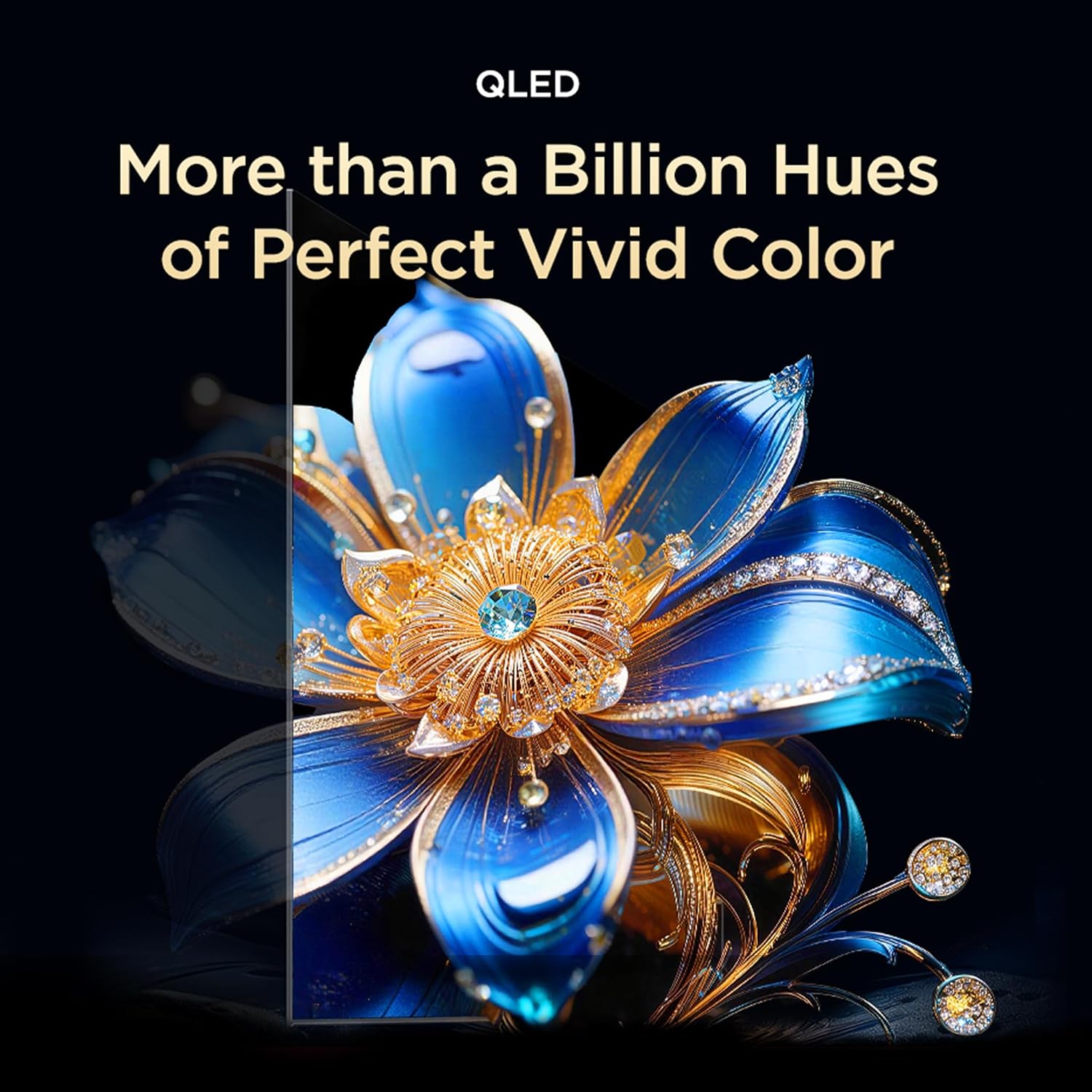
QLED technology provides a wide color gamut for vibrant images.

TCL's expertise in Quantum Dot Technology.

Colorful Quantum Crystal for enhanced optical and color properties.

The TV supports an ultra-high color gamut, providing vibrant and precise colors.
- HVA панел: Provides higher contrast and more detailed images.

HVA Panel technology enhances contrast and detail.
- HDR 10+ & Dolby Vision: High Dynamic Range support delivers superior brightness, shadow details, and vivid colors.

HDR 10+ reveals fine details in both bright and dark scenes.

Dolby Vision provides an immersive scene with enhanced color and contrast.
- AiPQ процесор: TCL's self-developed processor optimizes picture quality through various AI algorithms.

The AiPQ Processor intelligently enhances picture quality.

The AiPQ Processor utilizes AI for scene, contrast, color, clarity, motion, and HDR optimization.
- Dynamic Color Enhancement: Automatically optimizes color vibrancy.

Dynamic Color Enhancement adjusts colors for optimal vibrancy.
- AI Picture Optimization (Ai-Clarity, Ai-Colour, Ai-Contrast, Ai-HDR): These AI features work together to refine image details, color accuracy, contrast levels, and HDR decoding.

AI-powered features enhance various aspects of picture quality.
- Bionic Color Optimization Technology: Adjusts colors to your viewing needs, enhancing scene colors and preserving skin tones.

Bionic Color Optimization intelligently adjusts colors for realism and immersion.
4.4 Sound Settings and Technologies
Experience immersive audio with advanced sound features.
- Долби Атмос: Delivers three-dimensional audio that moves around you, creating a theatrical sound experience.

Dolby Atmos provides immersive, three-dimensional sound.

Dolby Atmos transcends channel limits for clear, immersive 3D sound.
- ДТС Виртуал:Кс: Virtualized 3D sound places audio naturally throughout your space for a lifelike, multi-dimensional experience.

DTS Virtual:X provides virtualized 3D sound for an immersive experience.
4.5 Функције за игре
- Мајстор игре: Experience next-level gaming with optimized settings and features.

Game Master optimizes the TV for a superior gaming experience.
- Gamebar: An adaptive game screen for major consoles, offering customized screen designs for immersive gaming.

Gamebar provides an optimized interface for gaming consoles.
4.6 Карактеристике неге очију
- Вишеструка нега очију: Features low blue light and natural light protection technology to reduce eye strain during extended viewинг.

Multiple Eye Care technologies protect your eyes during viewинг.
4.7 Додатне паметне функције
- TCL AI: A wisdom core that enhances multi-scenario experiences, integrating image quality, sound quality, interaction, and content generation.

TCL AI enhances various aspects of your TV experience.
- AI Cinema Agent, AI Office Agent, AI Gaming Agent: Specialized AI agents for optimized cinema, office, and gaming experiences.

Specialized AI agents for different usage scenarios.
- AI Art Gallery & Digital Art: Display artworks when not watching TV, turning your home into a personal gallery. Explore over 100,000 pre-generated AI artworks.

The AI Art Gallery transforms your TV into a digital art display.

Explore various digital art styles to personalize your screen.
- Private Bluetooth Listening: Connect Bluetooth headphones for private audio, allowing others to rest undisturbed.

Enjoy private listening via Bluetooth headphones.
5. Одржавање
5.1 Чишћење екрана
Да бисте очистили екран, нежно га обришите меком крпом која не оставља влакна. За тврдокорне мрље, лагано дampОбришите крпу водом или специјализованим средством за чишћење екрана. Избегавајте употребу јаких хемикалија, абразивних материјала или директно прскање по екрану.
5.2 Чишћење кућишта телевизора
Wipe the TV body and stand with a soft, dry cloth. Do not use liquid cleaners directly on the TV body.
5.3 Power Cord Care
Regularly check the power cord for any damage. Do not place heavy objects on the cord or expose it to excessive heat. Always grasp the plug, not the cord, when disconnecting from the power outlet.
КСНУМКС. Решавање проблема
Пре него што контактирате корисничку подршку, испробајте следећа решења за уобичајене проблеме:
| Проблем | Могуће решење |
|---|---|
| Нема струје | Уверите се да је кабл за напајање безбедно прикључен и на телевизор и на исправну електричну утичницу. Покушајте са другом утичницом. |
| Нема слике, али је звук присутан | Проверите улазни извор. Уверите се да су спољни уређаји укључени и правилно повезани. |
| Нема звука, али је слика присутна | Check the volume level and mute settings. Ensure external audio devices are connected and configured correctly. |
| Даљински управљач не ради | Замените батерије. Уверите се да нема препрека између даљинског управљача и инфрацрвеног сензора телевизора. |
| Повезивање на Ви-Фи није могуће | Ensure your router is on and working. Re-enter the Wi-Fi password. Try restarting both the TV and the router. |
| Проблеми са квалитетом слике (нпр. замућена, изобличена) | Check the cable connections. Adjust picture settings (brightness, contrast, sharpness). Ensure the input source is providing a high-quality signal. |
7. Спецификације
Detailed technical specifications for the TCL 43T6D 4K UHD Smart QLED Google TV:
| Феатуре | Детаљ |
|---|---|
| Назив модела | 43Т6Д |
| Величина екрана | 43 инча (108 цм) |
| Дисплаи Тецхнологи | КЛЕД |
| Резолуција | 4К УХД (3840 к 2160) |
| Рефресх Рате | 60 Хз |
| Оперативни систем | Гоогле ТВ |
| Процесор | 64-bit Quad Core Processor (AiPQ Processor) |
| РАМ | 2 ГБ |
| Интерна меморија | 16 ГБ |
| Повезивање | Wi-Fi 5, Bluetooth 5.0, Ethernet |
| ХДМИ портови | 3 (including eARC) |
| УСБ портови | 1 (УСБ 3.0) |
| Аудио излаз | 28 Watts Maximum Speaker Output, Dolby Atmos, DTS Virtual:X |
| ХДР подршка | HDR10+, Долби Вижн |
| Viewинг Англе | 178 степени |
| Димензије производа (Д x Ш x В) | 18.5D x 95.7W x 60.3H Centimeters (with stand) |
| Тежина артикла | 5.6 килограма (са постољем) |
| Годишња потрошња енергије | 141 киловат сати годишње |
| Оцена енергије | 2 звездица |

Energy rating label for the TCL 43T6D TV.

Dimensions and weight of the TCL 43T6D TV with and without stand.
8. Гаранција и подршка
8.1 Информације о гаранцији
Your TCL 43T6D TV comes with a 2 година гаранције provided by the manufacturer from the date of purchase. The remote control has a 6-месечна гаранција.
To avail warranty services, you will need your purchase invoice. Warranty claims can be processed using the Amazon e-invoice.
8.2 Корисничка подршка
For assistance, contact TCL customer support:
- Бесплатни бројеви: 180-0102-0622 / 180-0419-0622
- Емаил: indiasupport@tcl.com
When contacting support, please provide your product's model name (43T6D) and the seller's details as mentioned on your invoice. The service center will schedule a convenient slot for service.