Увод
This manual provides comprehensive instructions for the installation, operation, and maintenance of your Stinger SPD514 PRO Series Power or Ground Distribution Block. Designed for high-current automotive audio systems, this distribution block efficiently manages power or ground connections, ensuring optimal performance and safety. Please read this manual thoroughly before installation to ensure correct usage and to prevent damage to the product or your vehicle's electrical system.
Важне информације о безбедности
- Always disconnect the vehicle's battery before installing any electrical components.
- Уверите се да су сви прикључци безбедни и правилно изоловани како бисте спречили кратки спојеви.
- Use appropriate wire gauges as specified for your system's current draw.
- Install the distribution block in a dry location, away from excessive heat or moisture.
- Консултујте се са стручњаком ако нисте сигурни у вези са било којим делом процеса инсталације.
- This product is designed for 12-volt automotive applications only.
УПОЗОРЕЊЕ: Овај производ садржи хемикалије за које је у држави Калифорнија познато да изазивају рак и урођене дефекте или другу репродуктивну штету. За више информација посетите ввв.П65Варнингс.ца.гов.
Садржај пакета
Пре почетка инсталације проверите да ли су сви елементи присутни:
- Stinger SPD514 PRO Series Power or Ground Distribution Block
- Protective Clear Cover
- Прибор за монтажу (шрафови)

Image: Stinger SPD514 Distribution Block in its retail packaging, showing the product and model number.
Подешавање и инсталација
The Stinger SPD514 is designed to distribute power or ground from a main input cable to multiple output cables. Follow these steps for proper installation:
1. Изаберите место за монтажу
Select a secure, dry, and easily accessible location for the distribution block. Ensure it is away from moving parts, excessive heat, and moisture. The block can be surface-mounted using the provided screws.
2. Prepare Wiring
- Улазне жице: The SPD514 accepts two 1/0 gauge input wires. Strip approximately 1/2 inch (12-15mm) of insulation from the ends of your main power or ground cables.
- Излазне жице: The block provides four output terminals, compatible with 4 or 8 gauge wires. Strip approximately 1/2 inch (12-15mm) of insulation from the ends of your amplifier or accessory power/ground cables.

Слика: Одозго надоле view of the Stinger SPD514 distribution block with its clear protective cover, showing the two large input terminals and four smaller output terminals.
3. Connect Input Wires
- Loosen the set screws for the two large input terminals on the distribution block.
- Insert the stripped ends of your 1/0 gauge main power or ground cables into the respective input terminals.
- Tighten the set screws firmly to ensure a secure connection. Do not overtighten.
4. Connect Output Wires
- Loosen the set screws for the four smaller output terminals.
- Insert the stripped ends of your 4 or 8 gauge power or ground cables into the output terminals.
- Tighten the set screws firmly. Verify that all connections are snug and that no loose strands of wire are exposed.
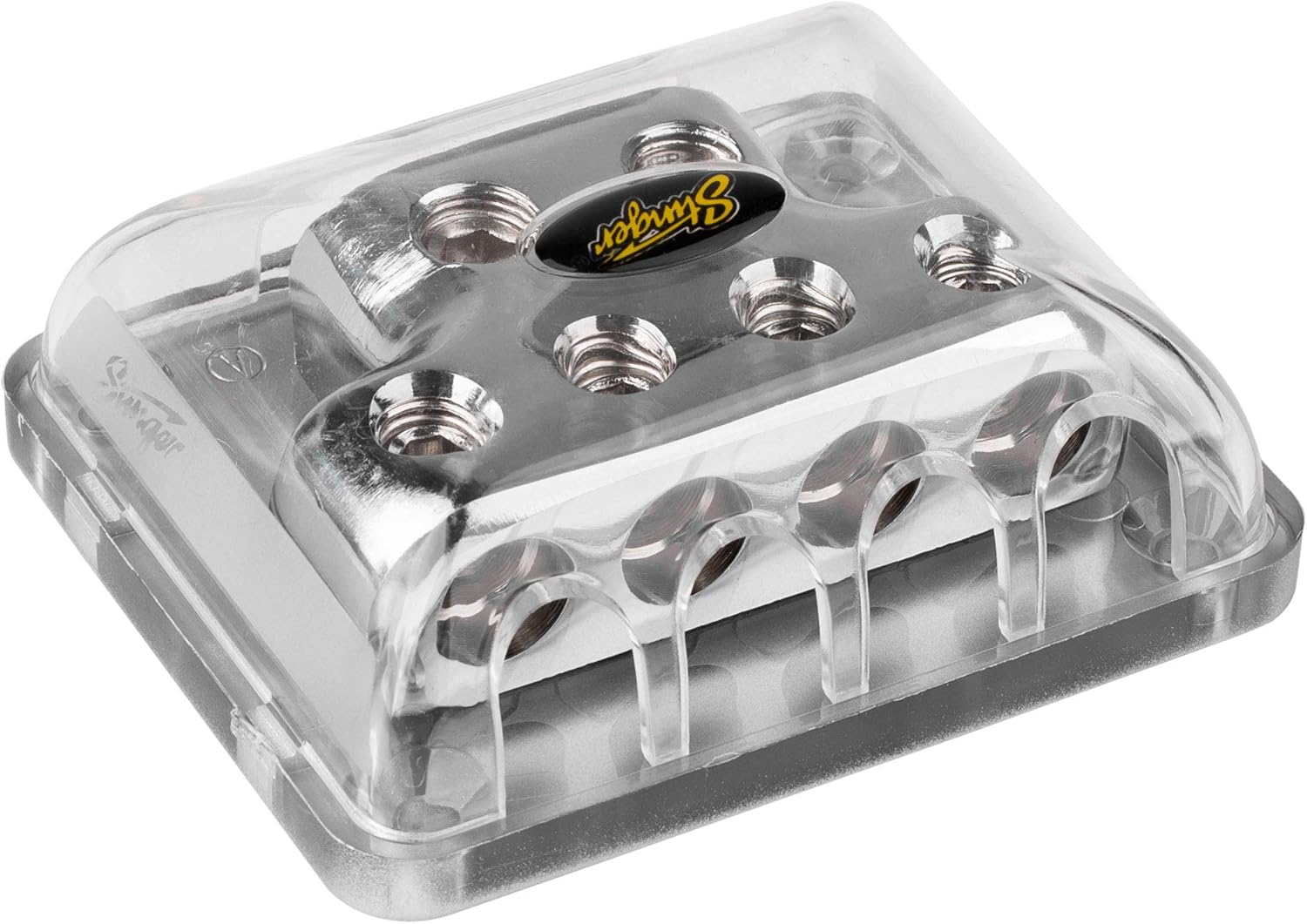
Слика: Са стране view of the Stinger SPD514 distribution block, highlighting the four output terminals where smaller gauge wires are connected.
5. Secure the Protective Cover
Once all wiring is complete and connections are secure, place the clear protective cover over the distribution block. This cover helps prevent accidental short circuits and protects the terminals from environmental elements.
Операција
The Stinger SPD514 is a passive component designed to distribute electrical current. It does not require active operation. Once properly installed, it functions by providing a common connection point for multiple power or ground wires, ensuring efficient current flow to connected devices. Always ensure that the total current draw of all connected devices does not exceed the capacity of your main input wire and the distribution block itself.
Одржавање
- Редовна инспекција: Periodically inspect the distribution block and all connected wires for signs of corrosion, loose connections, or damage.
- Чишћење: If necessary, gently clean the exterior of the block with a dry, soft cloth. Do not use abrasive cleaners or solvents. Ensure the protective cover is always in place.
- Интегритет везе: Re-tighten set screws if any connections appear loose. Loose connections can lead to resistance, heat buildup, and potential system failure.
Решавање проблема
If you experience issues with your electrical system after installing the distribution block, consider the following:
- Нема напајања за уређаје:
- Check all input and output wire connections for tightness.
- Verify that the main power/ground cable is properly connected to the vehicle's battery/chassis.
- Ensure any inline fuses (not part of this product) are intact and not blown.
- Excessive Heat at Block or Wires:
- This indicates high resistance or excessive current draw.
- Check all connections for looseness or corrosion.
- Ensure the wire gauges used are appropriate for the current demands of your system. Undersized wires can cause heat.
- Verify that the total current draw does not exceed the block's capacity.
- Повремено напајање:
- Inspect for loose or corroded connections at the distribution block, battery, and connected devices.
- Check for damaged insulation on wires that could lead to intermittent shorts.
If problems persist, consult a qualified automotive audio technician.
Спецификације
| Феатуре | Детаљ |
|---|---|
| Број модела | СПД514 |
| Бранд | СТИНГЕР |
| Улазни терминали | Two (2) 1/0 Gauge |
| Излазни терминали | Four (4) 4 or 8 Gauge |
| Тип конектора | Сет Сцрев |
| Материјал | Brass with ShocKrome Finish |
| Волtagе Компатибилност | 12 волти (ДЦ) |
| Димензије (Д к Ш к В) | 5.9 к 1.5 к 4 инча |
| Тежина артикла | 7.7 унци |
| Тип монтаже | Сурфаце Моунт |
Гаранција и подршка
For information regarding warranty coverage, technical support, or replacement parts, please refer to the official STINGER webсајт или директно контактирајте њихову корисничку службу. Сачувајте рачун као доказ о куповини за евентуалне рекламације по гаранцији.
STINGER Official Webсајт: www.stinger.com (Напомена: Ово је резервисано место URL, please verify the actual manufacturer's webсајт за подршку.)
Правно одрицање одговорности
Предлог 65 Упозорење: Овај производ садржи хемикалије за које је у држави Калифорнија познато да изазивају рак и урођене дефекте или другу репродуктивну штету. За више информација посетите ввв.П65Варнингс.ца.гов.


