1. Увод
This manual provides instructions for the installation, configuration, and operation of the D-Link DGS-1210-10P 10-Port Gigabit Smart Managed PoE+ Switch. The DGS-1210-10P is designed to offer functionality, security, and manageability for small to medium businesses, supporting Power over Ethernet (PoE+) and advanced Layer 2 features.
2. Садржај пакета
Проверите да ли ваш пакет садржи следеће ставке:
- D-Link DGS-1210-10P Switch
- Повер Адаптер
- Повер Цорд
- 8 Сцревс
- 4 гумене ноге
- 2 Rackmount Brackets
- Водич за брзу инсталацију
- ЦД са ресурсима
Ако било који предмет недостаје или је оштећен, обратите се локалном D-Link продавцу за помоћ.
3. Производ је готовview
3.1 Предња плоча
The front panel of the DGS-1210-10P features 8 Gigabit PoE+ ports and 2 Gigabit SFP optical ports, along with LED indicators for power, link/activity, and PoE status.

Figure 1: Front Panel of DGS-1210-10P Switch
3.2 Задња плоча
The rear panel includes the power input connector and a grounding screw.
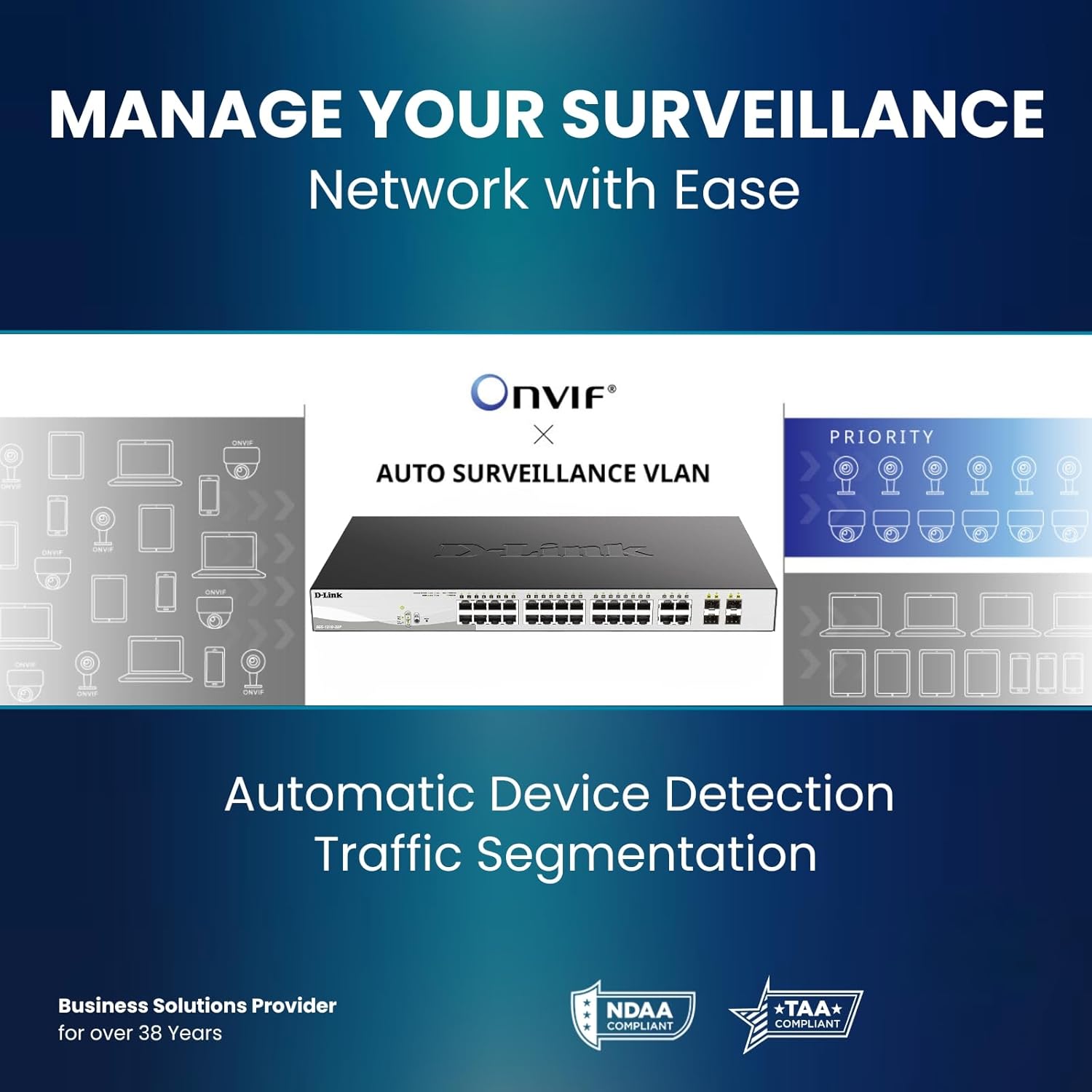
Figure 2: Rear Panel of DGS-1210-10P Switch
4. Подешавање
Follow these steps to set up your DGS-1210-10P switch:
- Физички смештај: Place the switch on a flat surface or mount it in a standard 19-inch equipment rack using the provided rackmount brackets. Ensure adequate ventilation around the switch.
- Прикључак за напајање: Connect the power adapter to the switch's power input and then plug the power cord into a suitable power outlet.
- Мрежна конекција: Connect your network devices (e.g., computers, servers, routers) to the RJ45 Gigabit ports using standard Ethernet cables. For devices requiring power, connect them to the PoE+ enabled ports.
- Узлазни линк: Use the SFP ports for high-speed uplinks to other switches or network devices, typically with fiber optic transceivers (not included).
- Почетна конфигурација: Прекидачем се може управљати преко web-based interface. Refer to the Quick Installation Guide for initial IP address and login details to access the management interface.

Figure 3: Benefit of PoE for simplified cabling
5. Упутство за употребу
The DGS-1210-10P operates as a plug-and-play device for basic network connectivity. For advanced features and management, use the web-интерфејс.
5.1 Напајање преко етернета (PoE+)
The 8 PoE+ ports deliver up to 30W per port, with a total power budget of 65W, to compatible devices such as IP cameras, wireless access points, and VoIP phones. This eliminates the need for separate power cables for these devices.

Figure 4: PoE+ Flexibility
5.2 Smart Managed Features
The switch offers a range of Layer 2+ features accessible through its web интерфејс:
- ВЛАН: Сегментирајте своју мрежу ради побољшане безбедности и перформанси.
- Квалитет услуге (КоС): Дајте приоритет мрежном саобраћају за критичне апликације.
- Агрегација веза: Комбинујте више портова за повећани пропусни опсег и редундантност.
- Spanning Tree Protocol (STP): Prevent network loops.
- ИГМП њушкање: Optimize multicast traffic for applications like IP TV.
- Статичко рутирање: Enable basic inter-VLAN routing.

Figure 5: Advanced Traffic Handling and Security
5.3 Surveillance Mode
The dedicated Surveillance Mode simplifies the deployment and management of IP surveillance networks. It automatically detects ONVIF-compliant devices and optimizes video traffic.

Figure 6: Surveillance Mode Interface
5.4 PD Alive
The PD Alive feature automatically reboots unresponsive PoE devices, minimizing downtime and ensuring continuous network availability without manual intervention.
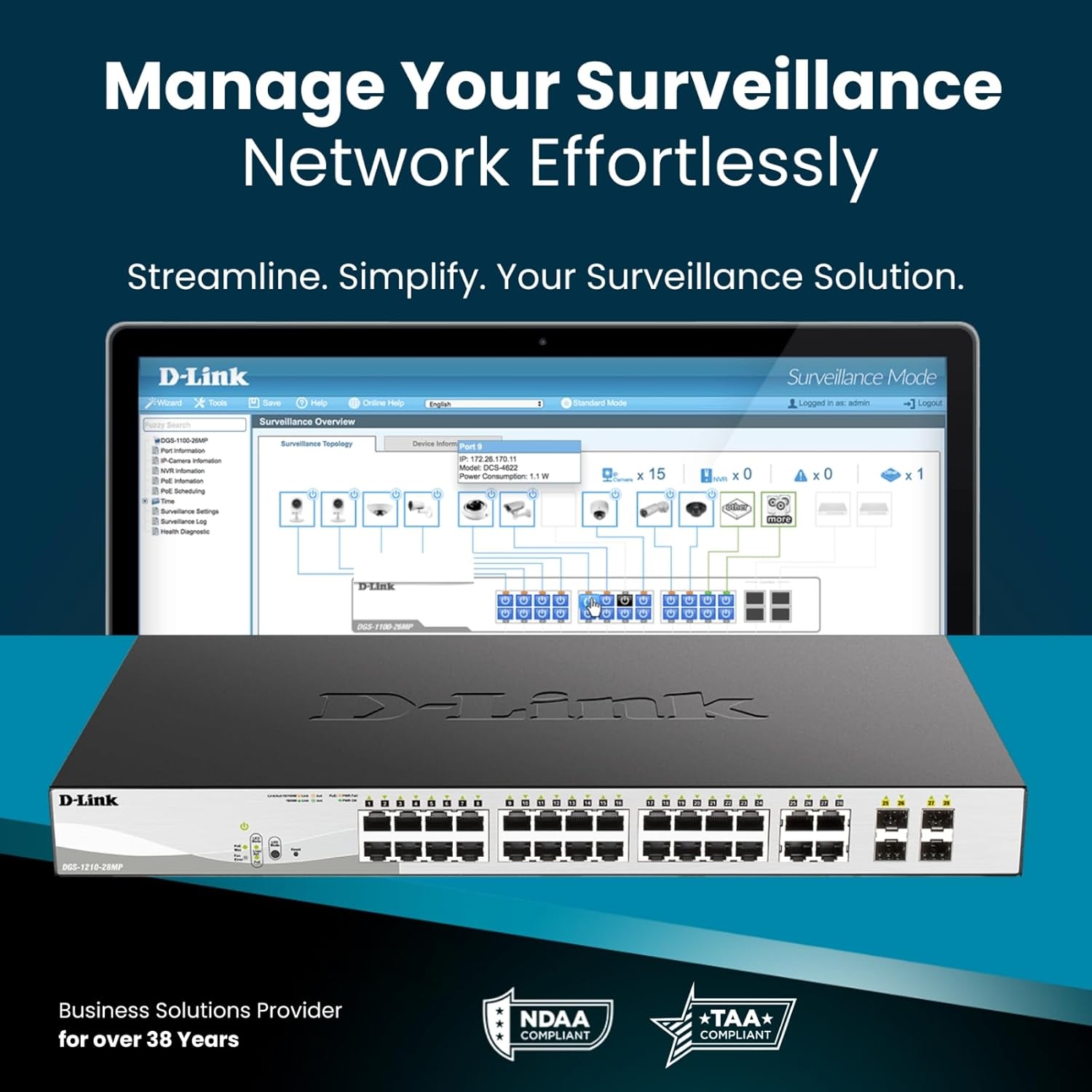
Figure 7: PD Alive Functionality
6. Одржавање
To ensure optimal performance and longevity of your DGS-1210-10P switch, consider the following maintenance practices:
- Ажурирања фирмвера: Редовно проверавајте подршку за D-Link website for the latest firmware versions. Updating the firmware can provide new features, performance improvements, and security patches.
- Физичко чишћење: Држите прекидач чистим од прашине и прљавштине. Користите меку, суву крпу за чишћење. Уверите се да су вентилациони отвори чисти.
- Услови животне средине: Operate the switch within the recommended temperature and humidity ranges specified in the product specifications. Avoid exposing the device to direct sunlight or excessive heat.
- Управљање кабловима: Ensure all network cables are properly organized and secured to prevent accidental disconnections or damage.
КСНУМКС. Решавање проблема
If you encounter issues with your DGS-1210-10P switch, refer to the following common troubleshooting steps:
- Нема напајања: Ensure the power cord is securely connected to both the switch and the power outlet. Verify the power outlet is functional. Check the power LED on the front panel.
- Нема линка/активности: Check the Ethernet cable connections between the switch and the connected device. Ensure the connected device is powered on and functioning correctly. Verify the link/activity LED for the respective port.
- PoE уређај се не укључује: Confirm the connected device is PoE compatible and within the switch's power budget (65W total, 30W per port). Check the PoE status LED for the port. If PD Alive is enabled, the switch may attempt to reboot the device.
- Не могу приступити Web Интерфејс: Verify that your computer's IP address is in the same subnet as the switch's management IP address. Ensure there are no IP address conflicts on the network. Try resetting the switch to factory defaults (refer to the Quick Installation Guide for the reset procedure).
- Споре мрежне перформансе: Check for excessive network traffic or loops. Utilize the switch's management interface to monitor port statistics, bandwidth usage, and enable features like QoS if necessary.
For more detailed troubleshooting, consult the full product manual available on the D-Link support webсајту.
8. Спецификације
| Феатуре | Спецификација |
|---|---|
| Број модела | ДГС-1210-10П |
| Број портова | 10 (8 PoE+ Gigabit, 2 SFP Gigabit) |
| ПоЕ+ портови | 8 |
| Max PoE Power per Port | 30В |
| Укупан буџет ПоЕ напајања | 65В |
| Тип интерфејса | PoE, SFP |
| Брзина преноса података | 2000 Megabits Per Second (Full Duplex) |
| Материјал кућишта | Метал |
| Димензије (Д к Ш к В) | 11.2 к 5 к 1.73 инча |
| Тежина артикла | 3.1 фунти |
| Волtage | 2.4 волти (унутрашњи радни напонtage, not input) |
| Цуррент Ратинг | 1 Amps |
| Менаџмент | Web-based GUI, Nuclias Connect (optional) |
| Усклађеност | NDAA Compliant, IEEE 802.3az Energy Efficient Ethernet (EEE) |
9. Информације о гаранцији
The D-Link DGS-1210-10P Smart Managed PoE+ Switch is backed by D-Link's Limited Lifetime Warranty. This warranty provides long-term confidence in the quality and reliability of your network infrastructure. For specific terms and conditions of the warranty, please refer to the warranty documentation included with your product or visit the official D-Link webсајту.
10. Подршка
For technical support, product documentation, and software updates, please visit the official D-Link support webсајт. Можете пронаћи често постављана питања, водиче за решавање проблема и контакт информације за корисничку подршку.
Подршка за Д-Линк Webсајт: www.dlink.com/support
11. Видео производа прекоview
Погледајте овај видео за општи прегледview of D-Link switch solutions, which includes information relevant to this product model.
Video: D-Link Switch Solutions for Home, Gaming, SOHO, and SMB. This video provides an overview of D-Link's range of switches and their applications, including how they can expand network connectivity for various devices.


