1. Увод
This manual provides comprehensive instructions for the Ambient Weather WS-1171B Wireless Advanced Weather Station. This device is designed to monitor indoor and outdoor environmental conditions, including temperature, humidity, and barometric pressure, offering valuable weather insights for your location.
2. Садржај пакета
Проверите да ли су све компоненте присутне пре него што наставите са подешавањем:
- Ambient Weather WS-1171B Main Console
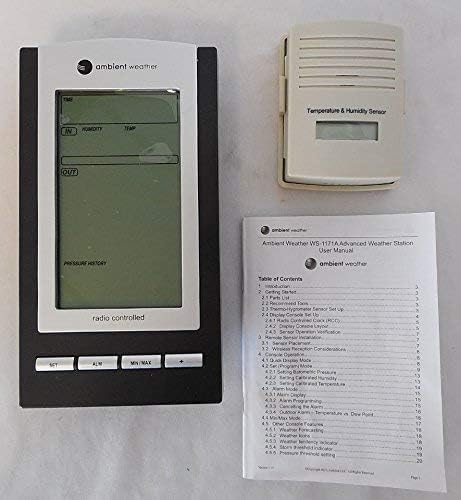
- Wireless Remote Temperature and Humidity Sensor
- Кориснички приручник (овај документ)
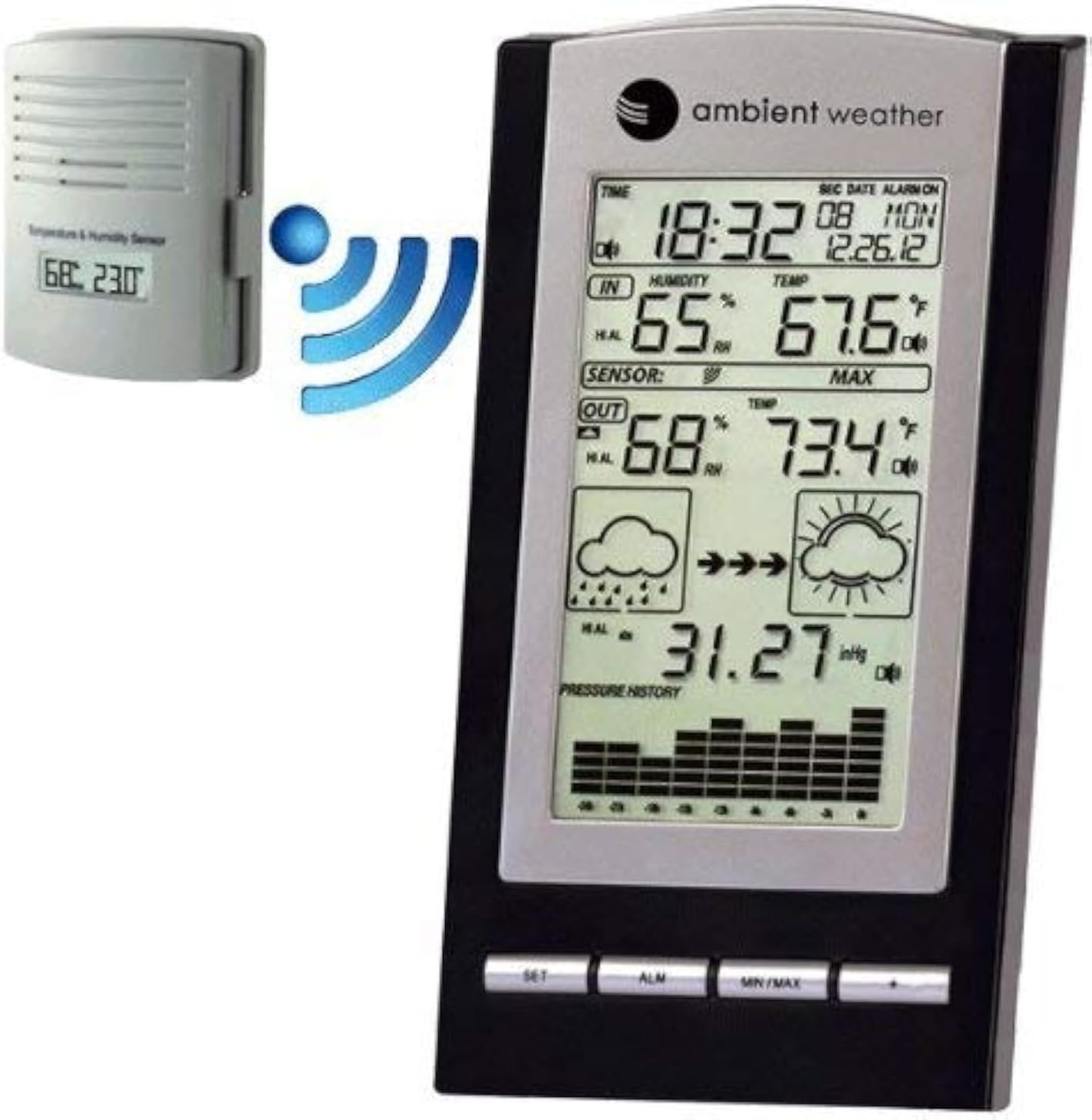
Слика 2.1: The Ambient Weather WS-1171B weather station's main console alongside its wireless outdoor temperature and humidity sensor. A blue wireless signal icon illustrates the communication between the two units.
3. Подешавање
3.1 Инсталација батерије
- Main Console: Open the battery compartment on the back of the main console. Insert three (3) 'AA' batteries (not included), observing the correct polarity (+/-). Close the battery compartment.
- Бежични сензор: Open the battery compartment on the back of the wireless sensor. Insert two (2) 'AAA' batteries (not included), observing the correct polarity (+/-). Lithium batteries are recommended for extended life and cold weather performance. Close the battery compartment.
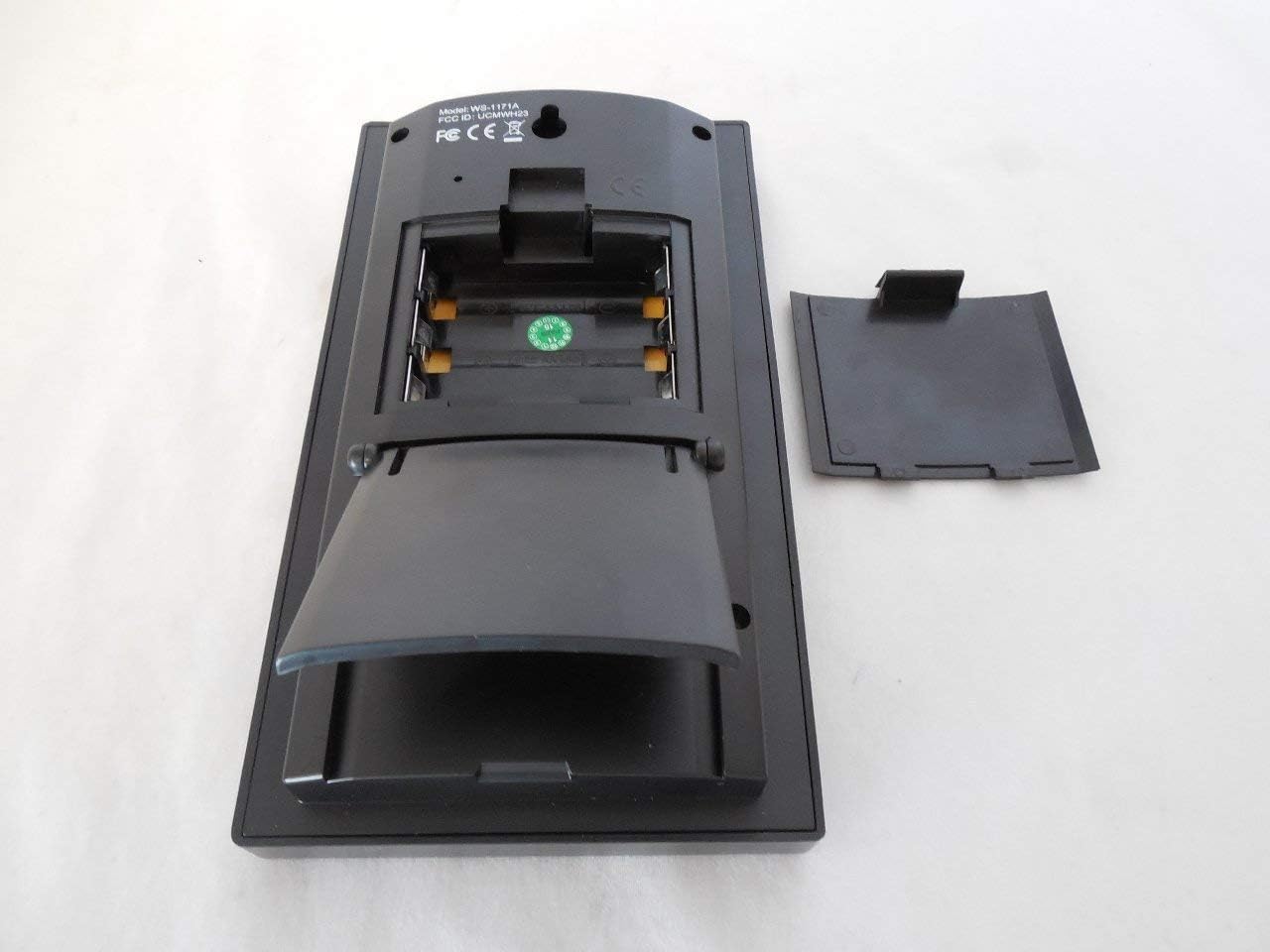
Слика 3.1: Позади view of the main console showing the battery compartment and integrated kickstand.
3.2 Постављање сензора
For optimal performance, place the wireless sensor in a shaded, dry location, protected from direct sunlight and precipitation. Ensure it is within the transmission range of the main console (up to 330 feet line of sight, typically 100 feet under most conditions). Avoid placing the sensor near large metal objects or electrical appliances that may interfere with the wireless signal.
3.3 Почетна синхронизација
After installing batteries in both units, the main console will automatically begin searching for the wireless sensor. This process may take a few minutes. Once connected, the outdoor temperature and humidity readings will appear on the console display.
3.4 Atomic Clock Synchronization
The weather station is equipped with a radio-controlled clock (WWVB & DCF). Upon initial power-up, the console will attempt to synchronize with the atomic clock signal. This process can take several hours, especially in areas with weak signals. Ensure the console is placed away from electronic interference. The time will automatically update for daylight saving time (with an on/off option).
4. Упутство за употребу
4.1 Приказ прекоview
The main console's LCD displays various environmental data and time information:
Слика 4.1: Детаљно view of the WS-1171B main console's LCD screen.
- Време и датум: Displays current time (12 or 24-hour format) and date.
- Температура и влажност у затвореном простору: Current readings inside.
- Спољна температура и влажност: Current readings from the wireless sensor.
- Притисак на барометру: Current pressure reading and a 24-hour history graph.
- Иконе прогнозе: Graphical representation of predicted weather based on pressure trends.
- Мин/Макс рекорди: Highest and lowest recorded values for temperature and humidity.
4.2 Подешавање времена и аларма
Refer to the specific buttons (SET, ALM) on the console for adjusting time, date, and setting the alarm. The atomic clock typically handles time setting automatically, but manual adjustments are possible if needed. The alarm features a snooze function.
4.3 Min/Max Data
Притисните тастер МИН / МАКС button to cycle through the minimum and maximum recorded indoor and outdoor temperature and humidity values. These records are timestamped with the date and time they occurred.
4.4 Barometric Pressure and Forecast
The console displays current barometric pressure (in Hg or hPa) and a 24-hour history graph, allowing you to track pressure trends. The forecast icons (sunny, cloudy, rainy) are generated based on these barometric pressure changes, providing a general weather prediction.
5. Карактеристике
- Wireless outdoor and indoor humidity (%RH) with calibration option for outdoor humidity.
- Wireless outdoor and indoor temperature (°F or °C).
- Records minimum and maximum temperature and humidity with date and time stamps.
- Barometric pressure 24-hour history graph (in Hg or hPa).
- Forecast icons based on changing barometric pressure.
- Radio-controlled time and date (WWVB & DCF) with automatic daylight saving time updates (on/off option).
- 12 or 24-hour time display and perpetual calendar.
- Time alarm with snooze function.
- Includes one wireless remote sensor.
- LED backlight for temporary illumination.
- Wall hanging or free-standing design.
- Low battery indicator for both console and sensor.
- Synchronized instant reception (SIR) for quick data updates.
6. Спецификације
| Wireless Outdoor Humidity Range: | 1% to 99% RH (+/-5% accuracy) with calibration |
| Опсег влажности у затвореном простору: | 1% to 99% RH (+/-5% accuracy) |
| Wireless Outdoor Temperature Range: | -40.0°F to +149°F (+/- 2°F accuracy) |
| Опсег унутрашње температуре: | +32°F to +140°F (+/- 2°F accuracy) |
| Опсег преноса: | До 330 стопа (линија вида) |
| Фреквенција преноса: | 433МХз |
| Receiver Power Requirements: | 3 батерије типа „АА“ (нису укључене) |
| Wireless Sensor Power Requirements: | 2 "AAA" batteries (not included) |
| Димензије пријемника (ДкШкВ): | 7.25 к 4 к 1.25 инча |
| Sensor Dimensions (LxWxH): | 3.5 к 2.75 к 1.25 инча |
| Тежина артикла: | 0.65 фунте (10.4 унци) |
7. Одржавање
- Чишћење: Wipe the console and sensor with a soft, damp крпу. Избегавајте абразивна средства за чишћење или раствараче.
- Замена батерије: Replace batteries in both units when the low battery indicator appears on the console. For the outdoor sensor, consider replacing batteries annually, especially before winter, to ensure continuous operation in cold temperatures.
- Заштита сензора: Periodically check the outdoor sensor for debris or insect nests that might obstruct ventilation or affect readings. Ensure it remains protected from direct heavy rain or snow.
КСНУМКС. Решавање проблема
- Нема приказаних података о спољашњости:
- Ensure batteries are correctly installed in both the console and sensor.
- Verify the sensor is within range and not obstructed by large metal objects or thick walls.
- Try bringing the sensor closer to the console temporarily to re-establish connection.
- Reset both units by removing batteries, waiting a few seconds, and then reinserting them, starting with the sensor.
- Нетачна очитавања:
- Уверите се да је спољни сензор постављен на осенчено место, даље од директне сунчеве светлости или извора топлоте.
- Allow sufficient time (at least 30 minutes) for readings to stabilize after setup or battery replacement.
- Outdoor humidity can be calibrated if necessary (refer to advanced settings in the full manual).
- Atomic Clock Not Syncing:
- Place the console near a window, away from electronic devices that may cause interference.
- Дозволите до 24 сата за почетну синхронизацију.
- Check if your location has a strong WWVB or DCF signal.
- Display Issues (e.g., dim, uneven lighting):
- Уверите се да су батерије свеже и потпуно напуњене.
- The LED backlight is temporary; press the appropriate button to activate it.
9. Гаранција и подршка
9.1 Информације о гаранцији
The Ambient Weather WS-1171B Wireless Advanced Weather Station comes with a one-year warranty covering parts and labor from the date of purchase.
9.2 Корисничка подршка
For further assistance, troubleshooting, or to access updated user manuals and product information, please visit the official Ambient Weather store or website. You can find more information at the Ambient Weather Store.


