1. Производ је готовview
Тхе ViewSonic PJD5353 is a short throw DLP projector designed for business and education environments. It offers XGA 1024x768 native resolution, 2500 ANSI lumens brightness, and a 3000:1 contrast ratio for clear and vibrant images. Its short throw lens allows for large images from a minimal distance, making it suitable for various room sizes.
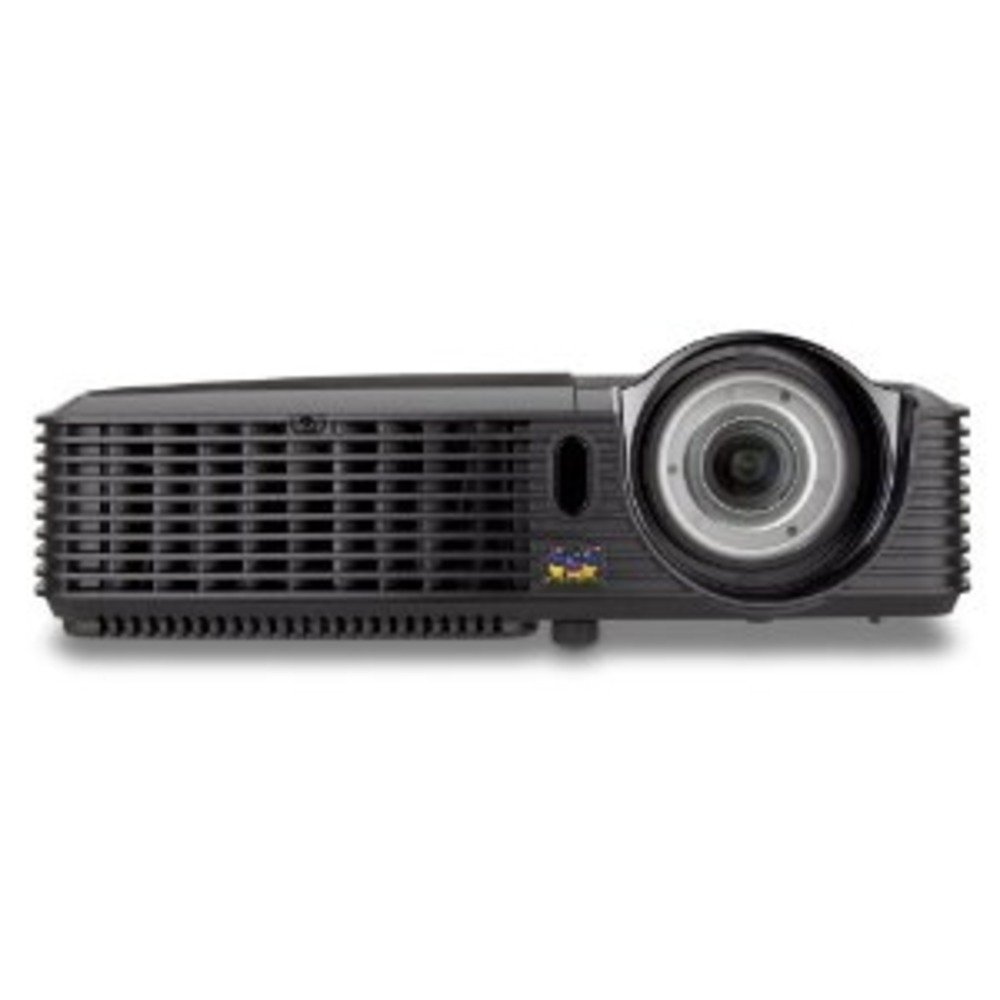
Слика 1.1: ViewSonic PJD5353 DLP Projector. This image displays the projector from an angled perspective, highlighting the projection lens on the front and the control panel located on the top surface.
Кључне карактеристике:
- XGA 1024x768 DLP projector with 2500 ANSI Lumens and 3000:1 Contrast.
- Short Throw Ratio (TR 0.68) for large images in small spaces.
- Multiple input options: HDMI, dual RGB in, composite, S-video, RGB out, audio in/out, RS232.
- Supports HD 720p and 1080i/p via HDMI.
- 120Hz/3D-Ready technology powered by DLP Link for PC-based 3D applications.
- Digital keystone correction of +/- 40 degrees.
- Integrated 1W speaker.
- Lightweight and portable at 5.7 lbs.
- Lamp life of 5000 hours (Normal mode) / 6000 hours (Eco mode).
- Apple Mac compatible.
- 8 preset picture modes (e.g., bright, cinema, whiteboard).
- Eco Mode for energy savings, extended lamp life, and reduced operating noise.
- Includes remote control with batteries.
2. Подешавање
2.1 Распакивање и постављање
Carefully remove the projector and all accessories from the packaging. Place the projector on a stable, flat surface. Due to its short throw capability, the projector can be positioned close to the projection screen or wall. For example, a 50-inch image can be achieved from approximately 27 inches away.
2.2 Повезивање напајања
- Прикључите кабл за напајање на улаз за напајање пројектора.
- Укључите други крај кабла за напајање у уземљену електричну утичницу.
2.3 Повезивање видео извора
The PJD5353 offers various input ports for connecting different devices:
- ДВИ: For high-definition digital video and audio. Supports HD 720p and 1080i/p signals.
- VGA (RGB In): For connecting computers via a VGA cable. Two VGA inputs are available.
- Композитни видео: За видео изворе стандардне дефиниције.
- С-Видео: For improved standard definition video sources.
- Аудио улаз: За повезивање екстерних аудио извора.
Connect your desired video source (e.g., laptop, DVD player) to the corresponding input port on the projector using the appropriate cable.
2.4 Почетно укључивање и подешавање фокуса
- Притисните дугме за напајање на пројектору или даљинском управљачу да бисте укључили уређај. Индикаторска лампица напајања ће се упалити.
- Allow a few moments for the projector lamp to warm up and display an image.
- Adjust the focus ring around the lens until the image on the screen is sharp and clear.
- Use the keystone correction function (digital +/- 40 degrees) via the projector's menu or remote control to square the image if the projector is not perfectly perpendicular to the screen.
3. Операција
3.1 Основне контроле
The projector can be controlled using the control panel on the top of the unit or the included remote control.
- Дугме за напајање: Укључује или искључује пројектор.
- Дугме извора: Cycles through available input sources (HDMI, VGA1, VGA2, Video, S-Video).
- Дугме менија: Accesses the on-screen display (OSD) menu for settings adjustments.
- Дугмад са стрелицама: Navigate through OSD menu options.
- Дугме Ентер: Confirms selections in the OSD menu.
- Keystone Buttons: Adjusts vertical keystone correction.
3.2 Picture Modes
The projector features 8 preset picture modes optimized for different viewing environments and content types. These include:
- Бригхт
- Биоскоп
- Бела табла
- И други.
Select the appropriate picture mode from the OSD menu to enhance your viewинг искуство.
3.3 Еко режим
Activate Eco Mode to reduce power consumption, extend lamp life, and lower operating noise. This mode is ideal for situations where maximum brightness is not required.
3.4 3Д функционалност
The PJD5353 is 120Hz/3D-Ready, powered by DLP Link. To utilize 3D features, you will need compatible 3D content, a 3D-capable source device (e.g., PC with 3D software), and DLP Link 3D glasses (sold separately).
4. Одржавање
4.1 Лamp Живот и замена
Пројектор лamp has an estimated life of 5000 hours in Normal mode and 6000 hours in Eco mode. When the lamp достигне крај свог животног века, може се појавити порука упозорења или лamp Индикаторска лампица може да светли. Погледајте комплетно упутство за употребу за детаљније информације.amp replacement instructions. Always use genuine ViewSonic replacement lamps.
4.2 Чишћење
- Пројектор Цasing: Користите меку, дamp cloth with a mild detergent to clean the exterior. Avoid abrasive cleaners.
- Објектив: Gently wipe the lens with a soft, lint-free cloth specifically designed for optical surfaces. Do not use liquid cleaners directly on the lens.
- Вентилациони отвори: Периодично проверавајте и чистите отворе за вентилацију како бисте осигурали правилан проток ваздуха и спречили прегревање. Користите меку четку или компримовани ваздух.
Опрез: Always unplug the projector from the power outlet before cleaning.
КСНУМКС. Решавање проблема
Уобичајени проблеми и решења:
- Нема слике на екрану:
- Уверите се да је пројектор укључен и да је лamp је осветљен.
- Verify that the video cable is securely connected to both the projector and the source device.
- Press the "Source" button on the projector or remote to select the correct input source.
- Check the resolution settings of your source device; ensure it is compatible with the projector's supported resolutions.
- Нема звука:
- If using HDMI, ensure the audio is being sent through the HDMI cable.
- If using an analog audio cable, ensure it is properly connected to the "Audio In" port.
- Проверите подешавања јачине звука и на пројектору и на изворном уређају.
- Ensure the integrated speaker is enabled in the projector's OSD menu.
- Даљински управљач не ради:
- Check and replace the batteries in the remote control (2 AA batteries are included).
- Уверите се да нема препрека између даљинског управљача и ИР пријемника пројектора.
- Усмерите даљински управљач директно ка пројектору.
- Слика је изобличена или мутна:
- Подесите прстен за фокусирање на објективу.
- Use the keystone correction function to correct trapezoidal distortion.
- Ensure the projector is placed on a stable surface and is not vibrating.
For more detailed troubleshooting, refer to the complete user manual or visit the ViewЗвучна подршка webсајту.
6. Спецификације
| Феатуре | Опис |
|---|---|
| Број модела | ПЈД5353 |
| Дисплаи Тецхнологи | ДЛП |
| Нативе Ресолутион | КСГА (1024 к 768) |
| Осветљеност | КСНУМКС АНСИ Луменс |
| Однос контраста | 3000:1 |
| Тхров Ратио | 0.68 (Short Throw) |
| Кеистоне Цоррецтион | Digital +/- 40 degrees (Vertical) |
| Lamp Life (Normal/Eco) | 5000 / 6000 сати |
| Повезивање | HDMI, 2x VGA In, Composite Video, S-Video, Audio In/Out, RS232 |
| ХД подршка | 720p, 1080i/p (via HDMI) |
| 3Д Реади | 120Hz/DLP Link |
| Интегрисани звучник | 1W |
| Димензије производа | 9.2 к 11.2 к 3.2 инча |
| Тежина артикла | 5.7 фунти |
| Укључена додатна опрема | Remote control with 2 AA batteries |
7. Гаранција и подршка
7.1 Информације о гаранцији
Ово ViewSonic product is covered by a limited warranty. For specific warranty terms and conditions, including duration and coverage details, please refer to the warranty card included with your product or visit the official ViewСониц webсајт. Сачувајте доказ о куповини за потребе гаранције.
7.2 Корисничка подршка
For technical assistance, product registration, or to download the complete user manual, please visit the official ViewЗвучна подршка webсајту или контактирајте њихову службу за кориснике. Контакт информације се обично могу наћи на ViewСониц webсајту или у паковању производа.


