1. Увод
This manual provides essential information for the safe and efficient use of your Philips GoGear Vibe SA3VBE04KP/94 4GB MP4 Player. Please read these instructions carefully before using your device.
The Philips GoGear Vibe is a portable media player designed for enjoying music, videos, and FM radio on the go. It features a 1.8-inch full-color display, 4GB of internal storage, and supports MP3, MP4, and WMA audio formats.
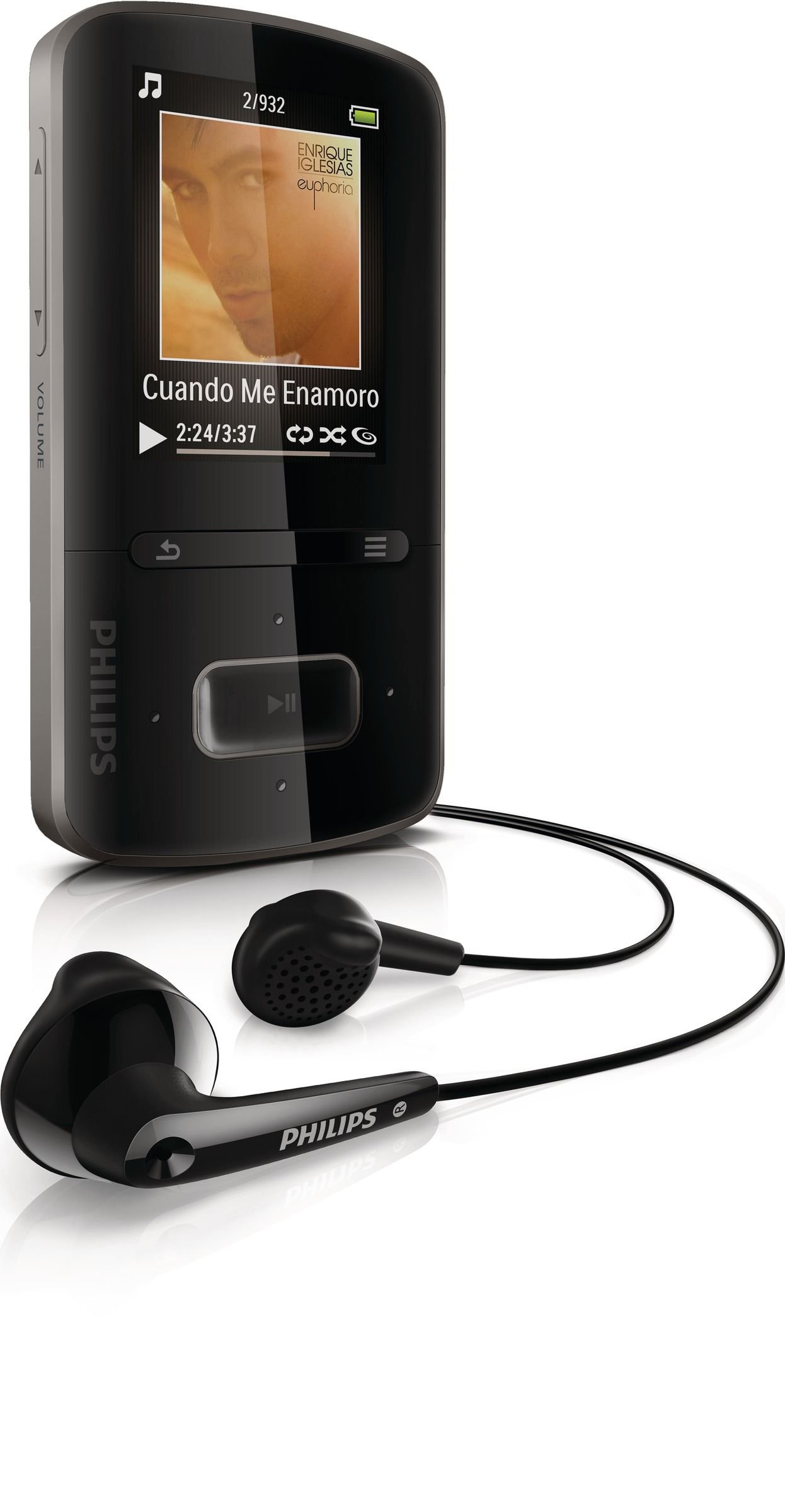
Image 1.1: Philips GoGear Vibe SA3VBE04KP/94 MP4 Player. This image displays the front view of the black MP4 player, highlighting its screen and navigation controls.
2. Подешавање
2.1 Пуњење уређаја
Before first use, fully charge your GoGear Vibe. Use the provided USB power adaptor and cable to connect the player to a power source. A full charge provides up to 25 hours of music playback or 5 hours of video playback. A quick 5-minute charge can provide up to 90 minutes of playback.
- Connect the small end of the USB cable to the player's USB port.
- Connect the large end of the USB cable to the USB power adaptor.
- Plug the USB power adaptor into a wall outlet.
- Индикатор батерије на екрану ће приказивати статус пуњења.
2.2 Повезивање са рачунаром
To transfer music and video files, connect your GoGear Vibe to a computer using the supplied USB cable.
- Connect the small end of the USB cable to the player's USB port.
- Connect the large end of the USB cable to an available USB port on your computer.
- Плејер ће се појавити као преносиви диск на вашем рачунару.
- Use Philips Songbird software (available for download from the Philips website) to manage and sync your media fileс ефикасно.
3. Упутство за употребу
3.1 Укључивање/искључивање
Притисните и држите дугме за напајање неколико секунди да бисте укључили или искључили уређај.
3.2 Навигација
The GoGear Vibe features an easy and intuitive user interface with a 1.8-inch full-color display. Use the navigation buttons to browse menus and select options.
- Горе/доле/лево/десно: Крећите се кроз опције менија.
- Централно дугме: Select an option or play/pause media.
- Дугме за назад: Return to the previous menu or screen.
3.3 Репродукција музике
Access the "Music" menu to browse your audio files. The device supports MP3, MP4, and WMA formats and features Fullsound technology for enhanced audio quality.
- Browse by artist, album, genre, or use the "Folder view" to navigate your file структура.
- "LikeMusic" feature can create playlists of songs that sound similar.
- Connect the soft rubber earbuds for comfortable listening.
3.4 Репродукција видео записа
Select the "Video" menu to watch your stored video content. The player supports MP4 video format.
3.5 ФМ Радио
The integrated FM radio with RDS allows you to listen to your favorite stations. It supports up to 30 presets.
- Access the "FM Radio" menu.
- Use the navigation buttons to tune to stations.
- Save preferred stations as presets for quick access.
4. Одржавање
4.1 Чишћење
To clean your GoGear Vibe, use a soft, dry cloth. Do not use liquid or aerosol cleaners, as they may damage the device.
4.2 Одржавање батерије
Да бисте продужили век трајања батерије:
- Избегавајте излагање уређаја екстремним температурама.
- Не дозволите да се батерија често потпуно празни.
- Редовно пуните уређај, чак и ако га не користите дуже време.
КСНУМКС. Решавање проблема
If you encounter issues with your Philips GoGear Vibe, refer to the following common solutions:
- Уређај се не укључује: Уверите се да је батерија напуњена. Прикључите се на извор напајања и покушајте поново.
- Нема звука: Check the volume level. Ensure headphones are properly connected. Test with different headphones if possible.
- Није могуће пренети files: Ensure the USB cable is securely connected to both the player and the computer. Try a different USB port or cable. Restart your computer and the player.
- FM radio not working: Ensure you are in an area with good signal reception. The headphones act as an antenna, so ensure they are plugged in.
- Device freezes: Press and hold the power button for approximately 10 seconds to perform a hard reset.
For further assistance, visit the official Philips support webсајту.
6. Спецификације
| Феатуре | Спецификација |
|---|---|
| Број модела | SA3VBE04KP/94 |
| Капацитет меморије | 4 ГБ |
| Дисплаи | 1.8-inch full color display |
| Подржани аудио формати | МП3, МП4, ВМА |
| Подржани видео формати | МП4 |
| Технологија тјунера | FM with RDS |
| ФМ Пресетс | 30 |
| Технологија повезивања | УСБ |
| Компатибилни уређаји | Earphone, Laptop, Personal Computer |
| Трајање батерије (музика) | До 25 сати |
| Трајање батерије (видео) | До 5 сати |
| Боја | Црно |
7. Гаранција и подршка
Your Philips GoGear Vibe SA3VBE04KP/94 is covered by a manufacturer's warranty. For detailed information regarding warranty terms, conditions, and duration, please refer to the warranty card included with your product or visit the official Philips support webсајту.
For technical support, frequently asked questions, and software updates, please visit ввв.пхилипс.цом/суппорт.


