Производ је завршенview
The Nokia MD-100W JBL PowerUp is a wireless charging speaker designed to provide high-quality audio and convenient wireless charging for compatible devices. It features Bluetooth connectivity for wireless audio streaming and NFC for quick pairing. The speaker is portable and includes a built-in battery for use on the go.
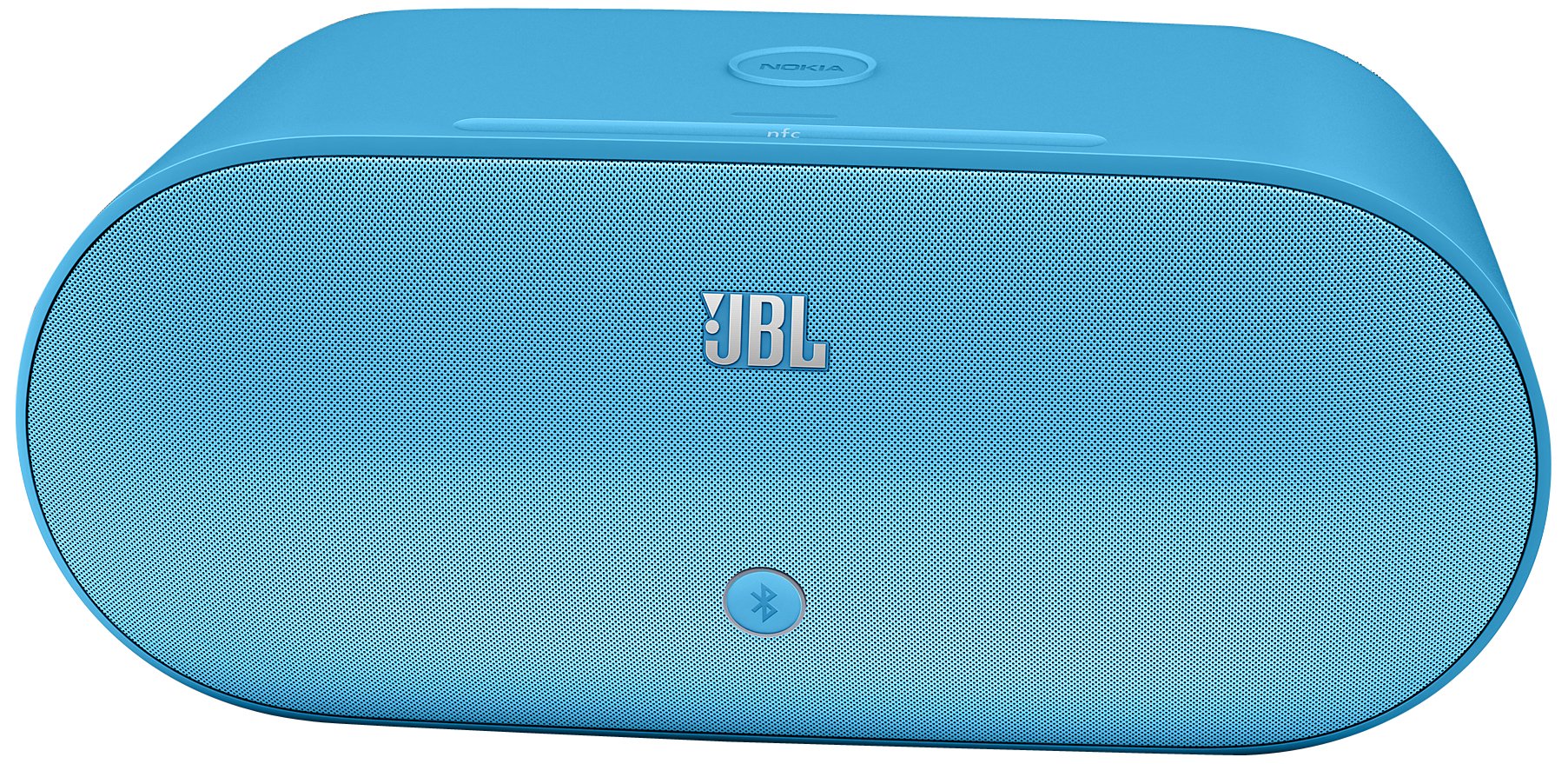
Image: Nokia MD-100W JBL PowerUp Wireless Charging Speaker in Cyan. This image displays the speaker unit with its distinctive design and the wireless charging pad on top.
Сетуп
1. Распакивање и почетно пуњење
Carefully remove the speaker and all accessories from the packaging. Before first use, ensure the speaker is fully charged. Connect the provided power adapter to the speaker's power input and then to a wall outlet. The charging indicator will illuminate.
2. Укључивање
Press and hold the power button located on the speaker until the power indicator light turns on.
3. Блуетоотх упаривање
- Ensure the speaker is powered on and in pairing mode. The Bluetooth indicator light will typically flash.
- На свом мобилном уређају (паметном телефону, таблету итд.) омогућите Блутут и потражите доступне уређаје.
- Select "Nokia MD-100W" from the list of found devices.
- Once paired, the Bluetooth indicator light on the speaker will become solid, and your device will confirm the connection.
4. NFC (Near Field Communication) Pairing
For devices with NFC capability, simply tap your NFC-enabled device to the NFC tag area on the speaker. Your device will prompt you to confirm the Bluetooth pairing. This provides a quick and convenient way to establish a connection.
5. Wired Connection (3.5mm AUX)
To connect a device without Bluetooth, use a 3.5mm audio cable (not included) to connect the device's headphone jack to the AUX input port on the speaker. The speaker will automatically switch to AUX input mode.
Упутство за употребу
1. Репродукција звука
- Bluetooth/NFC: Once paired, start playing audio on your connected device. The sound will be output through the speaker. Adjust volume using your device's controls or the touch controls on the speaker.
- АУКС: After connecting via the 3.5mm cable, start playing audio on your connected device. Adjust volume using your device's controls or the touch controls on the speaker.
2. Бежично пуњење
The speaker features a wireless charging pad on its top surface. To charge a compatible device wirelessly:
- Ensure the speaker is powered on and connected to a power source.
- Place your Qi-compatible smartphone or device directly onto the charging pad area on top of the speaker.
- Ensure the device is centered on the charging pad for optimal charging. Your device's screen will typically indicate that it is charging wirelessly.
Note: Wireless charging functionality requires the speaker to be connected to its power adapter.
3. Додирните Контроле
The speaker features touch-sensitive controls for various functions. Refer to the markings on the speaker for specific functions such as volume adjustment, play/pause, and track navigation (if supported by your device).
Одржавање
1. Чишћење
Wipe the speaker with a soft, dry, lint-free cloth. Do not use abrasive cleaners, waxes, or solvents as they may damage the finish. Avoid getting moisture into any openings.
2. Брига о батерији
- Да бисте продужили век трајања батерије, избегавајте често потпуно пражњење батерије.
- Чувајте звучник на хладном и сувом месту када га не користите дуже време.
- Периодично пуните батерију ако је складиштена дуже време како бисте спречили дубоко пражњење.
Решавање проблема
| Проблем | Могући узрок | Решење |
|---|---|---|
| Звучник се не укључује. | Батерија је празна; Адаптер за напајање није повезан или је неисправан. | Connect the speaker to a power source and allow it to charge. Ensure the power adapter is working correctly. |
| Нема звука из звучника. | Volume is too low; Device not paired/connected; Incorrect input source selected. | Increase volume on both the speaker and the connected device. Re-pair the Bluetooth device or check the 3.5mm cable connection. Ensure the correct input mode is active. |
| Проблеми са Bluetooth везом. | Device too far; Interference; Pairing failed. | Move the device closer to the speaker. Avoid obstacles. Delete "Nokia MD-100W" from your device's Bluetooth list and try pairing again. |
| Бежично пуњење не ради. | Speaker not powered/plugged in; Phone not Qi-compatible; Phone not correctly placed. | Ensure the speaker is connected to its power adapter. Verify your phone supports Qi wireless charging. Re-position your phone centrally on the charging pad. |
Спецификације
- Назив модела: MD-100W
- Тип звучника: Полица за књиге
- Посебна карактеристика: Портабле
- Препоручена употреба: Music, Travel, Outdoor Activities
- Компатибилни уређаји: Десктоп, лаптоп, МП3 плејер, пројектор, паметни телефон, таблет, телевизор
- Боја: Циан
- Тежина артикла: 4.8 фунти
- водоотпоран: бр
- Метод контроле: Додирните
- Технологија бежичне комуникације: Блуетоотх
- Извор напајања: Напаја се батеријама (1 литијум-јонска батерија је укључена)
- Тип аудио драјвера: Динамички возач
- Димензије производа: 9.06 к 13.6 к 7.48 инча
- Произвођач: Нокиа
- Технологија повезивања: Блуетоотх, 3.5 мм АУКС
- Режим аудио излаза: Стерео
- Тип монтаже: Самостални
- Глобални трговачки идентификациони број (ГТИН): 06438158513983
Гаранција и подршка
For detailed warranty information, please refer to the warranty card included with your product or visit the official Nokia support website. For technical support, product registration, or service inquiries, please contact Nokia customer support through their official channels.


